
Light Meter is a comprehensive photography tool that combines both spot and incident light metering in one app. Designed for photographers of all levels, the app utilizes the device's camera for reflected light readings and its light sensor for incident measurements. Tested rigorously against industry-standard Gossen and Sekonic meters, it ensures reliable accuracy across various devices.
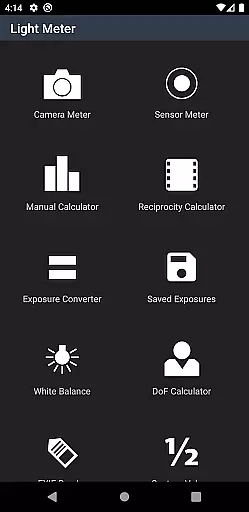
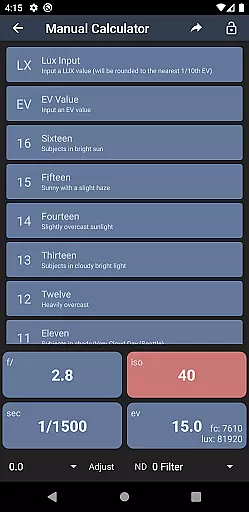
In addition to its core functionality, Light Meter offers advanced features such as a Color Temperature meter, Reciprocity Calculator, Exposure Convert, Manual (Sunny Sixteen) calculator, Depth of Field calculator, and an EXIF Reader. These tools make it suitable for use with any type of camera, from film SLRs to pinhole cameras and even cinematographic equipment.
Whether you're shooting indoors or outdoors, this app provides precise exposure readings to help you achieve optimal results. Its versatility makes it an essential companion for professional photographers and hobbyists alike.
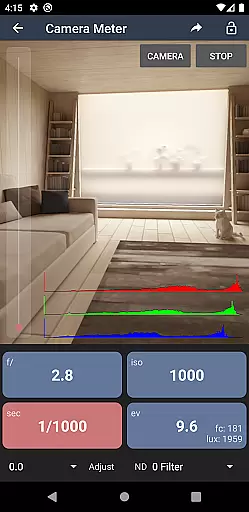
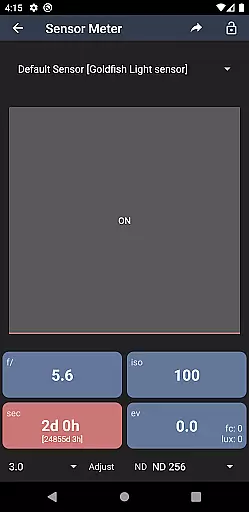
Light Meter stands out with its dual functionality, offering both spot and incident light metering options. The spot metering feature uses the device's camera to measure reflected light, while the incident metering leverages the built-in light sensor for accurate readings. This dual approach ensures users can adapt to different lighting conditions and photography styles.
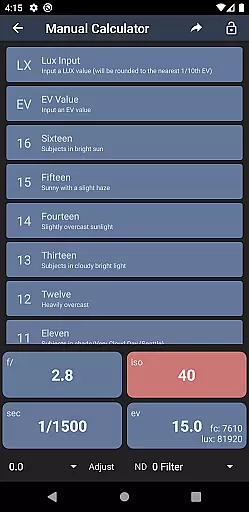
Beyond basic metering, the app includes several specialized tools. The Color Temperature meter helps adjust white balance settings, ensuring natural-looking colors in your photos. The Reciprocity Calculator and Exposure Convert assist in managing long exposures, while the Manual (Sunny Sixteen) calculator aids in determining correct exposure without relying on automatic settings.
Additional features include a Depth of Field calculator for precise focusing and an EXIF Reader to extract detailed information from image files. These capabilities collectively enhance the photographer's toolkit, providing everything needed for professional-grade work.
Real-time capture and preview functionality is essential for photographers who need accurate exposure readings. Light Meter offers both reflected and incident light metering, ensuring precise measurements in various shooting conditions.
The app utilizes the device's camera for spot metering and its light sensor for incident readings, providing reliable data comparable to professional Gossen and Sekonic meters. This dual capability allows users to adapt to different lighting scenarios with confidence.
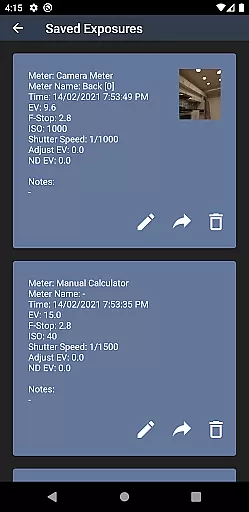
Photographers benefit from real-time feedback, enabling them to make immediate adjustments to their camera settings. The instant availability of exposure information streamlines the workflow, especially when working with film SLRs, pinhole cameras, or cinematographic equipment.
While primarily a light metering tool, Light Meter also includes features that enhance the photography process through additional measurement tools. These include a Color Temperature meter for white balance, a Reciprocity calculator, and an Exposure converter.
The app goes beyond basic metering by offering a Manual (Sunny Sixteen) calculator and a Depth of Field calculator, which assist in achieving technically correct images. An EXIF Reader further supports photographers by allowing them to analyze metadata from previous shots.
These enhancements provide a comprehensive suite of tools that contribute to more natural and technically sound photographic results. Users can trust the app to deliver consistent and accurate information, improving overall image quality without artificial manipulation.
Accurate light readings
Versatile camera support
Comprehensive toolset
User-friendly interface
Reliable performance
Premium price point
Requires compatible hardware
Complex for beginners
Limited offline functionality
Occasional sensor inconsistencies

A collection of tools and reference tables for DPs, ACs, DITs and Operators.
 4.70
4.70
What celebrity do you look like? Celebs will find your celebrity match!
4.10
All-in-One Editor & AI Photo Enhancer, Collage, Cartoonify, Funny Stickers & BGS
4.10
Take videos and pictures with the popular TikTok TIME WARP SCAN filter.
4.60
Light-weight Media Gallery app for Android made with Jetpack Compose
4.60
Professional photography on your mobile phone
4.20
Create AI photos & videos with Enhancer; restore, fix, beautify, enhance photos
4.50
A unique animation app. Powerful, easy to use, and lots of fun.
4.30
Discover How to Plan any Sun, Moon and Milky Way Photo You Imagine in Seconds
4.70
Create funny photos and videos with the popular Time Warp Scan filter.
4.90
Viewfinder, Light meter, Reciprocity failure time, DOF & Bellows Extension
4.60
Unblur, enhance & restore photos with powerful AI photo enhancer tools.
4.60
AI photo editor with hair editor, retouch tools, hair color changer & filters!
4.50
Transform photos into videos! Create realistic or anime-style images easily!
4.50
Fit multiple photos on one post. Create carousels & scroll layouts for Instagram
4.50
Edit like a pro with Hypic. Apply filters, AI effects, & magic touch.
4.40
[3DSteroid Pro] is a stereoscopic application for Android.
4.30
Virtual makeup, hair filters & body tuner—edit from face to full body!
4.20
How old age camera Gender Swap App Face Shape Hairstyle App Hair Styler App fun!
4.00


User Reviews