

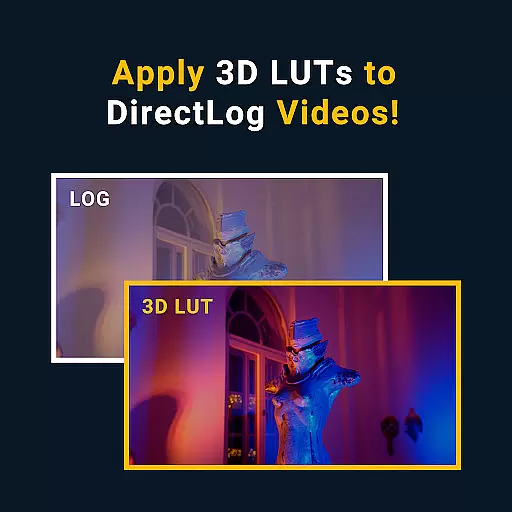




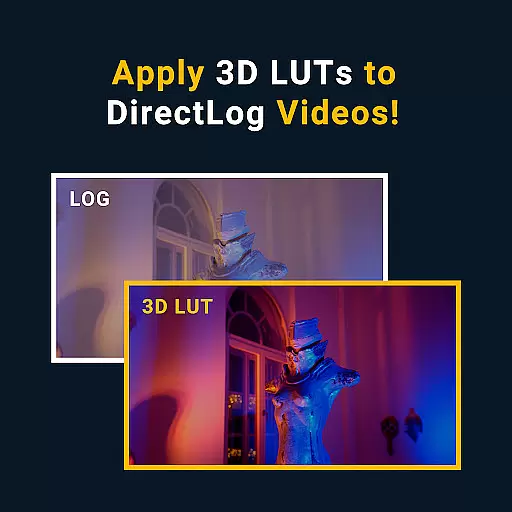
MotionCam Pro is a revolutionary photography and videography application designed to bring professional-grade tools directly to your smartphone. The app's standout feature is its ability to capture RAW video, a first for mobile devices, allowing users to retain maximum image quality and editing flexibility. Beyond video, MotionCam Pro enhances photo-taking with advanced computational photography algorithms that replace standard smartphone camera software. This results in stunning images with improved dynamic range, color accuracy, and low-light performance.
Whether you're an amateur photographer looking to elevate your social media content or a professional needing portable equipment without sacrificing quality, MotionCam Pro caters to all levels. Its intuitive interface ensures ease of use while delivering powerful capabilities that rival traditional cameras. With active community support and continuous updates, MotionCam Pro represents the future of mobile photography.
MotionCam Pro stands out with its innovative features tailored for both photographers and videographers. The app's hallmark is its RAW video capture functionality, enabling users to record videos with uncompressed quality. This feature is particularly beneficial for post-production processes, offering unparalleled control over video editing. Additionally, MotionCam Pro incorporates sophisticated computational photography techniques that enhance photo quality beyond what standard smartphone cameras can achieve.
Users can expect beautifully rendered photos with enhanced dynamic range, precise color reproduction, and superior low-light performance. The app also provides manual controls for exposure, focus, and white balance, granting photographers the creative freedom they need. Furthermore, MotionCam Pro supports various file formats and resolutions, ensuring compatibility with professional workflows. These comprehensive features make MotionCam Pro an indispensable tool for capturing high-quality visuals on the go.
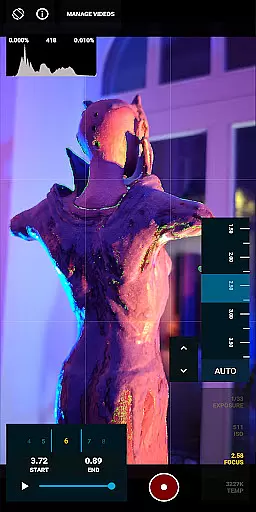
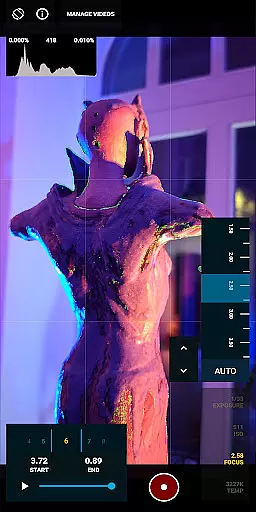
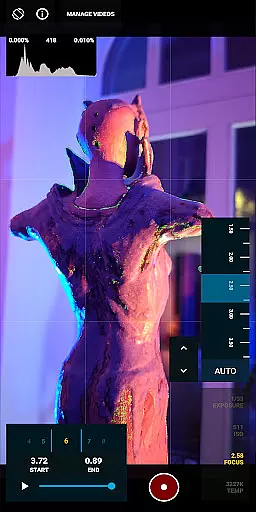
Real-time capture and preview functionality is essential for photographers who need to see the exact image they are capturing before taking the shot. MotionCam Pro excels in this area by providing users with a live view of their subject, ensuring that every detail is captured as intended.
The app utilizes advanced computational photography algorithms to enhance the live preview, offering features such as exposure adjustment, white balance settings, and focus peaking. These tools empower users to fine-tune their shots in real time, resulting in professional-quality images without the need for post-processing.
With MotionCam Pro, users can also take advantage of RAW video capture, a groundbreaking feature that allows for unparalleled editing flexibility. This ensures that videographers can achieve the highest possible quality in their footage, making it an indispensable tool for content creators.
MotionCam Pro incorporates sophisticated AI beauty and enhancement features that elevate smartphone photography to new heights. The app's AI algorithms work seamlessly to improve skin tones, reduce blemishes, and enhance facial features while maintaining a natural look.
Unlike other apps that apply heavy filters, MotionCam focuses on authenticity. Its AI-powered enhancements ensure that subjects look like themselves, only better. This approach preserves the unique characteristics of each individual, delivering photos that are both flattering and true to life.
In addition to portrait enhancements, MotionCam Pro offers a range of creative tools that allow users to experiment with different styles and effects. Whether you're shooting landscapes or portraits, the app provides intuitive controls that make it easy to achieve stunning results, all while keeping the enhancements subtle and realistic.
RAW video capture
Advanced photo algorithms
Manual camera controls
Active community support
Regular updates
Premium pricing
Steep learning curve
High storage requirements
Limited device compatibility
Battery intensive

Photo editor: face & body editor, beauty cam, filters and quality enhancer.
 4.00
4.00
Virtual makeup, hair filters & body tuner—edit from face to full body!
4.20
Android Native system HD camera app. Never been so simple and faster.
4.70
Be your best in every shot! Fix, edit and retouch your face in selfies & photos.
3.70
Gallery Slideshow is slideshow maker app for slideshow from your gallery photos.
3.90
See your baby AI baby face generator AI baby maker Face generator babymaker fun!
4.70
Easily view, share, delete photos with Gallery.
4.70
Solocator stamps photos you take with GPS location, Compass Direction, Date/Time
3.80
Photo & Video Gallery app to manage albums and save WA Status easily.
4.70
Perfect body tune & face app - photo retouch, makeup, slim body & beautify face.
4.80
Photo prints, cards, & gifts at Walgreens. Easy ordering & fast local pickup !
4.80
Photo editor: AI filters, photo enhancer, pic collage maker, AI art generator.
4.80
Amazing Photo Effects - The most fun you can have with your photos!
4.70
Light-weight Media Gallery app for Android made with Jetpack Compose
4.60
A must-have app for landscape photographers
4.60
Fit multiple photos on one post. Create carousels & scroll layouts for Instagram
4.50
Search, tag and rate your way to an organized image gallery
4.40
Luminar: Photo Editor - easy picture editing with AI
4.20
How would you look like with a differently shaped nose, chin or lips?
3.90


User Reviews