
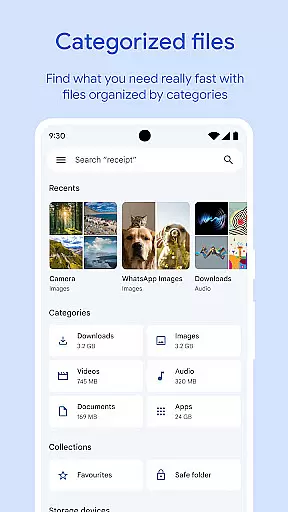
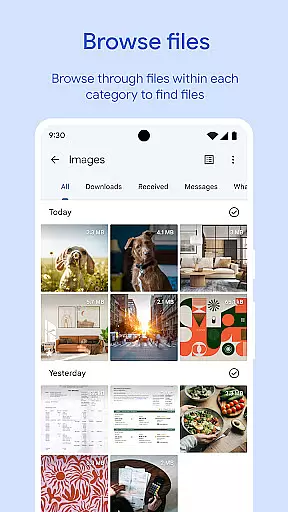
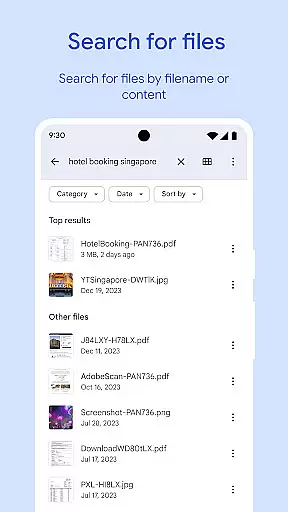
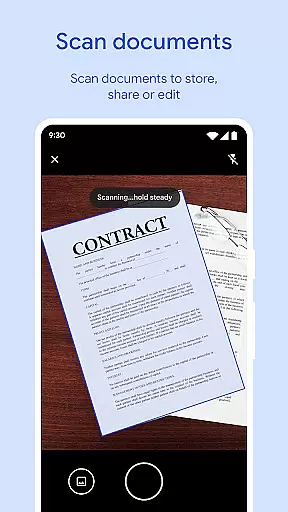
Files by Google is a powerful file management tool designed to help users efficiently organize and manage their device storage. The app provides comprehensive features for file browsing, cleaning, and sharing while maintaining security and convenience. With its intuitive interface, users can easily monitor storage usage across their device, SD card, and USB drives.
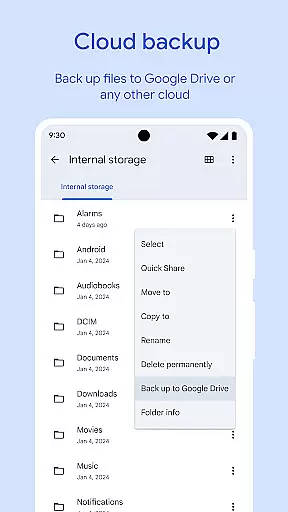
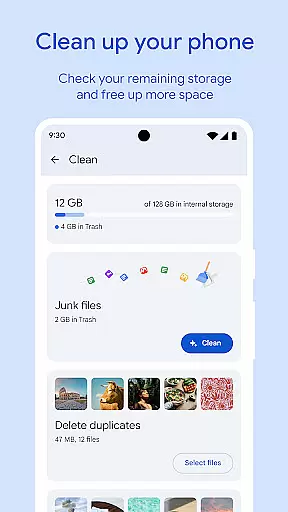
A standout feature is the smart cleaning recommendations that identify duplicate files, old photos, and cached data for removal. The app also supports offline file sharing through Quick Share, allowing fast transfers at speeds up to 480 Mbps with end-to-end encryption. Additionally, Files by Google offers cloud backup options and advanced media playback controls, making it an all-in-one solution for managing digital content securely and effectively.
Files by Google stands out with its robust set of features tailored for efficient file management. One key aspect is its ability to free up space by identifying unnecessary files such as duplicates, cached data, and large media files. This ensures devices remain clutter-free without manual intervention.
The app's search functionality allows users to quickly locate specific files, including photos, videos, and documents. Sorting options by size or type provide deeper insights into storage consumption. Another notable feature is Quick Share, enabling secure offline file transfers between Android devices and Chromebooks at impressive speeds. Furthermore, the app includes advanced media controls for offline playback and integrates seamlessly with Google Drive and other cloud services for reliable backups.
Security is prioritized through customizable locks using PINs or patterns, ensuring sensitive files remain protected independently of the device lock. These features collectively enhance productivity while safeguarding user data.
Files by Google excels in providing accurate and effective core functions that cater to users' file management needs. The app offers precise recommendations for freeing up space by identifying old photos, duplicate files, and cache data. This targeted approach ensures users can efficiently manage their device storage without wasting time on irrelevant suggestions.
The search and browsing functionality is designed for speed and accuracy. Users can quickly locate specific files through an intelligent search system that understands the context of their queries. Whether searching for photos, videos, or documents, the app delivers relevant results promptly, saving valuable time.
When it comes to file sharing, Files by Google maintains high standards of effectiveness. The Quick Share feature enables fast transfers at speeds up to 480 Mbps, even without an internet connection. This reliable performance ensures users can share files with confidence, knowing their transfers will be completed swiftly and securely.
Simplicity and intuitiveness are at the heart of Files by Google's interface design. The app presents a clean and organized layout that makes file management accessible to users of all technical backgrounds. Clear visual indicators show available storage space across the device, SD card, and USB drive, enabling users to make informed decisions about managing their files.
Navigating through different file types is straightforward thanks to well-structured categories and sorting options. Users can easily switch between viewing photos, videos, documents, and other file types without getting lost in complex menus. The intuitive browsing experience helps users find what they need quickly, whether it's recent downloads or specific media files.
Additional features like playback controls for offline media and smart recommendations are seamlessly integrated into the interface. These elements enhance functionality without cluttering the screen or overwhelming users with too many options. The result is an application that feels natural to use while offering powerful tools for efficient file management.
User-friendly interface
Efficient storage management
Fast offline sharing
Secure file encryption
Smart cleaning suggestions
Limited iOS compatibility
Requires Google account
Occasional bugs reported
No built-in antivirus
Cloud dependency for backups

Easily install aab(Android App Bundle) files on your Android device with our app
 4.80
4.80
A recovery soft,it features photo recovery, video recovery, file recovery.
3.40
Universal TV remote control all TVs, Roku, LG, Samsung, Fire, Vizio, Sony, TCL.
4.40
MS-DOS in your pocket. Play old DOS games anywhere you are ;)
4.10
PC precision for mobile gaming: dominate with keyboard and mouse!
4.30
Support Fossify apps with a warm thank you!
5.00
Game Booster, GFX Tool is now compatible with newer game update
4.50
fast and easy mp3 music downloader
4.80
The ideal app to be the digital eye of your family
3.40
Enjoy smooth gameplay with Game Booster
4.90
Remote Play with FSR upscaling, low latency & full controller support
4.80
ADB support Android 4.X-Android 13(Support wireless pair mode).No root required!
4.70
FV File Manager Pro, Fast and powerful file manager for Android
4.60
Screen Mirroring for Roku Sticks, Roku TCL TV and Roku Hisense TV
4.50
Use your phone as a webcam on your computer over WiFi or USB.
4.40
Complete kernel toolbox with features to manage and tweak your rooted device
4.30
pdf merge, word to pdf, jpg to pdf, edit pdf, convert to pdf and much more!
4.20
Safely recover deleted photos, videos, and files with a single easy tap.
3.70
PDF Reader - Document Viewer: Read, Manage & Organize Your Documents
3.10


User Reviews