
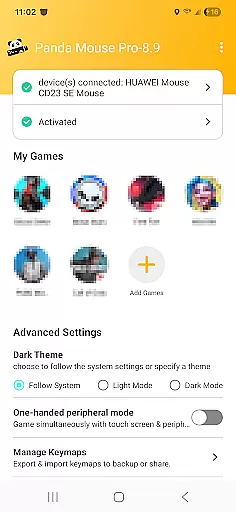
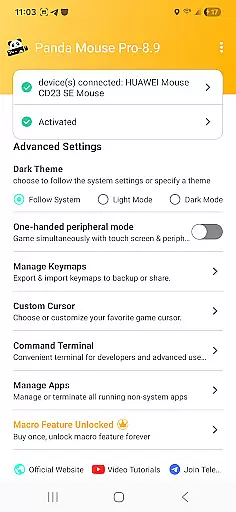
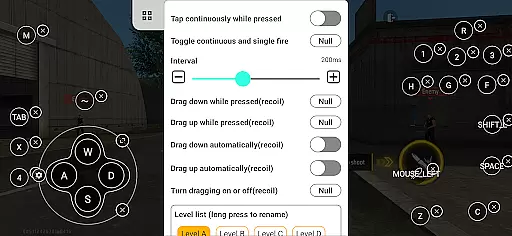
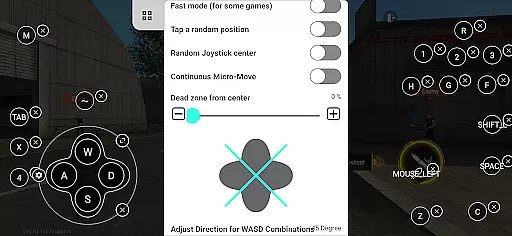
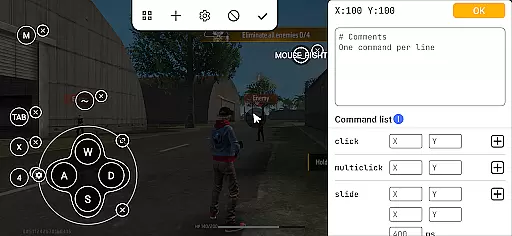
Panda Mouse Pro is a powerful keymapper tool that revolutionizes mobile gaming by allowing players to use their keyboard and mouse for enhanced control. Designed for gamers who demand precision, this application supports virtually all keyboard and mouse brands, making it versatile for various gaming setups.
One of the standout features of Panda Mouse Pro is its direct game launch capability, which eliminates the need for cloning apps and allows users to jump straight into gameplay. Additionally, the app ensures secure Google Play logins and provides ban-proof gaming technology, giving peace of mind to competitive gamers.
Whether you're playing shooting games, MOBAs, or sports titles, Panda Mouse Pro offers pinpoint accuracy and lightning-fast reactions, providing a superior gaming experience on Android devices.
Panda Mouse Pro boasts several innovative features tailored for modern mobile gamers. The app's universal compatibility with different keyboard and mouse brands ensures that users can utilize their preferred peripherals without limitations.
For ease of access, Panda Mouse Pro includes a direct game launch feature, streamlining the process of starting games without additional steps. Its secure login system through Google Play safeguards user accounts while maintaining seamless integration with popular gaming services.
Furthermore, the app's ban-proof technology is a game-changer for competitive players concerned about account restrictions. With extensive support across multiple game genres and hassle-free activation options for different Android versions, Panda Mouse Pro delivers an unmatched combination of convenience and performance.
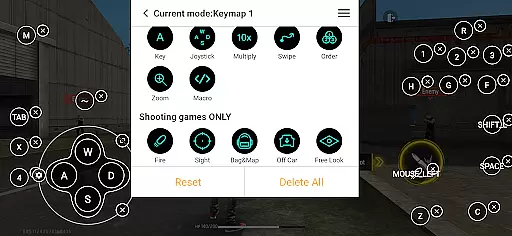
Panda Mouse Pro is designed to provide unparalleled precision and control for mobile gaming. The app's core function lies in its ability to seamlessly map keyboard and mouse inputs to touchscreen actions, allowing gamers to execute complex maneuvers with ease.
The keymapper technology ensures every click and keystroke translates into accurate in-game movements. Whether it's a headshot in a first-person shooter or a skill shot in a MOBA, the app maintains perfect synchronization between the input devices and the game.
Users benefit from faster reaction times and more precise control compared to traditional touch controls. This level of accuracy gives players a competitive edge, making it easier to climb ranks and dominate in various game genres.
The effectiveness of Panda Mouse Pro is evident in its universal compatibility and extensive game support. Regardless of the game type - from shooting games to sports titles - the app consistently delivers reliable performance, ensuring an enhanced gaming experience across different scenarios.
A well-designed interface is crucial for any productivity tool, and Panda Mouse Pro excels in this aspect. The application features a clean and straightforward layout that allows users to quickly understand and utilize its keymapping functions without extensive learning.
The intuitive design enables gamers to set up their preferred key configurations within minutes. With clear visual indicators and logical menu structures, even beginners can easily navigate through the app's features and customize their gaming setup according to personal preferences.
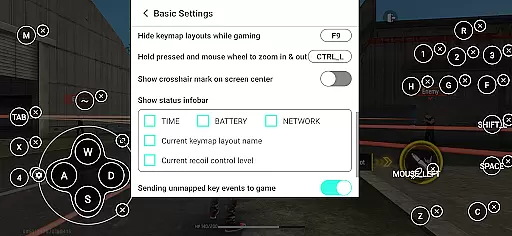
Despite its powerful capabilities, the interface remains uncluttered and responsive. Users can swiftly switch between different game profiles and adjust settings on-the-fly, enhancing their overall gaming workflow without being distracted by complicated menus or options.
This combination of simplicity and functionality makes Panda Mouse Pro accessible to both casual and professional gamers, ensuring that the tool enhances rather than complicates the gaming experience.
Enhanced precision
Ban-proof technology
Universal compatibility
Direct game launch
Secure login
Requires initial setup
Limited touchscreen use
Premium cost
Device compatibility issues
Learning curve

Quickly switch to an encrypted DNS server on Android TV
 4.50
4.50
Learn the vast amount of system information about device and monitor it's state
4.70
Keep track of your Palia friendships, tasks, and inventory with Palia Notebook
4.60
Effortlessly run ADB commands directly on your device without a PC.
4.20
Excellent scientific calculator with symbolic algebra, integrals, derivatives
4.80
Monitor car performance in real time and troubleshoot malfunctions.
4.80
Bedrock Together: Join any bedrock server on Xbox/PS
4.80
The one-and-only remote control for PC, Mac, and Linux
4.70
Mobile Security with Scam Protection | Malware & Virus Cleaner | Safe Browser
4.70
Mirror your screen to Chromecast and Android TV - Super fast and simple
4.60
Button mapper, mouse toggle, sleep timer and a lot of another features
4.50
Mirror your screen to Fire TV - Super fast and simple
4.40
Fluid navigation gestures for all of us!
4.30
Making emulation easy for everyone!
4.30
pdf merge, word to pdf, jpg to pdf, edit pdf, convert to pdf and much more!
4.20
1-Click close all background apps on Android TV
3.90
Create your own live wallpaper or check out thousands already made presets
3.90
Create your own custom widget with endless possibilities
3.90
Save any video in HD - paste the link, download fast and watch offline.
4.2


User Reviews