
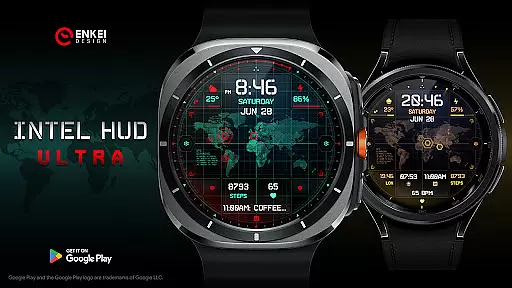
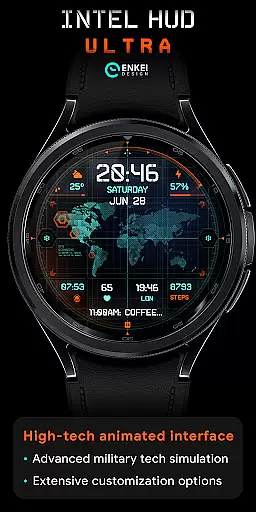
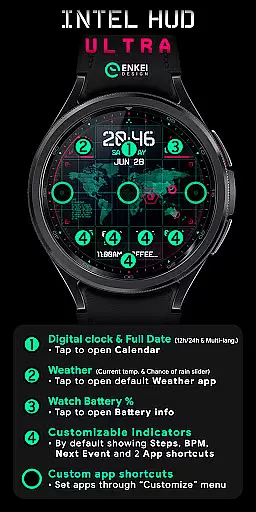
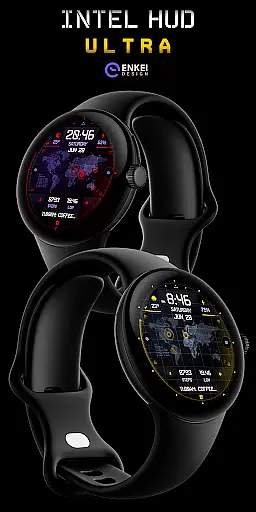
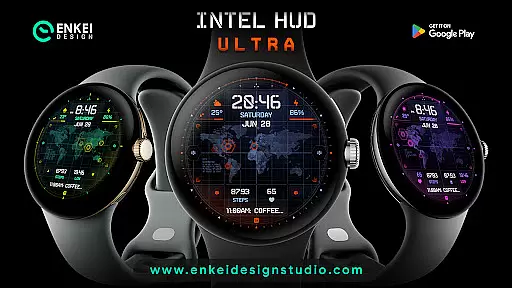
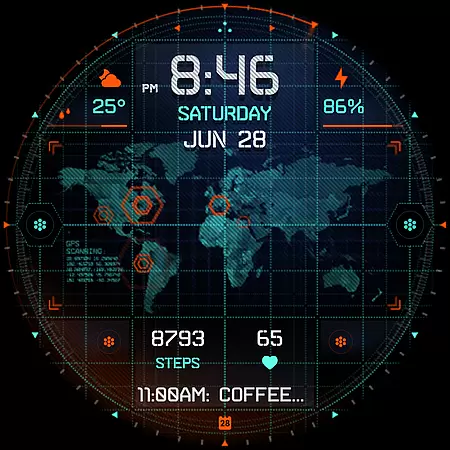
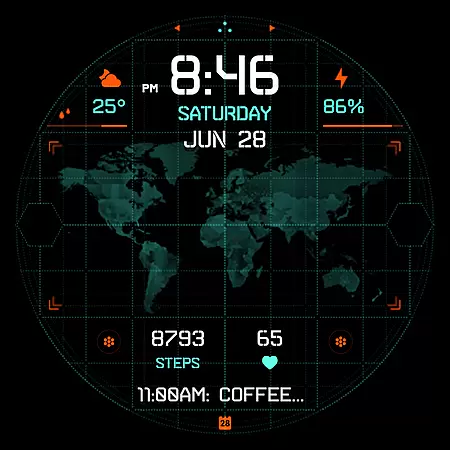
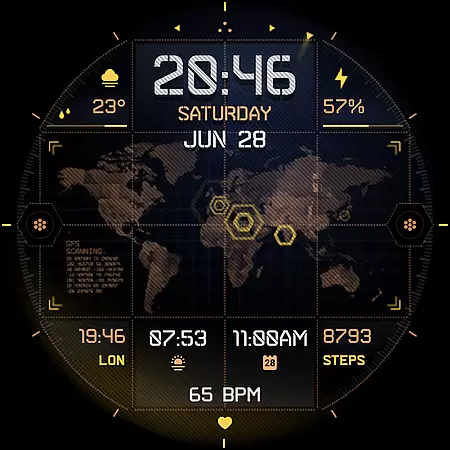
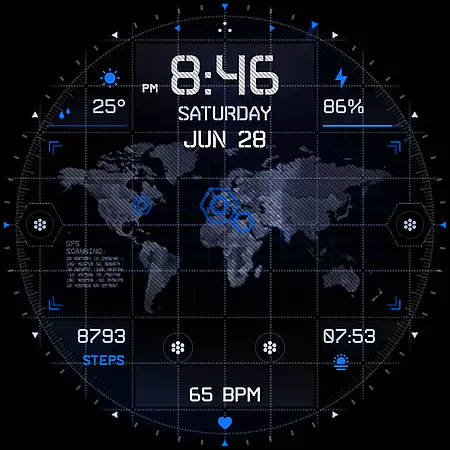
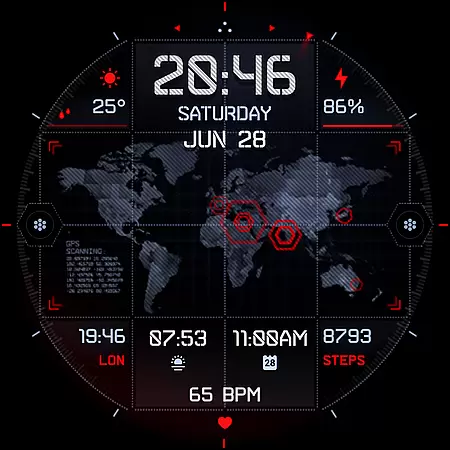
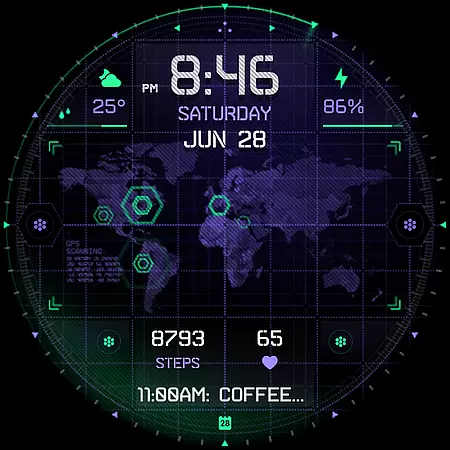
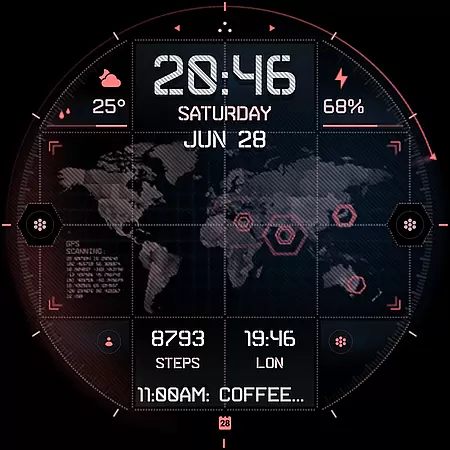
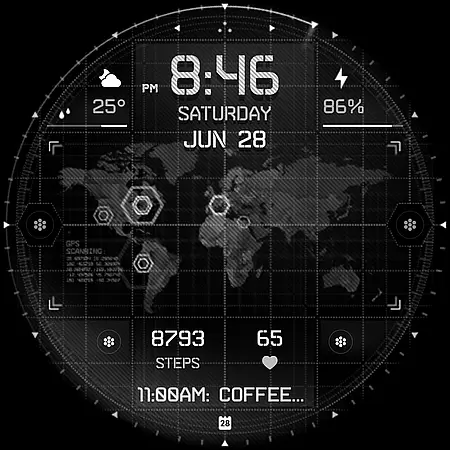
INTEL HUD Ultra is a high-tech digital watch face designed for smartwatches running Wear OS 5.0 and newer versions. This advanced watch face features an animated interface optimized for maximum performance while minimizing battery consumption. Users can enjoy extensive customization options, allowing them to personalize the layout by adjusting indicators, shortcuts, colors, and other visual elements.
The watch face supports various practical features such as a digital clock with 12h/24h format, weather updates, battery percentage display, and app shortcuts. It also includes customizable indicators for steps, heart rate, and next events. With its military-inspired design and cutting-edge functionality, INTEL HUD Ultra offers a unique blend of style and utility for tech-savvy users.
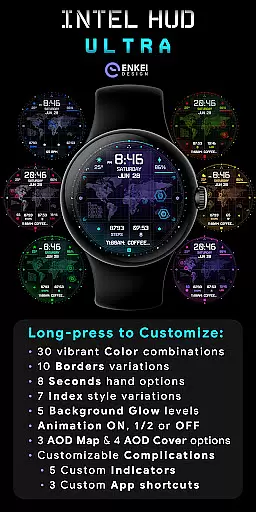
INTEL HUD Ultra stands out with its feature-rich design tailored for smartwatch users seeking both aesthetics and functionality. The watch face boasts a high-tech animated interface that users can customize extensively. From vibrant color combinations and border variations to multiple index styles and background glow levels, the customization options are vast.
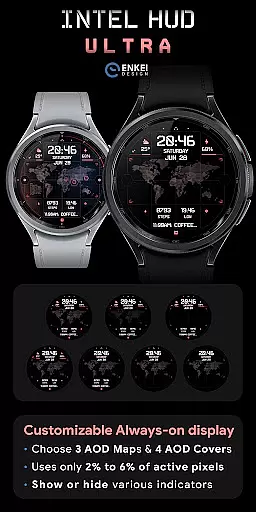
Practical functionalities include a digital clock with tap-to-open calendar access, weather updates with temperature and rain probability, and battery-efficient always-on display (AOD) modes. Additionally, users can personalize their experience with customizable indicators for steps, heart rate, and app shortcuts. These features ensure that INTEL HUD Ultra not only looks impressive but also enhances user interaction and convenience on Wear OS devices.
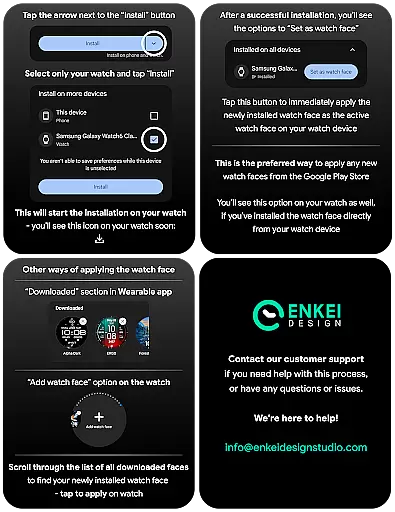
Companion app integration refers to the seamless connection between a wearable device and its corresponding mobile application. For INTEL HUD Ultra, this integration ensures that users can efficiently manage and customize their watch face directly from their phone. The companion app serves as a bridge, enabling direct installation of the watch face to the wearable device while offering additional customization options.
This smartwatch face takes full advantage of the companion app by simplifying the installation process and directing users to install the watch face directly on their Wear OS device. By doing so, it reduces potential confusion and streamlines the setup process, ensuring that users can quickly access and enjoy the high-tech features of the INTEL HUD Ultra.
For users, this means a hassle-free experience when setting up their digital watch face. They can trust that the companion app will guide them through the necessary steps to get the most out of their smartwatch. This results in a smoother user journey, enhancing overall satisfaction with the product.
Device compatibility is crucial for any application designed for specific operating systems and hardware configurations. INTEL HUD Ultra is optimized for devices running Wear OS 5.0 and newer versions (API 34+), ensuring that users with up-to-date smartwatches can fully utilize its advanced features without encountering performance issues.
The strict compatibility requirements guarantee that animations and extensive customization options are presented smoothly, without compromising battery life or system stability. Users can be confident that their devices will support the sophisticated layout and interactive elements of the INTEL HUD Ultra watch face.
By focusing on Wear OS 5.0 and above, INTEL HUD Ultra delivers an enhanced user experience tailored to the capabilities of modern smartwatches. This strategic decision allows developers to leverage the latest technology, providing users with a cutting-edge interface that combines aesthetics with functionality, ultimately elevating their daily interactions with their wearable devices.
Highly customizable
Battery efficient
Modern aesthetic
Feature rich
Military inspired
Wear OS 5.0+
Complex setup
Premium cost
Limited support
Device specific

Christmas Theme Watch Face for Wear Os
 5.00
5.00
Christmas and New Year - Themed Watchface
4.0
Christmas is near, let's count together the days left until Santa comes
4.4
Wear Os Watch Face - Animated Snow Effect & Magic Spark - 6 Scenes
4.10
Hybrid watch face for Wear OS with customizable complications by Matteo Dini MD
4.70
Connect, create, and collaborate with Gmail, part of Google Workspace.
4.10
Simple, helpful messaging by Google
4.60
Spam call blocker and caller ID for automatic call protection!
4.40
From periods to pregnancy & perimenopause, Flo helps you track it all. Try now.
4.70
Monitor health with the stress test and pulse checker in the heart rate app.
4.60
Find EV charging stations
4.30
Hyper-Realistic Airplane Dashboard Watch Face With 10 Skins and Custom AOD
4.00
Want to take charge of your health? Let Google Fit help you reach your goals.
3.50
Stay in touch with your friends and family using LINE!
3.40
Wear Os Watch Face - Animated Snow Effect & Christmas Lights
4.5
Analog watch face with 8 complications and expedition styling
4.2
A heartwarming Christmas scene featuring a cute image of Santa and Rudolf
4.2
Stunning modern digital watch face with 7 complications and strong contrast
4.1
Artistic Digital Watchface
4.0


User Reviews