
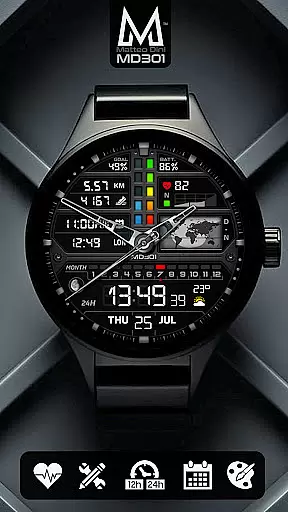
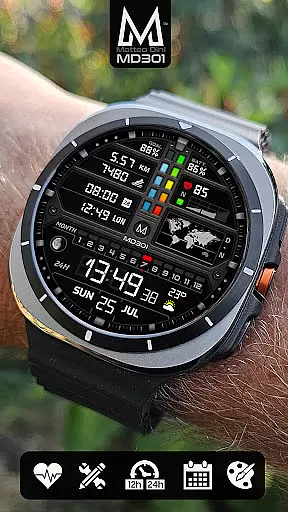
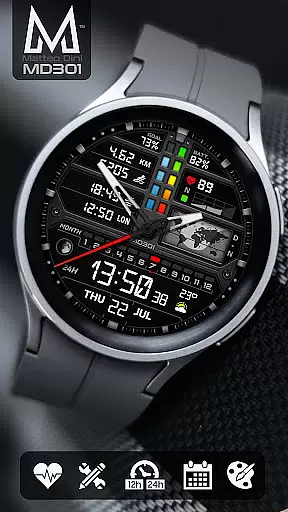
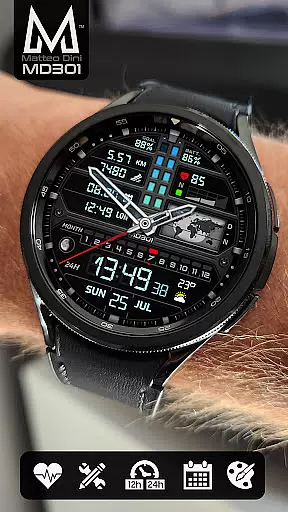
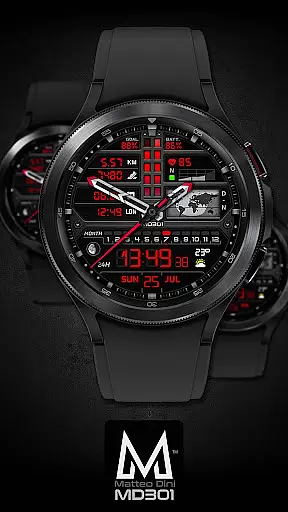
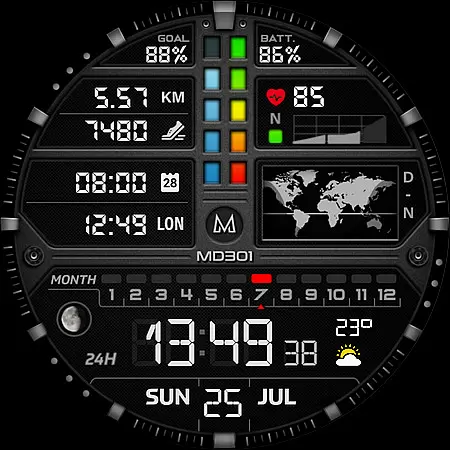
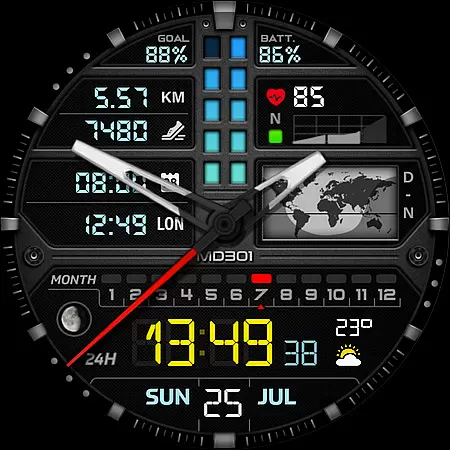
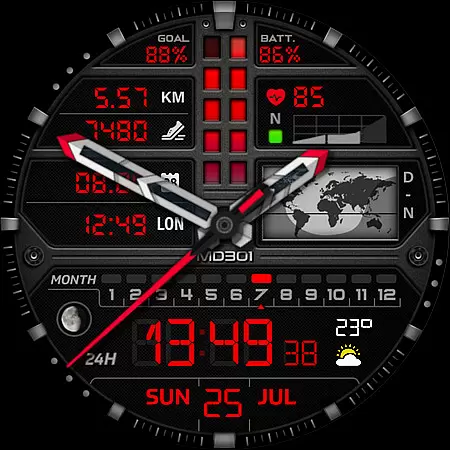
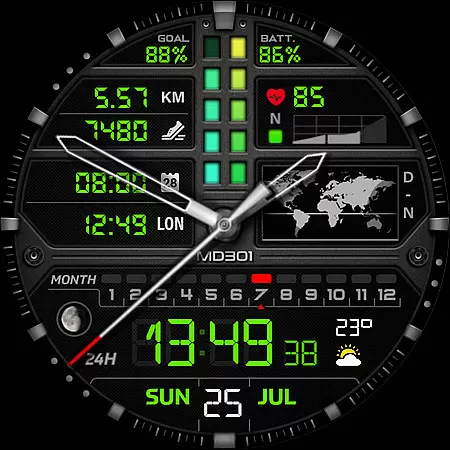
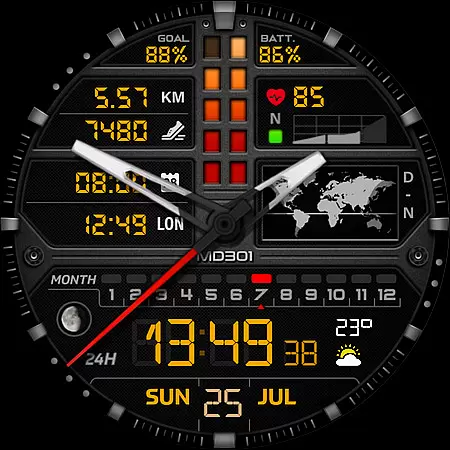
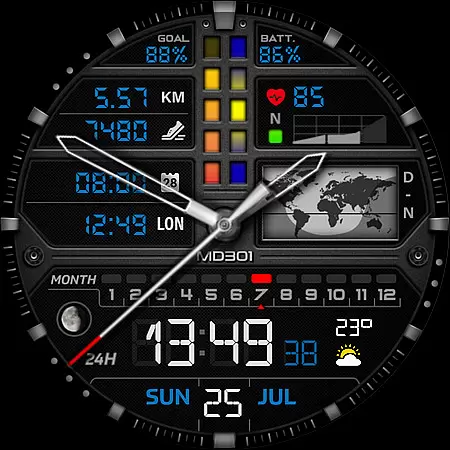
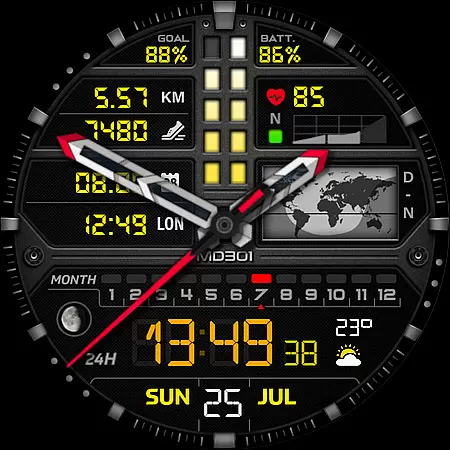
MD301 Hybrid watch face offers a sophisticated blend of digital and analog display options, designed specifically for Wear OS devices. This advanced watch face features multiple customizable elements including 3 preset app shortcuts, 3 customizable shortcuts, and 4 complications that can display data such as weather and distance.
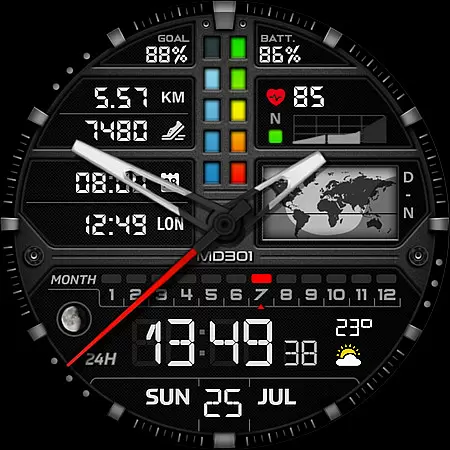
With support for Always ON Display and changeable colors, users can tailor the appearance to their preferences directly on their smartwatch. The inclusion of a day & night world map, heart rate monitor, and step counter makes it both functional and visually appealing.
Ideal for Galaxy Watch users running Wear OS 4 and later, this watch face delivers a personalized experience while ensuring compatibility with API Level 33+ devices. Despite some installation challenges via the Samsung Wearable app, customization directly on the device ensures a seamless user experience.
The MD301 Hybrid watch face stands out with its comprehensive feature set tailored for tech-savvy users. It includes digital time in 12/24hr format, analog hands, date, month, moon phase, and a unique day & night world map. These features are complemented by health tracking capabilities like heart rate monitoring and daily step goals.
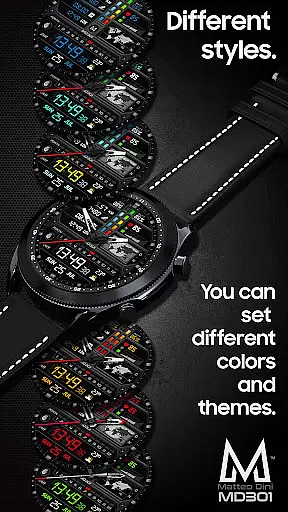
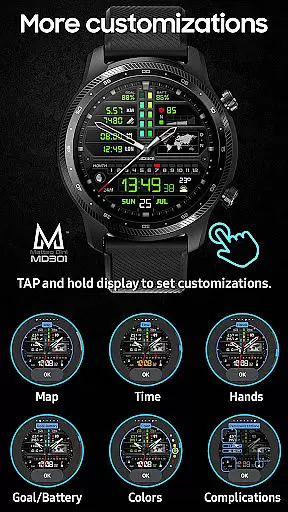
Customization is at the core of this watch face's design. Users can personalize up to 7 shortcuts and complications, choosing from a variety of data displays such as weather, time zones, and more. The ability to modify colors, hands, and other visual elements allows for a truly bespoke experience.
Notably, the watch face supports Always ON Display functionality, maintaining visibility without sacrificing battery life. While some features may vary across different devices, the overall adaptability and rich feature set make MD301 a top choice for those seeking both aesthetics and utility in their wearable technology.
For the MD301 Hybrid watch face, seamless companion app integration is crucial for an optimal user experience. This functionality ensures that users can easily synchronize and manage their watch face settings directly from their smartphone.
The Samsung Wearable app allows customization of complex features such as the 3 Preset App shortcuts, 3 customizable shortcuts, and 4 customizable complications. Although some Galaxy Watch users may face challenges with the editor loading these intricate designs, the recommendation to customize directly on the watch provides a reliable workaround.
By integrating deeply with the companion app, users gain access to real-time updates and additional functionalities like weather data and health metrics. This connectivity not only enhances usability but also ensures that all features are fully optimized for daily use.
The MD301 Hybrid watch face boasts extensive compatibility with a range of Wear OS devices, ensuring broad accessibility for users. Supporting all Wear OS devices with API Level 33+ (Wear OS 4 and later versions), it caters to models including Samsung Galaxy Watch 4-8, Ultra, and Pixel Watch.
This wide compatibility means users benefit from consistent performance across different devices. Whether they own a Samsung or another brand, the assurance of functionality on their specific model enhances confidence in their purchase.
Additionally, features like Always ON Display with changeable colors and various customizable elements ensure that regardless of the device, users enjoy a personalized and visually appealing experience. This commitment to compatibility underscores the watch face's adaptability and user-centric design.
Highly customizable
Feature-rich interface
Supports Always ON Display
Visually stunning design
Compatible with Wear OS 4+
Complex setup process
Limited Samsung app support
Additional complications needed
Battery consumption concerns
Varied device compatibility

Highly customizable hybrid watch face for Wear OS, perfect for everyday use.
 4.60
4.60
Christmas - Festive - Christmas Village - Winter - Christmas lights
5.00
Precision analog watch face with 7 complications and style options
4.1
Digital watch face. For Wear OS devices.
4.40
sleep, alarm, snoring, stress, healing, focus, sound therapy, circadian rhythm
4.10
Your second brain for organizing your life: to-do, calendar, reminder.
4.70
Stay in touch with your friends and family using LINE!
3.40
Hybrid Vibrant Health Watch Face for Wear OS
4.0
Daily Weather forecast with 15 weather images for Day & Night plus Big Bold time
4.10
Real-time weather radar with temperatures, warnings, hurricanes, and widgets
4.80
Diet tracker for weight loss - track calories, food and macros. Simple and easy!
4.70
WTW M17 is a premium and luxurious hybrid watch face
4.70
Be an elegant and classy secret agent, with this carefully detailed watch face
4.70
Kia Access makes getting your vehicle information easier than ever
4.60
Stylish, Energizing and Modern Watch Face crafted by Dominus Mathias.
4.50
Fast and smart typing with Emojis, GIFs, and more
4.50
Elegant animated Christmas tree with multiple customization options
4.20
Watch face for Wear OS.
4.20
"PER27 Galaxy Digital" is a digital Wear OS watch face designed by PERSONA
4.10


User Reviews