
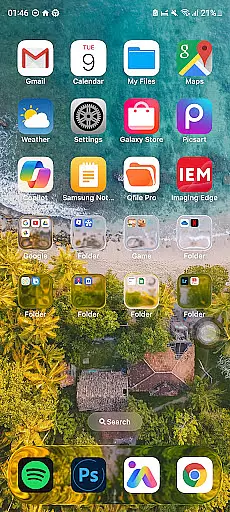
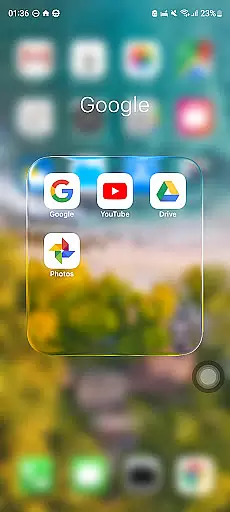
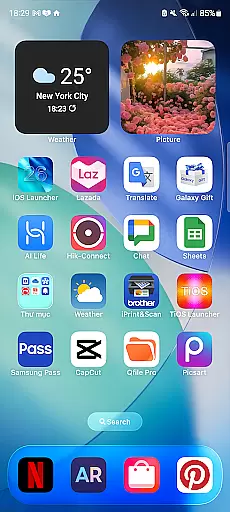
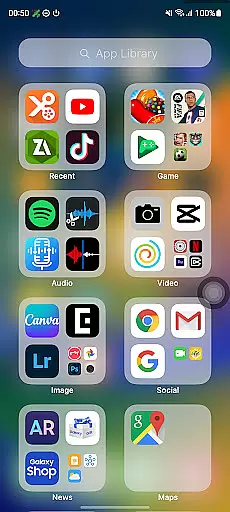
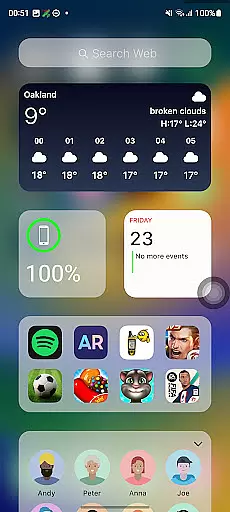
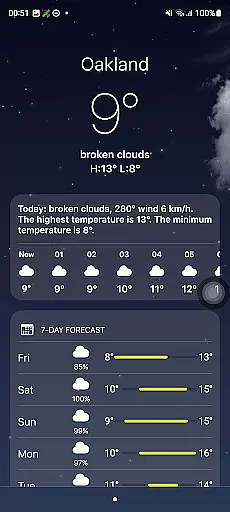
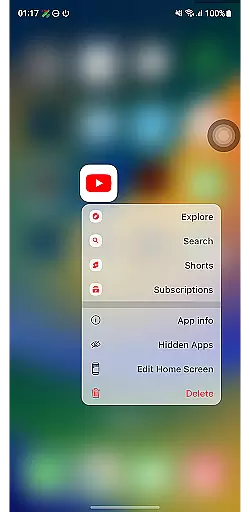
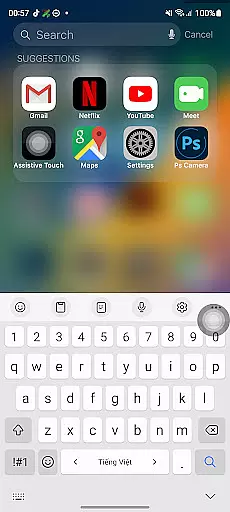
Launcher iOS 26 is a personalization app that brings the familiar iPhone experience to Android devices. It offers an authentic iOS look and feel, providing users with a sleek and intuitive launcher inspired by iPhone's design. The app goes beyond aesthetics, enhancing functionality with features like a convenient Control Center and easy access to favorite apps.
This app allows for a personalized experience by letting users customize their wallpaper just like on an iPhone. With Launcher iOS 26, Android users can enjoy the polished design and simplified navigation they love about iPhones while still using their Android device.
Launcher iOS 26 stands out with its rich feature set designed to simplify and personalize the Android experience. One of its key features is the authentic iOS look and feel, immersing users in a familiar and polished design. This makes navigation intuitive for those accustomed to iPhones.
Beyond aesthetics, Launcher iOS 26 offers enhanced functionality inspired by iPhone features. Users can access essential functions with a swipe through the Control Center, similar to iPhone's implementation. Quick Access provides easy access to favorite apps and actions, akin to iPhone's AssistiveTouch. Additionally, customizable wallpapers let users set their preferred images freely, just like on an iPhone.
Launcher iOS 26 offers a wide array of customization options that allow users to tailor their Android experience to closely mimic the familiar iPhone interface. This includes not only aesthetic elements but also functional features inspired by iOS.
The launcher provides an authentic Control Center, enabling users to access essential phone functions with simple swipe gestures, akin to the iPhone's intuitive design. Additionally, users can enjoy quick access to favorite apps and actions through features reminiscent of AssistiveTouch, enhancing usability.
One of the standout customization features is the ability to set wallpapers freely, offering a personalized touch just like on an actual iPhone. These customization options collectively create a unique and adaptable user experience.
By leveraging these comprehensive personalization tools, Launcher iOS 26 empowers users to transform their Android devices into a system that feels both familiar and tailored specifically to their preferences.
Theme compatibility in Launcher iOS 26 ensures that users can seamlessly integrate various visual themes to maintain a consistent look and feel across their device. This compatibility extends to replicating the polished design aesthetics found in iPhones.
Users benefit from an enhanced visual experience where themes are not only visually appealing but also functionally cohesive. The launcher supports different themes that align with iOS-inspired designs, ensuring smooth transitions and interactions throughout the user interface.
This attention to theme compatibility allows for a harmonious blend of style and functionality, making daily interactions more enjoyable. Users can expect their chosen themes to work without hiccups, providing a reliable and visually pleasing environment.
Ultimately, Launcher iOS 26u2019s commitment to theme compatibility means users enjoy a streamlined and attractive interface that mirrors the sophisticated appearance and operational fluidity of an iPhone while using an Android device.
User-friendly interface
Authentic iOS design
Customizable features
Enhanced functionality
Intuitive navigation
Limited to Android
May lack some iOS features
Potential performance issues
Not a full OS replacement
Some features may require additional permissions

Beautiful realistic hybrid watch face with numerous customization options.
 4.50
4.50
Ultra realistic high quality analog watch face for Wear OS.
4.60
Wallpaper HD 4K Live - Thousands of high-quality Anime backgrounds for you.
4.80
Transfer your live wallpapers from Windows to Android using Wallpaper Engine!
4.00 4.50
4.50
200+ Material Inspired Widgets
4.50
A minimalist productivity launcher. One-hand-friendly. Zero ads.
4.70
Amazing letter fonts in your messages and social statuses
4.70
Fast SMS & group chat - use GIFs and emojis from your home screen launcher.
4.50
Vertically oriented rectangular icons
4.70
300+ Stunning and well-designed widgets inspired by NOTHING.
4.70
Over 28,000 high quality icons to bring color & homogeneity to your phone.
4.60
Zip lock screen with magic wallpaper to decorate your phone with fun zipper lock
4.60
Wear Os Watch Face - Seasonal - Animated Snow Effect - 9 Animals
4.20
Adult video chat, dating, making friends, random matching
4.20
Organize and manage your photos and videos effortlessly with Photo Gallery
4.20
Ultimate widget creator. Design custom widgets for a truly unique home screen!
3.90
Design your screen with unique, vibrant clocks
3.80 3.50
3.50


User Reviews