
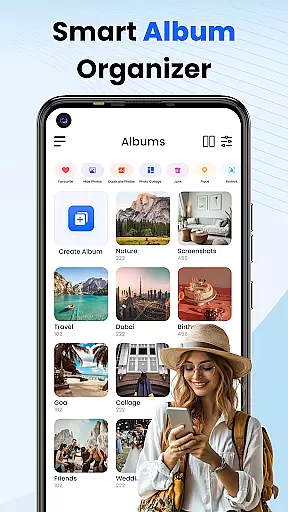
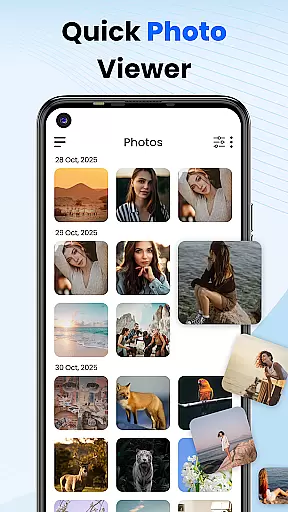
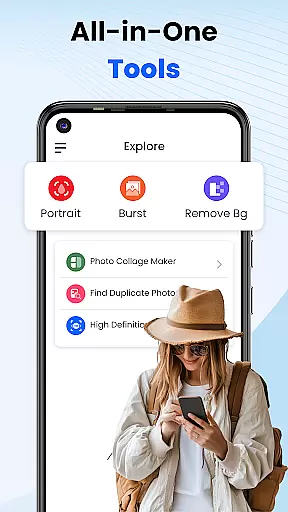
Gallery 2025 is a feature-rich photo management app designed to streamline the organization and enhancement of your photos and videos. With its smart organization capabilities, it automatically categorizes media by timeline, location, and path, making file management effortless. The app also supports easy transfer to and from SD cards, ensuring you can access your media wherever you go.
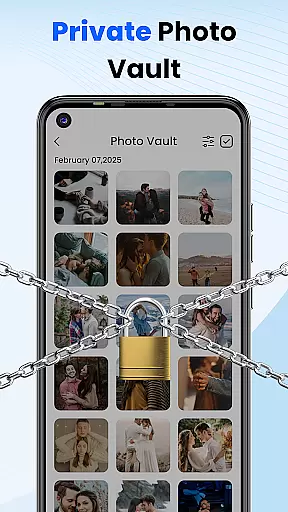
Beyond simple organization, Gallery 2025 offers advanced privacy features. It includes a secure vault for safeguarding private photos and videos, protected by PIN, pattern, or security questions. Additionally, the built-in editing tools allow users to enhance their images effortlessly, while recovery options ensure no media is lost forever. This comprehensive suite of features makes Gallery 2025 an essential tool for anyone looking to manage their personal media securely and efficiently.
Gallery 2025 stands out with its powerful set of features tailored for both casual users and photography enthusiasts. One of its key highlights is the Smart Organization system, which uses AI technology to automatically sort photos and videos by date, location, and directory paths. This ensures that all your media files are neatly organized without any manual input. Furthermore, the Effortless Search function allows users to quickly find specific files using filters such as places or dates.
Privacy is another cornerstone of Gallery 2025. The Private Vault feature provides an encrypted space where sensitive media can be stored and accessed only via PIN, pattern, or security question. For additional protection, the Gallery Lock functionality secures entire albums behind a password or pattern. These robust security measures make Gallery 2025 one of the most reliable apps for safeguarding personal content on Android devices.
Customization is at the heart of Photo Gallery, allowing users to tailor their photo management experience according to their preferences. This app offers a diverse range of customization options that cater to both novice and advanced users.
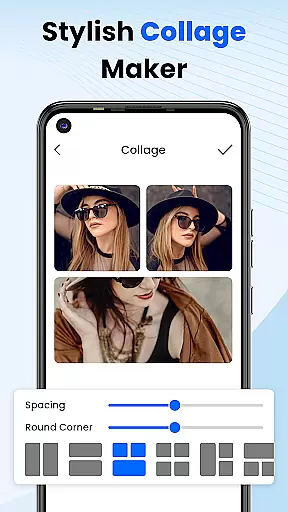
One of the standout features is the ability to automatically categorize photos and videos by timeline, location, and path, making it effortless to organize and find your media. Additionally, users can create collages, edit photos with built-in tools, and even lock albums to keep certain images private.
The app also provides recovery options for accidentally deleted media, ensuring that users never permanently lose their cherished memories. With features like the secure vault, which encrypts sensitive photos and videos, users have peace of mind knowing their personal content is protected.
Overall, Photo Gallery's extensive customization options enhance user engagement by offering a personalized and secure way to manage digital memories, setting it apart from other gallery apps in the Personalisation category.
Theme compatibility is an essential aspect of any personalization app, and Photo Gallery excels in this area by providing a seamless experience across various themes. Whether you prefer a light or dark theme, this app ensures visual consistency and comfort during use.
Users can switch between different themes effortlessly, adapting the app's appearance to suit their mood or environment. This flexibility not only enhances usability but also makes the process of browsing through photos and videos more enjoyable.
Beyond just aesthetic appeal, Photo Gallery maintains functional integrity regardless of the chosen theme. All core features, such as photo editing, album locking, and secure vault access, remain fully operational and intuitive, preserving the quality of interaction.
In summary, Photo Gallery's commitment to theme compatibility ensures that users enjoy a visually cohesive and adaptable interface without compromising on functionality, making it a top choice for those seeking versatile personalization options.
User-friendly interface
Advanced privacy controls
Comprehensive editing tools
Efficient file management
Secure media backup
Limited cloud integration
Occasional performance lags
Ads in free version
Complex setup for beginners
Few customization options

A launcher for Samsung Good Lock and Good Guardians modules without ads
 4.70
4.70
Dark icon pack based on One 8
4.80
Interactive Miniature Painting Catalogue
3.30
Ultimate widget creator. Design custom widgets for a truly unique home screen!
3.90
More than 3000+ themes and 9000+ wallpapers for everybody!
4.10
Stylish Pink Cute Hippo keyboard with 10000+ customized keyboard themes!
4.60
400+ Beautifully crafted widgets inspired by NOTHING.
4.70
Transform your phone with stunning video wallpapers and a unique, personal touch
3.80
Cool custom fonts & keyboard themes! Symbols & font changer for Instagram
4.50
Wallpaper HD 4K Live - Thousands of high-quality Anime backgrounds for you.
4.80
One 8 icons glass color version
4.80
Make your phone look simple & luxury, like iDevice
4.60
Ultimate Gallery Lock App - Hide Pictures, Videos and Lock Apps Instantly!
4.60
300+ widgets inspired by Material You and Material 3 expressive design.
4.60
Vibrant Adaptive Icons with Material You and Enhanced Monet Colors.
4.50
Transform your device in a game console
4.40
The definitive Icon pack maker and editor
4.30
Create unique, fun emojis with Funny Emoji Maker! Unlimited creativity!
4.00
Emoji Maker app - Design custom emojis and effortlessly blend them with Mixer
3.80


User Reviews