

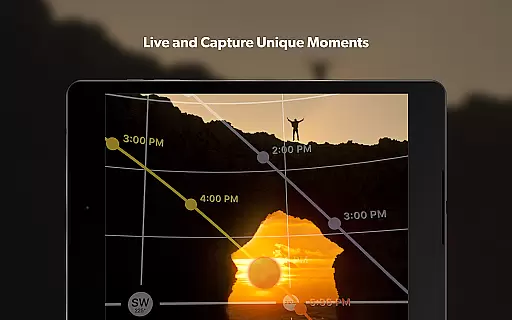
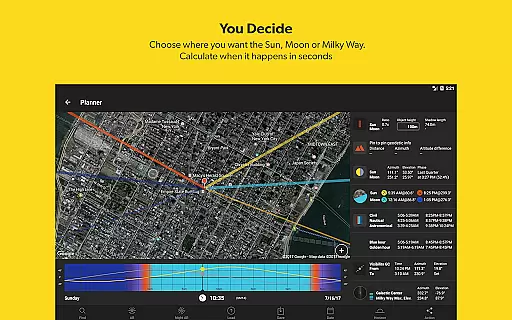


PhotoPills is a comprehensive photography planning tool designed to unlock creative potential in capturing Sun, Moon, and Milky Way scenes. This app allows photographers to turn imaginative concepts into real pictures by providing precise planning tools for every step of the process. With features like 2D map-centric planning, augmented reality views, and photo plan management, PhotoPills caters to landscape, night sky, and event photographers alike.
The app's innovative tools include alignment finders, celestial tracking, and exposure calculators, ensuring users can capture legendary shots with confidence. Whether you're scouting locations, calculating golden hour, or planning astro-photography, PhotoPills offers an all-in-one solution that makes exploring artistic possibilities easier than ever before.
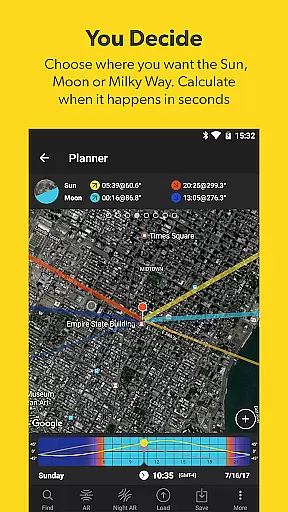
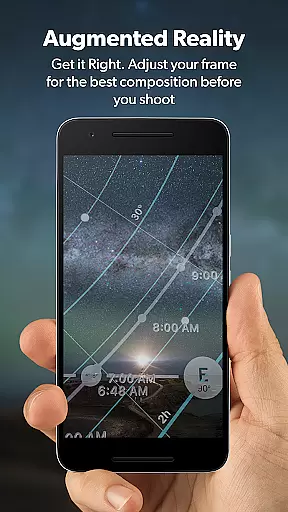
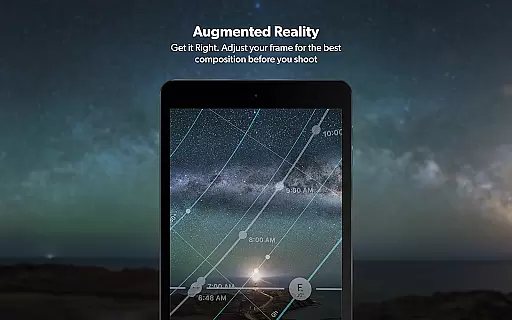
PhotoPills stands out with its robust set of features tailored for photographers. The app includes a 2D Map-Centric Planner for Sun, Moon, and Milky Way alignments, allowing users to visualize and plan their shoots accurately. Its Augmented Reality (AR) feature provides 3D visualizations of celestial bodies, helping photographers frame perfect shots with precision.
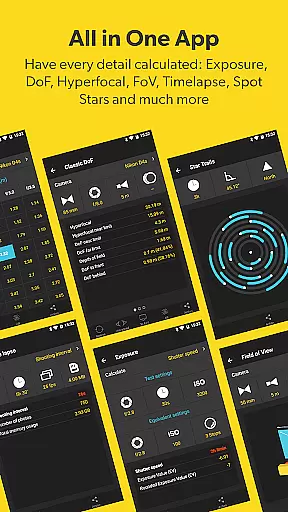
In addition to AR, PhotoPills offers essential tools such as Long Exposure and Timelapse calculators, Depth of Field (DoF), and Field of View (FoV) planners. These features ensure that photographers can adjust settings on-the-fly and achieve desired compositions. Furthermore, the app's Widgets deliver daily information about celestial events, while the Photo Plans Manager helps organize and execute planned photos efficiently.
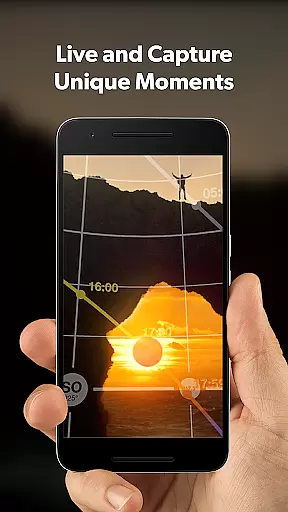
Real-time capture and preview functionality is essential for photographers who need to ensure their shot is perfectly composed before pressing the shutter. PhotoPills offers this feature through its advanced 3D Augmented Reality views, allowing users to visualize exactly where the Sun, Moon, and Milky Way will appear in their composition.
This innovative tool enables photographers to adjust their frame with precision, ensuring that celestial bodies align perfectly within the desired landscape. By providing an accurate preview of astronomical events, PhotoPills empowers users to plan their shots down to the exact date and time, maximizing the potential for capturing truly legendary photos.
The benefits of this feature extend beyond just composition; it saves valuable time on location by eliminating guesswork. Photographers can explore different scenarios and angles virtually, making informed decisions about when and where to shoot. This level of preparation leads to more successful outings and higher-quality images, enhancing both creativity and efficiency in the field.
While PhotoPills does not focus on traditional AI beauty enhancements like portrait retouching apps, it excels in enhancing the natural beauty of landscapes and night skies through precise planning tools. The app's comprehensive set of calculators and planners helps photographers capture scenes exactly as they imagine them, preserving the authenticity of natural elements while elevating their visual impact.
PhotoPills provides detailed information about sunrise/set, twilight periods, golden hour, blue hour, moon phases, and supermoon dates. These features enable photographers to anticipate optimal lighting conditions and natural phenomena, effectively 'enhancing' the inherent beauty of their subjects without digital manipulation. For instance, knowing precisely when the Milky Way will be visible allows users to create stunning astrophotography compositions that showcase the galaxy's natural splendor.
This approach to enhancement emphasizes genuine photographic skill over post-processing tricks. By equipping photographers with accurate data and intuitive planning tools, PhotoPills encourages a deeper understanding of natural light and celestial events. The result is photographs that maintain their authenticity while achieving breathtaking visual effects through careful preparation and timing.
User-friendly interface
Comprehensive planning tools
Augmented reality features
Endorsed by photography masters
Regular updates and support
Premium price point
Steep learning curve
Requires compass functionality
Heavy on system resources
Limited free version

Perfect photos with body shaping, BG changer and object remover.
 3.70
3.70
Edit like a pro with Hypic. Apply filters, AI effects, & magic touch.
4.40
Android Native system HD camera app. Never been so simple and faster.
4.70
Photo editor: AI filters, photo enhancer, pic collage maker, AI art generator.
4.80
Take videos and pictures with the popular TikTok TIME WARP SCAN filter.
4.60
Collage your moments in one tap: 1000+ layouts, filters, stickers, and texts.
4.90
Enhance, retouch & create your story - Share the moment with Photoshop Express.
4.60
Your personal guide to the sun and moon. Plan ahead, visualize and predict!
4.70
A light meter for true photographers.
4.20
Perfect body tune & face app - photo retouch, makeup, slim body & beautify face.
4.80
Cartoon and artistic effects for your photos and videos
4.70
Easily view, share, delete photos with Gallery.
4.70
Unblur, enhance & restore photos with powerful AI photo enhancer tools.
4.60
Add Watermark - Sign your pictures with a text or logo. Effective, quick, easy!
4.50
AI photo editor with hair editor, retouch tools, hair color changer & filters!
4.50
Luminar: Photo Editor - easy picture editing with AI
4.20
Create & Edit with AI: AI Remove, Enhance, Retouch, Filter
4.10
Professional video recording application with manual controls for filmmakers!
2.80
Raw Image Viewer. Gallery with support of raw images (.cr3, .cr2, .nef, .raf).
2.00


User Reviews