
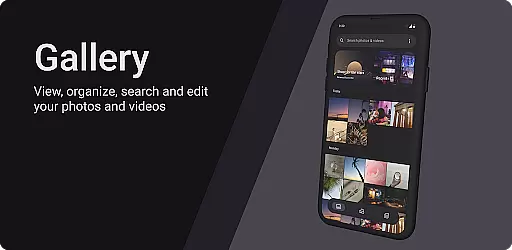
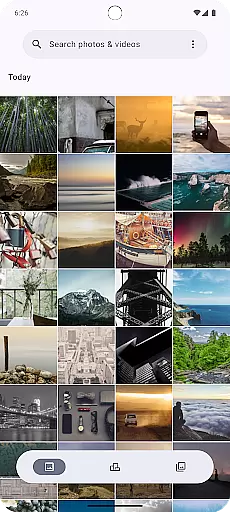
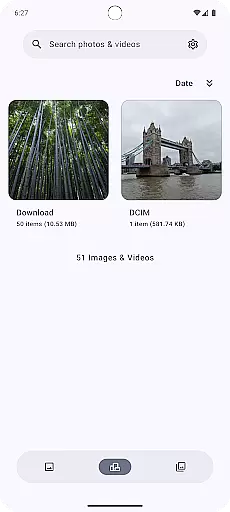

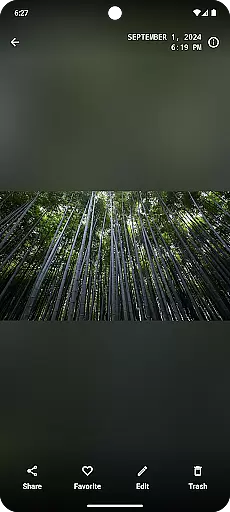
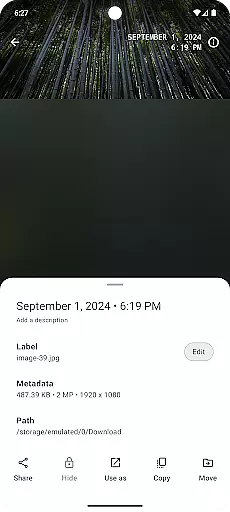
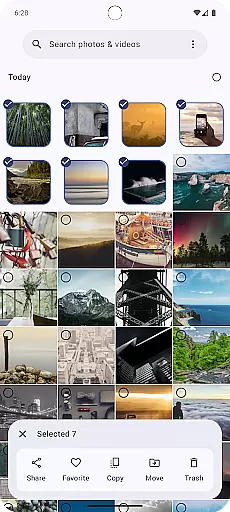
Gallery is a modern photography app designed for Android users who want an intuitive and efficient way to manage their photos. Built with Jetpack Compose, this app offers a sleek interface that makes photo organization simple and enjoyable. Users can easily browse through their image library, edit pictures, and share them with friends or on social media platforms.
The app stands out with its seamless integration of advanced photo editing tools and cloud storage options. Whether you're looking to enhance your images with filters or need a reliable way to back up your precious memories, Gallery provides all the necessary features in one place. Its user-friendly design ensures that both casual users and photography enthusiasts can make the most of their photo collections.
Gallery boasts a comprehensive set of features tailored for photography enthusiasts. The app includes advanced photo editing capabilities such as cropping, color adjustments, and filter application, allowing users to enhance their images directly within the app. Additionally, it supports organizing photos into albums and tagging them for easy retrieval.
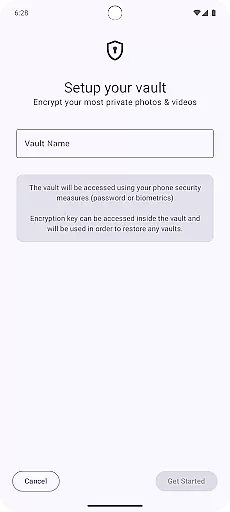
One of the standout features is its cloud integration, which enables automatic backups of your photos to ensure they are safe and accessible from any device. The app also offers privacy controls, letting users hide sensitive images behind password protection. With its focus on performance and usability, Gallery ensures a smooth experience even when handling large photo libraries.
Real-time capture and preview functionality is essential for any modern photography app. This feature allows users to see exactly what the camera is capturing, ensuring that they can make necessary adjustments before taking a photo.
Gallery, built with Jetpack Compose, offers an intuitive real-time capture experience. The app leverages the latest Android technologies to provide a seamless connection between what users see in the viewfinder and the final image captured by their device.
Users benefit from this precise real-time feedback by being able to adjust settings such as exposure, focus, and composition on the fly. This ensures that every photo taken meets their expectations in terms of quality and creativity.
The value of real-time capture and preview lies in its ability to enhance user confidence while shooting. With Gallery, photographers can trust that what they see is what they get, leading to higher satisfaction with their photographic results.
AI beauty and enhancement features have become increasingly popular in photography apps. These tools aim to improve the aesthetic appeal of photos through various enhancements while maintaining a natural look.
Gallery utilizes advanced AI algorithms to offer beautification options that preserve authenticity. By analyzing facial features and skin tones, the app applies subtle enhancements that highlight natural beauty without creating an over-processed appearance.
Photographers using Gallery will appreciate how these AI-driven enhancements save time during post-processing. The app's intelligent systems automatically detect and correct imperfections, allowing users to achieve professional-looking results effortlessly.
This balance between enhancement and naturalness sets Gallery apart from other photography apps. Users can enjoy improved images that still retain their genuine character, making it ideal for those who value authenticity alongside aesthetic improvement.
User-friendly interface
Advanced editing tools
Cloud backup support
Privacy protection features
Seamless social sharing
Limited video editing
No RAW format support
Fewer filters compared to competitors
Occasional syncing issues
Premium features require subscription

Find time and duration of different sunlight phases at any location
 4.90
4.90
Android Native system HD camera app. Never been so simple and faster.
4.70
Photo prints, cards, & gifts at Walgreens. Easy ordering & fast local pickup !
4.80
Superimpose one photo on top of another using the original Superimpose app!
3.20
Smart, light, and fast photo and video gallery
4.30
AI-powered video creator by MiniMax - Where ideas meet cinema
4.20
RAW video capture with advanced controls
4.40
A light meter for true photographers.
4.20
A unique animation app. Powerful, easy to use, and lots of fun.
4.30
AI photo editor with hair editor, retouch tools, hair color changer & filters!
4.50
Fit multiple photos on one post. Create carousels & scroll layouts for Instagram
4.50
Effortlessly organize, view and share your photos & videos with Gallery app!
4.40
Edit like a pro with Hypic. Apply filters, AI effects, & magic touch.
4.40
All-in-One Editor & AI Photo Enhancer, Beautify & Retouch, Collage, Cartoonify
4.20
Luminar: Photo Editor - easy picture editing with AI
4.20
The #1 app for B&W film developing featuring an advanced darkroom timer.
4.10
How old age camera Gender Swap App Face Shape Hairstyle App Hair Styler App fun!
4.00
Create amazing frames with up to five photos. Rounded corners, effects and more!
3.60
An interval timer to automate photo taking process for timelapse
2.90


User Reviews