
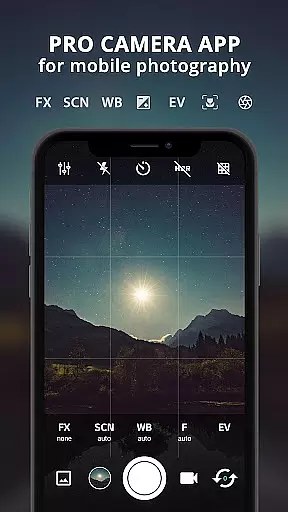
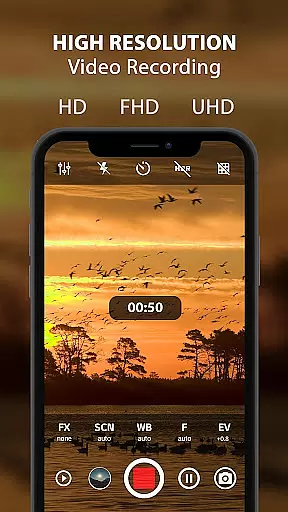
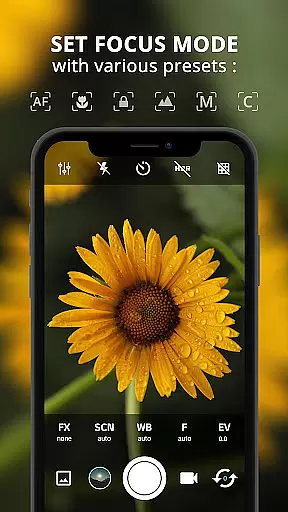
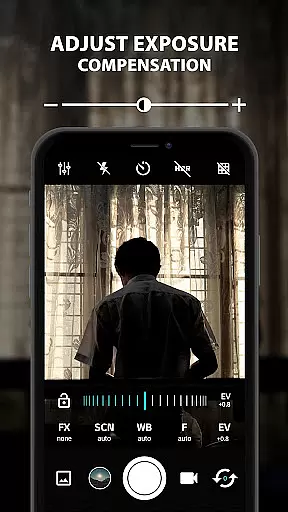
ProCam X transforms your smartphone into a professional-grade camera, offering full manual control over essential photography parameters. This includes adjustable exposure, focus, white balance, ISO settings, and advanced features like shutter speed control and burst mode shooting. Designed for mobile photography enthusiasts, the app enables users to capture high-resolution photos and record 4K videos with optional audio. The application's comprehensive toolkit caters to both amateur and professional photographers who demand precise control over their mobile photography.
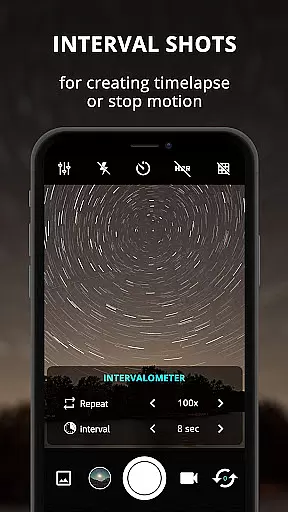
The app stands out with its support for professional-level features such as intervalometer for time-lapse creation, real-time filters, geotagging, and anti-shake functionality. These capabilities make it particularly suitable for creating professional-quality visual content across various scenarios. Whether you're capturing fast-action sequences in burst mode or recording detailed 4K footage, ProCam X provides the necessary tools to elevate your mobile photography to new heights.
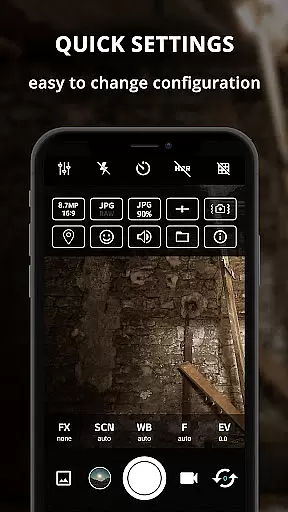
What makes ProCam X especially valuable is its ability to bring DSLR-like controls to mobile devices. Users can manually adjust focus distances, set custom video bit rates, and utilize professional scene modes. The app's interface maintains efficiency while packing these advanced features, making it an indispensable tool for mobile photographers who need professional-grade controls in a portable format.
ProCam X distinguishes itself through its extensive array of professional camera features packaged in a user-friendly interface. The application offers complete manual control over crucial photography parameters including ISO, white balance, exposure compensation, and focus distance. These manual controls are complemented by advanced features such as DSLR-like shutter speed adjustment, RAW (DNG) file support, and professional-grade exposure lock functionality. Such comprehensive control allows photographers to fine-tune every aspect of their mobile photography experience.
The app implements several innovative features that enhance its usability and effectiveness. Its intervalometer function enables precise time-lapse creation, while the burst mode shooting capability allows capturing multiple frames per second. The inclusion of real-time photo filters, golden ratio grid overlays, and geotagging functionality demonstrates the app's commitment to providing professional tools. Additionally, the optional GPS location tagging and customizable text overlays add valuable metadata to captured images.
What sets ProCam X apart from other mobile photography applications is its implementation of true professional-grade features. The app supports 4K video recording with configurable audio options, manual ISO adjustment, and sophisticated exposure controls. These features, combined with its efficient GUI that adapts to any orientation without pause, create a seamless professional photography experience on mobile devices. The ability to disable shutter sounds and customize volume key functions further enhances its versatility in various shooting environments.
Real-time capture and preview functionality is essential for ensuring that every photo or video taken with ProCam X meets professional standards. This feature allows users to see exactly what the camera sensor captures, providing a live view of the scene before capturing it.
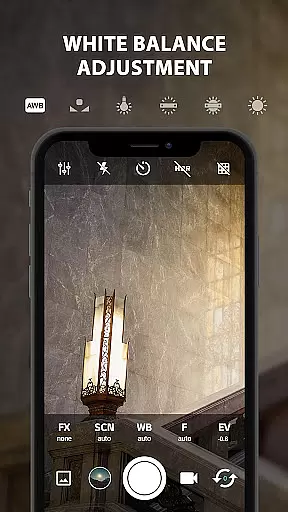
ProCam X offers advanced real-time adjustments such as exposure control, white balance settings, and ISO adjustments. These controls enable photographers to fine-tune their shots according to different lighting conditions and creative preferences, ensuring optimal image quality.
Users benefit from the ability to apply real-time filters and color effects during the preview stage. This means they can visualize how their final images will look with specific artistic enhancements applied, saving time in post-processing and allowing for more creative freedom directly within the app.
The importance of this feature lies in its ability to transform an ordinary smartphone into a powerful photography tool. By offering DSLR-like manual controls in real-time, ProCam X empowers users to take full creative control over their mobile photography experience.
AI beauty and enhancement features in ProCam X focus on delivering natural-looking results without compromising the authenticity of the original image. The app uses sophisticated algorithms to analyze facial features and apply enhancements that complement the subject's natural appearance.
One key aspect is facial recognition technology, which accurately identifies facial landmarks to apply targeted enhancements. This includes skin smoothing, blemish reduction, and subtle makeup effects that enhance the subject's features while maintaining a realistic look.
ProCam X stands out by offering customizable AI enhancement levels, allowing users to adjust the intensity of beauty effects according to their preference. This flexibility ensures that the final result aligns with the user's vision, whether they're aiming for subtle improvements or more noticeable enhancements.
The value of this feature extends beyond simple beautification. It provides users with professional-grade tools to create polished, magazine-quality images directly from their mobile devices, making high-end photography accessible to everyone.
User-friendly interface
Comprehensive manual controls
Advanced DSLR features
4K video recording capability
Professional post-processing options
Requires modern hardware
Complex for beginners
Some features device-dependent
Occasional stability issues
Premium feature pricing

Remote control of the phone camera from your Wear OS smartwatch
 3.70
3.70
How old age camera Gender Swap App Face Shape Hairstyle App Hair Styler App fun!
4.00
Edit like a pro with Hypic. Apply filters, AI effects, & magic touch.
4.40
Android Native system HD camera app. Never been so simple and faster.
4.70
Pet Camera
3.70
Over 800 film simulation recipes for Fujifilm. Black Friday Offer!
4.5
Transform Photos: Edit, Beautify and Craft Memories & Make Collages!
4.10
The original Rarevision VHS look seen everywhere!
4.70
Solocator stamps photos you take with GPS location, Compass Direction, Date/Time
3.80
A collection of tools and reference tables for DPs, ACs, DITs and Operators.
4.70
Automatically backup your photos and videos to computer, NAS and Cloud services
4.60
A must-have app for landscape photographers
4.60
Discover & download millions of art for The Frame TV or Hisense CanvasTV
4.60
Photo Exif Editor allows to view, add and modify EXIF data of multiple photos
4.50
Natural Beauty, Selfie Retouch
4.30
Professional quality photo edits with the new Snapseed.
4.00
Gallery Slideshow is slideshow maker app for slideshow from your gallery photos.
3.90
Hair color changer, AI haircut app, fun hair editor and buzz cut filter for all!
3.80
Snap photos remotely using your Garmin watch as the camera trigger
4.4


User Reviews