
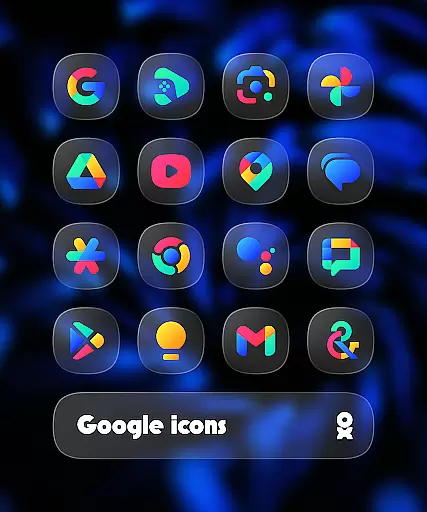
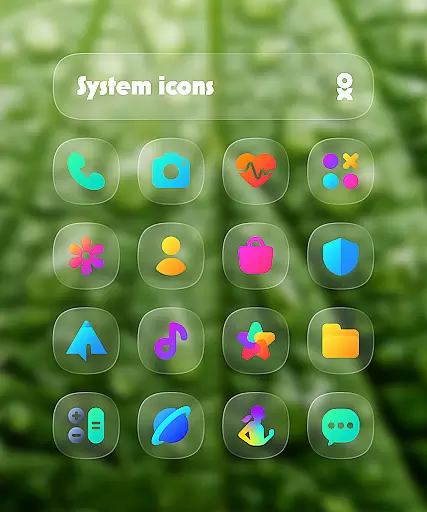
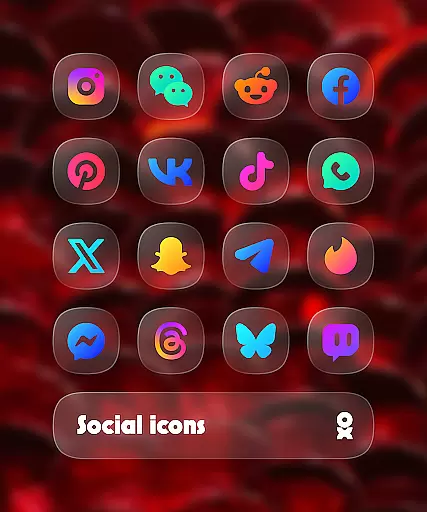
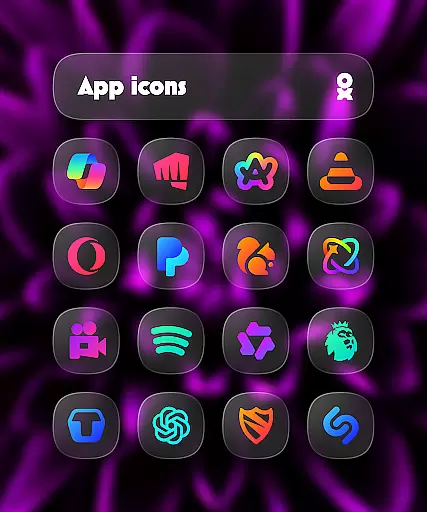
One UI Glass Color Icon Pack offers over 6000 HD icons designed with a sleek, minimal aesthetic inspired by Samsung's One UI design language. These crystal-clear, colorful squircle icons are crafted to seamlessly integrate with your device's interface, providing a modern and elegant look.
The icon pack supports a wide range of launchers including One UI Home, Nova Launcher, and Lawnchair Launcher among others. It also includes features like cloud wallpapers, an icon request tool, and regular updates, ensuring users have a comprehensive customization experience for their devices.
Ideal for those looking to refresh their smartphone's appearance, this icon pack is perfect for creating a cohesive and stylish home screen that aligns with contemporary design trends.
One UI Glass Color Icon Pack stands out with its extensive collection of over 6000 HD icons, each meticulously designed to offer a sleek and minimal appearance. The icons follow the squircle shape, popularized by Samsung’s One UI, giving devices a modern and consistent look.
In addition to the vast icon library, the pack includes cloud-based wallpapers that complement the icons, enhancing the overall visual experience. Users can also take advantage of the built-in icon request tool to ask for specific app icons not initially included in the pack. Regular updates ensure that new icons are continually added, keeping up with the latest apps and design trends.
This icon pack is compatible with numerous launchers such as One UI Home, Nova Launcher, and Lawnchair Launcher, making it versatile for various devices and user preferences. With these features, users can achieve a personalized and polished device interface effortlessly.
One UI Glass Color Icon Pack offers a wide array of customization options that cater to personal preferences and device aesthetics. With over 6000 HD icons, users can enjoy crystal-clear graphics in a colorful and sleek squircle design.
The pack includes cloud wallpapers and an icon request tool, ensuring that users have access to their desired icons and backgrounds. Regular updates further enhance the user experience by adding new content and keeping the designs fresh and relevant.
This extensive variety allows users to tailor their device's interface seamlessly, aligning with Samsungu2019s One UI design language for a modern and elegant feel. The ability to customize extends to compatibility with numerous launchers, providing flexibility and ease of integration.
Theme compatibility is a standout feature of the One UI Glass Color Icon Pack, designed to integrate effortlessly with various launchers. This ensures a cohesive look and feel across different devices and interfaces.
Supported launchers include One UI Home with Theme Park, Smart Launcher 6, Niagara Launcher, and many others. Each launcher benefits from the pack's modern design, maintaining visual consistency and enhancing user experience.
For optimal performance, specific launchers require additional settings or tools. For instance, Nova Launcher users need to enable shadow settings, while Pixel Launcher users should use Shortcut Maker. These considerations ensure that the icon pack performs reliably across diverse platforms.
Extensive icon library
Frequent updates
Cloud wallpapers included
Wide launcher support
Modern design aesthetics
Requires supported launcher
No direct Pixel Launcher support
Paid Kustom Widgets needed
Limited manual settings
FAQ may lack detail

Classic analogue watch face. For wear os devices.
 4.60
4.60
A light in the dark, a unique style and an andless cutomization!
4.30
3D, live, and moving wallpapers & themes in 4K and HD for your device.
4.50
Add cute Shimeji pets to screen, interact with them and relax with cute motions
4.60
Shimeji adds cute animated characters to your screen, lively and fun.
4.70
Over 28,000 high quality icons to bring color & homogeneity to your phone.
4.60
Interactive Miniature Painting Catalogue
3.30 3.50
3.50
300+ widgets inspired by Material You and Material 3 expressive design.
4.60
Dark icon pack based on One 8
4.80
Nothing Icon pack with more than 3750+ highly crafted icons.
4.70
Ultimate Gallery Lock App - Hide Pictures, Videos and Lock Apps Instantly!
4.60
Zip lock screen with magic wallpaper to decorate your phone with fun zipper lock
4.60
Choose your keyboard with RGB colors effect, themes, fonts, emojis.
4.60
Aesthetic Widgets, HD Wallpapers, Themes in Mico Widget for Home and Lock Screen
4.50
Launcher OS™ Pro without ads help make your phone simple and pretty
4.30
Struggling to find apps? Use this app to locate and open any app on your phone!
2.20
Capture moments that pass like a storm, second by second.
4.5
⭐ OneUI inspired Fluffy Icon Pack – Soft. Stylish. Standout. ⭐
4.1


User Reviews