
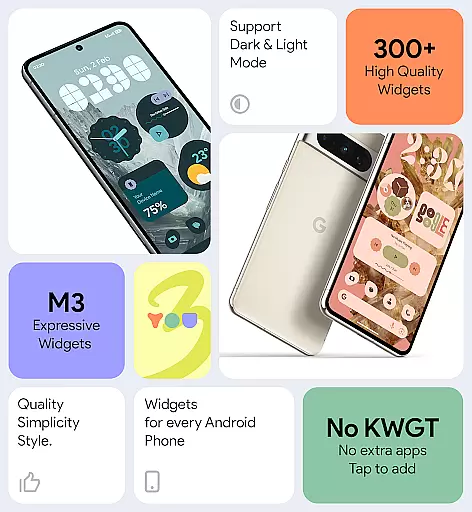
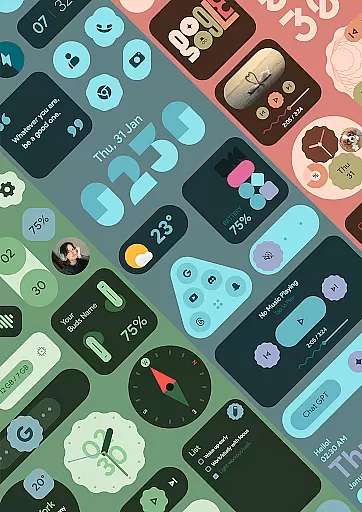
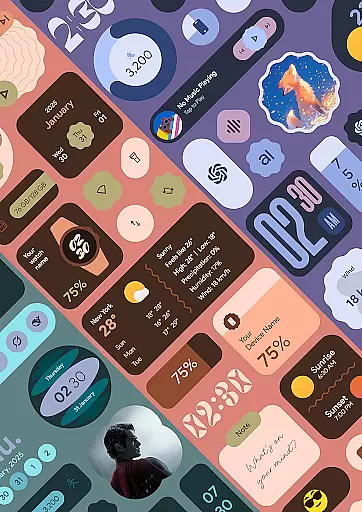
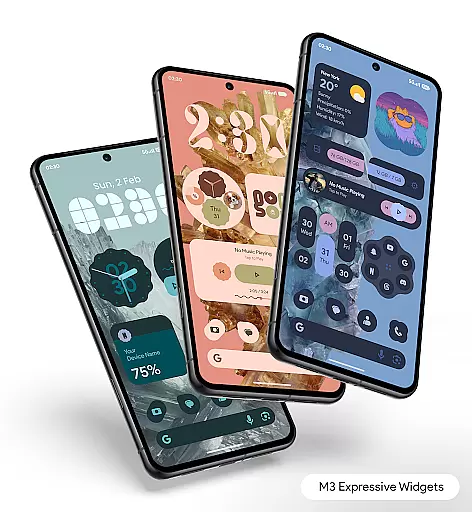
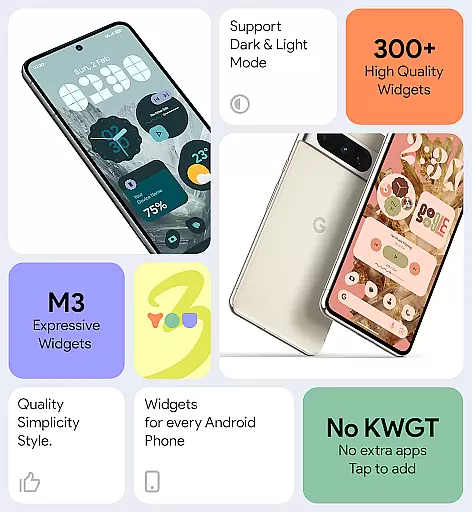
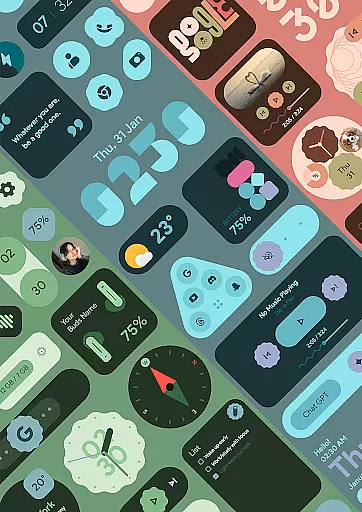
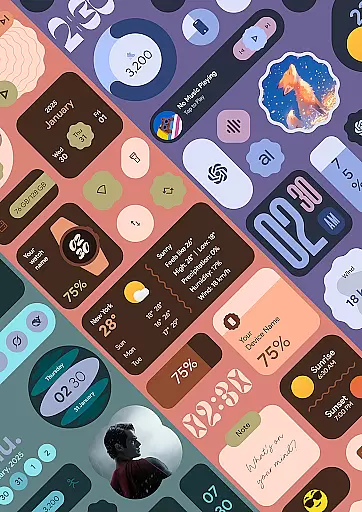
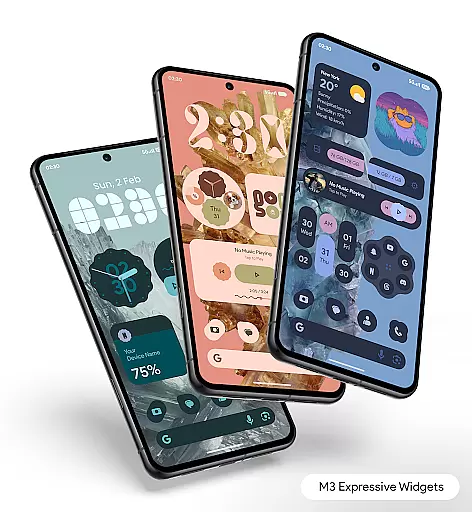
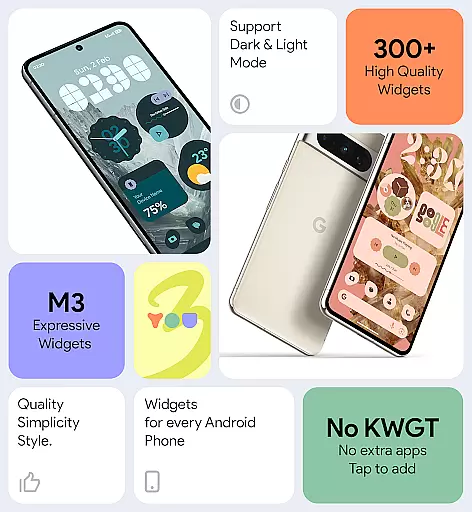

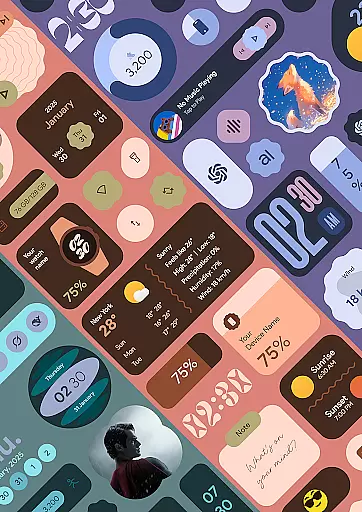
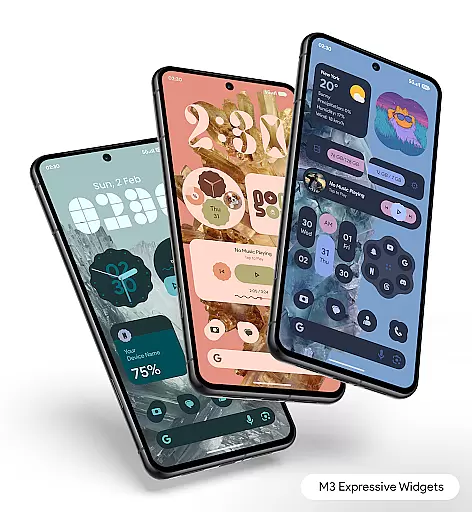
Material You Widgets is a versatile personalization app that brings over 300 beautifully designed widgets to your Android device. These widgets cover a wide range of functionalities including clocks, weather updates, games, quick settings, photos, and more. The app seamlessly integrates with the Material You design language, ensuring that all widgets dynamically adapt to your chosen theme and wallpaper.
One of the standout features is its ability to function without requiring additional apps like KWGT. This makes it incredibly user-friendly while maintaining high performance and battery efficiency. Regular updates ensure that users continually receive new widgets and features, keeping their home screens fresh and engaging.
Whether you're looking to enhance productivity or simply personalize your device with elegant designs, Material You Widgets offers a comprehensive solution. Its intuitive customization options allow users to tailor their home screens to match their unique style, making it an ideal choice for those who value both aesthetics and functionality.
Material You Widgets stands out with its extensive range of features designed to enhance user experience. With over 300 widgets available, users can access a variety of functionalities such as clocks, weather updates, games, and quick settings. Each widget is crafted with the Material You design philosophy, ensuring they not only look great but also adapt seamlessly to any chosen theme or wallpaper.
The app's dynamic shapes feature allows users to customize the appearance of app icons, quick settings, and photo widgets. This level of personalization ensures that every element on the home screen aligns perfectly with individual preferences. Additionally, the app includes theme-matching wallpapers, providing a cohesive look across the entire device.
Performance optimization is another key aspect of Material You Widgets. The app is engineered to be battery-friendly and smooth, delivering timely updates without compromising device performance. Regular updates introduce new widgets and features, ensuring that users always have access to the latest tools for personalizing their devices.
Material You Widgets offers an extensive range of customization options that allow users to personalize their home screens like never before. With over 300 beautifully designed widgets, the app covers various categories including clocks, weather, games, and more.
The true power of customization lies in its Material You integration, which enables instant matching of widgets with your device's theme. This feature ensures a seamless visual experience across your home screen, making it not only functional but also aesthetically pleasing.
Dynamic Shapes is another standout feature, allowing users to change shapes for apps, quick settings, and photos. This flexibility provides a fresh look every time you interact with your device, keeping your interface engaging and unique.
Moreover, the app includes theme-matching wallpapers, offering users an effortless way to blend their widgets with the overall home screen design. This comprehensive approach to customization empowers users to create a truly personalized mobile experience that reflects their individual style while maintaining optimal functionality.
Theme compatibility is at the core of Material You Widgets' design philosophy. The application seamlessly integrates with Android's Material You theme, ensuring that all widgets automatically adapt to your system's color scheme and visual style.
This deep integration goes beyond simple color matching. The app's widgets are designed to maintain their visual integrity and functionality regardless of the chosen theme. Whether you prefer a light or dark mode, the widgets will adjust their appearance while preserving their usability and aesthetic appeal.
The app's commitment to theme compatibility extends to its regular updates. As new themes and system updates roll out, Material You Widgets ensures continued compatibility through frequent enhancements and additions to its widget library.
This dedication to maintaining perfect harmony between functionality and design makes Material You Widgets an excellent choice for users who value both aesthetics and performance in their mobile experience. The result is a cohesive home screen environment that feels native to your device while offering extensive personalization possibilities.
User-friendly interface
Extensive widget variety
Dynamic theme adaptation
Regular feature updates
Optimized performance
Limited iOS support
Advanced features locked
Occasional update delays
High memory usage
Complex customization

A Colorful and Minimal icon pack in an Outline Style - Over 13,600 icons!
 4.70
4.70
3D, live, and moving wallpapers & themes in 4K and HD for your device.
4.50
Unique Android Launcher
4.60
Turn your lock screen into fun with smile live wallpapers & animated wallpapers!
2.50
Interactive Miniature Painting Catalogue
3.30
Ultimate Gallery Lock App - Hide Pictures, Videos and Lock Apps Instantly!
4.60
Launcher OS™ Pro without ads help make your phone simple and pretty
4.30
Struggling to find apps? Use this app to locate and open any app on your phone!
2.20
Your home screen, just the way you like it.
3.80
Winter's Journey: digital watch face for Galaxy Watch & Wear OS
4.80
Sparkle your screen with Glitter Wallpapers For Girls and Cute Backgrounds!
4.80
Make your phone look simple & luxury, like iDevice
4.60
Bring adorable pets to life on your screen. Playful, interactive and full of fun
4.60
Embrace the Night. Unleash the power of darkness with Raven Dark Icon Pack
4.60
Icons made of colorful linear lines
4.60
Beautiful realistic hybrid watch face with numerous customization options.
4.50
Romantic Kiss Stickers App. Start romantic messaging now!
4.30
Transfer your live wallpapers from Windows to Android using Wallpaper Engine!
4.00
Ultimate widget creator. Design custom widgets for a truly unique home screen!
3.90


User Reviews