
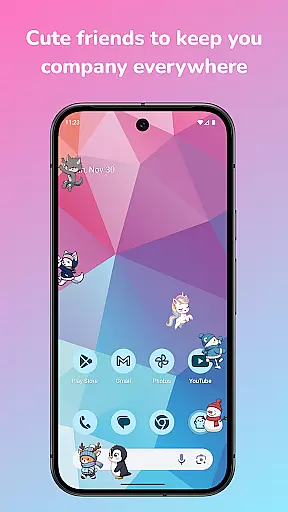
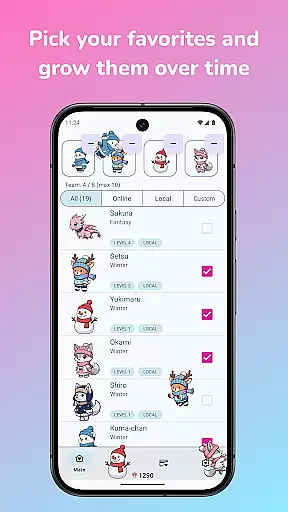
Shimeji: Screen Buddies is a delightful personalization app that brings cute animated characters to your mobile screen. These charming mascots live on top of your apps, providing entertainment while you use your phone. With the ability to run up to 10 characters simultaneously, the app creates an engaging and playful environment. The recent update introduces a new animation engine, character leveling system, and Mushroom currency, allowing users to unlock features simply by interacting with their Shimeji.
The app's interactive nature makes it perfect for casual moments, such as waiting for games to load or ads to finish. Users can tap, drag, and toss their Shimeji, watching them react in amusing ways. Beyond mere aesthetics, the app offers a full-fledged editor for creating custom mascots, making it a versatile tool for both fun and creativity. Its optimization for modern devices ensures smooth performance without draining battery life.
Shimeji: Screen Buddies stands out with its innovative features designed to enhance user experience. The app employs a new animation engine that delivers smoother motion and better timing, ensuring mascots move naturally across the screen. This technical upgrade significantly improves visual quality and responsiveness, making interactions more enjoyable.
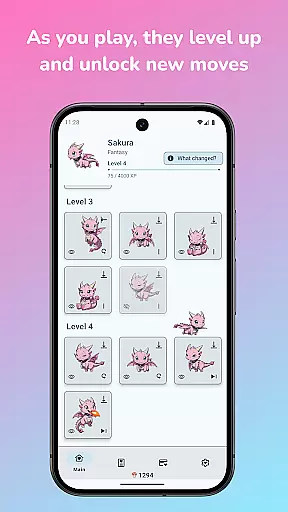
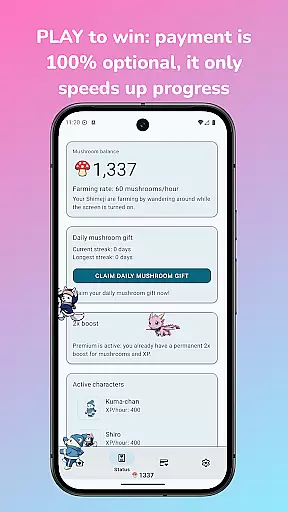
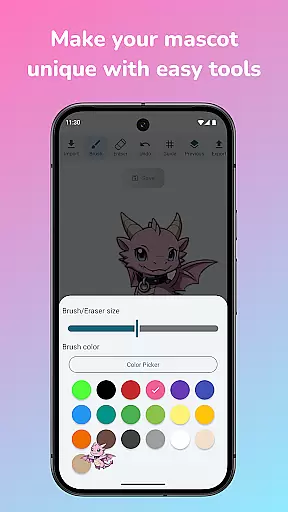
A key highlight is the idle-style leveling system where characters earn XP as they wander around. Leveling up unlocks new animations and tricks, encouraging regular interaction. The introduction of Mushroom currency adds a gamified element, enabling users to unlock premium features through play rather than payment. Additionally, the built-in editor allows users to import their own art, recolor sprites, and customize existing mascots, offering unparalleled creative freedom.
Practical features like Ghost Mode let mascots remain visible but non-intrusive during important tasks, while simple controls allow customization of size, speed, and behavior with live preview. These thoughtful additions ensure the app remains both functional and entertaining, catering to diverse user preferences.
Shimeji: Screen Buddies offers an extensive range of customization options that allow users to personalize their screen buddies according to their preferences. With the ability to import your own art and turn it into a live screen buddy, the app provides a unique personalization experience.
The built-in editor enables users to recolor, redraw, and fix sprites, ensuring that each mascot can be tailored to individual tastes. This level of customization ensures that no two Shimeji characters need to be alike, offering a personal touch to every user's smartphone experience.
Moreover, the app allows for the duplication and customization of existing mascots, making them truly unique. Users can modify size, speed, and behavior with live previews, providing real-time feedback on their adjustments. This hands-on approach empowers users to fine-tune their Shimeji friends until they are just right.
The true value of such comprehensive customization becomes apparent as users interact with their personalized mascots. These digital companions not only enhance the visual appeal of the device but also create an emotional connection through their distinct appearances and behaviors crafted by the users themselves.
Theme compatibility in Shimeji: Screen Buddies ensures that these animated characters can seamlessly integrate with various device themes and backgrounds without losing functionality or aesthetic appeal. The new animation engine contributes to this compatibility by allowing smoother motion and better timing regardless of the thematic elements present on the screen.
Optimized performance on modern devices means that even with multiple mascots active, the app remains battery-friendly while maintaining its charm across different themes. Ghost Mode is another feature enhancing theme compatibility; it allows mascots to stay visible but unobtrusive while users engage in other activities like gaming or chatting.
Simple controls for adjusting size, speed, and behavior come with live previews which help maintain theme consistency. Users can see how changes will look instantly, ensuring that their customized Shimeji characters match well with any chosen theme or wallpaper.
This attention to theme compatibility enriches the overall user experience by allowing Shimeji characters to become a harmonious part of the deviceu2019s interface rather than a disruptive element. As a result, users enjoy both the utility of their device's theme settings and the playful presence of their personalized screen buddies.
User-friendly interface
Customizable mascots
Engaging gameplay elements
Optimized performance
Creative freedom
Limited original content
Potential battery drain
Occasional glitches
Learning curve for editor
Ads between interactions

Stunningly Different look with Line Icons and Neon Colors
 4.60
4.60
Bring adorable pets to life on your screen. Playful, interactive and full of fun
4.60
100+ Stylish Fonts, Emojis, Symbols keyboard for Instagram & TikTok!
4.80
Zip lock screen with magic wallpaper to decorate your phone with fun zipper lock
4.60
Vibrant Adaptive Icons with Material You and Enhanced Monet Colors.
4.50
Stylish Pink Cute Hippo keyboard with 10000+ customized keyboard themes!
4.60
Unleash Your Creativity and Connect with Loved Ones with Lockscreen Drawing!
4.20
Transform your device in a game console
4.40
Your home screen, just the way you like it.
4.30
Enjoy a variety of amazing live wallpapers and colorful EDGE lighting borders!
4.80
Customize your home screen with stunning themes, blur, widgets & icons.
4.60
Glass style colourful icons with a One UI look and feel
4.60 4.50
4.50
Fingerprint Lock Screen & Live Animations with 4K Wallpapers as Live Wallpaper
4.40
Art & Emoji Keyboard with Cool Fonts, Cute Themes and Custom Designs.
4.40
Themes - Widget & Wallpaper: Customize home screen, icon changer w unique themes
4.30
More than 3000+ themes and 9000+ wallpapers for everybody!
4.10
Crystal-clear, square icon provides a sleek and sophisticated visual upgrade
4.00
Custom edge gestures for volume control, brightness, apps, and shortcuts.
4.2


User Reviews