

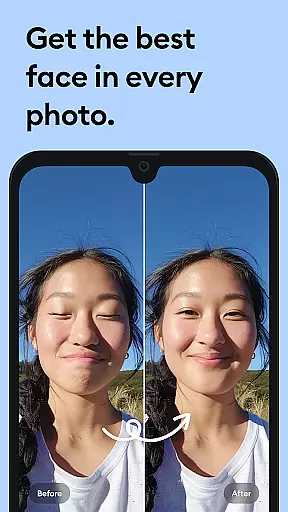
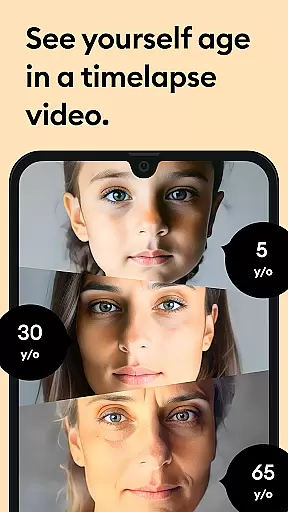



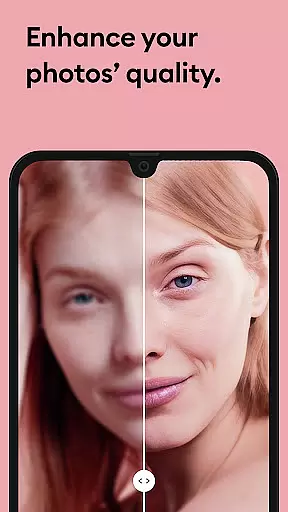


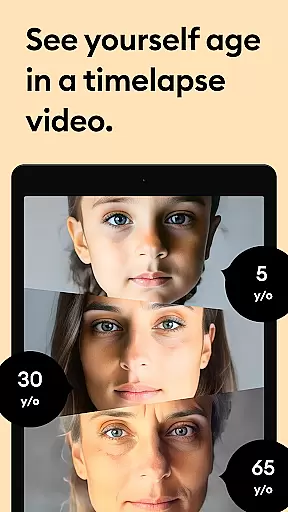



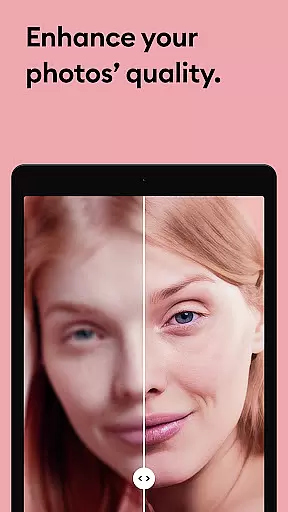


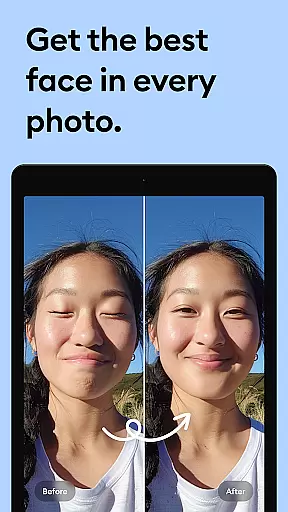



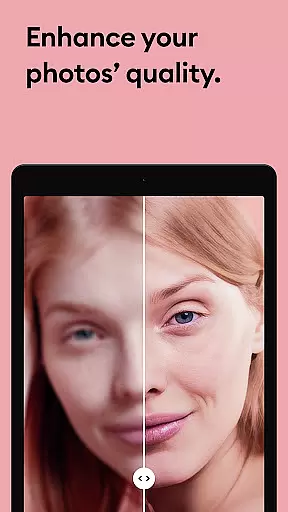

Remini is a powerful photography app that uses advanced Artificial Intelligence to enhance and restore images. The core functionality allows users to convert old, blurry, or damaged photos into high-definition images with just one tap. This AI-powered photo enhancer not only revitalizes old memories but also generates professional-looking portraits and selfies, making it an essential tool for anyone looking to improve their photo quality.
Beyond simple enhancement, Remini offers specialized features such as repairing scratches, sharpening out-of-focus pictures, and increasing pixel density in low-quality images. Whether you're restoring vintage family photos or enhancing modern portraits, Remini provides crystal-clear results. With support for multiple languages and over 100 million photos revitalized, this app has become one of the most popular photo editors globally.
The app is particularly useful for individuals who want to preserve cherished memories by restoring old photographs while enjoying the convenience of AI-driven enhancements. Its ability to produce stunning HD images ensures users can relive their favorite moments with improved clarity and detail.
Remini stands out due to its rich feature set tailored for photo restoration and enhancement. One of its key features is the AI-powered enhancement tool that automatically detects and repairs imperfections in images, such as blurriness, pixelation, and physical damage like scratches. This technology brings old and faded pictures back to life, offering users a seamless way to restore their visual history.
In addition to restoration, Remini includes creative tools that allow users to generate professional-quality AI photos from existing images. These features are especially valuable for creating sharp, detailed portraits and selfies, even from low-resolution originals. Users can also increase the resolution of their photos, sharpen focus, and retouch various elements to achieve the desired look. Each feature is designed to maximize user control while delivering impressive results.
What sets Remini apart is its continuous improvement through regular updates to its AI model. This ensures that users always have access to cutting-edge technology and new functionalities. With unlimited premium access available via subscription, users can enjoy all these features without restrictions, making it a top choice for both casual users and photography enthusiasts.
Real-time capture and preview functionality is essential for photography apps as it allows users to see exactly what the camera sees before taking a shot. This ensures that the framing, lighting, and focus are all correct before capturing an image.
Remini offers real-time photo enhancement capabilities, enabling users to instantly transform old, pixelated, or damaged pictures into high-definition photos. The app's powerful AI processes images on-the-fly, providing immediate feedback on how the final enhanced photo will look.
This feature benefits users by saving time and ensuring satisfaction with their photos before committing to the enhancement process. It also helps in making quick adjustments to achieve the desired outcome without waiting for post-processing.
By leveraging state-of-the-art Artificial Intelligence, Remini delivers crystal-clear previews of restored images, giving users confidence in the quality of their enhanced photos. This technology not only revitalizes old memories but does so with stunning clarity and detail.
AI beauty and enhancement naturalness refers to the ability of an application to improve the aesthetic appeal of photos while maintaining a realistic appearance. This balance between enhancement and authenticity is crucial for user satisfaction.
Remini utilizes advanced AI algorithms to unblur, restore, and enhance any image, ensuring that the enhancements appear natural and lifelike. Whether repairing old, blurry, scratched photos or sharpening out-of-focus pictures, Remini maintains the integrity of the original image.
Users benefit from this feature by receiving professionally looking AI photos that retain genuine facial details and textures. This makes the edited images suitable for personal keepsakes or professional use without appearing overly processed.
The continuous improvement of Remini's AI model ensures that each update brings more refined and natural-looking enhancements. With support for multiple languages and a global user base, Remini stands out as a leading photo enhancer app that revitalizes memories with authenticity and care.
Advanced AI technology
User-friendly interface
Multi-language support
Regular feature updates
Wide range of editing tools
Premium subscription required
Limited free trial
High system requirements
Occasional processing delays
Subscription auto-renews

Photo editor: face & body editor, beauty cam, filters and quality enhancer.
 4.00
4.00
Search, tag and rate your way to an organized image gallery
4.40
Photobooth mini FULL app will allow you to add more fun to your parties
4.00
Take videos and pictures with the popular TikTok TIME WARP SCAN filter.
4.60
Over 800 film simulation recipes for Fujifilm. Black Friday Offer!
4.2
Catch sunlight, sunrise sunset times and sun phases with the AR sun tracker.
4.10
PhotoSync Bundle Add-On License. Enables all features and services in PhotoSync.
4.60
Welcome to ProShot, the most powerful camera app on Android.
4.20
Edit photos with the picture generator: PS2 & AI Clay filters, cartoon effects.
4.50
Gallery show photo, video, slideshow, is perfect 3D effect private photo albums.
4.80
Photo Exif Editor allows to view, add and modify EXIF data of multiple photos
4.50
Use AI Video Generator to turn your words to ai generated videos.
4.50
Effortlessly organize, view and share your photos & videos with Gallery app!
4.40
Trendy TikTok time warp scan funny filter app brings you unique photos & videos.
4.40
Future baby face generator: AI kids generator, kid face! What my baby look like?
4.40
RAW video capture with advanced controls
4.40
All-in-One Editor & AI Photo Enhancer, Beautify & Retouch, Collage, Cartoonify
4.20
What celebrity do you look like? Celebs will find your celebrity match!
4.10
Snap photos remotely using your Garmin watch as the camera trigger
4.4


User Reviews