



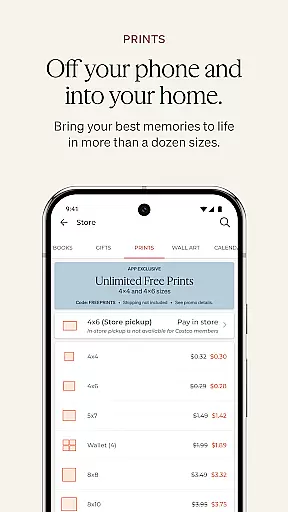
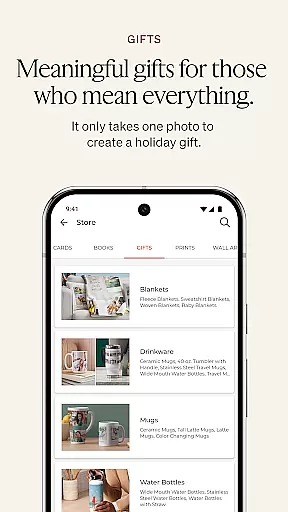
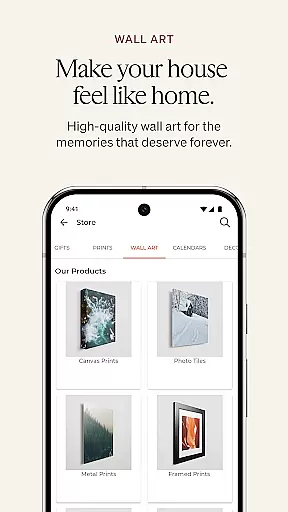
Shutterfly is a comprehensive photo editing and personalization app designed to help users create meaningful, customized photo gifts and products. The app allows you to design personalized items such as photo books, holiday cards, home decor, prints, and calendars. With its user-friendly interface, Shutterfly makes it easy to turn your photos into cherished keepsakes that carry emotional significance.
One of the standout features of Shutterfly is its 24-Hour Photo Book Designer Service, which enables users to upload their photos and have a professional designer layout their photo book within a day. Additionally, the app offers improved navigation tools, artistic filters for enhancing images, and seamless integration with various photo storage services like Google Photos and Instagram. Whether you're creating wedding invitations or unique gifts like jigsaw puzzles, Shutterfly provides all the tools necessary to produce high-quality, personalized products.
This app is particularly useful during special occasions such as weddings, birthdays, and holidays when personalized gifts and cards are in high demand. By leveraging Shutterfly's powerful features, users can save time and effort while ensuring their creations are both beautiful and meaningful. The ability to easily access and incorporate photos from multiple sources adds to the convenience, making Shutterfly an essential tool for preserving and sharing life's most important moments.
Shutterfly boasts a variety of features that cater to both casual users and those looking for more advanced customization options. One of the key highlights is the 24-Hour Photo Book Designer Service, where users can upload their photos and receive a professionally designed photo book within a day. This service not only saves time but also ensures high-quality layouts that might be difficult to achieve manually.
In addition to its photo book service, Shutterfly offers improved navigation tools that make it easier to browse and select from a wide range of products. Users can apply artistic filters to transform their photos into beautiful sketches, adding a creative touch to their personalized items. The app also supports integration with popular photo storage platforms such as Google Photos, Amazon Photos, Facebook, and Instagram, allowing users to access their photos from virtually any source.
Another notable feature is the return and recipient address printing for envelopes, which streamlines the process of sending out personalized cards and invitations. This functionality is particularly beneficial during busy seasons like the holidays, where efficiency is key. Overall, Shutterfly's robust set of features empowers users to create unique, high-quality photo products with ease and convenience.
Real-time capture and preview functionality is essential for ensuring that every photo taken meets the user's expectations without delay. Shutterfly offers a seamless experience by allowing users to instantly view their captured images, thus providing immediate feedback on photo quality and composition.
The app integrates advanced real-time image processing capabilities, enabling users to apply artistic filters and see the results instantly. This feature transforms special memories into beautiful sketches or stylized images that can be used across a variety of personalized products.
By leveraging real-time previews, users can confidently create photo books, prints, and other personalized items knowing exactly how they will look. This saves time and enhances satisfaction by reducing the need for re-takes or edits after the fact.
AI beauty and enhancement features are crucial for elevating the visual appeal of photos while maintaining a natural look. Shutterfly employs sophisticated AI algorithms to enhance facial features, skin tones, and overall image quality with subtlety and precision.
The app provides tools that automatically adjust lighting, contrast, and color balance, ensuring that each photo looks its best without appearing overly processed. These enhancements are applied in a way that respects the authenticity of the original image, preserving genuine expressions and emotions.
Users benefit from these AI-powered enhancements when creating personalized gifts, as the improved images result in higher-quality final products. Whether it's a photo book or a custom home decor item, the natural yet polished appearance of enhanced photos adds an extra layer of professionalism and care.
User-friendly interface
Wide range of customization options
Professional photo book design service
Seamless integration with photo storage services
Artistic filters for enhanced creativity
Limited free features
Some tools require learning
Premium services can be costly
Occasional bugs in the app
Design options may feel repetitive

Gallery show photo, video, slideshow, is perfect 3D effect private photo albums.
 4.80
4.80
Search, tag and rate your way to an organized image gallery
4.40
Safe & smart flight with Go Fly drone controller for 40+ drone camera, zone map
4.50
1M influencer's special filter
4.60
Application for remote controlling DSLR
3.00
Use AI Video Generator to turn your words to ai generated videos.
4.50
Professional camera app that brings DSLR manual photography controls to Android.
4.20
Remote control the phone camera shutter from your smartwatch and take a picture
1.60
Unlock the full potential of your DJI drone with Litchi
4.50
Perfect body tune & face app - photo retouch, makeup, slim body & beautify face.
4.80
Viewfinder, Light meter, Reciprocity failure time, DOF & Bellows Extension
4.60
Create collages easily! Nice pic collage maker & background eraser for Instagram
4.50
Easily stitch panoramas from multiple photos or video.
4.40
Future baby face generator: AI kids generator, kid face! What my baby look like?
4.40
[3DSteroid Pro] is a stereoscopic application for Android.
4.30
Turn your phone into a professional camera - full DSLR manual photography
4.30
Professional photography on your mobile phone
4.20
Transform Photos: Edit, Beautify and Craft Memories & Make Collages!
4.10
Catch sunlight, sunrise sunset times and sun phases with the AR sun tracker.
4.10


User Reviews