
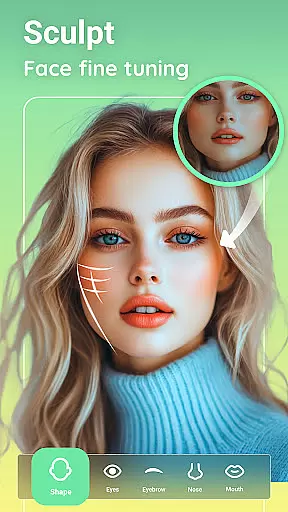
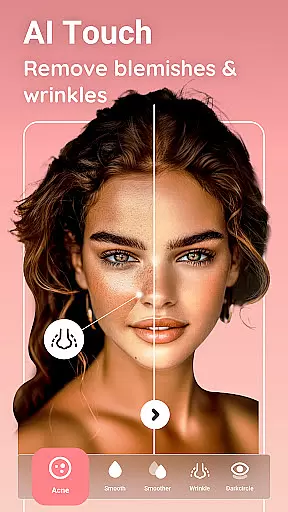

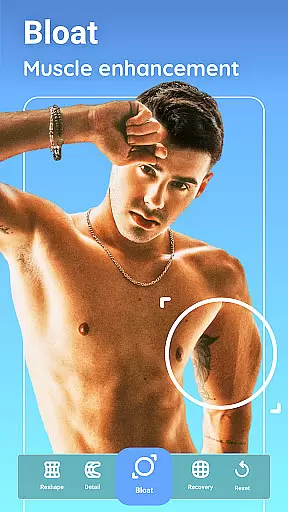
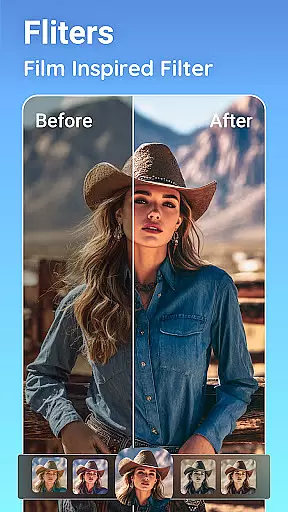
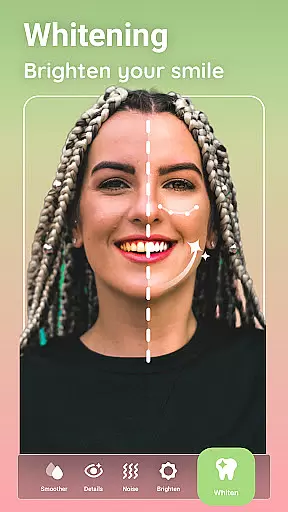
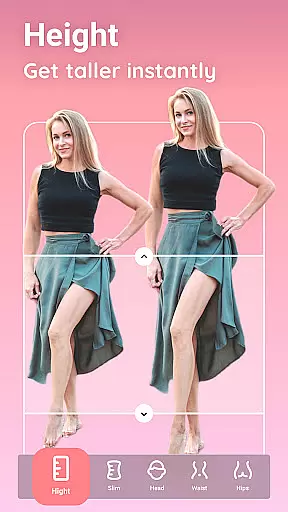
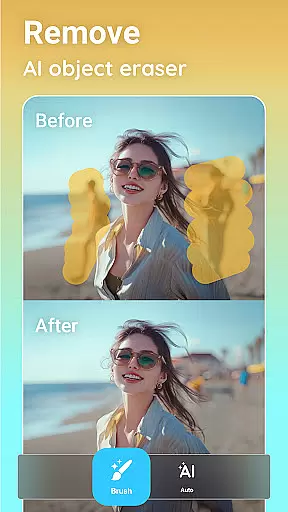
Peachy is a powerful photo editing application that specializes in body and face retouching, offering users the ability to transform their images into flawless masterpieces. With professional-grade features such as AI-powered muscle enhancement, body reshaping, skin smoothing, and blemish removal, Peachy caters to those who seek perfection in their selfies and portraits. The app provides an extensive suite of tools for comprehensive image enhancement, including cropping, rotating, adjusting brightness, contrast, and warmth, along with advanced AI object removal.
Designed for both casual users and photography enthusiasts, Peachy supports a wide range of editing needs from basic adjustments to detailed contouring and virtual makeup. Whether you're looking to subtly enhance your natural features or completely reshape your body proportions, Peachy delivers the tools necessary to achieve your desired look. Its seamless integration with social media platforms allows users to share their edited photos without watermarks, making it ideal for content creators on Instagram, TikTok, and other popular networks.
Peachy stands out with its rich set of features tailored for detailed photo and face editing. One of the key highlights is the AI Muscle tool, which intelligently enhances muscle definition across various body parts while maintaining a natural appearance. The AI Body Edit function allows users to slim, reshape, and sculpt their bodies effortlessly, ensuring realistic results. Additionally, the AI Face Retouch feature smooths skin, removes blemishes, brightens eyes, and perfects facial symmetry with just one tap.
Beyond body and face editing, Peachy offers robust photo enhancement capabilities. Users can boost image quality, enhance colors, adjust focus, and even improve night views. The app also includes contouring tools for body reshaping, skin retouching options like teeth whitening and wrinkle reduction, and virtual makeup features for applying lipstick, blush, and eyeshadow. These diverse functionalities empower users to create stunning edits that reflect their unique style and preferences.
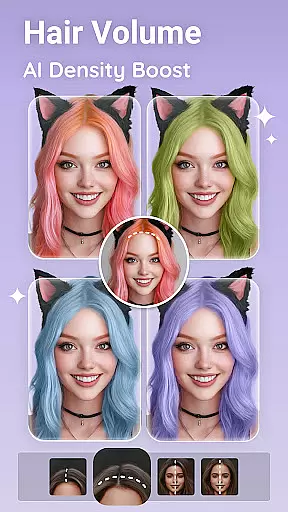
Each feature within Peachy is designed to provide tangible value by simplifying complex editing tasks. For instance, the AI Object Remover makes it easy to erase unwanted elements from photos, while the suite of hairstyling tools lets users experiment with different hair colors and styles. This combination of innovative technology and user-centric design ensures that Peachy remains a top choice for anyone seeking high-quality photo editing solutions.
Real-time capture and preview functionality is essential for any photography app, allowing users to see exactly what their final image will look like before taking the shot. Peachy excels in this area by providing a seamless experience that ensures every photo taken is up to the user's standards.
The app offers an intuitive interface where users can apply filters, adjust settings, and see changes reflected instantly in the camera preview. This immediate feedback empowers users to make precise adjustments on-the-fly, ensuring that each shot captures their intended vision without any guesswork.
With Peachyu2019s real-time editing capabilities, photographers of all levels can experiment with confidence, knowing they have full control over their images from start to finish. Whether it's adjusting brightness or adding artistic effects, the ability to visualize edits beforehand enhances creativity and efficiency.
This feature not only saves time but also elevates the overall photography experience by making professional-grade tools accessible to everyone. Users can trust that their creations will match their expectations when shared across social platforms like Instagram or Facebook.
In today's digital age, AI beauty enhancements are revolutionizing how we perfect our photos. Peachy stands out by offering natural-looking enhancements that preserve authenticity while elevating facial features and body contours. The app leverages advanced algorithms to ensure every edit looks genuine and flattering.
From smoothing skin textures to defining muscles naturally, Peachy provides a suite of AI-powered tools designed to enhance portraits without compromising realism. These include intelligent reshaping options for waists, hips, legs, and more, as well as subtle touch-ups for eyes, lips, and hairlines.
Users benefit from customizable sliders that allow fine-tuning of enhancements, ensuring results align with personal preferences. By prioritizing subtlety over exaggeration, Peachy helps maintain individuality in every edited photou2014a crucial aspect for those who value authentic self-expression online.
Ultimately, Peachyu2019s commitment to natural enhancement fosters trust among its users, enabling them to share flawless yet believable images across various social media channels confidently. It bridges the gap between aspiration and reality in digital photo editing.
User-friendly interface
Advanced AI tools
Comprehensive editing suite
Realistic enhancement results
Social media integration
May require premium purchase
Learning curve for beginners
Occasional performance lags
Limited offline functionality
Subscription model

How old age camera Gender Swap App Face Shape Hairstyle App Hair Styler App fun!
 4.00
4.00
Photo prints, cards, & gifts at Walgreens. Easy ordering & fast local pickup !
4.80
Transform photos into videos! Create realistic or anime-style images easily!
4.50
Amazing Photo Effects - The most fun you can have with your photos!
4.70
Photo editor & gallery. Crop pictures & edit photos offline, no wifi!
4.50
Hair color changer, AI haircut app, fun hair editor and buzz cut filter for all!
3.80
Snap photos remotely using your Garmin watch as the camera trigger
4.2
Discover & download millions of art for The Frame TV or Hisense CanvasTV
4.60
Discover How to Plan any Sun, Moon and Milky Way Photo You Imagine in Seconds
4.70
Find time and duration of different sunlight phases at any location
4.90
Create funny photos and videos with the popular Time Warp Scan filter.
4.90
Photo editor: AI filters, photo enhancer, pic collage maker, AI art generator.
4.80
Enhance, upscale, and transform your images — on your device, without limits
4.70
PhotoSync Bundle Add-On License. Enables all features and services in PhotoSync.
4.60
Create Business Headshots, Polaroid Filter, Retake Photos,Profile Pics,AI Photos
4.50
Create AI photos & videos with Enhancer; restore, fix, beautify, enhance photos
4.50
Search, tag and rate your way to an organized image gallery
4.40
Professional camera app that brings DSLR manual photography controls to Android.
4.20
An interval timer to automate photo taking process for timelapse
2.90


User Reviews