


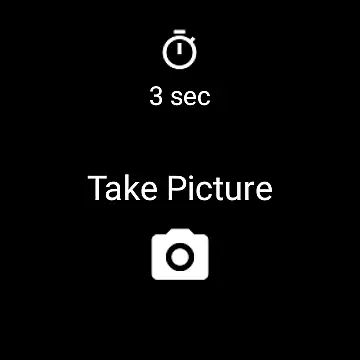
Camera Remote Watch is a smart photography tool that allows users to remotely control their phone's camera shutter directly from a smartwatch. This app eliminates the need to physically touch the phone when taking pictures, making it ideal for capturing steady shots or group photos where the photographer wants to be included. The app works seamlessly with Wear OS smartwatches and stores captured images in the phone's gallery while also providing a preview on the watch itself.
With its intuitive functionality, Camera Remote Watch ensures users can adjust the camera view on their phone before triggering the shutter from the watch. After capturing the photo, users can conveniently review it on their smartwatch to decide whether to retake the shot or keep it. This feature is particularly useful for ensuring image quality without needing to check the phone each time. While the app may take some time to download images to the watch, its practicality and ease of use make it a valuable tool for photographers who rely on smart devices.
Camera Remote Watch offers several notable features that enhance the photography experience. First, the app provides seamless integration between smartphones and smartwatches, allowing users to trigger the camera shutter directly from their wrist. This remote capability is especially beneficial for situations requiring stability or distance from the phone. Additionally, the app supports Wear OS, broadening its compatibility with various smartwatch models.
Another key feature is the instant preview function, which displays a copy of the captured image on the smartwatch screen. This allows users to quickly assess photo quality without needing to access the phone’s gallery. Furthermore, the app includes helpful resources such as an FAQ section and tutorial videos available on its official website. These resources ensure users can troubleshoot common issues and optimize their experience. Despite minor delays during photo downloads, the app's overall performance and innovative features make it a reliable choice for smart photography enthusiasts.
Real-time capture and preview functionality is essential for ensuring that users can take photos with precision and confidence. Camera Remote Watch offers this by allowing users to control their phone's camera directly from their smartwatch. This feature enables you to adjust the camera view on your phone before taking a picture, ensuring optimal framing and composition.
The app facilitates an instantaneous trigger of the camera shutter from the watch interface, which means you can take pictures without physically interacting with your phone. This seamless connection between the watch and phone ensures that every photo opportunity is captured, even in situations where handling the phone is inconvenient or impossible.
Once the photo is taken, it is stored in the phone's gallery, and a copy is sent to the watch. This allows users to immediately review the image on their smartwatch, providing assurance that the shot was successful. The ability to check the photo on the watch display is particularly useful for verifying image quality without needing to retrieve the phone.
While Camera Remote Watch does not explicitly market itself as having AI beauty and enhancement features, its core functionality indirectly supports natural-looking enhancements. By enabling remote captures, users can position their phone cameras more creatively and steadily, resulting in clearer and more flattering images without digital manipulation.
The convenience of remotely capturing images contributes to the authenticity of photos. Users can experiment with angles and lighting conditions that naturally enhance facial features and overall composition. This method of photography often yields better results than relying solely on post-processing enhancements.
Moreover, the ability to instantly review photos on the smartwatch ensures that any necessary retakes can be done immediately. This iterative process helps in achieving the best possible shot that requires minimal editing. Although the app may not have dedicated AI-powered beautification tools, its practical approach to photography promotes capturing genuine and aesthetically pleasing images.
User-friendly interface
Instant photo preview
Wide device compatibility
Convenient remote control
Supports Wear OS
Slower photo downloads
Limited unsupported phones
Requires stable connection
No advanced editing tools
Watch display issues

All-in-One Editor & AI Photo Enhancer, Beautify & Retouch, Collage, Cartoonify
 4.20
4.20
Shooting photos and records video easily and efficient with professional Camera
4.30
Create & Edit with AI: AI Remove, Enhance, Retouch, Filter
4.10
Perfect body tune & face app - photo retouch, makeup, slim body & beautify face.
4.80
Photo prints, cards, & gifts at Walgreens. Easy ordering & fast local pickup !
4.80
Create Business Headshots, Polaroid Filter, Retake Photos,Profile Pics,AI Photos
4.50
Cartoon and artistic effects for your photos and videos
4.70
Light-weight Media Gallery app for Android made with Jetpack Compose
4.60
Add a dreamy vibe to your selfies and videos with soft style filters
4.5
See your baby AI baby face generator AI baby maker Face generator babymaker fun!
4.70
A must-have app for landscape photographers
4.60
Take videos and pictures with the popular TikTok TIME WARP SCAN filter.
4.60
Add Watermark - Sign your pictures with a text or logo. Effective, quick, easy!
4.50
HD Camera Pro with HD Video shooting, Panorama, Photo editor , Beauty Camera.
4.50
[3DSteroid Pro] is a stereoscopic application for Android.
4.30
Create AI Photos, Improve and restore quality of blurry, old or damaged pics.
4.20
Professional photography on your mobile phone
4.20
What celebrity do you look like? Celebs will find your celebrity match!
4.10
Turn photos into cartoons & avatars! - Photo Editor, Cartoon Face!
3.90


User Reviews