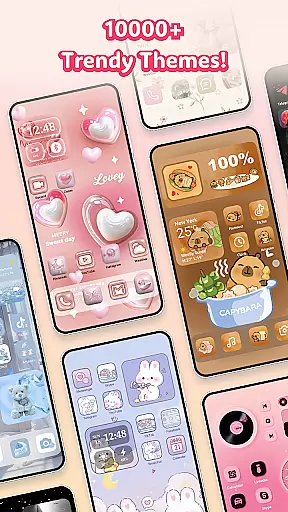
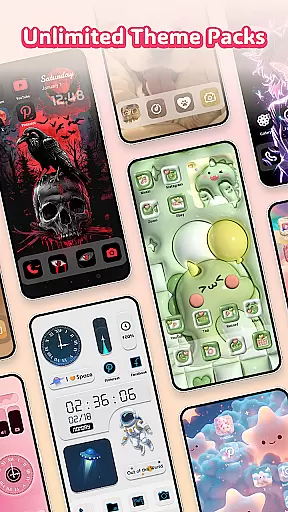
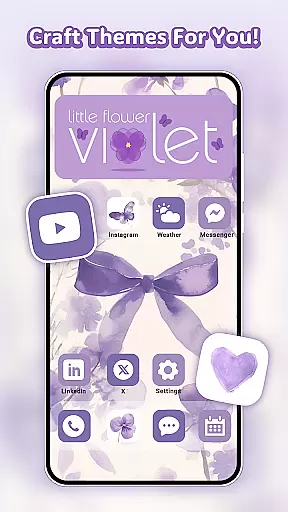
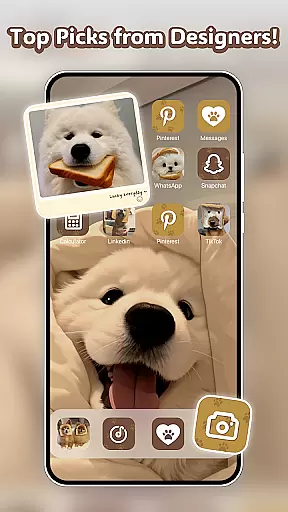
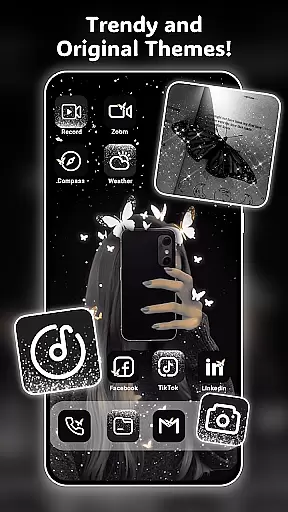
Themely - Icons & Widgets is a comprehensive personalization app designed specifically for Android users who want to customize their device's appearance. With over 10,000 live 3D themes, HD wallpapers, DIY widgets, and app icons, the app offers endless possibilities for screen customization. Users can choose from diverse styles including cute, neon, sports, anime, K-pop, and more, allowing them to express their unique personality through their device.
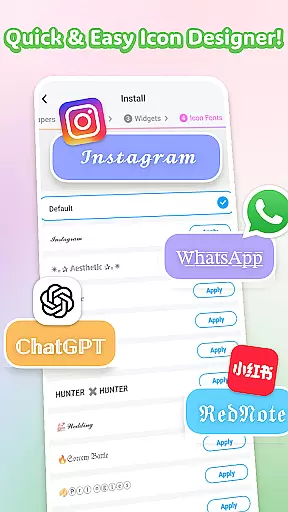
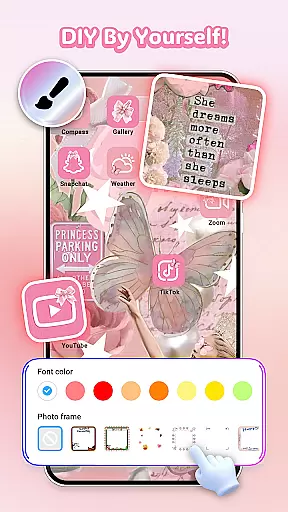
The app stands out with its creative features like customizable live widgets that display dynamic information such as battery status, weather, and calendar events. The DIY icon feature lets users create distinctive app icons with custom fonts, colors, and transparency levels. Additionally, the one-click replacement function makes it easy to apply chosen themes and wallpapers instantly, saving both time and effort while ensuring a personalized mobile experience.
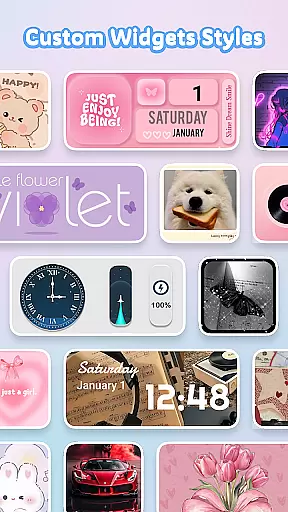
Themely offers an impressive array of features that cater to various customization needs. The app provides 1,000+ custom widgets, including live battery indicators, dynamic image effects, and functional widgets for calendars, clocks, and weather. These widgets not only enhance the visual appeal but also add practical utility to the home screen. Users can personalize these widgets further by incorporating images from their gallery, making each widget truly unique.
Another standout feature is the DIY icon creation tool, which allows users to design custom app icons with different styles, fonts, and color options. This level of customization extends to the wide selection of aesthetic wallpapers and themes, covering popular categories like neon, K-pop, anime, and seasonal themes. The app's frequent updates ensure that users always have access to fresh content, maintaining the novelty and excitement of their customized screens.
Moreover, Themely emphasizes user-friendly design with its one-click application process for themes and wallpapers, streamlining the customization experience. The app's commitment to privacy and security is evident in its transparent handling of Accessibility Service permissions, which are used solely for system modification features like do-not-disturb mode and volume controls.
When it comes to personalizing your Android device, the range of customization options is crucial. Themely - Icons & Widgets offers an extensive selection of over 10,000 Live 3D themes, aesthetic HD wallpapers, DIY widgets, app icons, and stylish stickers. This vast array spans diverse styles including puffy, cute, neon, sports, anime, K-pop, pink, and more, allowing users to tailor their screens to reflect their unique personalities with ease.
The app's standout feature is its 1000+ custom widgets, which include live battery widgets displaying device power information, dynamic image effects, and fun options like control panels, calendars, clocks, weather updates, GIFs, and DIY photo widgets. These widgets not only redefine your screenu2019s appearance but also provide delightful surprises at every interaction. Users can further personalize these widgets by incorporating images from their gallery, making each widget a personal expression of their design preferences.
For those who appreciate creative freedom, Themely provides DIY icon customization. Users can choose from various icon styles, cool fonts, colors, transparency levels, and background colors. This level of customization ensures that each icon perfectly matches the user's favorite apps while standing out with a neon glow. The ability to create distinctive icons adds another layer of personalization, enhancing the overall user experience.
Theme compatibility is essential for ensuring that all elements of a personalized interface work seamlessly together. Themely - Icons & Widgets excels in this area by offering a cohesive set of aesthetic backgrounds, neon, love, K-pop HD wallpapers, anime, sports, Christmas, and Halloween themes. These themes are designed to help users customize their home screens effortlessly with one-click additions, saving both time and effort.
One of the key advantages of Themely is its super-fast update speed, which keeps the content fresh and engaging. Whether you're looking for various widget functions, exquisite icon packs, or uniquely designed wallpapers, Themely has it all. The app's commitment to visual aesthetics ensures that every element, from themes to wallpapers, aligns perfectly with the user's style, providing a harmonious and visually pleasing experience.
Moreover, Themely's themes and widgets are crafted by top designers, ensuring high-quality and meaningful designs. Each widget, whether a circle or rectangle, offers plenty of customization options, giving users the flexibility to create a truly personalized interface. With accessibility service permissions, Themely can modify system features such as do-not-disturb mode, audio recording, screen capture, and music controls, enhancing the overall utility without compromising on privacy or security.
User-friendly interface
Extensive customization options
Frequent content updates
Unique live widgets
Vibrant community support
Some features require premium
Occasional performance lags
Limited iOS compatibility
Ads in free version
Complex for beginners

Stunningly Different look with Line Icons and Neon Colors
 4.60
4.60
Personalize your phone with stunning HD and 4K wallpapers!
4.70
Interactive Miniature Painting Catalogue
3.30
Ultimate widget creator. Design custom widgets for a truly unique home screen!
3.90
More than 3000+ themes and 9000+ wallpapers for everybody!
4.10
Transfer your live wallpapers from Windows to Android using Wallpaper Engine!
4.00
Stylish Pink Cute Hippo keyboard with 10000+ customized keyboard themes!
4.60
Unleash Your Creativity and Connect with Loved Ones with Lockscreen Drawing!
4.20
Customize phone with anime themes, 3D icons, aesthetic widgets & wallpapers
4.80
Customizable Glass widgets. Over 360+ stunning widgets and more!
4.70
A launcher for Samsung Good Lock and Good Guardians modules without ads
4.70
Want to make your phone more special than ever?
4.60
Customize your home screen with stunning themes, blur, widgets & icons.
4.60
Embrace the Night. Unleash the power of darkness with Raven Dark Icon Pack
4.60
Choose your keyboard with RGB colors effect, themes, fonts, emojis.
4.60
Vibrant Adaptive Icons with Material You and Enhanced Monet Colors.
4.50
AI-powered Copilot. Personalized keyboard with gifs, stickers & themes
4.40
Organize and manage your photos and videos effortlessly with Photo Gallery
4.20
Realistic animated snow on your wrist, with 10 images landscapes to choose from
4.00


User Reviews