
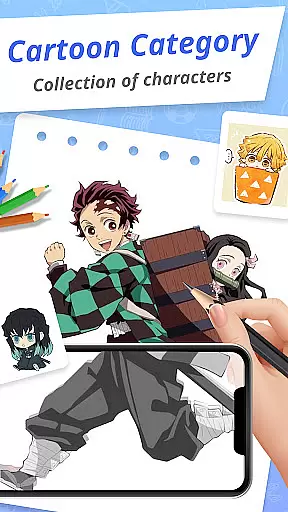
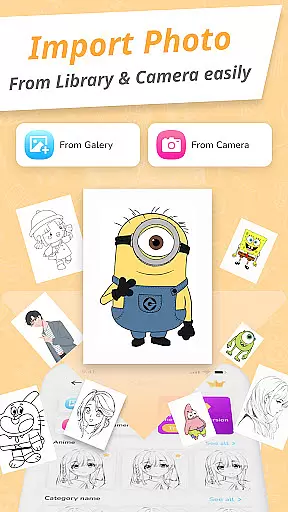
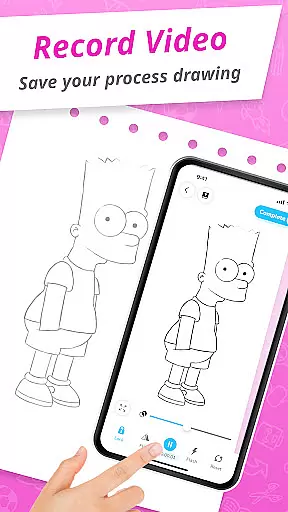
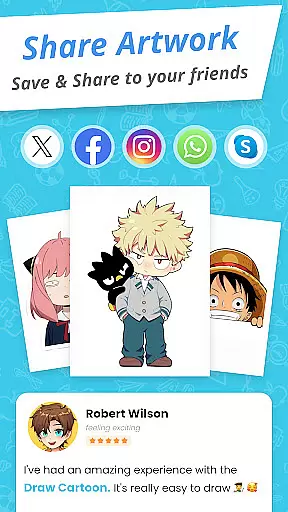
Draw Cartoon - AR Drawing App is an innovative augmented reality drawing application designed for both aspiring and professional artists. The app allows users to create stunning cartoon sketches by leveraging their device's camera, making the drawing process more interactive and engaging.
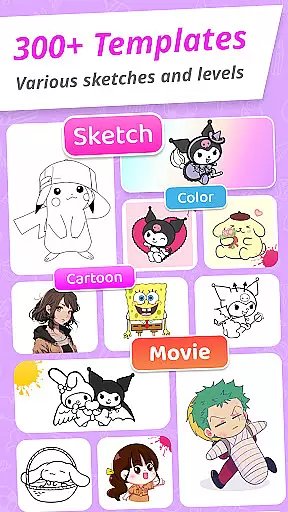
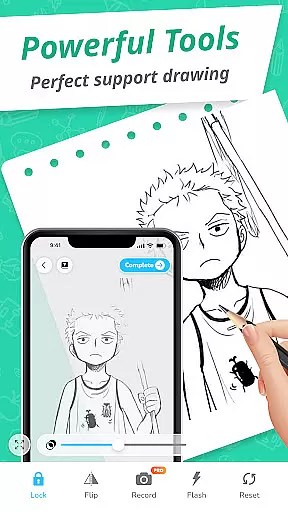
The app offers a range of powerful features including AR-based drawing tools, adjustable opacity settings, video recording, photo capture, flashlight control, and image locking. These functionalities enable users to produce high-quality artwork with precision and ease. Whether you're sketching Pikachu or Scooby-Doo, Draw Cartoon provides various templates that cater to different artistic styles.
One notable use case is its ability to assist beginners in improving their drawing skills through guided templates and real-time AR feedback. This makes it an invaluable tool for anyone looking to enhance their artistic abilities while enjoying the creative process.
Draw Cartoon stands out with its comprehensive set of features tailored for cartoon enthusiasts. The app's primary advantage is its powerful AR drawing capability, which lets users incorporate real-world elements into their sketches seamlessly. By using the device's camera, artists can trace images with adjustable opacity, ensuring accurate and customizable results every time.
In addition to basic drawing tools, the app includes advanced options such as video recording and photo capture, allowing users to document their creative process. The inclusion of a flashlight and image locking feature further enhances usability, providing greater control over the drawing environment. These features collectively ensure that both amateur and professional artists can achieve their desired outcomes efficiently.
Another significant aspect is the app's collection of amazing AR sketch cartoon templates. With free samples ranging from popular characters like Pikachu to classic cartoons like Scooby-Doo, users have a wide array of styles to choose from. Furthermore, the My Artwork feature enables users to save and share their creations, offering a platform to track progress and celebrate achievements.
In the realm of digital art, having a comprehensive set of creative tools is essential for artists to fully express their visions. Draw Cartoon - AR Drawing App rises to the occasion by offering an extensive suite of features that cater to both amateur and professional artists.
At the core of this app is its powerful AR drawing capability, which allows users to incorporate real-world elements into their sketches through their device's camera. This feature is complemented by advanced options such as recording video, taking photos, adjusting opacity, controlling the flashlight, and locking or resetting your work. These functionalities ensure that artists have the flexibility and control needed to create stunning augmented reality artwork.
The availability of various cartoon themes like Pikachu and Scooby-Doo provides a rich template library for users to trace and draw from, sparking creativity and enabling artists to produce work across a spectrum of styles and subjects. With these tools at their disposal, users can explore different artistic directions and refine their skills.
Ultimately, the completeness of Draw Cartoon's toolset empowers artists to push the boundaries of augmented reality art. By tracking their progress through the My Artwork feature, users gain valuable insights into their artistic journey, making this app not just a platform for creation but also for growth and development in the art form.
Flexibility in canvas and format options is crucial for artists who wish to customize their workspace to fit their unique style and project requirements. Draw Cartoon - AR Drawing App addresses this need by providing a versatile platform where artists can adjust their drawing space with ease.
One of the key aspects of the app's flexibility is its augmented reality feature that allows users to use their deviceu2019s camera to project images onto any real-world surface, effectively turning the world into their canvas. The ability to invert the image and trace it adds another layer of adaptability, accommodating different drawing techniques and preferences.
Moreover, the app offers various customization options such as adjusting opacity, toggling the flashlight, and locking or resetting your work area. These controls give artists the power to fine-tune their virtual canvas settings according to their specific needs, ensuring optimal comfort and efficiency while they work on their creations.
By prioritizing simplicity without compromising on functionality, Draw Cartoon makes it accessible for artists of all levels to dive into AR drawing. Whether you're sketching a small doodle or working on a large-scale piece, the app's flexible canvas and format capabilities support a wide range of artistic endeavors, enhancing both the creative process and output quality.
User-friendly interface
Advanced AR tools
Variety of templates
Active community support
Regular updates
Limited free content
Occasional bugs
High system requirements
Premium subscription needed
Learning curve for beginners

Floor Plan Creator lets you create, edit and share floor plans.
 4.00
4.00
Text to Image, Image to Video & AI Chat
4.20
Remove Background, Magic Eraser, Photo Enhancer, Story Templates, Collage Maker
4.30
Art of Combination Wear OS Watch faces
4.4
Create color palette from Image, RGB & RYB Color wheel harmonies, Color Scheme
4.50
Turn your drawings into flipbook-style animations with simple creative tools
4.60
Resize photos and print photos in exact size with our powerful photo printer!
3.80
Inky runs Inkscape on Android devices and Chromebooks
2.90
AI-powered photo & video creation—fast, fun, and effortless with Quick Actions
4.60
Create and Design Custom Logos in Seconds with AI-Powered Tools!
4.40
Everything you need to create hand drawn animation, anywhere you go!
4.40
800+ Drawing, Painting Lessons App to Practice, Sketch & Paint Art.
4.30
Create Logos, Tattoos, AI Art & more with our AI Photo Generator & Design Editor
4.20
Powerful home decoration & house design that allows you to design dream home.
3.80
AI Assistant, powered by ChatGPT GPT-4 & GPT-4o. Your intelligent companion.
3.50
Create sweet, cool and unique couple avatars easily, in just a few steps!
3.40
Create trending AI photos & videos with powerful effects and 3D styles.
3.20
Pose and morph realistic male and female models! 3D poser app
3.00
Premium version of Shimeji-ee app with no ads & no limit active shimeji
4.4


User Reviews