
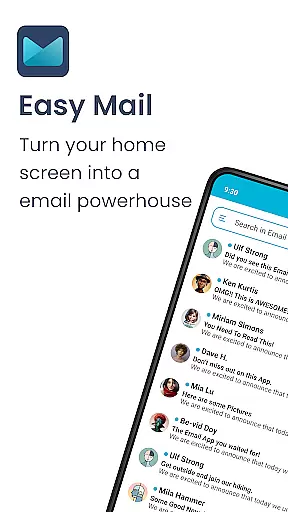
Easy Mail is a productivity-focused email launcher that simplifies your daily communication by bringing emails directly to your homescreen. This app transforms the way you manage emails, offering an intuitive interface with a clean homescreen layout designed specifically for efficient mail handling.
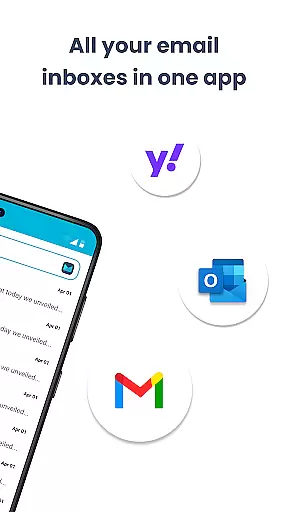
The application supports unlimited email accounts from providers like Gmail, Outlook, and Yahoo, consolidating them into a unified inbox or keeping them separate as per user preference. With AI-powered assistance, composing and managing emails becomes effortless. Easy Mail also integrates web search functionality and ensures complete privacy by keeping all data local.
Ideal for professionals seeking to minimize screen time while staying on top of their correspondence, Easy Mail combines essential launcher features with a focused email management system, making it an indispensable tool for streamlining digital communication.
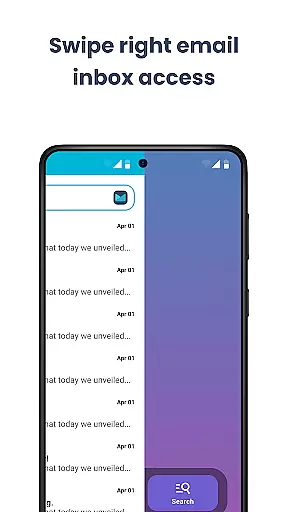
Easy Mail stands out with its array of features tailored for email efficiency. The Easy Homescreen provides a clutter-free space dedicated to mail and productivity, ensuring that your most important tasks are always at the forefront.
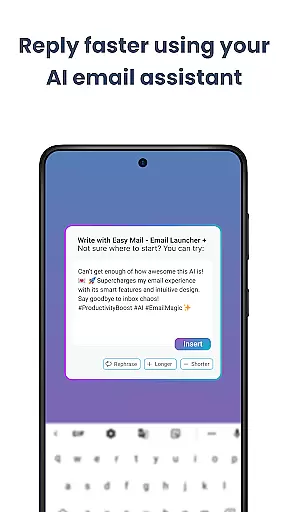
With support for unlimited email accounts, users can seamlessly switch between different inboxes or view them all in one place. The AI Email Assistance feature helps refine your writing, making every email clear and professional without losing your personal touch.
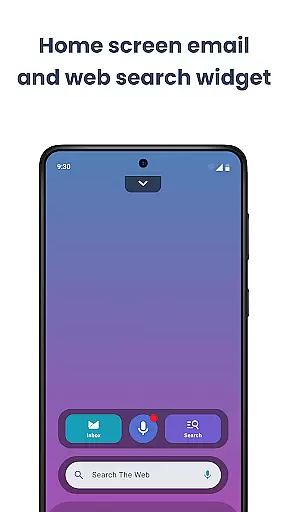
Additionally, the integrated Easy Web Search allows you to find information quickly without leaving your inbox, thanks to autocomplete and trending suggestions powered by Yahoo Search. Privacy is prioritized with all data remaining local, and the inclusion of launcher essentials such as widgets and an organized app drawer enhances overall usability.
Customization is at the heart of Easy Mail, offering users a versatile and personalized email management experience. With its easy-to-navigate interface, users can tailor their homescreen to prioritize what matters most to themu2014be it their inbox, favorite apps, or content feeds.
The app supports unlimited email accounts from various providers like Gmail, Outlook, and Yahoo, allowing users to manage all their emails in one unified inbox or separate them as needed. This flexibility ensures that both personal and professional communications are organized according to user preferences.
Easy Mail also includes AI Email Assistance, which helps refine your writing by rephrasing, shortening, or polishing emails while maintaining your natural tone. This feature adds another layer of customization, catering to individual writing styles and needs.
Moreover, the Launcher Essentials provide an organized homescreen with quick access to an email inbox, app drawer, widget support, and trending content. These elements collectively enhance the user's ability to customize their digital space for maximum productivity and ease of use.
Theme compatibility in Easy Mail ensures that users can enjoy a visually consistent experience across their devices. The app offers a clean homescreen built around mail and productivity, free from clutter, which aligns well with various themes users might prefer.
Users have the freedom to choose how they interact with their emails, whether through a unified inbox or by keeping accounts separate. This adaptability extends to visual preferences, where the appu2019s design seamlessly integrates with different themes without compromising functionality.
Privacy is another aspect where Easy Mail excels; it keeps user data safe and local, reinforcing trust regardless of the theme applied. This privacy-first approach ensures that aesthetic choices do not come at the cost of security.
Additionally, features such as Easy Web Search powered by Yahoo Search allow users to perform searches directly from their homescreen while checking emails. This integration maintains visual harmony and enhances usability, making sure that every element works together cohesively under any chosen theme.
User-friendly interface
Unified inbox view
AI-powered assistance
Privacy-focused design
Integrated web search
Limited customization options
No built-in calendar
Premium features locked
Occasional sync issues
Resource-intensive

Glass style colourful icons with a One UI look and feel
 4.60
4.60
Adult video chat, dating, making friends, random matching
4.20
A launcher for Samsung Good Lock and Good Guardians modules without ads
4.70
AI-powered Copilot. Personalized keyboard with gifs, stickers & themes
4.40
Want to make your phone more special than ever?
4.60
350+ widgets with a premium glass-style finish, perfect for home & lock screens.
4.70
Magic fluids wallpaper 4D: Relax with stunning fluid simulation wallpaper app
4.20
Customize phone with anime themes, 3D icons, aesthetic widgets & wallpapers
4.80
Fast SMS & group chat - use GIFs and emojis from your home screen launcher.
4.50
400+ Beautifully crafted widgets inspired by NOTHING.
4.70
300+ Beautifully crafted widgets inspired by OneUI.
4.60
Ultimate Gallery Lock App - Hide Pictures, Videos and Lock Apps Instantly!
4.60
Transform your device in a game console
4.40
The definitive Icon pack maker and editor
4.30
App Icon Changer & Shortcut Creator. Customize your icons without any watermarks
4.30
Wear Os Watch Face - Seasonal - Animated Snow Effect - 9 Animals
4.20
Crystal-clear, square icon provides a sleek and sophisticated visual upgrade
4.00
Adaptive Dot Style IconPack with Light & Dark Theme.
3.70
Modern Glass Icon Pack with glossy icons, clean minimal theme & aesthetic style
4.4


User Reviews