
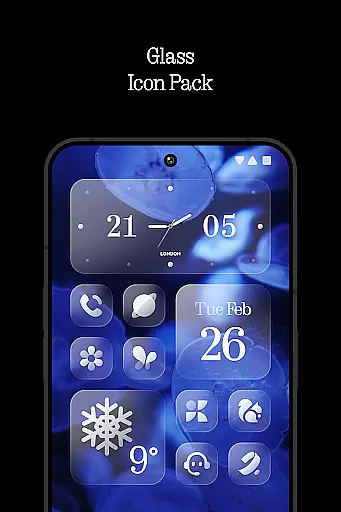
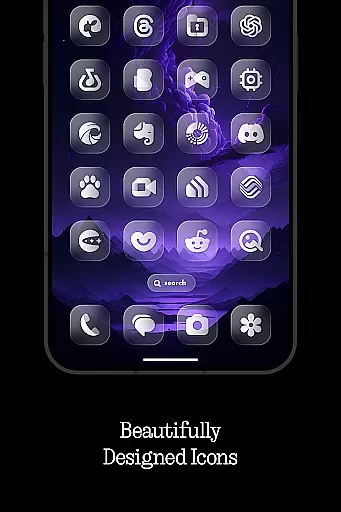
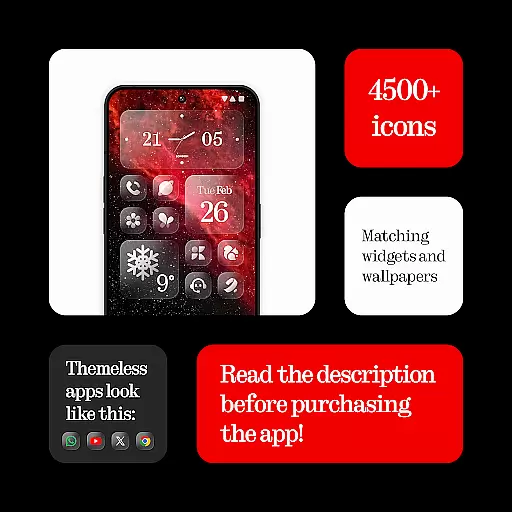
Glass Icons is a premium icon pack designed to elevate your device's visual aesthetics with its crystal-clear, square icons. Featuring over 5,400 meticulously crafted icons, this pack provides a sleek and sophisticated look that seamlessly integrates with your device's interface. Compatible with multiple launchers, it ensures broad usability across different Android devices.
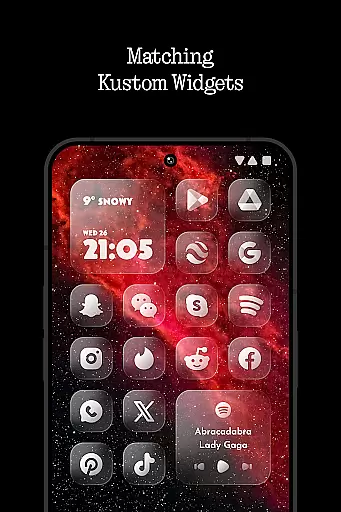
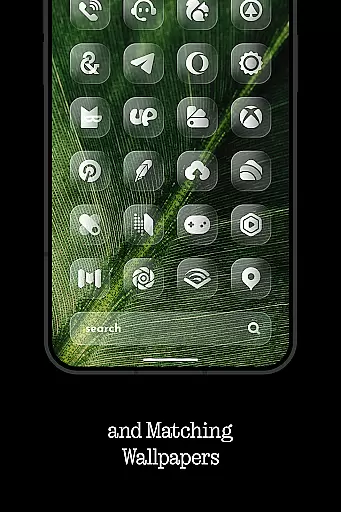
In addition to the extensive icon collection, Glass Icons offers five customizable Kustom widgets and cloud-based wallpapers, allowing users to personalize their home screens further. Regular updates ensure that new icons are consistently added, keeping your device fresh and modern. Whether you're using Nova Launcher, Lawnchair, or other supported launchers, Glass Icons delivers a cohesive and visually appealing experience.
Glass Icons stands out with its comprehensive set of features tailored for customization enthusiasts. The pack includes over 5,400 icons, ensuring broad coverage for various apps and system elements. Each icon is crafted with precision, offering a uniform and polished appearance that enhances the overall user interface.
Beyond icons, the pack provides five Kustom widgets, enabling users to add personalized widgets to their home screens. Cloud-based wallpapers offer additional customization options, while an icon request tool allows users to suggest missing icons. Regular updates and compatibility with numerous launchers like Nova, Lawnchair, and Niagara ensure that users can maintain a consistent and updated look on their devices.
Glass Icons offers an extensive range of customization options, ensuring users can tailor their device's appearance to their personal style. With over 5400 icons, the pack provides a comprehensive selection that caters to various aesthetic preferences.
In addition to the vast icon library, the pack includes five Kustom widgets, which further enhance the ability to personalize your device's interface. These widgets allow for dynamic content display and can be customized to match the sleek, sophisticated look provided by the icons.
The inclusion of a cloud-based wallpaper feature adds another layer of customization, enabling users to select backgrounds that complement their chosen icons. This holistic approach to personalization ensures a cohesive and visually pleasing experience across the entire device interface.
Ensuring seamless integration with a wide array of launchers, Glass Icons demonstrates exceptional theme compatibility. The pack is designed to work harmoniously with popular launchers such as Nova Launcher, Lawnchair Launcher, and Niagara Launcher, among others, providing users with the flexibility to choose their preferred launcher without compromising on visual consistency.
While the icon pack supports numerous launchers out-of-the-box, it also offers solutions for less compatible launchers. For instance, Pixel Launcher users can utilize the Shortcut Maker app to achieve compatibility, while One UI Launcher users can employ Theme Park for similar results.
It's important to note that certain features, like shadows in Nova Launcher, need to be active to maintain the intended visual effect. Additionally, the Kustom Widgets require KWGT PRO for full functionality, ensuring that all elements of the icon pack work together to create a unified and polished look across different devices and launchers.
Extensive icon library
Regular updates
Customizable widgets
Cloud-based wallpapers
Wide launcher support
Paid KWGT PRO required
No stock Pixel support
FAQ not beginner-friendly
Limited One UI integration
Shadow settings needed

Capture moments that pass like a storm, second by second.
 4.3
4.3
Customizable flower power digital watch face for Wear OS watches.
4.00
Wear Os Watch Face - Seasonal - Animated Snow Effect - 9 Animals
4.20
A launcher for Samsung Good Lock and Good Guardians modules without ads
4.70
Customizable screen pets that play, climb, and keep you company.
4.50
Romantic Kiss Stickers App. Start romantic messaging now!
4.30
Handcrafted pixel art icons, widgets & wallpapers
4.60
Modern Glass Icon Pack with glossy icons, clean minimal theme & aesthetic style
4.1
Transform your phone with stunning video wallpapers and a unique, personal touch
3.80
Customizable Glass widgets. Over 360+ stunning widgets and more!
4.70
300+ Stunning and well-designed widgets inspired by NOTHING.
4.70
Classic analogue watch face. For wear os devices.
4.60
Add cute Shimeji pets to screen, interact with them and relax with cute motions
4.60
Ultra realistic gold analog watch face with lots of customization options.
4.50
Ninja Turtles Cowabunga SE watch face for Wear OS
4.50 4.50
4.50
Vibrant Adaptive Icons with Material You and Enhanced Monet Colors.
4.50
Yandex Browser — stylish and secure, with voice search and data compression
4.40
Custom edge gestures for volume control, brightness, apps, and shortcuts.
4.1


User Reviews