
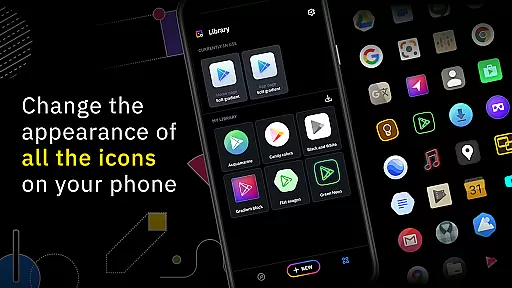
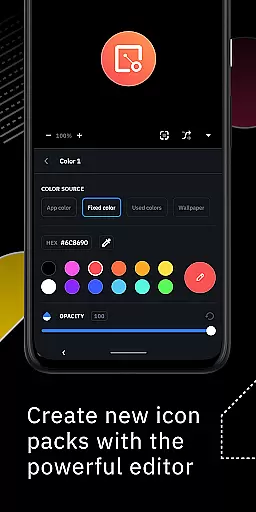
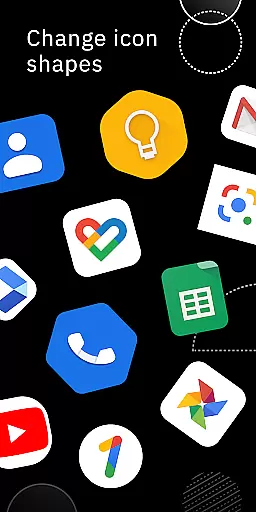
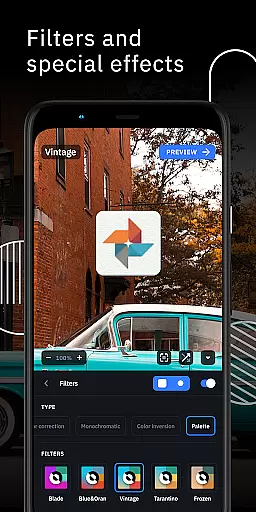
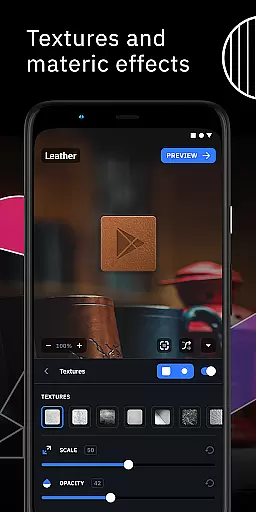
Icon Pack Studio is a powerful personalization tool that allows users to create custom icon packs tailored to their preferences. With its advanced editor, you can resize and move elements of your icons while applying filters like lights, shadows, textures, and bezels. The app also supports importing and tweaking existing icon packs, making it versatile for various customization needs.
This app is designed to work seamlessly with Smart Launcher but is compatible with most popular launchers such as Nova Launcher, Action Launcher, and more. Icon Pack Studio ensures that every app on your device can have a personalized icon, offering a level of customization unmatched by other icon packs available on the Play Store.
One of the standout features of Icon Pack Studio is its advanced editor, which provides precise control over icon design elements. Users can adjust size, position, and apply unique filters to achieve the desired look. Additionally, the ability to import and modify existing icon packs enhances its versatility.
The app covers any app on your device, ensuring comprehensive customization. It is optimized for Smart Launcher but works with almost any launcher, including popular options like Nova Launcher and Action Launcher. This broad compatibility makes it an essential tool for users seeking a personalized home screen experience.
Icon Pack Studio offers an extensive range of customization options that allow users to create personalized icon packs from scratch. The app provides advanced editing tools, enabling the resizing and repositioning of any element within your custom icons.
With special filters such as lights, shadows, textures, and bezels at your disposal, personalizing every detail of your icons becomes an effortless task. This level of customization ensures that no two icon packs need to be the same, offering a unique home screen experience tailored to individual preferences.
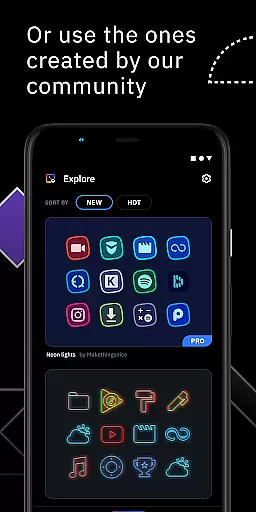
The ability to import and tweak any installed icon pack adds another layer of variety, making it not just an icon pack maker but also an icon pack editor. Users can thus experiment with existing designs or craft something entirely new, ensuring their home screens are a true reflection of their personal style.
Compatibility is a cornerstone of Icon Pack Studio's design, ensuring that the icon packs you create will work seamlessly across a wide array of launchers. While optimized for Smart Launcher, this app extends its compatibility to nearly any launcher available on the market, enhancing its versatility.
Tested extensively with popular launchers like Nova Launcher, Action Launcher, and Lawnchair Launcher among others, IPS assures users of a smooth application process. This broad compatibility means that regardless of the launcher you prefer, your custom icon pack can be applied with just a few taps.
However, it's important to note that some launchers do not support third-party icon packs, including Xperia Home Launcher and Pixel Launcher. Despite these exceptions, Icon Pack Studio remains one of the most adaptable solutions for customizing your deviceu2019s appearance across various platforms.
User-friendly interface
Extensive customization options
Compatible with multiple launchers
Active community contributions
Regular updates and improvements
Not supported by all launchers
Advanced features may overwhelm beginners
Limited default icon themes
Requires manual updates for new apps
Premium version needed for full access

Turn your lock screen into fun with smile live wallpapers & animated wallpapers!
 2.50
2.50
100+ Stylish Fonts, Emojis, Symbols keyboard for Instagram & TikTok!
4.80
Unique Fonts, typefaces and stylish text. Fonts for Instagram, Whatsapp & others
4.20
Organize and manage your photos and videos effortlessly with Photo Gallery
4.20
Launcher OS™ Pro without ads help make your phone simple and pretty
4.30
Struggling to find apps? Use this app to locate and open any app on your phone!
2.20
A minimalist productivity launcher. One-hand-friendly. Zero ads.
4.70
Transform your phone with stunning video wallpapers and a unique, personal touch
3.80
Create stunning widgets with Widget 2026: Aesthetic Widgets for Android!
4.60
Vertically oriented rectangular icons
4.70
Stunningly Different look with Line Icons and Neon Colors
4.60
Ultimate Gallery Lock App - Hide Pictures, Videos and Lock Apps Instantly!
4.60
Customizable screen pets that play, climb, and keep you company.
4.50
Color phone with cool effects for call screen, flash alert & ringtones music
4.50
App Icon Changer & Shortcut Creator. Customize your icons without any watermarks
4.30
Design your screen with unique, vibrant clocks
3.80
Adaptive Dot Style IconPack with Light & Dark Theme.
3.70
Capture moments that pass like a storm, second by second.
4.4
Prank your friends with realistic broken screen and cracked HD effects!
4.2


User Reviews