
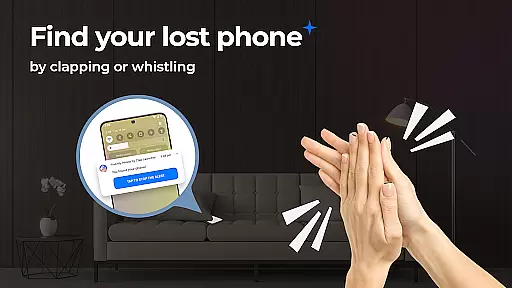
Find My Phone by Clap Launcher is a powerful tool designed to help users locate their lost devices quickly and efficiently. The app's core functionality allows users to trigger an audible alert on their phone by simply clapping or whistling, making it easy to find a misplaced device even in noisy environments. In addition to its primary phone-finding feature, the app also offers customizable alert sounds, adjustable alert durations, and a bright flashlight response that ensures visibility in dark spaces.
Beyond its phone-finding capabilities, this app doubles as a launcher, providing added convenience with features like one-swipe access to clap detection, home screen widgets for weather and time, and personalized wallpapers. These additional tools enhance the overall user experience while maintaining ease of use. Whether you're at home, in the office, or out and about, Find My Phone by Clap Launcher provides peace of mind by ensuring your device is never truly lost.
This app is particularly useful for individuals who frequently misplace their phones or work in busy environments where phones can easily get lost. Its battery-efficient design and compatibility with multiple phone models make it a reliable choice for anyone seeking a practical solution to phone loss.
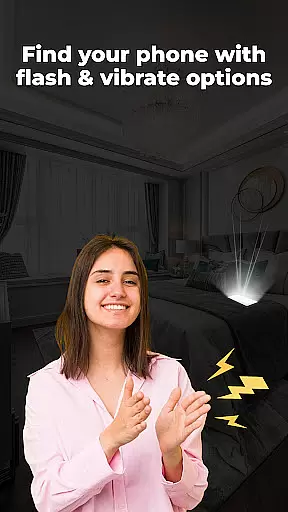
Find My Phone by Clap Launcher stands out due to its innovative sound recognition technology, which allows users to activate the phone-finding feature through simple claps or whistles. This multi-alert system combines loud ringtones, vibrant flashlight responses, and device vibrations, ensuring the phone can be located under any circumstances—whether it's buried under cushions, hidden in a bag, or sitting silently in another room. The app's ability to function regardless of the phone's current sound settings makes it versatile and effective in various scenarios.
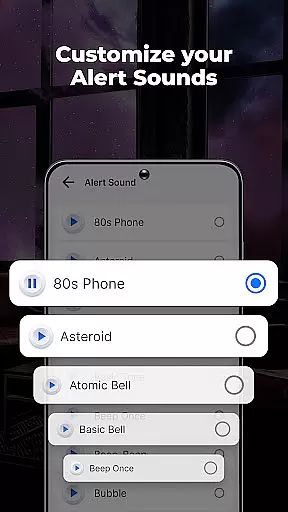
In addition to its core functionality, the app offers several customization options. Users can choose from a variety of alert sounds, ranging from soothing melodies to playful animal noises, and adjust the volume to suit their preferences. The alert duration is also adjustable, allowing users to set how long the phone will signal its location. Furthermore, the app's integration with a home screen widget provides quick access to essential information like weather and time, enhancing daily productivity.
Another notable feature is the app's optimization for performance and minimal battery consumption. Even when running in the background, Find My Phone by Clap Launcher ensures that your phone remains responsive without draining the battery. Its intuitive interface and seamless compatibility with multiple phone models make it accessible to a wide range of users, offering both convenience and reliability.
Find My Phone by Clap Launcher excels in its core functionality of helping users locate their misplaced devices. The app employs advanced sound recognition technology that listens for specific triggers like claps or whistles. When these sounds are detected, the app immediately activates a multi-alert system on the lost device.
The effectiveness of this feature is evident through its comprehensive response mechanism. Upon activation, the phone emits loud ringtones, bright flashing lights, and vibrations, ensuring the device can be located even in noisy or dark environments. This triple-layered alert system significantly increases the chances of finding the phone quickly, whether it's buried under cushions or hidden in a dimly lit area.
Users benefit from customizable alert options, allowing them to choose from various attention-grabbing sounds and adjust volume levels according to their preferences. They can also set the duration of alerts, ranging from 10 to 120 seconds, providing flexibility and control over how long the phone signals its location. These features ensure that users can tailor the app's performance to suit their specific needs and environments.
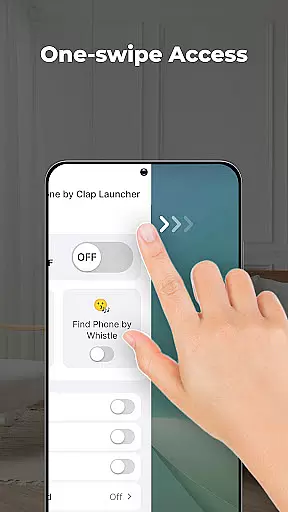
The user interface of Find My Phone by Clap Launcher is designed with simplicity and ease of use in mind. Upon installation, users can access the phone finder functionality with just a single swipe from the home screen. This one-swipe access eliminates unnecessary steps, making it incredibly straightforward to activate the clap or whistle detection feature.
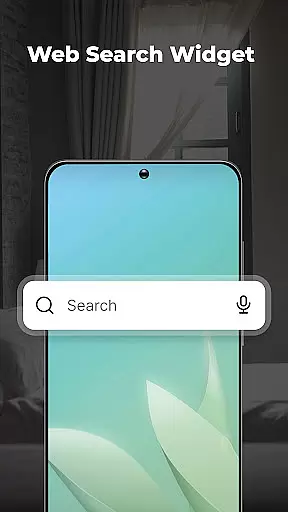
In addition to the streamlined access, the app offers a home screen widget that displays essential information such as time and weather. This widget enhances the user experience by providing quick access to important details without needing to open multiple apps. Furthermore, the app includes a home screen shortcut specifically for the phone finder, ensuring that help is always within reach when needed most.
Another aspect contributing to the intuitive nature of the app is its compatibility with various phone models and settings. Whether the phone is on silent, vibrate, or full volume, the app functions seamlessly, offering consistent performance across different configurations. This versatility ensures that users do not have to worry about adjusting their phone settings to make the app work effectively, thus simplifying the overall user experience.
User-friendly interface
Customizable alerts
Battery efficient
Versatile sound detection
Multi-alert system
Home screen layout changes
Limited to sound activation
Requires initial setup
No GPS tracking
Dependent on device's hardware

PDF Reader - Document Viewer: Read, Manage & Organize Your Documents
 3.10
3.10
Unit and currency converter with easy and simple UI.
4.80
Use your phone as a webcam on your computer over WiFi or USB.
4.40
Quickly & easily calculate the spacing of handrail balusters
4.20
Forza Tuning Calculator App for Forza Horizon 5, Motorsport and Earlier Titles
4.40
Monitor car performance in real time and troubleshoot malfunctions.
4.80
Connect wirelessly to your computer to watch movies, browse the web, play games
5.00
Create your own custom widget with endless possibilities
3.90
A simple app to back up and restore SMS & MMS messages and call logs.
4.10
Powerful collection of electronics tools and reference.A must for any enthusiast
4.90
The one-and-only remote control for PC, Mac, and Linux
4.70
Learn the vast amount of system information about device and monitor it's state
4.70
Connect instantly to a fast, encrypted VPN with one tap
4.60
FV File Manager Pro, Fast and powerful file manager for Android
4.60
pdf merge, word to pdf, jpg to pdf, edit pdf, convert to pdf and much more!
4.20
Screen Mirroring with sound for Samsung TV, LG TV, Sony TV, Smart TV and Browser
4.20
Automate everything from settings to photos, SMS to speech. ADC2 prize winner.
4.10
Family Locator, Share location, StayConnect with your family in real time
3.90
This app unlocks the Pro features of the Central for DayZ app
3.60


User Reviews