
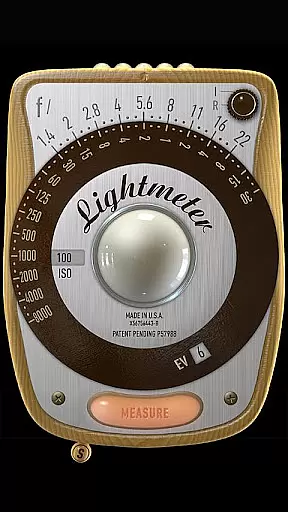
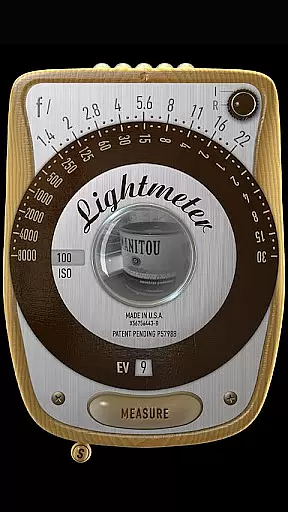
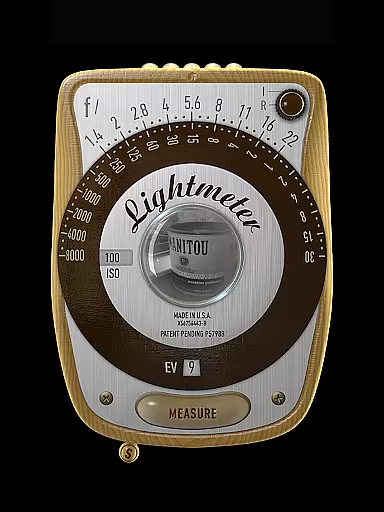
LightMeter is a specialized photography app designed for analog photographers who appreciate the art of old-school techniques. This app transforms your mobile device into a precise light meter, offering both reflected and incident light metering options. With compatibility dependent on device hardware, it provides reliable exposure readings while supporting EXIF data integration.
The app's unique calibration feature and ISO range from 3 to 6400 make it an essential tool for advanced amateurs seeking accurate measurements. While acknowledging the limitations of phone-based light meters, LightMeter optimizes available hardware capabilities, particularly excelling in reflected light measurement scenarios.
LightMeter offers an impressive array of professional-grade features tailored for analog photography enthusiasts. The app supports extensive ISO settings ranging from 3 to 6400, catering to various lighting conditions and film types. Its dual metering system includes incident light measurement for devices with light sensors and reflected light measurement for compatible cameras.
Advanced functionalities include low light alerts, optional vibration feedback, and EXIF information display. The app maintains state and ISO settings upon resuming, while offering alternative ISO selection methods. Additional practical features encompass camera muting capability (where supported), spot measurement for zoom-enabled cameras, and optimized performance across all screen resolutions including extra high-definition displays.
LightMeter offers a unique real-time capture and preview feature that caters to the needs of analog photographers. This functionality allows users to accurately measure light conditions through their device's camera, ensuring optimal exposure settings before capturing an image.
The app supports both incident and reflected light metering options, providing flexibility depending on the device's capabilities. While incident light metering relies on the device's light sensor, reflected light metering works with compatible cameras to deliver precise readings directly from the scene being photographed.
Users benefit from additional features such as low light alerts and spot measurement capabilities when using devices with camera zoom functionality. The real-time feedback enables photographers to make informed decisions about ISO settings, which range from 3 to 6400, ensuring accurate exposure in various lighting conditions.
While LightMeter doesn't incorporate artificial intelligence for beauty enhancements, it focuses on delivering natural and authentic light measurements crucial for traditional photography. The app maintains the integrity of analog photography by providing pure sensor-based readings without digital alterations.
Photographers can rely on the app's calibration features and vibration feedback upon measurement to ensure consistent and reliable results. The optional EXIF and sensor information display helps users understand the technical aspects of each shot, promoting learning and improvement in photographic techniques.
The application's straightforward approach to light measurement, combined with practical features like state recall and alternative ISO selectors, ensures that users can concentrate on their craft without worrying about unnecessary digital enhancements compromising their artistic vision.
Accurate metering
Wide ISO range
EXIF integration
Calibration options
Cross-device support
Sensor limitations
Device compatibility
Premium features
Complex interface
Regional restrictions

Create funny photos and videos with the popular Time Warp Scan filter.
 4.90
4.90
Virtual makeup, hair filters & body tuner—edit from face to full body!
4.20
Create collages easily! Nice pic collage maker & background eraser for Instagram
4.50
Superimpose one photo on top of another using the original Superimpose app!
3.20
Pro version: AR sun/moon tracker for any date. Tool for photographers & planners
4.90
Snap photos remotely using your Garmin watch as the camera trigger
4.2
Effortlessly make high-quality GIFs from images & videos without any watermarks.
4.70
Unlock the full potential of your DJI drone with Litchi
4.50
Welcome to ProShot, the most powerful camera app on Android.
4.20
Gallery show photo, video, slideshow, is perfect 3D effect private photo albums.
4.80
PhotoSync Bundle Add-On License. Enables all features and services in PhotoSync.
4.60
Create Business Headshots, Polaroid Filter, Retake Photos,Profile Pics,AI Photos
4.50
Fit multiple photos on one post. Create carousels & scroll layouts for Instagram
4.50
Easily stitch panoramas from multiple photos or video.
4.40
A reflected light meter with spot metering and incident light metering.
4.40
[3DSteroid Pro] is a stereoscopic application for Android.
4.30
Natural Beauty, Selfie Retouch
4.30
Photo editor: face & body editor, beauty cam, filters and quality enhancer.
4.00
Gallery Slideshow is slideshow maker app for slideshow from your gallery photos.
3.90


User Reviews