
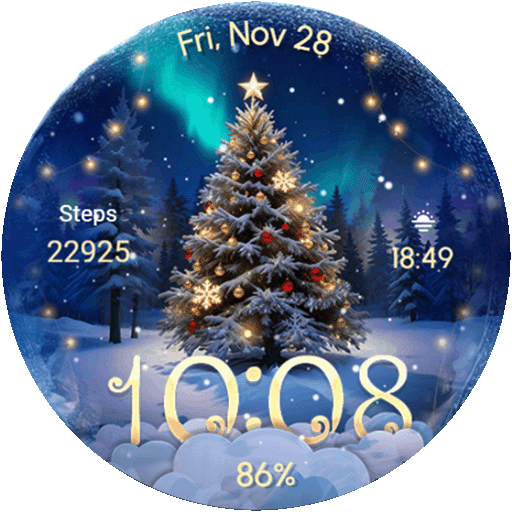
Wear Os Watch Face - Animated Snow Effect & Christmas Lights
 4.5
4.5
an Analog Watch Face for winter season with freeze winter background for Wear OS
4.2
Animated Watch Face and Customizable with 24 Backgrounds. Perfect for Christmas!
3.90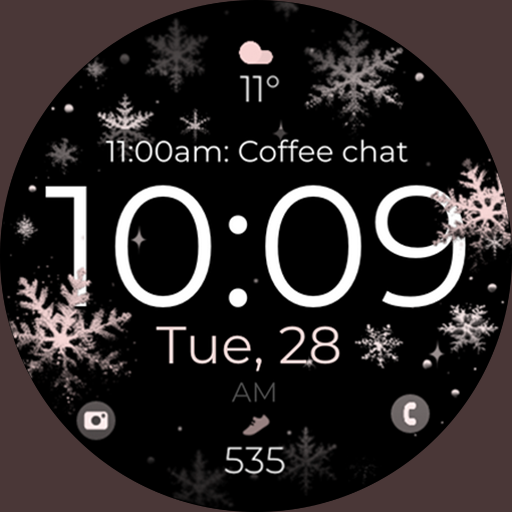
Snowflake Rose Gold Watch Face - Digital, modern, & sleek with GYRO effect.
4.10
Digital watch face. For Wear OS devices.
4.40
Your second brain for organizing your life: to-do, calendar, reminder.
4.70
Nutrition, Macro tracker: Food, fitness & healthy diet tracking for weight loss
4.60
A digital watch face that celebrates Christmas.
4.00
A white realistic classic analog watch face with many customization options.
4.40
Retro digital watch face with customizable colors and a unique lighting effect
4.60
Gym & home workout plans with strength training, exercise tracking, HIIT & more.
4.60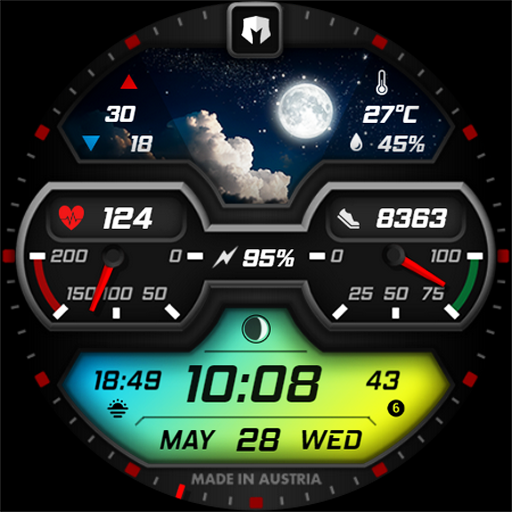
Stylish, Energizing and Modern Watch Face crafted by Dominus Mathias.
4.50
Premium hybrid watch face with many customizations for Wear OS devices.
4.40
Locate your family members by GPS phone location tracker everywhere and anytime
4.30
Get helpful reminders, take progress photos and find answers to your questions.
3.90
A Wintery Snow Globe on Your Wrist; now celebrating Christmas!
4.3
A watch face that fuses motorsport precision with contemporary smartwatch design
4.5
Sleek, highly customizable watch face inspired by Galaxy Watch Circle Dashboard.
4.3
3 Complications. All shadow on/off. 30 Themes color palette...
4.4


