
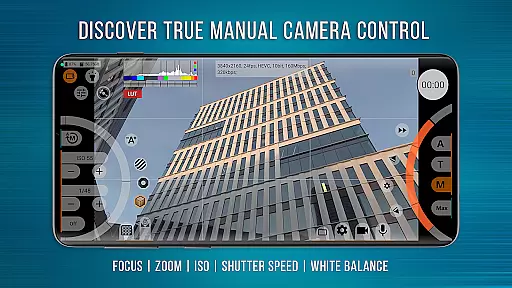
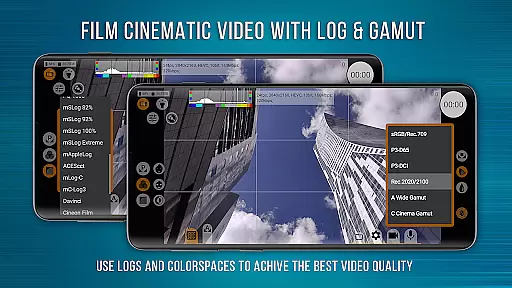
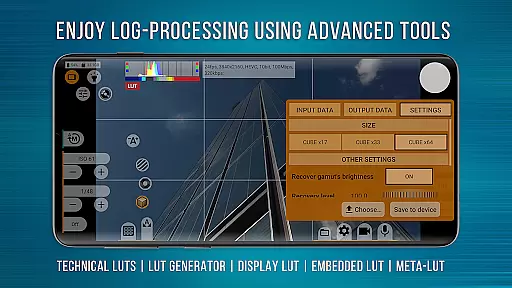
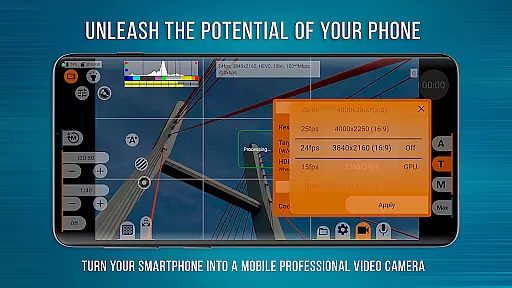
mcpro24fps Manual Video Camera represents the pinnacle of professional mobile videography on Android devices. Designed exclusively for filmmakers and videographers, this app transforms your smartphone into a powerful cinema-grade camera. It supports advanced features like 10-bit shooting, Log video recording without GPU activation, and programmable focus and zoom controls.
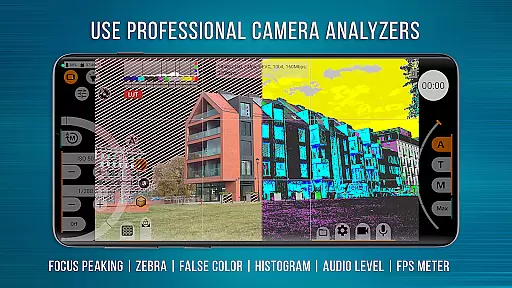
The app is tailored for creative professionals who demand precise control over their footage. With capabilities such as Focus Peaking, Expo Peaking, and Spectral and Zebra exposure tools, mcpro24fps ensures every frame meets professional standards. Whether you're shooting music videos, commercials, or festival films, this app provides the technical prowess needed to execute bold artistic visions.
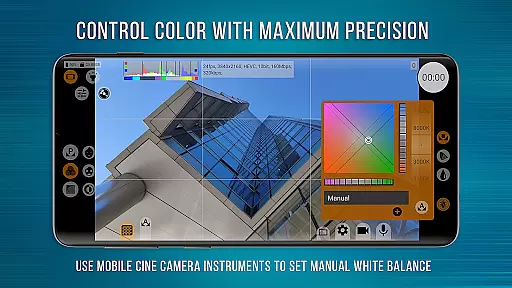
One of mcpro24fps's standout features is its extensive support for Log modes and technical LUTs, enabling seamless post-production workflows. The app also offers advanced audio settings, including AAC and WAV formats, with the ability to integrate WAV into MP4 files. Its responsive interface allows users to adjust white balance in Kelvins, manage metadata, and utilize GPU resources effectively.
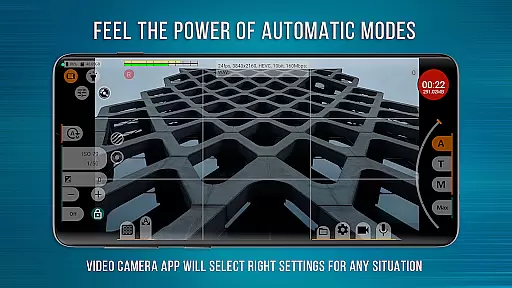
Additional functionalities include multiple camera support, optical and digital stabilization, and variable bitrate modes. The app caters to both manual control enthusiasts and those who prefer reliable automatic modes. These features collectively ensure that videographers can achieve cinema-quality results directly from their smartphones.
Real-time capture and preview functionality is essential for any professional-grade camera application. mcpro24fps offers a responsive interface that ensures videographers can accurately frame and adjust their shots with precision.
The app supports multiple cameras, preserving individual settings for each, thus streamlining the workflow for complex shoots. With options for optical and digital video stabilization, users can achieve smooth footage even in challenging conditions.
Moreover, the ability to shoot in 10-bit and record video in Log without engaging the GPU allows videographers to produce cinema-quality visuals directly from their smartphones, rivaling traditional camcorders.
By providing advanced exposure control features such as Spectral and Zebra, mcpro24fps empowers creators to manage lighting conditions effectively, ensuring every frame meets professional standards.
While primarily a tool for professional videography, mcpro24fps also incorporates AI-driven enhancements that maintain natural aesthetics. The app's beauty and enhancement features leverage sophisticated algorithms to refine visuals without compromising authenticity.
With capabilities like Focus Peaking and Expo Peaking, videographers gain complete control over their frame, ensuring sharp and well-exposed images. These tools assist in achieving a balanced and natural look in video content.
Additionally, the inclusion of technical LUTs facilitates seamless post-production interpretation of Log footage, allowing for color grading that retains the original scene's integrity while enhancing its cinematic qualities.
Overall, mcpro24fps merges AI technology with manual controls, offering videographers the best of both worldsu2014enhanced beauty with natural-looking results tailored to the creator's vision.
Advanced Log modes
Professional audio options
Responsive user interface
Extensive camera controls
Cinema-grade features
Complex for beginners
Device compatibility issues
High system requirements
Premium pricing
Steep learning curve

A collection of tools and reference tables for DPs, ACs, DITs and Operators.
 4.70
4.70
Easily stitch panoramas from multiple photos or video.
4.40
1M influencer's special filter
4.60
Pet Camera
3.70
Take videos and pictures with the popular TikTok TIME WARP SCAN filter.
4.60
Collage your moments in one tap: 1000+ layouts, filters, stickers, and texts.
4.90
Hair color changer, AI haircut app, fun hair editor and buzz cut filter for all!
3.80
A light meter for true photographers.
4.20
Effortlessly make high-quality GIFs from images & videos without any watermarks.
4.70
Pro version: AR sun/moon tracker for any date. Tool for photographers & planners
4.90
Find time and duration of different sunlight phases at any location
4.90
Gallery show photo, video, slideshow, is perfect 3D effect private photo albums.
4.80
Photo editor: AI filters, photo enhancer, pic collage maker, AI art generator.
4.80
Viewfinder, Light meter, Reciprocity failure time, DOF & Bellows Extension
4.60
A must-have app for landscape photographers
4.60
HD Camera Pro with HD Video shooting, Panorama, Photo editor , Beauty Camera.
4.50
All-in-One Editor & AI Photo Enhancer, Collage, Cartoonify, Funny Stickers & BGS
4.10
live datamoshing
4.00
How would you look like with a differently shaped nose, chin or lips?
3.90


User Reviews