
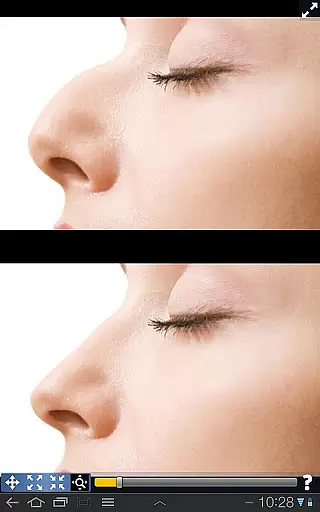
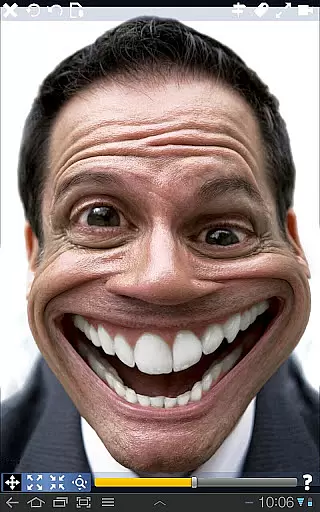
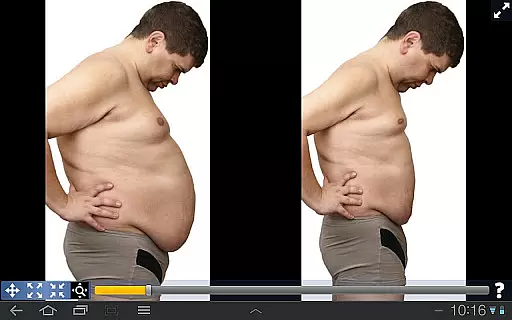
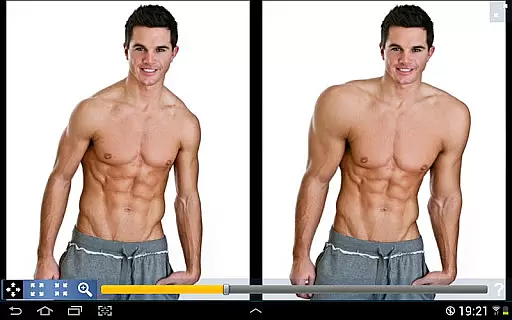
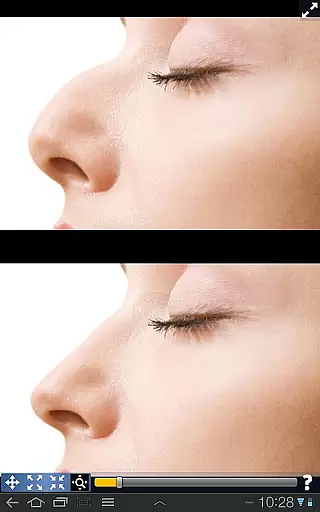
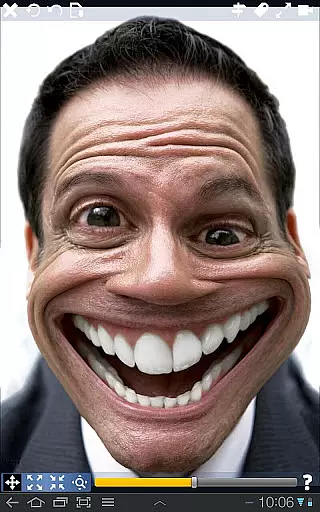
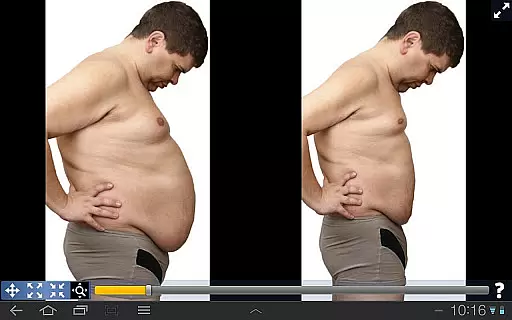
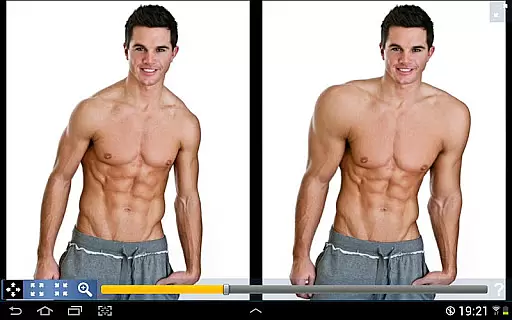
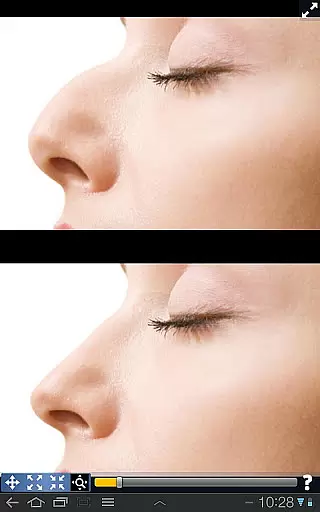
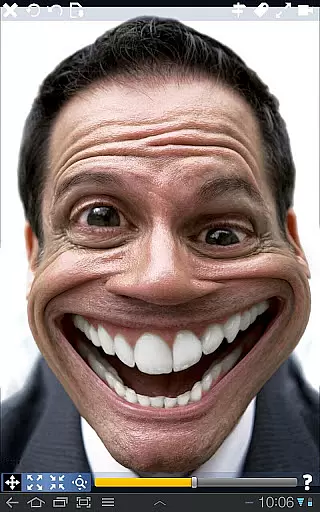
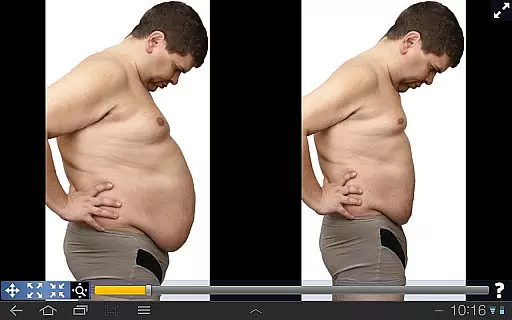
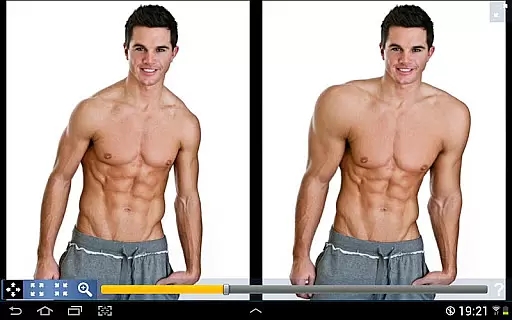
Plastic Surgery Simulator is a dynamic photo editing application designed for creative image manipulation. This app allows users to simulate physical transformations by distorting specific body parts, such as reshaping the nose, chin, or lips, or enhancing muscle definition. Its standout feature lies in its smooth transformation algorithm, which ensures realistic results without pixelation or distortion artifacts. Additionally, the dual display mode enhances usability by cloning the image on one side of the screen when the device is rotated, allowing users to edit with precision even on smaller touchscreens.
The app caters to both entertainment and aesthetic purposes. Whether you're looking to experiment with cosmetic changes, enhance your social media presence, or simply have fun warping images, Plastic Surgery Simulator offers an intuitive interface and powerful tools to bring your ideas to life. Its versatility makes it suitable for casual users and photography enthusiasts alike, providing a unique way to explore creative possibilities through photo manipulation.
Plastic Surgery Simulator boasts several innovative features that set it apart from other photo editing apps. First and foremost is its advanced distortion algorithm, which enables seamless modifications to facial and body features. Users can drag, grow, or shrink specific areas of an image, achieving smooth and natural-looking results. This technology eliminates jagged edges and unnatural distortions, ensuring high-quality edits every time.
Another key feature is the dual display mode, which significantly improves the user experience. When the device is rotated into landscape orientation, the app automatically mirrors the image on one half of the screen. This functionality allows users to manipulate their photos without their fingers obstructing the view, making it ideal for detailed work on small devices like smartphones. Furthermore, the app supports a wide range of image formats and resolutions, ensuring compatibility across various platforms and devices.
These features collectively provide a robust toolkit for creative expression, whether you're experimenting with cosmetic alterations or exploring artistic photo manipulations. The combination of technical sophistication and user-friendly design makes Plastic Surgery Simulator a standout choice in the photography category.
Real-time capture and preview functionality is essential for photography apps as it allows users to see the effects of their edits instantly. Plastic Surgery Simulator excels in this area by providing immediate visual feedback as users manipulate different facial and body features.
The app's powerful photo distortion algorithm ensures that all transformations appear smooth and natural in real time. This feature is crucial for users who want to simulate realistic body transformations without any delay, offering them a seamless editing experience.
Additionally, the dual display mode enhances the real-time editing process. When you rotate your device, the image clones into the other half of the screen, allowing you to modify your image without your finger obstructing the view. This makes the app particularly effective on small touch devices like smartphones.
AI beauty and enhancement features are becoming increasingly important in photo editing apps, focusing on making enhancements look natural. Plastic Surgery Simulator incorporates advanced algorithms to ensure that all modifications, such as reshaping or shrinking certain features, maintain a realistic appearance.
The app stands out with its ability to produce smooth transformations, thanks to its sophisticated photo distortion technology. Whether altering the nose, chin, or lips, users can achieve enhancements that look genuine rather than overly processed or artificial.
Moreover, the dual display mode aids in achieving natural-looking results by providing an unobstructed view during edits. This feature ensures that users can focus on detailed adjustments without any interference, resulting in more authentic and appealing enhancements overall.
User-friendly interface
Realistic distortion effects
Dual display convenience
Versatile editing options
Wide format support
Limited advanced tools
No batch processing
Occasional lag
Few tutorials
Premium cost

HD Photo gallery and photo manager to edit, hide private photos, videos & albums
 4.3
4.3
Be your best in every shot! Fix, edit and retouch your face in selfies & photos.
3.70
Turn your phone into a professional camera - full DSLR manual photography
4.30
HD Camera Pro with HD Video shooting, Panorama, Photo editor , Beauty Camera.
4.50
Amazing Photo Effects - The most fun you can have with your photos!
4.70
Your personal guide to the sun and moon. Plan ahead, visualize and predict!
4.70
A light meter for true photographers.
4.20
Solocator stamps photos you take with GPS location, Compass Direction, Date/Time
3.80
Your Family Calendar + Photos. Manage your Skylight Calendar and Skylight Frame.
4.40
Photo editor: AI filters, photo enhancer, pic collage maker, AI art generator.
4.80
Android Native system HD camera app. Never been so simple and faster.
4.70
Future baby face generator: AI kids generator, kid face! What my baby look like?
4.40
Natural Beauty, Selfie Retouch
4.30
All-in-One Editor & AI Photo Enhancer, Beautify & Retouch, Collage, Cartoonify
4.20
Create AI Photos, Improve and restore quality of blurry, old or damaged pics.
4.20
Luminar: Photo Editor - easy picture editing with AI
4.20
What celebrity do you look like? Celebs will find your celebrity match!
4.10
USB Storage Access for Photos, Videos, Music and Documents
3.80
An interval timer to automate photo taking process for timelapse
2.90


User Reviews