
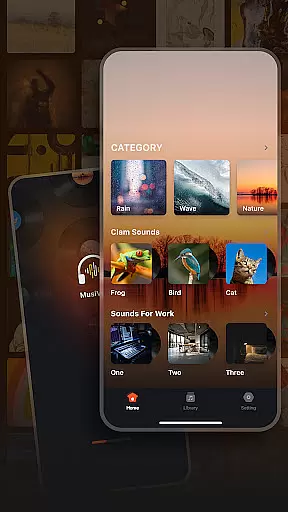
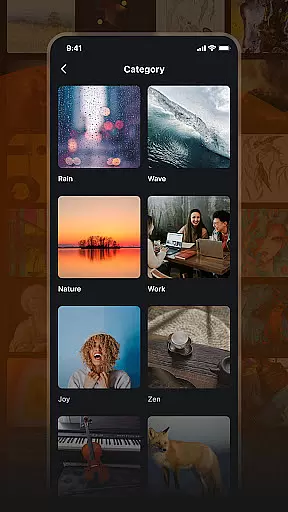
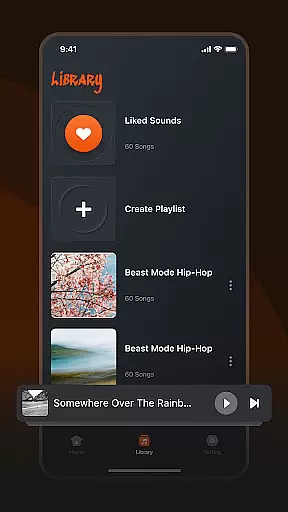
Musivibe is a feature-rich offline music player designed to enhance your listening experience. This app categorizes various sounds and songs, allowing users to enjoy music anytime, anywhere. With its powerful sound categories ranging from Rain and Ocean Waves to Zen and Instruments, Musivibe ensures that you find the perfect track for every mood and occasion.
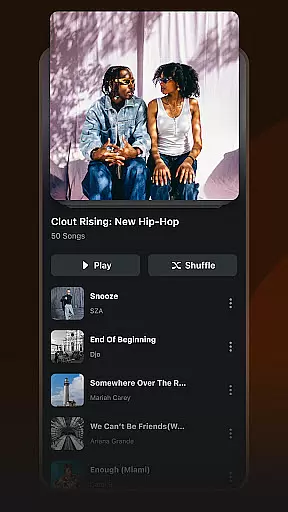
The app also offers personalized playlist creation and management, enabling users to organize their music library according to their preferences. Its user-friendly interface makes navigation seamless, while advanced features like playlist editing and sharing provide a customizable experience. Whether you need background music for work or calming sounds for relaxation, Musivibe delivers a premium audio experience tailored to your needs.
Musivibe stands out with its diverse range of sound categories, including Nature, Cheerful, and Animals, catering to different emotional states and activities. The app's ability to create and organize personalized playlists allows users to tailor their music experience to specific moods and occasions. These playlists can be easily edited, streamed, and shared with others, enhancing the social aspect of music sharing.
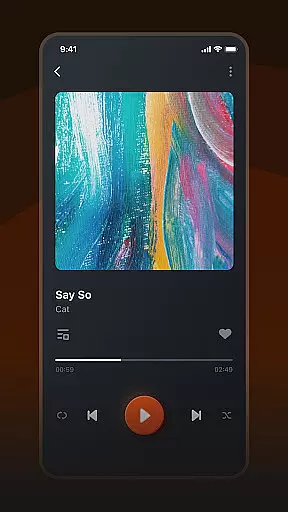
In addition to its core functionalities, Musivibe boasts a sleek and intuitive UI design that prioritizes user experience. The app's interface is crafted to ensure smooth navigation and quick access to essential features. Users can expect a seamless blend of functionality and aesthetics, making their interaction with Musivibe both enjoyable and efficient. All these features combine to offer an unparalleled music listening journey.
When it comes to music applications, the size and authenticity of the music library are crucial factors. Musivibe offers an extensive collection of categorized sounds including Rain, Ocean Waves, Nature, Work, Cheerful, Zen, Instruments, and Animals. This diverse range ensures that users have access to a wide variety of audio experiences tailored to different moods and settings.
The application emphasizes copyright authenticity, ensuring that all tracks are legally available for user consumption. By categorizing songs and sounds, Musivibe not only enhances discoverability but also guarantees that users can enjoy their favorite tunes with peace of mind regarding licensing and ownership rights.
With Musivibe's vast music library, listeners can explore new genres and find exactly what they need to suit any occasion or personal preference. The ability to create and organize personalized playlists further enriches this experience by allowing users to curate collections that resonate with their unique tastes.
Audio quality is a key determinant of the listening experience in any music player. Musivibe excels in providing high-quality audio options that cater to audiophiles and casual listeners alike. With its offline capabilities, users can enjoy uninterrupted playback without compromising on sound clarity or depth.
The app supports various audio formats, ensuring compatibility across different devices while maintaining optimal quality levels. Whether you're streaming your favorite tunes or playing them directly from your device storage, Musivibe delivers crisp, clear sound that brings out the best in every track.
In addition to supporting multiple audio formats, Musivibe allows users to customize their listening experience through advanced settings such as equalizer adjustments. This feature empowers users to fine-tune audio output according to their preferences, enhancing overall satisfaction and engagement with the platform.
User-friendly interface
Customizable playlists
Diverse sound categories
Offline music access
Seamless music sharing
Limited genre variety
No lyrics display option
Occasional playback glitches
Ads in free version
Heavy app size

Fun & Easy Voice Changer – Record, Edit & Add Hilarious Effects!
 4.50
4.50
Formerly known as Spotistats! View your top tracks, artists, albums and more!
4.40
Full-featured, High-Quality Groovebox Workstation, perfect for Live Performance!
4.80
Remove ads permanently from Music Visualizer
4.3
The best music and audio player, with beautiful UI, music search and equalizer.
4.60
Recording studio w/ 10k beats, pro vocal FX and a network of 20M rappers & fans!
4.60
Learn to play the piano using falling notes!
3.80
Ringtone Maker is free app create ringtone from music files or your recording.
4.40
Turn Every Moment into Music
3.60
JBL PartyBox APP works with 110/310/710/120/320/520/Encore/Encore 2/Encore Ess 2
4.80
More downloads than any other metronome. Includes drum machine & tempo trainer.
4.80
Unleash your creativity! Turn simple prompts into full fledged songs.
4.70
A complete sound package for the sound engineer or enthusiast
4.60
The Music Journey in Your Hands
4.30
Master Salsa Rhythm quickly and with a lot of fun!
4.30
The official Sonos app
4.10
The iconic iOS metronome app is now on Android.
3.70
Simply convert wav to mp3. Clear. Reliable. Safe.
4.5
Music Streaming suite for Ampache, Nextcloud Music and compatible backends.
4.3


User Reviews