
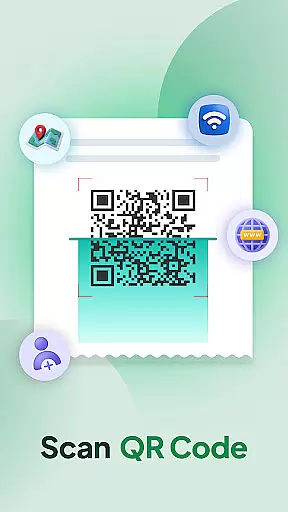

QR & Barcode Scanner Launcher is a powerful tool designed to simplify your scanning needs. This app allows users to effortlessly scan any QR code or barcode with just a swipe from the home screen, making it an essential utility for both personal and professional use. The app ensures quick, secure, and seamless experiences whether you're scanning URLs, checking product details, or accessing various information.
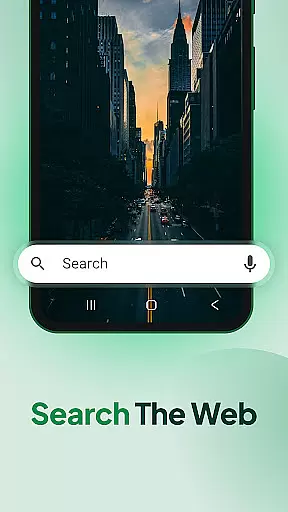
In addition to its core scanning capabilities, the app offers several launcher features that enhance user convenience. These include one-swipe access to scanning, a customizable home screen widget displaying time and weather, beautiful themed wallpapers, and multiple search touchpoints powered by Yahoo. With functionalities like Scan History, Auto-copy to clipboard, and instant notifications through vibration or beep, this app provides a comprehensive solution for all your scanning requirements.
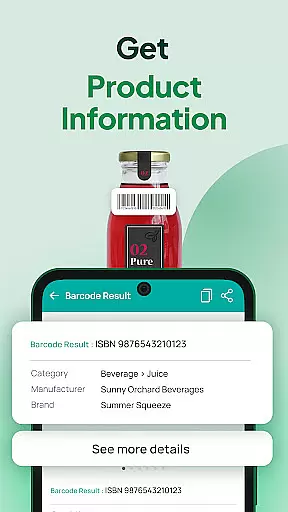
The QR & Barcode Scanner Launcher stands out due to its rich feature set tailored for efficiency and ease of use. One of its key highlights is the ability to instantly decode QR codes using the smartphone's built-in camera. This functionality supports various types of data including Wi-Fi credentials, event invitations, contact details, and coupons. Similarly, the Barcode Scanner provides real-time product information, enabling users to make informed purchasing decisions.
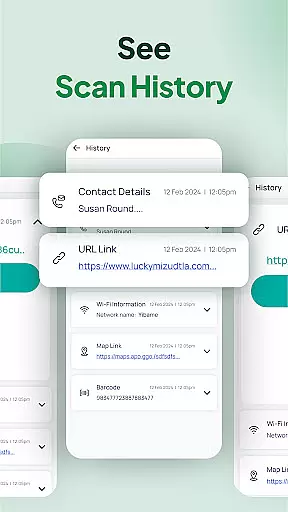
Beyond scanning, the app includes practical utilities such as Scan History, which automatically stores all previously scanned codes for easy access. The Auto-copy feature eliminates manual copying by directly saving scanned content to the clipboard. Furthermore, users can choose between vibration or beep notifications to confirm successful scans. Additional conveniences like home screen shortcuts and multi-touchpoint search enhance overall usability, making this app a versatile tool in the Tools category.
QR & Barcode Scanner Launcher stands out for its exceptional core functionality, ensuring both accuracy and effectiveness in scanning operations. The app leverages advanced algorithms to decode QR codes and barcodes with precision, making it a reliable tool for various use cases.
The scanning process is optimized for speed and reliability. Whether you're accessing URLs, product details, or other encoded information, the app delivers consistent results. Its ability to instantly decode content using your smartphone's camera ensures that users can rely on it for quick and accurate data retrieval.
Users benefit from features like auto-copy to clipboard and instant notifications through vibration or beep alerts. These enhancements not only streamline the scanning experience but also provide immediate confirmation of successful scans. Such attention to detail makes daily scanning tasks more efficient and user-friendly.
Moreover, the app maintains a comprehensive scan history, organizing all previously scanned codes in one accessible location. This feature proves invaluable for users who need to revisit important links or product information, ensuring that their scanning activities remain well-organized and productive over time.
A hallmark of QR & Barcode Scanner Launcher is its commitment to interface simplicity and intuitive design. The app ensures that even first-time users can navigate its features effortlessly, thanks to a clean and straightforward layout that minimizes the learning curve.
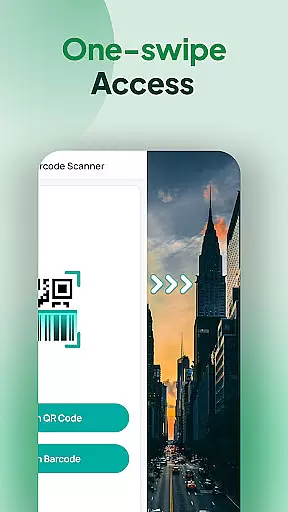
One-swipe access from the home screen exemplifies this user-centric approach. By simply swiping right, users can activate the scanner instantly, eliminating unnecessary steps and making the process as seamless as possible. This convenience is further enhanced by a home screen shortcut, providing immediate access to the scanning function.
In addition to its ease of use, the app offers practical widgets that display essential information like time and weather directly on the home screen. These widgets contribute to an organized and efficient user interface, allowing users to access key details without cluttering their screens.
Customization options, such as personalized wallpapers and multi-touchpoint search capabilities, add another layer of intuitiveness. Users can tailor their experience to suit individual preferences while enjoying the benefits of streamlined navigation and operation throughout the app.
User-friendly interface
Fast and accurate scanning
Comprehensive scan history
Auto-copy functionality
Vibration and beep notifications
Home screen layout changes
Requires permissions
Limited design customization
Dependent on Yahoo for search
No offline support for some features

A convenient photo, video, and file recovery tool.
 4.00
4.00
Just one-tap to easy translate in any language after calls within seconds.
4.20
FV File Manager Pro, Fast and powerful file manager for Android
4.60
Mirror your screen to Chromecast and Android TV - Super fast and simple
4.60
Undelete and recover your lost or deleted files with DiskDigger!
3.40
Fast Video Downloader, Movie Downloader, Torrent Downloader & Adblock Browser
4.70
Automate everything from settings to photos, SMS to speech. ADC2 prize winner.
4.10
Button mapper, mouse toggle, sleep timer and a lot of another features
4.50
Enhance your Beats
3.70
NFC Tools can read and write NFC tags.
4.70
ADB support Android 4.X-Android 13(Support wireless pair mode).No root required!
4.70
Creation, Learning, Entertainment & More — The All-in-One AI Search Engine
4.70
Connect instantly to a fast, encrypted VPN with one tap
4.60
HD Camera captures every special moment.
4.60
PC precision for mobile gaming: dominate with keyboard and mouse!
4.30
Screen Mirroring with sound for Samsung TV, LG TV, Sony TV, Smart TV and Browser
4.20
A powerful, easy-to-use flight computer on your phone or tablet!
3.80
A non-root local ADB shell client. READ BELOW!
3.40
Save any video in HD - paste the link, download fast and watch offline.
4.4


User Reviews