
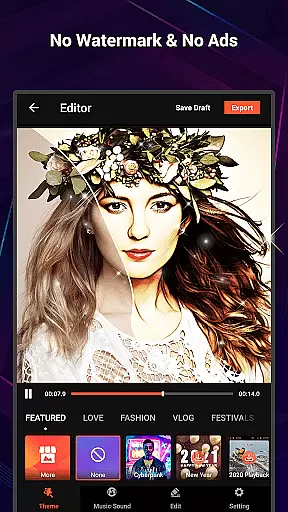
VideoShow Pro is a premium video editing application designed for both amateur and professional content creators. This app offers advanced features such as 1080p and 4K video export, an extensive library of exclusive materials, and the ability to apply up to 20 FX effects in one video. With its intuitive interface, users can easily create stunning videos by integrating photos, music, filters, and sound effects.
The app stands out with its no-watermark policy and ad-free environment, ensuring a seamless editing experience. Whether you're looking to produce high-quality vlogs, promotional videos, or creative montages, VideoShow Pro provides all the necessary tools to bring your vision to life. Its rich feature set makes it suitable for various use cases, from personal projects to professional-grade productions.
VideoShow Pro boasts a comprehensive suite of video editing tools that cater to diverse creative needs. The app allows users to zoom and rotate videos, mix photos and videos seamlessly, and choose from a variety of themes tailored to different occasions like birthdays and weddings. Additionally, the app's music integration capabilities are impressive, supporting online and local tracks, multi-music layers, and even live dubbing.
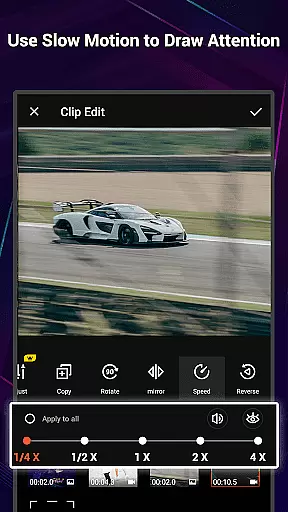
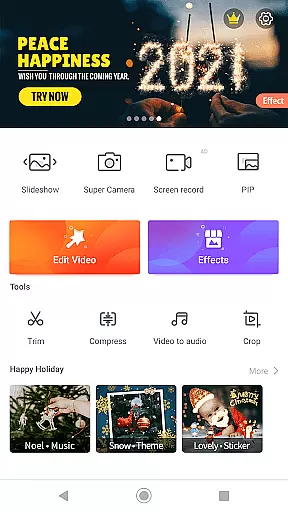
Beyond basic editing, VideoShow Pro includes a robust toolbox for more precise adjustments. Users can trim and merge clips, compress video files, and extract MP3 soundtracks. The app also offers a wide selection of filters, text styles, and fonts to enhance visual storytelling. These features collectively ensure that creators have everything they need to produce polished, professional-looking videos without requiring extensive technical expertise.
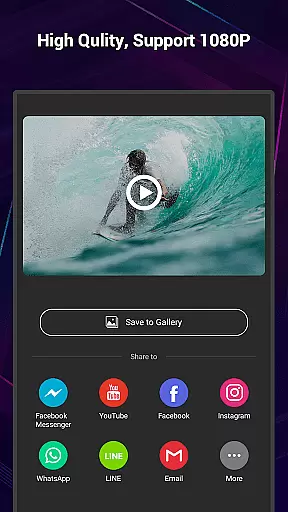
VideoShow Pro stands out with its exceptional video format compatibility, ensuring that users can work with a wide range of video types without any hitches. The app supports high-resolution formats, including 1080p and 4K video exports, making it an ideal choice for users who demand quality and detail in their video projects.
The ability to handle various formats is crucial for a seamless editing experience. VideoShow Pro allows creators to import different video resolutions and aspect ratios, then edit them together effortlessly. This flexibility empowers users to focus on their creative process without worrying about format restrictions or conversion issues.
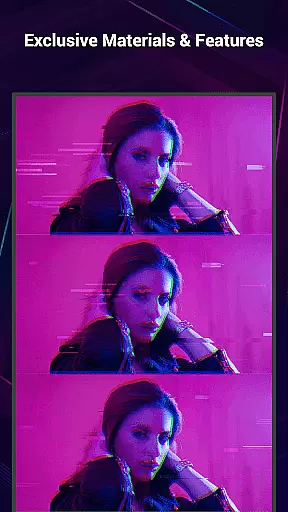
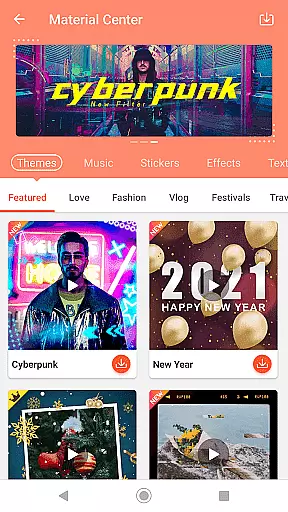
Moreover, the app's sophisticated format support extends to its materials store, where users can access exclusive themes, music, text styles, stickers, sound effects, and fonts. These resources enhance the video creation process, allowing for personalized and professional-grade outputs regardless of the original video format.
VideoShow Pro incorporates advanced AI-powered editing features that revolutionize the way users create and edit videos. With tools like Ultra Cut, Fast Trim, and Video to MP3, the app simplifies complex editing tasks, enabling users to cut, merge, trim, and convert videos with unprecedented ease and efficiency.
These intelligent features are designed to save time while maintaining high-quality results. For instance, the AI-driven Beautify tool applies stunning filters in just one step, enhancing video aesthetics through beauty effects, sketches, and more. Such capabilities ensure that even novice editors can produce visually appealing content.
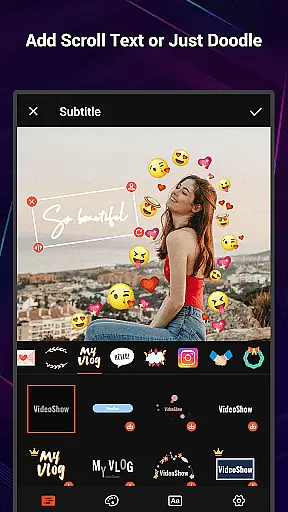
In addition to these smart tools, VideoShow Pro offers live dubbing, elaborate themes, and various text styles and fonts for subtitles. These features, combined with AI technology, provide users with everything they need to express creativity and share their stories through beautifully crafted videos across social networks.
User-friendly interface
High-quality export options
Extensive material library
No ads or watermarks
Versatile editing tools
Premium version only
Resource-intensive
Limited free materials
Occasional bugs
Large file sizes

A full editing room to accompany your Insta360 cameras and handheld gimbals.
 3.30
3.30
IPTV-Smarters Player Pro M3U - Watch Live Stream TV Channels with Chromecast
4.00
Video Downloader is an utility that can save videos and music from web sites
4.20
Create photo video with music & template. AI video maker for stunning slideshow.
4.60
Explore the largest library of free GIFs, Stickers & Memes - or create your own!
3.90
GENRAL PRO - General Pro is the best video player that fully supports all formats.
4.70
Movie maker & video editing app with AI effects and green screen
4.30
Video Downloader, Multiple Resolution Options, Video Player
4.50
Connect EasyCap or UVC devices for recording and broadcast video/audio stream
3.60
Watch a large amount of high-definition short drama content
4.60
Watch IPTV on your Android device
4.60
Browser + Remote for Roku to stream webvideos, online movies and livestreams
4.60
Cast to Chromecast, Xbox, Fire Stick, Roku, DLNA, Smart TV & No Feature Limited!
4.50
Add date and time watermark to photos and videos
4.50
Fast & Private Video Downloader App. Save all videos easily from the Internet.
4.40
KMPlayer Plus (Divx Codec) officially support Divx codec.
4.30
Video player with 4K & 1080P support, popup play, background play and subtitle.
4.20
HD video & music player - All format support with floating & PIP mode!
3.80
Browser for Sony TV to stream web videos, online movies and live tv
3.20


User Reviews