
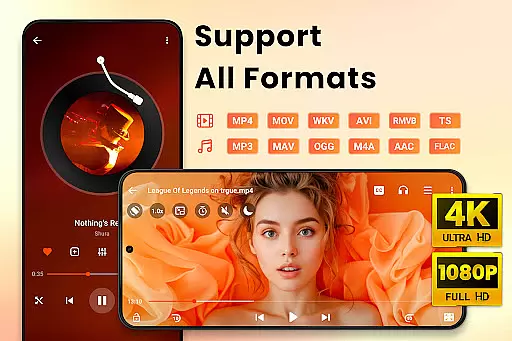
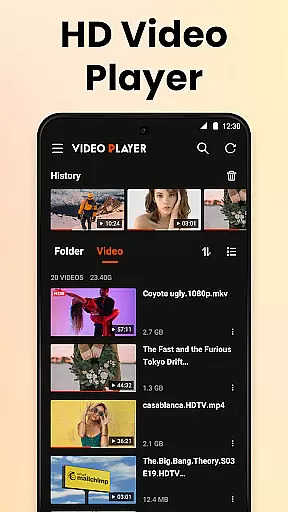
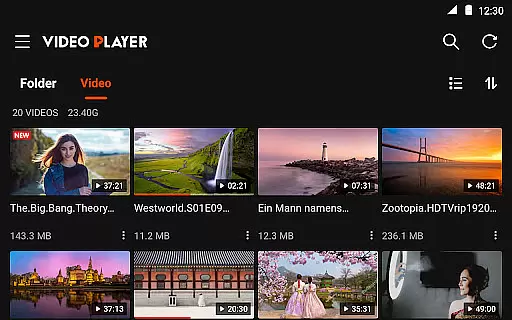
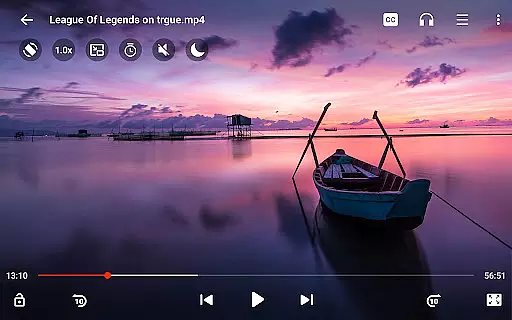
Video Player All Format HD is a versatile and feature-rich video player designed for Android devices. This compact yet powerful application supports all major video formats including MKV, MP4, AVI, and more, ensuring seamless playback of 4K and 1080p videos with stunning clarity. The app's intuitive interface allows users to easily manage their video library, offering functions such as delete, rename, and organize videos into folders.
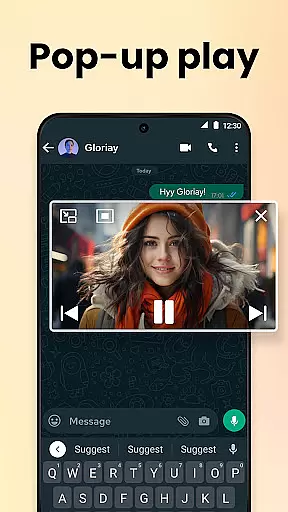
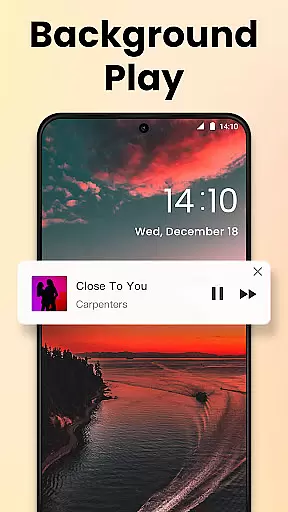
One of the standout features of this video player is its ability to provide an uninterrupted viewing experience through popup play and background playback. Users can watch videos in a floating window while multitasking or listen to videos with the screen off. Additionally, advanced functionalities like speed control, gesture controls, and a five-band equalizer enhance user interaction and audiovisual enjoyment. Whether you're watching movies or studying tutorials, Video Player All Format HD caters to diverse needs.
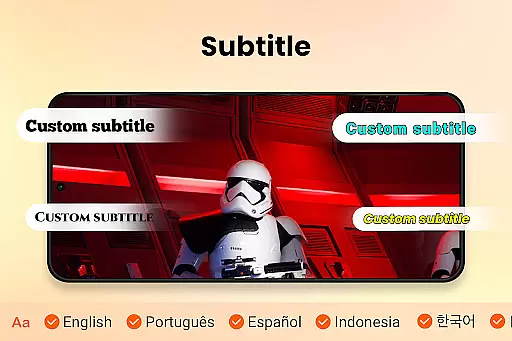
This application is particularly beneficial for users who require efficient storage management without compromising on quality or features. Its lightweight design ensures quick installation and fast loading times, making it ideal for devices with limited storage capacity. With night mode, sleep timer, and subtitle support, Video Player All Format HD delivers a comprehensive and customizable media experience that adapts to various viewing preferences and environments.
Video Player All Format HD distinguishes itself through a rich array of features tailored to enhance user convenience and satisfaction. One of its primary strengths lies in universal format support, accommodating files such as MKV, MP4, AVI, and many others. This ensures that users can enjoy high-definition video playback without worrying about compatibility issues. Furthermore, the app's ability to auto-detect video files across both internal storage and SD cards simplifies content management significantly.
The inclusion of innovative playback options sets this video player apart from competitors. Popup Play enables multitasking by allowing videos to continue playing in a floating window, which is perfect for staying entertained while engaging in other activities like chatting. Background Playback takes this flexibility further by letting users listen to videos as if they were audiobooks, even when the screen is off. Speed control ranging from 0.5x to 2x adds another layer of customization, catering especially to those consuming educational content or tutorials where pacing might be crucial.
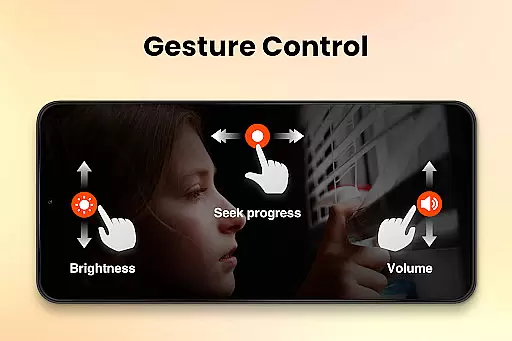
Additional noteworthy features include gesture controls for effortless navigation—such as skipping forward or backward by 10 seconds—and a robust equalizer for optimizing sound quality. Night Mode reduces brightness during late-night viewing sessions, while Grid View and List View options offer flexible browsing experiences. These thoughtful additions not only improve usability but also contribute to creating a personalized and enjoyable media consumption environment for every user.
Video Player All Format HD stands out for its exceptional video format compatibility, ensuring users can play virtually any video file they encounter. The app supports an extensive range of formats including MKV, MP4, M4V, AVI, MOV, 3GP, FLV, WMV, RMVB, and TS.
This comprehensive support means that users no longer need to worry about converting files or encountering playback issues due to unsupported formats. Whether it's high-definition 4K or standard 1080p videos, the player ensures smooth playback with impressive clarity.
The ability to auto-detect video files and folders on both internal storage and SD cards further enhances user convenience. This feature simplifies media management, allowing users to easily locate and play their desired content without hassle.
By offering such wide-ranging format compatibility, Video Player All Format HD provides a seamless viewing experience across different types of media, making it an essential tool for anyone who regularly consumes video content on their Android device.
While primarily a video player, Video Player All Format HD also incorporates AI-powered editing features that add significant value for users looking to manage and enhance their video content. These features include options like speed control, which allows users to adjust playback from 0.5x to 2x, catering to various viewing preferences and needs.
The inclusion of gesture controls exemplifies the app's intuitive design, enabling users to perform actions such as fast-forwarding or rewinding by 10 seconds with simple swipes. Such functionality not only streamlines navigation but also enhances overall user engagement with their media.
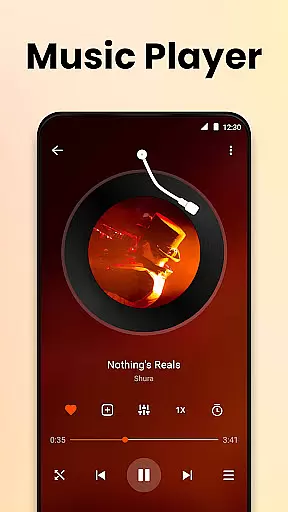
Additionally, the five-band equalizer with bass boost demonstrates the app's commitment to delivering superior audio experiences alongside its video capabilities. Users can fine-tune sound settings to match their preferences, ensuring an immersive experience whether watching movies or listening to music videos.
These intelligent features collectively contribute to a versatile multimedia tool that goes beyond basic playback, empowering users to customize and optimize their entertainment according to personal tastes and requirements.
User-friendly interface
Wide format compatibility
Efficient storage usage
Customizable playback options
Advanced audio settings
Limited advanced editing tools
No cloud integration
Occasional ads in free version
Basic sharing capabilities
Interface may feel outdated

Video Trimmer, Video to MP3 Converter. Extract music from video, Easy & Fast.
 4.80
4.80
VLC Remote lets you control your VLC Media Player on Mac, PC or Linux.
4.60
AirMirror is Receiver for Screen Mirroring and Casting from Apple Devices.
3.60
Turn your phone into a wireless camera!
4.20
Make your own Animations, Video and Photo Edits, Visual Effects, and more!
4.00
Download Hub, easy and private way to download and enjoy your videos offline
4.80
Fast private browser with secure, seamless access & supported video downloads!
4.00
Make videos you’re proud to share with Edits, a video editor for creators.
4.70
Capture the moment and Cut
3.40
Flud is a simple and beautiful BitTorrent client for Android.
4.80
Tik & Story Saver-Download ALL social media videos, photos & reels no watermark.
4.80
#1 Torrent App on Android ** No Ads Ever + Battery Saver **
4.80
Cast Videos from Web Browser, IPTV to Roku, Chromecast, DLNA, Smart TV +more
4.60
Cast movies, tv shows and live streams to Chromecast, Roku, DLNA, Fire TV & more
4.60
Download website videos fast&privacy
4.40
Web Browser for LG TV to stream webvideos, online movies and livestreams in HD
4.20
Online Videos Player
3.90
All in one multi protocols stream receiver for AirPlay, Cast and DLNA.
3.60
You can play SWF format file!
2.50


User Reviews