
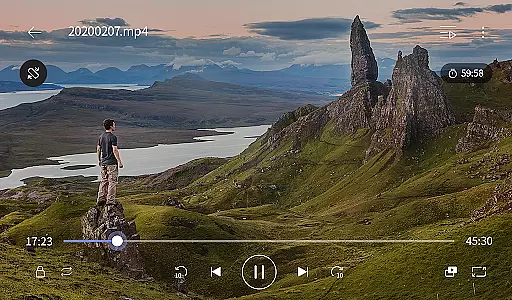
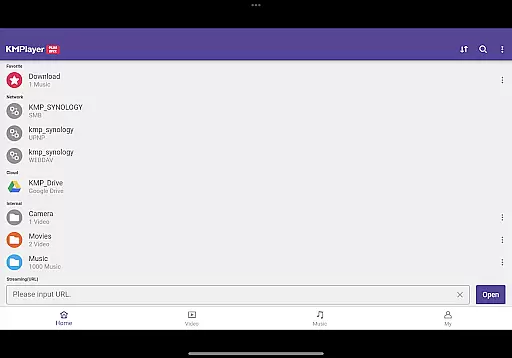
KMPlayer Plus (Divx Codec) is an advanced video player designed for users who need extensive codec support and premium playback features. This app supports a wide range of codecs including DXMF, DX50, DIVX, and more, ensuring smooth playback of various video formats like AVI and MKV.
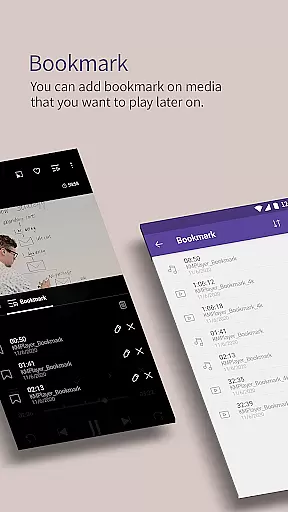
With functionalities such as high-definition video playback (HD, 4K, 8K), color adjustment, zoom, and section repeat, KMPlayer Plus offers a versatile viewing experience. Users can also enjoy additional features like bookmarking, popup play, and equalizer settings, making it ideal for both casual viewers and tech-savvy enthusiasts.
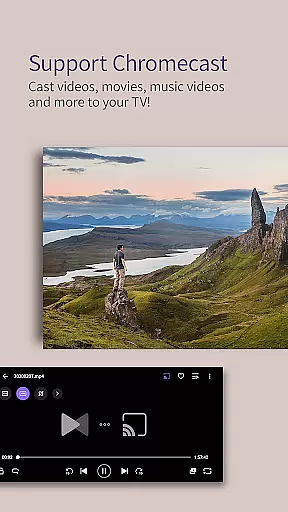
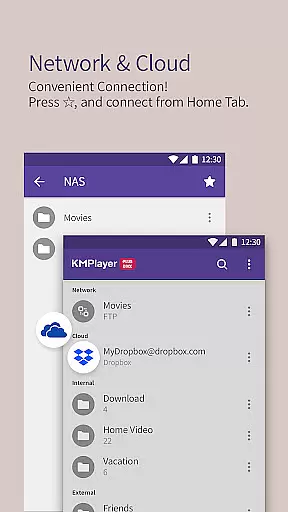
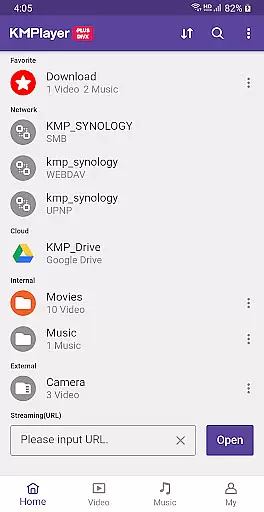
The app's ability to connect to private servers via FTP, UPNP, and cloud services like Dropbox enhances its utility, allowing seamless media streaming and management across devices. Whether you're looking to watch local files or stream online content, KMPlayer Plus provides a comprehensive solution for all your video playback needs.
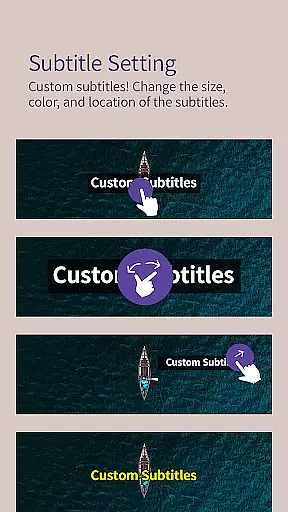
KMPlayer Plus stands out with its rich feature set tailored for diverse user requirements. The app supports numerous subtitle formats including DVD, DVB, SSA/ASS, and SubRip, offering customizable subtitle settings for color, size, and position. This ensures an inclusive experience for users who rely on subtitles.
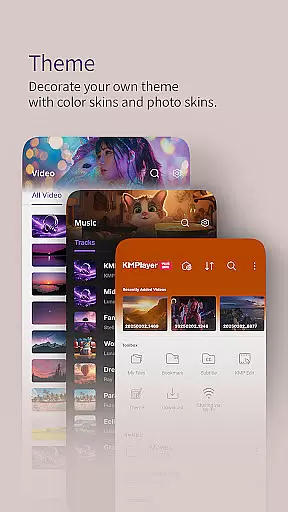
Advanced functionalities like video cropping, audio editing, and MP3 conversion cater to users seeking creative control over their media. The inclusion of a torrent client allows real-time playback while downloading, adding convenience for those who frequently access online content. Additionally, the VIP subscription unlocks exclusive themes and special features, enhancing personalization.
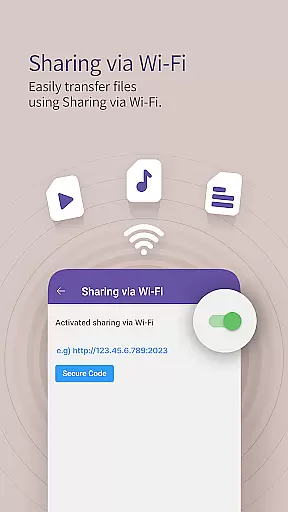
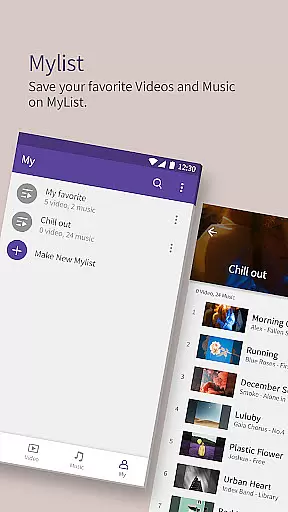
Other notable features include Wi-Fi sharing, playlist creation, and network connectivity options. These aspects make KMPlayer Plus not just a video player but a complete multimedia management tool, suitable for organizing and enjoying extensive media libraries with ease.
Video format compatibility is a critical feature for any video player, ensuring that users can enjoy a wide range of media files without technical barriers. KMPlayer Plus (Divx Codec) excels in this area by supporting an extensive list of codecs and file formats.
The application officially supports Divx codec, catering to Avi and MKV files with specific codecs like DXMF, DX50, DIVX, DIV4, DIV3, and MP4V. This broad compatibility ensures that users can play most video files they encounter, making it a versatile choice for video playback.
Moreover, KMPlayer Plus provides support for various subtitle formats including SubStation Alpha (.ssa/.ass), SAMI (.smi), SubRip (.srt), and many others. This comprehensive support allows users to enjoy their videos with accurate subtitles, enhancing the viewing experience.
By offering such extensive video and subtitle format support, KMPlayer Plus ensures that users won't be limited by format restrictions. Whether watching local files or streaming content, the app delivers a seamless experience across different types of media.
While KMPlayer Plus (Divx Codec) is primarily known for its video playback capabilities, it also offers several features that enhance the user's ability to manage and edit their media files. Although not traditional AI-powered editing, these tools provide valuable functionality for organizing and modifying content.
The app includes a cropping tool for both video and audio, allowing users to trim their media files to desired sections. This feature is particularly useful for creating short clips or extracting specific parts of a larger file for sharing or personal use.
Additionally, KMPlayer Plus offers a GIF creation tool and MP3 converter. Users can create dynamic GIFs from their favorite videos and extract audio tracks to MP3 format. These features enable creative expression and media repurposing without requiring specialized software.
Although these features may not represent advanced AI-driven editing capabilities, they demonstrate the app's commitment to providing practical tools that enhance the overall media management experience. The combination of playback and basic editing functions makes KMPlayer Plus a comprehensive solution for video enthusiasts.
User-friendly interface
Wide codec support
Customizable subtitles
Advanced playback options
Cloud integration
Premium features locked
Subscription required
Complex for beginners
Limited free trial
Heavy on resources

The smartest M3U IPTV Player your playlists have ever seen.
 4.1
4.1
Kodi media center, a free and open source cross-platform entertainment hub
3.60
Create & edit videos with AI
4.30
Powerful HD video player with support for all formats & subtitles.
4.5
High-Quality USB Camera Viewer & HDMI Display
4.70
IPTV Player - Watch live TV from m3m & m3u8 playlist, stream IPTV on mobile
3.30
IPTV Loader, loads your own Playlist. DOES NOT CONTAIN ANY LIST OR CHANNELS
4.60
Mix with Virtual DJ directly from your phone or tablet !
3.10
This app is an emulator of some specific IPTV boxes
3.50
GENRAL PRO - General Pro is the best video player that fully supports all formats.
4.70
Video Player - Unlimited features, 30 days money back guarantee.
4.60
Download website videos fast&privacy
4.40
Video player, file manager for all formats, 4K/HD media player supports subtitle
4.30
Movie maker & video editing app with AI effects and green screen
4.30
All format media Player, no need video converter any more!
4.00
Cast to Smart TV, Fire TV. Cast video, photo - Fast & Stable!
3.90
Download videos easily & play them all in one smart, powerful video manager.
3.40
You can play SWF format file!
2.50
Stream high quality video from your camera over NDI protocol
4.4


User Reviews