
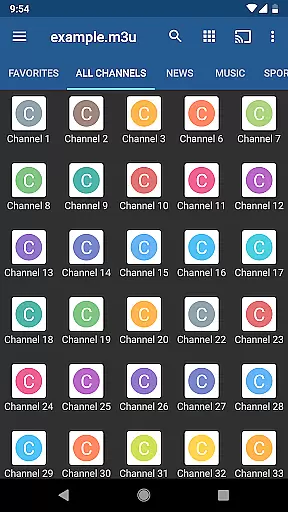
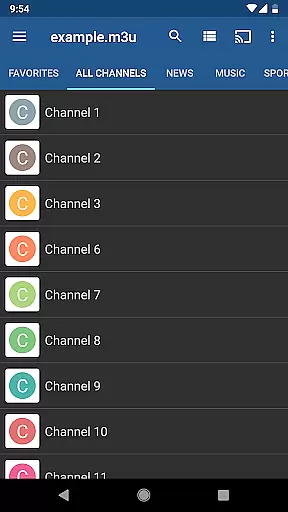
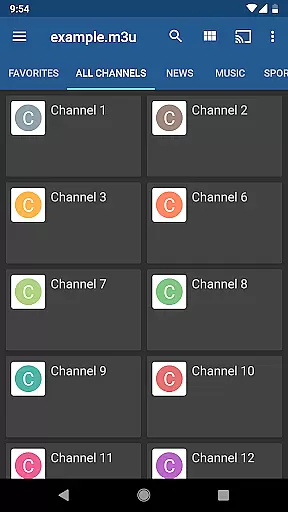
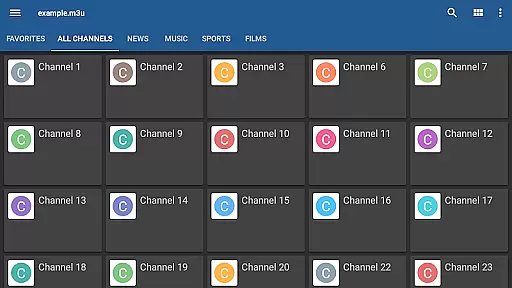
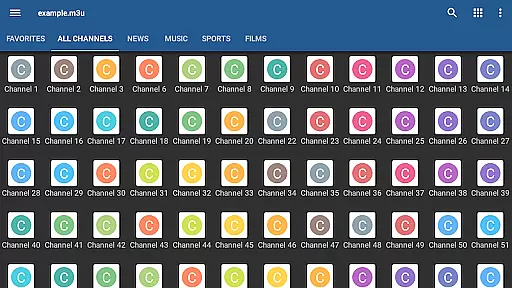
IPTV Pro is the premium version of IPTV app, offering an ad-free experience with advanced features for seamless TV streaming. It supports M3U and XSPF playlists, multicast streams via UDP proxy, EPG in XMLTV and JTV formats, and multiple viewing options like grid, list, or tile view.
Designed for both casual viewers and tech-savvy users, this app allows auto-play of the last channel and extended playlist history. It's ideal for set-top boxes with options like starting on device boot. Note that IPTV Pro does not include built-in channels; users need their own playlist to utilize the service effectively.
IPTV Pro stands out with its comprehensive feature set tailored for diverse user needs. The app provides parental controls, internal and external video player support, and various channel views, enhancing user experience.
For optimal multicast streaming, it recommends using a UDP proxy within your LAN. This can be installed on Windows, Linux, or directly on WLAN routers with DD-WRT or OpenWrt firmware. Some routers even come with built-in udpxy support, ensuring smooth playback.
While IPTV Pro doesn't supply media content, it empowers users to integrate their playlists, making it versatile and adaptable to individual preferences. Its technical robustness ensures high-quality streaming, provided users have the necessary setup.
Video format compatibility is a crucial feature for any video player, ensuring that users can access content in various formats without technical barriers. IPTV Pro excels in this area by supporting both M3U and XSPF playlists, which are commonly used for internet TV streaming.
The application's ability to handle multicast streams with a UDP proxy adds another layer of versatility. This feature is particularly beneficial for users who receive IPTV from their Internet service provider or wish to stream live TV channels from different web sources.
By offering both internal and external video player options, IPTV Pro caters to diverse user preferences. The internal player ensures seamless playback within the app, while the external option allows users to utilize their preferred media player for a customized viewing experience.
This comprehensive support for various formats and flexible playback options empowers users to enjoy their IPTV content without worrying about compatibility issues, making IPTV Pro a reliable choice for streaming television on Android devices.
While IPTV Pro primarily focuses on video playback rather than video editing, it incorporates several advanced features that enhance the overall user experience. The app offers EPG (Electronic Program Guide) support in both XMLTV and JTV formats, providing users with valuable information about current and upcoming programming.
Parental control features represent another significant advantage of IPTV Pro. This functionality allows administrators to restrict access to inappropriate content, making the application suitable for family use while maintaining a safe viewing environment for children.
The application's grid, list, or tile view options for TV channels demonstrate its commitment to user interface customization. These multiple viewing modes enable users to organize and navigate their channel lists according to personal preference, enhancing the overall usability of the application.
Although IPTV Pro doesn't include traditional AI-powered editing tools, its smart features like extended playlist history and auto-play options contribute to a more intelligent and automated viewing experience, helping users maintain their preferred viewing habits efficiently.
Ad-free experience
Auto-play last channel
Multiple channel views
Parental control
Extended playlist history
No built-in channels
Requires technical setup
UDP proxy needed
Complex for beginners
Third-party content reliance

?100% FREE! Download & save videos? safely in this app. All formats supported.
 4.60
4.60
Video Trimmer, Video to MP3 Converter. Extract music from video, Easy & Fast.
4.80
High-Quality USB Camera Viewer & HDMI Display
4.70
IPTV Player - Watch live TV from m3m & m3u8 playlist, stream IPTV on mobile
3.30
IPTV Loader, loads your own Playlist. DOES NOT CONTAIN ANY LIST OR CHANNELS
4.60
Flud is a simple and beautiful BitTorrent client for Android.
4.80
Browser for Fire TV to stream webvideos, online movies, livestreams in HD
4.40
Fast & Private HD Video Downloader with Built-in Proxy Browser and Video Player.
4.50
Photo editor & video maker with music and slideshows.
4.10
Screen recorder with audio to take live videos & Screenshot in high quality!
4.70
Cast movies, tv shows and live streams to Chromecast, Roku, DLNA, Fire TV & more
4.60
Cast to Chromecast, Xbox, Fire Stick, Roku, DLNA, Smart TV & No Feature Limited!
4.50
Full HD Video mp3 Player, MP4 player play 1080p, File manager, Video Downloader
4.40
Viddo: Generate Action Figure, AI Anime, AI kiss, AI hug Video from image & text
4.40
KMPlayer Plus (Divx Codec) officially support Divx codec.
4.30
Powerful, professional, versatile teleprompter. Developed by an active film crew
4.00
Cast to Smart TV, Fire TV. Cast video, photo - Fast & Stable!
3.90
Livestream, news, & gaming content. Watch, chat, and upload. Join Rumble today!
3.80
Mix with Virtual DJ directly from your phone or tablet !
3.10


User Reviews