
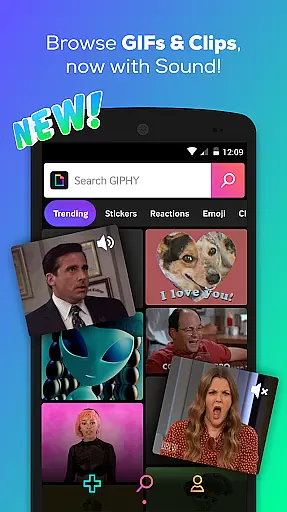

GIPHY is the ultimate destination for all your animated content needs, offering the largest library of free GIFs, Clips, and Stickers. Available on Android, this app provides a fast and easy way to search, create, and share short-form content across various social media platforms like Facebook Messenger, Instagram, and Snapchat.
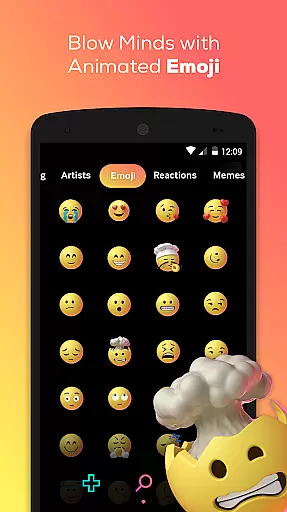
With GIPHY, users can explore an extensive collection of pop culture references including memes, TV shows, movies, and music. The app also features sports highlights, award show moments, and real-time event coverage. Users can enhance their conversations with animated stickers and react with sound-enabled GIPHY Clips, adding a new dimension to digital communication.
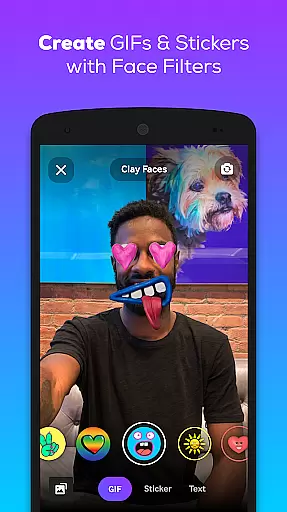
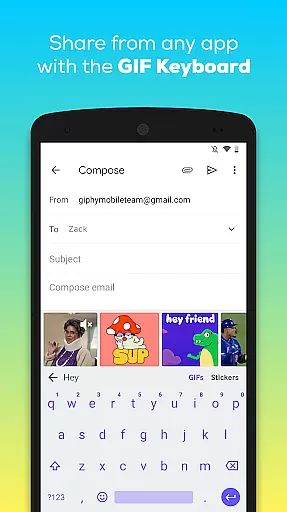
The app's creation tools allow users to make their own GIFs and stickers using a built-in camera or by uploading personal content. Additionally, the GIPHY for Android Keyboard enables seamless searching and sharing without leaving the keyboard interface, making it an indispensable tool for expressing emotions and reactions in today's fast-paced online world.
GIPHY stands out with its comprehensive search functionality that grants access to the world's largest library of animated GIFs and Clips. This feature ensures users can find the perfect animated image for any conversation or context, whether they're looking for memes, TV references, or sports highlights.
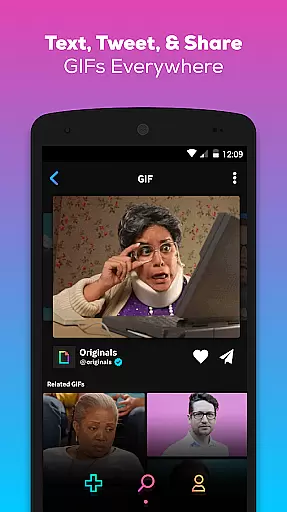
Beyond searching, GIPHY offers robust sharing capabilities. Users can text GIFs, share them on platforms such as Facebook Messenger, WhatsApp, Instagram, Pinterest, Snapchat, Twitter, and even email. The option to copy links or save favorites adds convenience. Moreover, the app includes animated stickers and GIPHY Clips, which are GIFs with sound, allowing for richer interactions.
Creation tools within GIPHY empower users to produce original content. With a built-in camera and the ability to upload personal media, users can craft unique GIFs and stickers. Custom face filters and animated text further personalize creations. The GIPHY for Android Keyboard integrates these features directly into the typing experience, streamlining the process of finding and sending the right animated content at the right moment.
Video format compatibility is a crucial feature for any video player or editor, ensuring that users can access and work with a wide range of video files without technical barriers. GIPHY supports an extensive array of formats, allowing users to seamlessly search, create, and share GIFs, Clips, and Stickers across multiple platforms.
The app leverages advanced technology to ensure smooth playback and editing of various video formats. Whether you're uploading content from your device or creating new animations using the in-app tools, GIPHY's versatile compatibility ensures that your videos maintain their quality and integrity throughout the process.
For users, this means unparalleled flexibility in managing their media libraries. You can confidently use GIPHY knowing that it will handle any file type you throw at it, making it easier than ever to express yourself through animated content. This adaptability enhances user experience by removing the frustration often associated with format incompatibility.
AI-powered editing features represent the cutting edge of digital content creation, enabling users to produce high-quality animations with minimal effort. GIPHY incorporates sophisticated AI tools that simplify the creation of GIFs, Clips, and Stickers, empowering users to craft unique visual stories effortlessly.
These intelligent features include automatic frame selection, smart cropping, and optimized compression algorithms. By analyzing video content, GIPHY's AI identifies the most impactful moments, ensuring that your creations capture attention and convey emotion effectively. Additionally, customizable face filters and animated text options allow for further personalization.
The benefits of these AI-driven capabilities are manifold. Users can quickly generate professional-grade content without requiring extensive technical knowledge. This democratizes the creative process, allowing anyone to participate in the vibrant world of animated communication. With GIPHY's AI-powered tools, producing engaging visuals becomes not only faster but also more enjoyable.
User-friendly interface
Extensive GIF library
Cross-platform sharing
Customizable content
Innovative creation tools
Limited offline functionality
Occasional loading delays
Ads between searches
Storage space required
Privacy concerns

The smartest M3U IPTV Player your playlists have ever seen.
 4.0
4.0
Play ALL formats in 4K & HD. Video downloader, MP3 player, Chromecast & more.
4.80
Support 1000+ Video Format, Subtitle Download, mp3 & Background Play, Cast On TV
4.60
Fast & easy HD video downloader for all formats, support 4K playback & download.
4.60
Powerful video player with advanced hardware acceleration and subtitle supports
4.20
Download Hub, easy and private way to download and enjoy your videos offline
4.80
VLC for Android is the best open source video and music player, fast and easy!
4.10
Video&Drama Player All Format is a HD video player, music player
3.00
Capture the moment and Cut
3.40
All in one HD video downloader & player for multiple formats with full privacy
4.70
Seamlessly connect and control your smart devices, anytime, anywhere with ease.
4.60
Add date and time watermark to photos and videos
4.50
Fast video downloader & private browser. Save HD clips to watch offline.
4.40
AirMirror Receiver - Screen mirroring/cast web videos to Android TV by AirPlay.
4.40
Video player, file manager for all formats, 4K/HD media player supports subtitle
4.30
Create & edit videos with AI
4.30
KMPlayer Plus (Divx Codec) officially support Divx codec.
4.30
Save photos and videos from social apps in one tap.
3.60
Browser for Sony TV to stream web videos, online movies and live tv
3.20


User Reviews