


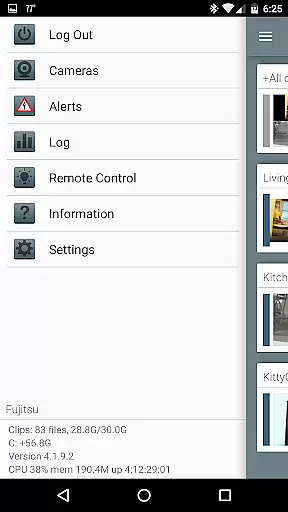


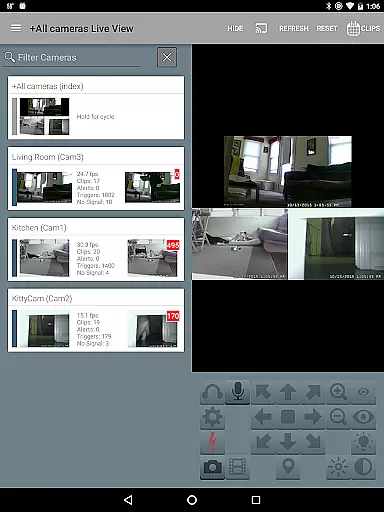
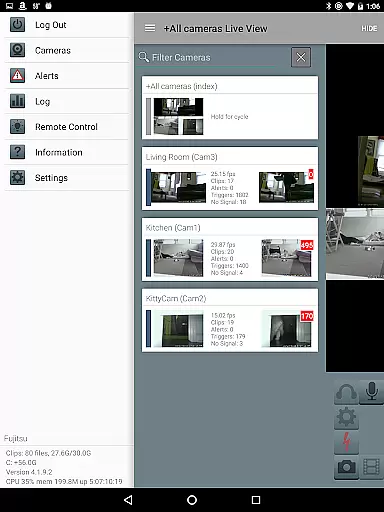
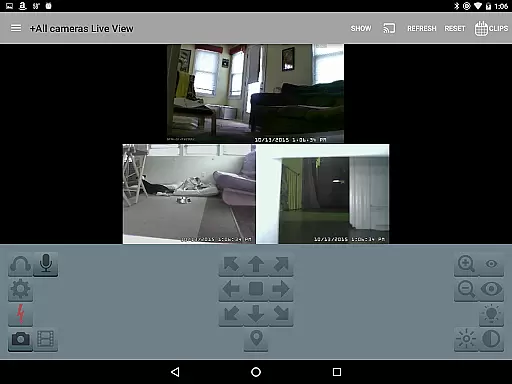
Blue Iris is a powerful CLIENT application designed specifically for users who have Blue Iris version 5.x installed on their Windows PCs. This app serves as a centralized hub to manage your home camera network securely without exposing individual cameras directly to the Internet. By utilizing a secure, session-based protocol, it ensures that no sensitive information such as passwords are transmitted in plain text.
With Blue Iris, you can efficiently control multiple installations of the software, receive instant Android push alerts when any connected camera is triggered, and enjoy fast H.264 streaming. Additionally, the app supports advanced functionalities like PTZ (Pan-Tilt-Zoom) control, IR management, audio interaction with supported cameras, and reviewing recordings stored on the Blue Iris PC at speeds up to 64x. These features make it an indispensable tool for both personal security needs and professional surveillance operations.
Blue Iris offers a comprehensive suite of features tailored for efficient video management and real-time monitoring. One of its standout capabilities is the ability to manage multiple Blue Iris installations from a single interface, allowing users to switch between different setups seamlessly. The app also provides intuitive controls over traffic signals, scheduling options, and profile selections, ensuring optimal performance based on user preferences.
Another significant feature is the support for Android push alerts, which notify users immediately when a camera detects motion or issues critical status messages. For those requiring high-quality video streaming, Blue Iris supports fast H.264 streams, delivering clear visuals even under bandwidth constraints. Furthermore, users can remotely operate PTZ functions, adjust IR settings, listen to live audio feeds, and communicate through compatible cameras. With robust playback options including accelerated review speeds up to 64x and selective deletion of recordings, Blue Iris empowers users with unparalleled flexibility and control over their surveillance systems.
Blue Iris stands out in video format compatibility, ensuring users can work with a wide range of camera types and models. The app supports H.264 streaming, which is known for its efficiency and widespread adoption in the industry.
This compatibility allows users to connect and manage multiple cameras seamlessly within a single platform. Regardless of the manufacturer or specific model, as long as the camera supports standard protocols, Blue Iris can integrate it into your surveillance network.
The ability to handle various formats without conversion or loss of quality simplifies the setup process significantly. Users can quickly add new devices to their network without worrying about format-related issues.
Moreover, this flexibility in video format support ensures that users can maintain high-quality video feeds across all their connected devices, enhancing overall security monitoring effectiveness.
While primarily a video management solution, Blue Iris incorporates AI-powered features that enhance its functionality beyond basic video playback. The app's intelligent alert system uses advanced algorithms to detect unusual activities and send push notifications to users' devices.
These AI capabilities extend to smart video analysis, where the system can differentiate between important events and routine movements. This helps reduce false alarms and ensures that users receive only relevant alerts, improving operational efficiency.
The application also supports sophisticated search functions powered by AI, allowing users to quickly locate specific events or footage segments based on content rather than timestamps alone. This feature saves valuable time during incident investigations.
Furthermore, the AI integration enables automated optimization of video streams, adjusting parameters dynamically to ensure optimal performance and storage utilization across different network conditions.
User-friendly interface
Secure connection protocol
Comprehensive camera controls
Fast H.264 streaming
Instant push notifications
Requires Blue Iris PC software
Limited standalone functionality
No iOS version available
Dependent on network stability
Advanced features need compatible hardware

Client application for NextPVR software
 3.00
3.00
Save photos and videos from social apps in one tap.
3.60
An easy-to-use and all-round screen recorder with audio
4.80
Add date and time watermark to photos and videos
4.50
All in one multi protocols stream receiver for AirPlay, Cast and DLNA.
3.60
LumaFusion: The Ultimate Storytelling Experience for Video Editing
4.10
Browser + Remote for Roku to stream webvideos, online movies and livestreams
4.60
Livestream, news, & gaming content. Watch, chat, and upload. Join Rumble today!
3.80
Enjoy your favorite videos and channels with the official YouTube app.
3.90
Find, download, and play torrents with the official BitTorrent® Pro app
4.70
GENRAL PRO - General Pro is the best video player that fully supports all formats.
4.70
Snaptubè Video Downloader app allows to download videos and music in Snaptube. .
4.60
Video Downloader, Multiple Resolution Options, Video Player
4.50
Download website videos fast&privacy
4.40
Fast & Private Video Downloader App. Save all videos easily from the Internet.
4.40
Powerful video player with advanced hardware acceleration and subtitle supports
4.20
All format media Player, no need video converter any more!
4.00
Stream high quality video from your camera over NDI protocol
4.0
Play and download HD videos from all sources — fast, simple, and all-in-one.
4.1


User Reviews