
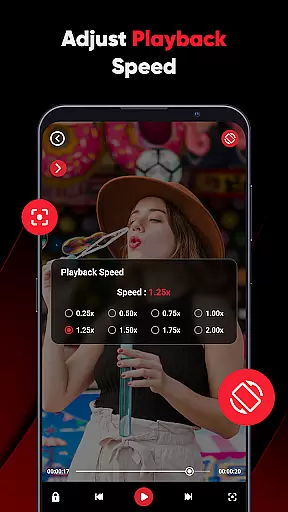
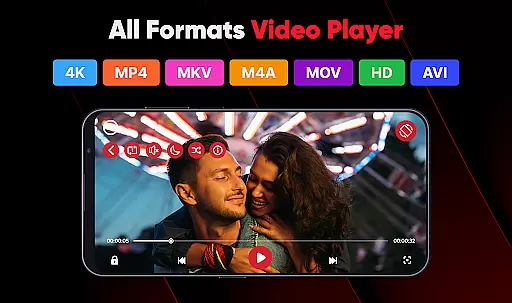
ViPlayer is a versatile video player and downloader designed to enhance your video-watching experience. This app supports all major video formats, including MP4, MKV, AVI, and MOV, ensuring seamless playback of any video file. With advanced gesture controls and a powerful built-in player, users can easily adjust volume, brightness, and playback settings with simple swipes.
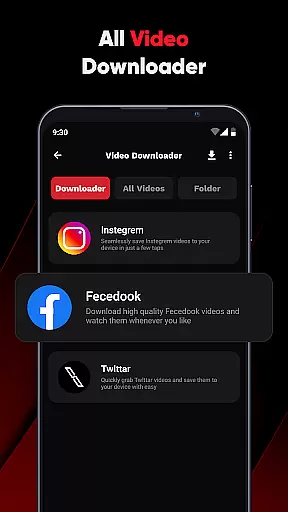
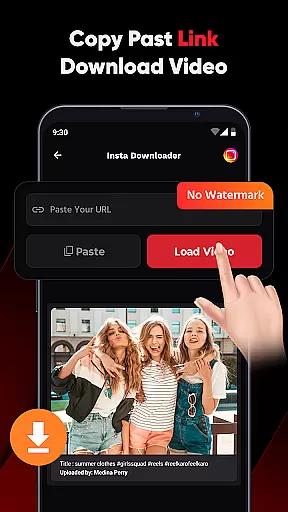
In addition to its robust playback capabilities, ViPlayer allows users to download HD videos from various social media platforms such as Facebook and Instagram. By simply pasting the video URL, users can preview and save content directly to their device gallery for offline viewing. The app's lightweight interface ensures fast and intuitive navigation, making it an ideal choice for both casual viewers and tech-savvy users seeking a comprehensive video solution.
ViPlayer stands out with its comprehensive feature set tailored for video enthusiasts. The app automatically detects and organizes video files from both internal and external storage, creating a streamlined viewing experience. Its one-click downloader functionality makes saving online videos effortless - users can paste a URL, preview the content, and download it within seconds.
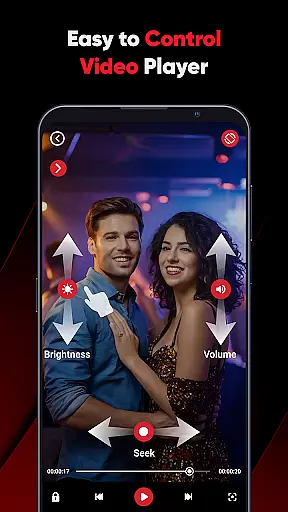
The app's innovative swipe controls revolutionize how users interact with their videos. These intuitive gestures allow for precise adjustments of volume, brightness, and playback progress without interrupting the viewing experience. Furthermore, ViPlayer maintains user privacy through its no-login policy while providing a clean, lightweight UI that prioritizes speed and simplicity. The combination of these features creates a sophisticated yet user-friendly video management solution that caters to various viewing preferences and technical requirements.
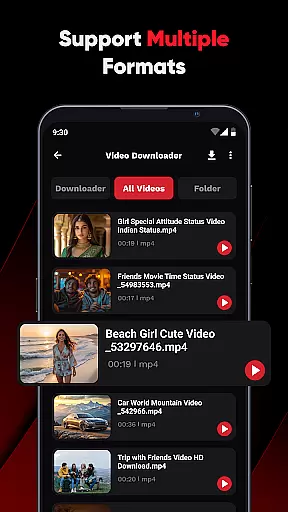
ViPlayer stands out as a versatile video player due to its extensive video format compatibility. It supports an array of major video formats including MP4, MKV, AVI, and MOV, ensuring that users can play virtually any video file without the need for conversion.
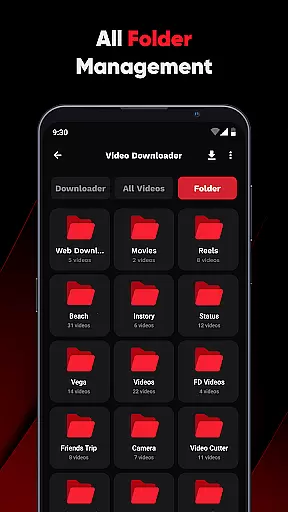
The application automatically detects videos stored in both internal and external storage, organizing them efficiently by folder. This makes it easy for users to locate and play their desired content without hassle.
With ViPlayer's broad format support, users are granted a seamless playback experience regardless of the video source or type. Whether it's personal recordings or downloaded content, ViPlayer handles it all with ease.
This comprehensive compatibility not only enhances user convenience but also positions ViPlayer as a go-to solution for all video playback needs on mobile devices.
While ViPlayer focuses primarily on video playback and downloading, it incorporates some intelligent features akin to AI-powered editing. Its advanced gesture controls allow users to adjust volume, brightness, and playback using simple swipe motions, enhancing the overall user experience.
The one-click downloader exemplifies streamlined efficiency, letting users paste URLs, preview content, and save videos quickly. Although not traditional editing tools, these features contribute to a more interactive and personalized video management process.
ViPlayer's clean and lightweight UI further augments its functionality, providing fast, intuitive, and easy-to-use controls. The emphasis on speed, simplicity, and style ensures that users can manage and enjoy their video content effortlessly.
By integrating such smart functionalities, ViPlayer delivers a modern video experience that aligns with contemporary user expectations for both performance and ease of use.
User-friendly interface
Wide format support
Fast performance
Offline viewing
Gesture controls
Limited platform integration
No cloud sync
Basic editing tools
Ads present
Storage intensive

IPTV-Smarters Player Pro M3U - Watch Live Stream TV Channels with Chromecast
 4.00
4.00
Watch a large amount of high-definition short drama content
4.60
Turn your phone into a wireless camera!
4.20
Explore the largest library of free GIFs, Stickers & Memes - or create your own!
3.90
GENRAL PRO - General Pro is the best video player that fully supports all formats.
4.70
Mix with Virtual DJ directly from your phone or tablet !
3.10
All in one multi protocols stream receiver for AirPlay, Cast and DLNA.
3.60
Cast movies, tv shows and live streams to Chromecast, Roku, DLNA, Fire TV & more
4.60
Fast & Private HD Video Downloader with Built-in Proxy Browser and Video Player.
4.50
Tik & Story Saver-Download ALL social media videos, photos & reels no watermark.
4.80
A Quick and Pro Video Editor
4.70
Download videos and play them offline
4.70
Snaptubè Video Downloader app allows to download videos and music in Snaptube. .
4.60
Full HD Video mp3 Player, MP4 player play 1080p, File manager, Video Downloader
4.40
This app was created to edit the metadata of music files.
4.20
Stream Web Videos to Chromecast, Samsung, LG, Sony, Roku, Fire TV, DLNA + more
4.00
Fast private browser with secure, seamless access & supported video downloads!
4.00
HD video & music player - All format support with floating & PIP mode!
3.80
A full editing room to accompany your Insta360 cameras and handheld gimbals.
3.30


User Reviews