



Fast Downloader - Video Player is a versatile video downloader and player designed for users who want to save videos from websites and social media platforms. The app offers seamless downloading in multiple formats and resolutions, ensuring that you can enjoy your favorite content offline without worrying about internet connectivity.
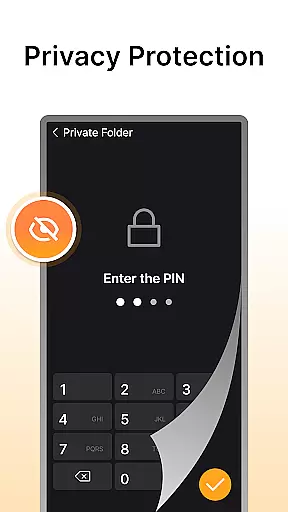
In addition to its powerful downloading capabilities, the app features built-in privacy protection, allowing users to store downloaded videos securely with password protection. Its integrated video player supports various formats, providing a smooth viewing experience without the need for third-party players. Whether you're downloading standard or HD videos, Fast Downloader - Video Player ensures an efficient and private solution for all your video needs.
Fast Downloader - Video Player stands out with its comprehensive feature set tailored for both casual and power users. One of its key strengths is the ability to download videos from a wide range of websites and social media platforms with just a few clicks. This makes it easy to save content for offline viewing, eliminating concerns about unstable internet connections.
The app also provides multi-resolution support, enabling users to choose the video quality that best suits their device and preferences. From standard definition to high-definition downloads, the flexibility ensures optimal playback on any screen. Additionally, the built-in video player enhances convenience by supporting multiple formats, offering a seamless experience without requiring external software.
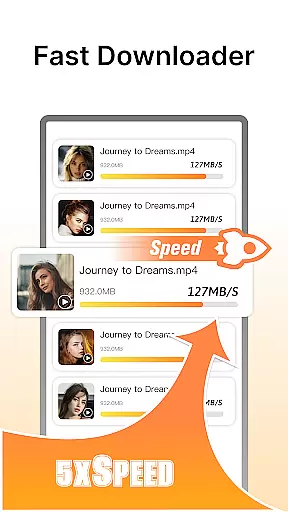
Privacy is another major focus, with a secure mode that safeguards downloaded videos using password protection. This ensures that sensitive content remains private and accessible only to authorized users. With fast download speeds and compatibility across various platforms, Fast Downloader - Video Player delivers a reliable and user-friendly solution for managing your video library.
Video format compatibility is a crucial feature for any video player and editor, ensuring that users can enjoy content in various formats without technical barriers. Fast Downloader - Video Player excels in this area by supporting multiple video formats, making it versatile for different user needs.
The app allows you to download videos from websites and social media platforms in your preferred format. Whether it's MP4, AVI, or MKV, the built-in player ensures seamless playback without requiring third-party applications. This flexibility enhances the overall user experience, as you're not limited by format restrictions.
Moreover, the multi-format support extends to downloaded videos, which means you can store and play videos in different resolutions and qualities. From standard definition to high-definition content, Fast Downloader - Video Player handles it all, providing a comprehensive solution for video enthusiasts.
By offering extensive video format compatibility, Fast Downloader - Video Player ensures that users can manage their video libraries more effectively. The peace of mind that comes with knowing any video file can be played boosts productivity and enjoyment, making this app an indispensable tool for anyone who regularly downloads and watches videos.
AI-powered editing features represent the cutting edge of video player and editor technology, enabling users to enhance their video content effortlessly. Fast Downloader - Video Player incorporates advanced AI capabilities to provide a smarter and more intuitive editing experience.
One of the standout AI features is automated video enhancement. By analyzing video content, the app can suggest optimal brightness, contrast, and color settings, ensuring your videos look their best. This saves time and effort, particularly for users who may not have professional editing skills but still want high-quality results.
In addition to video enhancement, the app offers smart trimming and cutting tools. These AI-driven features allow you to remove unwanted sections or split videos into parts quickly and accurately. Such precision ensures that your final output meets your exact requirements without manual guesswork.
Fast Downloader - Video Player also includes intelligent format conversion powered by AI. This means that when you download or edit videos, the app automatically selects the best format and resolution for your device, optimizing both storage space and playback quality. With these AI-powered editing features, Fast Downloader - Video Player sets a new standard for what users can expect from a video management app.
User-friendly interface
Multi-resolution downloads
Built-in privacy protection
Fast download speeds
Integrated video player
Limited format conversion
No cloud backup option
Ads in free version
Occasional bugs
Requires manual updates

Auto video maker with music & exclusive filters. Video editing made simple.
 4.50
4.50
Video Player - Unlimited features, 30 days money back guarantee.
4.60
Video Downloader is an utility that can save videos and music from web sites
4.20
Stream high quality video from your camera over NDI protocol
4.2
VLC Remote lets you control your VLC Media Player on Mac, PC or Linux.
4.60
AirMirror Receiver - Screen mirroring/cast web videos to Android TV by AirPlay.
4.40
Play and download HD videos from all sources — fast, simple, and all-in-one.
4.5
Download videos and play them offline
4.70
Browser + Remote for Roku to stream webvideos, online movies and livestreams
4.60
Download Hub, easy and private way to download and enjoy your videos offline
4.80
AI Video Editor with Music, Filter, Slideshow, Effect, Merge & Trim Video.
4.80
Fast & easy HD video downloader for all formats, support 4K playback & download.
4.60
IPTV Loader, loads your own Playlist. DOES NOT CONTAIN ANY LIST OR CHANNELS
4.60
Fast video downloader & private browser. Save HD clips to watch offline.
4.40
Viddo: Generate Action Figure, AI Anime, AI kiss, AI hug Video from image & text
4.40
Powerful video player with advanced hardware acceleration and subtitle supports
4.20
Online Videos Player
3.90
Kodi media center, a free and open source cross-platform entertainment hub
3.60
The smartest M3U IPTV Player your playlists have ever seen.
4.3


User Reviews