
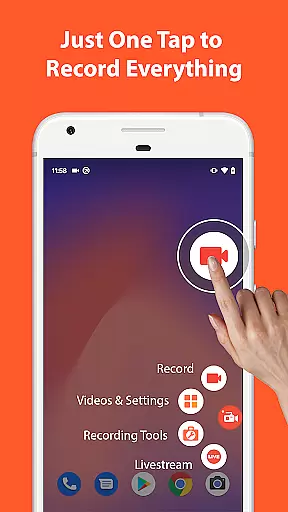

AZ Screen Recorder is a versatile screen recording application designed for Android users who need to capture high-quality screen videos with audio. The app stands out with its comprehensive feature set that includes not only screen recording but also video editing, live streaming, and screenshot capabilities.
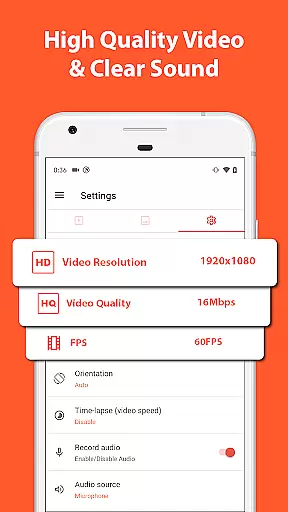
One of the core strengths of AZ Screen Recorder is its ability to record screen activity with both internal audio and microphone sound, making it ideal for creating gameplay videos, recording video calls, or capturing content that cannot be downloaded directly. The app supports various resolutions up to 4K and different frame rates, ensuring professional-grade video quality.
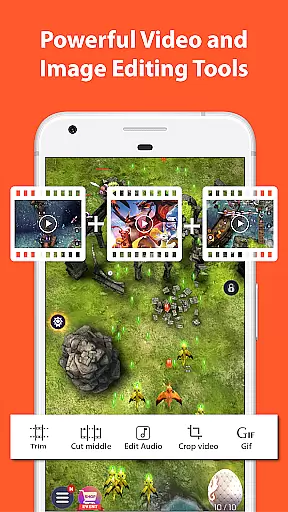
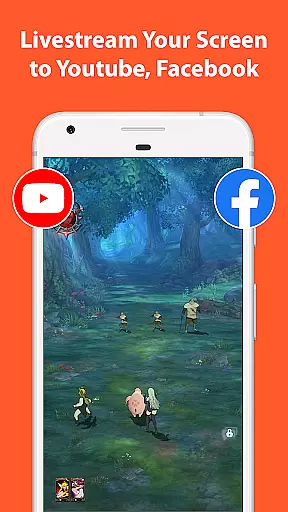
Beyond recording, the app offers robust video editing tools such as trimming, merging, adding subtitles, and compressing videos. It also allows users to livestream their screens to platforms like YouTube and Facebook. With additional features like facecam, drawing on screen, and easy sharing options, this app is suitable for gamers, educators, and content creators alike.
AZ Screen Recorder provides an extensive range of features that cater to diverse user needs. Its primary function is screen recording, which can be controlled effortlessly with start/stop buttons, and even paused or resumed at any time. Users have the flexibility to choose between recording with internal audio or through the microphone, while advanced options like facecam let them overlay their webcam feed onto the screen recording.
In addition to recording, the app serves as a powerful video editor. It enables users to trim unwanted sections, merge multiple clips, add background music, insert subtitles, and extract frames from videos. For those looking to save storage space, the app offers video compression without compromising much on quality. These features make it an all-in-one solution for producing polished video content.
The app's live streaming functionality further enhances its utility. Users can broadcast their phone screens in real-time with customizable stream resolutions and optional facecam integration. Moreover, AZ Screen Recorder doubles as an image editor, allowing users to take screenshots and modify them by stitching images, blurring sensitive areas, or adding text and emojis. This multi-purpose design ensures that users can handle both video and image editing tasks within a single platform.
Video format compatibility is a crucial feature for any video recording and editing application, ensuring that users can work with a wide range of video formats without compatibility issues. AZ Screen Recorder excels in this area by supporting various resolutions from HD, FullHD, 2K to 4K, although 4K recording is only available for select users and devices.
This screen recorder app also supports different frame rates including 24fps, 30fps, and 60fps, catering to diverse user needs ranging from casual recordings to professional-grade video production. The ability to record in multiple resolutions and frame rates ensures that content creators can produce videos that meet specific platform requirements or personal preferences.
Moreover, the app's support for internal audio recording since Android 10 makes it an ideal choice for capturing gameplay videos with original sound or recording video calls with clear audio. This versatility enhances the user experience by removing barriers associated with audio-video synchronization and format restrictions.
By offering such comprehensive video format compatibility, AZ Screen Recorder empowers users to focus on their creative process without worrying about technical limitations, making it a valuable tool for both amateur and professional video producers.
AI-powered editing features represent the cutting edge of video editing technology, enabling users to enhance their videos with minimal effort through intelligent automation. AZ Screen Recorder incorporates several AI-driven tools that simplify the editing process while delivering professional-quality results. These features include trimming videos, removing unwanted segments, merging clips, adding background music, inserting subtitles, extracting frames, cropping, rotating, and compressing videos.
The inclusion of AI-powered editing capabilities significantly reduces the time and skill required to produce polished videos. For instance, users can easily trim videos to keep only the most engaging parts or merge multiple clips into a seamless narrative without manual frame matching. Additionally, the app allows for the extraction of frames from videos, which can be useful for creating thumbnails or highlighting key moments.
Another standout feature is the ability to add subtitles automatically, which not only improves accessibility but also enhances viewer engagement. The AI algorithms analyze audio tracks to generate accurate transcriptions, saving editors countless hours of manual work. Furthermore, the compression feature intelligently reduces file sizes without compromising video quality, making it easier to share videos across different platforms.
By integrating these advanced AI-powered editing features, AZ Screen Recorder positions itself as more than just a screen recording tool; it becomes a comprehensive video production suite that caters to both novice and experienced content creators seeking efficiency and high-quality output.
User-friendly interface
High-quality video output
No watermark on recordings
Flexible audio recording options
Comprehensive video editing tools
Limited 4K support for some devices
Advanced features require upgrades
Occasional performance lags
Ads in free version
Complexity for beginners

Powerful, professional, versatile teleprompter. Developed by an active film crew
 4.00
4.00
Turn your phone into a wireless camera!
4.20
All in one HD video downloader & player for multiple formats with full privacy
4.70
Play and download HD videos from all sources — fast, simple, and all-in-one.
4.3
AI Video Editor:AI Music, Text to Video,Text to Speech,Auto Caption,Video Effect
4.00
All in one multi protocols stream receiver for AirPlay, Cast and DLNA.
3.60
This app is an emulator of some specific IPTV boxes
3.50
Manage your YouTube channel on the go
4.40
Capture the moment and Cut
3.40
Pro video editor app for Instagram, edit video with song, AI, effect & slowmo.
4.80
Search & download videos from net with all video downloader, auto-detect & safe.
4.60
Fast & Private HD Video Downloader with Built-in Proxy Browser and Video Player.
4.50
KineMaster, Your Ultimate Video Editor!
4.40
Movie maker & video editing app with AI effects and green screen
4.30
All format media Player, no need video converter any more!
4.00
Online Videos Player
3.90
Cast to Smart TV, Fire TV. Cast video, photo - Fast & Stable!
3.90
Watch full episodes of your favorite Cartoon Network and Cartoonito shows!
3.50
The essential companion to your Blue Iris PC software
2.50


User Reviews