
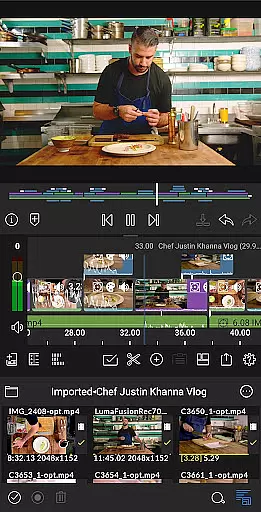
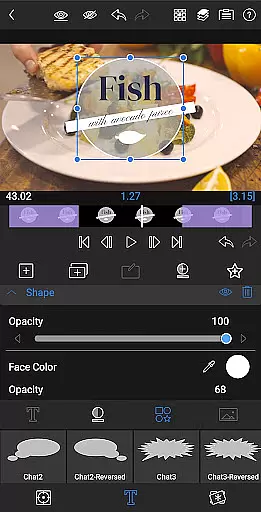
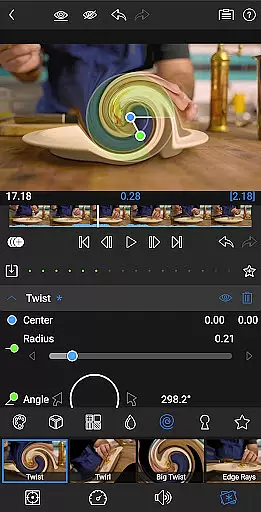
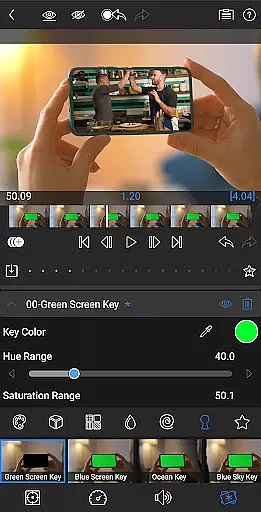
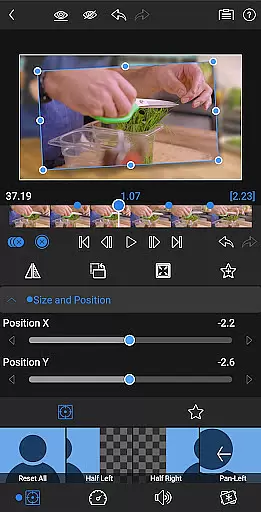
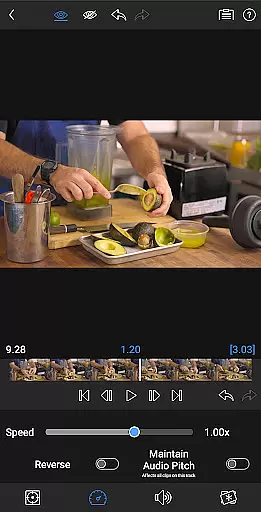
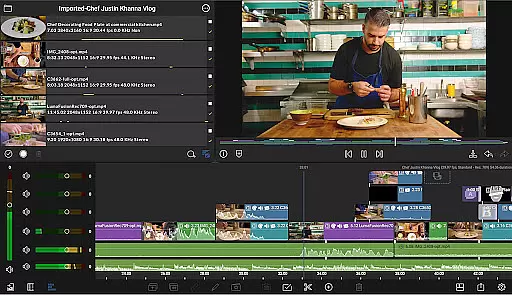
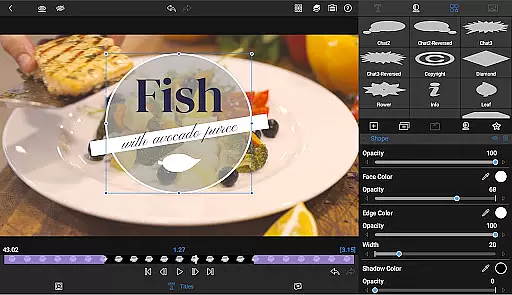
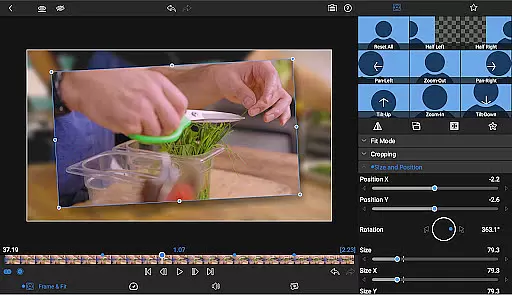
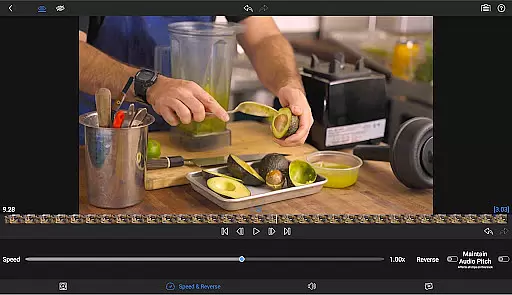
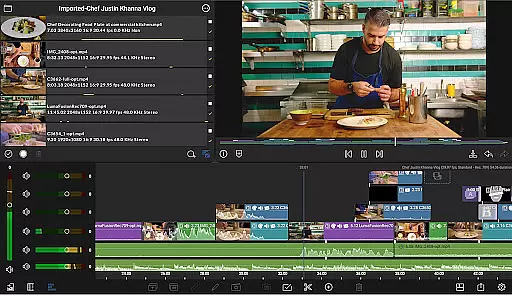
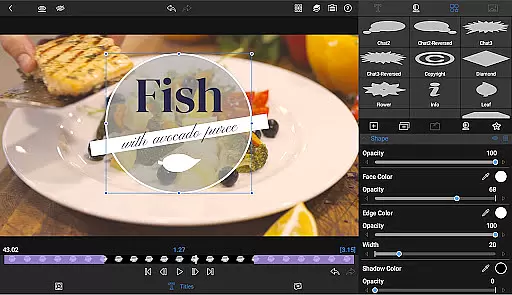
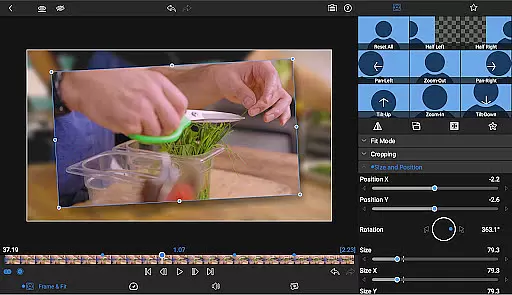
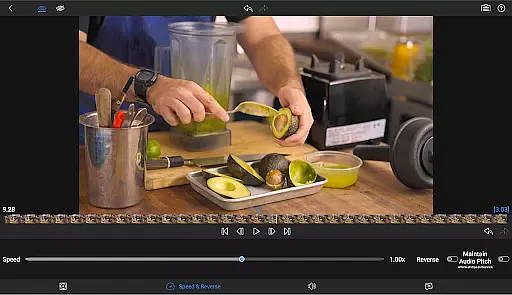
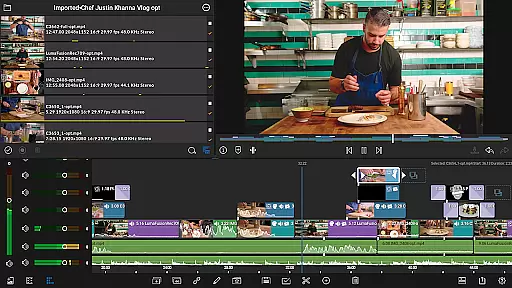
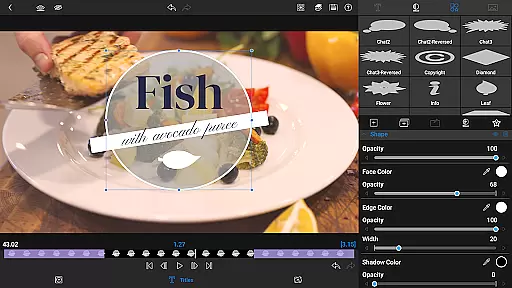
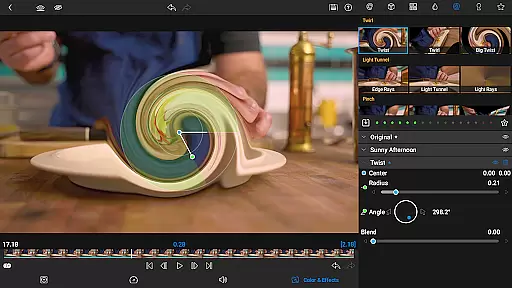
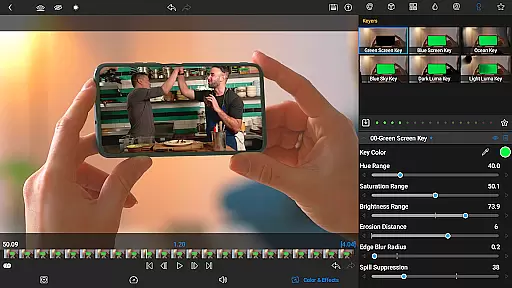
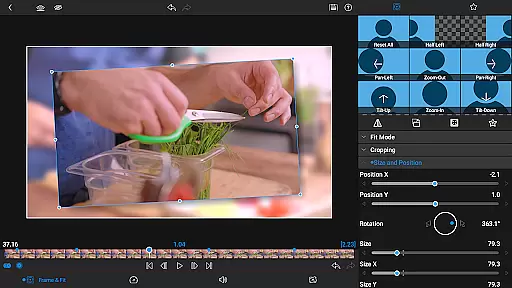

LumaFusion is the gold standard for storytellers, offering a fluid and intuitive touch-screen editing experience. With professional editing tools made accessible, users can create multiple layer edits with up to six video-with-audio or graphic tracks and six additional audio-only tracks. The app supports media up to 4K resolution and features a flexible timeline, transitions, Dex Mode for big-screen viewing, markers, tags, notes, voiceover recording, and track height adjustment.
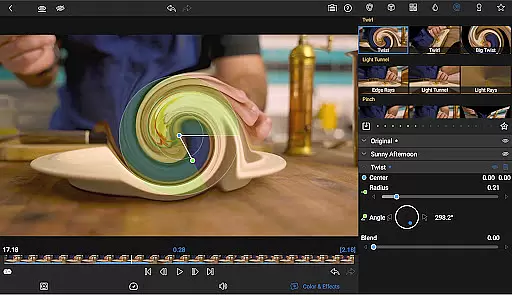
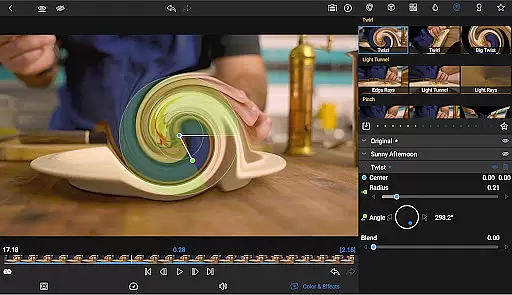
Advanced features include layered effects and color correction with green screen, luma, chroma keys, powerful color correction tools, waveform, vector, histogram scopes, LUT support, unlimited keyframes, and customizable text and effect presets. For audio control, it offers Graphic EQ, Parametric EQ, keyframe audio levels, panning, EQ, stereo and dual-mono audio support, and audio ducking. Creative titles and multilayer text options are available, along with project flexibility, various aspect ratios, frame rates, and seamless media access from USB-C drives or cloud storage.
This app is ideal for video editors who need a comprehensive toolset on their mobile device, allowing them to edit projects with precision and share their masterpieces effortlessly across different platforms.
LumaFusion stands out with its professional editing capabilities tailored for easy use on mobile devices. It provides an ultimate timeline experience that combines the world's most flexible track-based and magnetic timeline, enabling smooth handling of complex edits. Users can apply various transitions to keep their stories dynamic and utilize Dex Mode to view their work on larger screens, ensuring every detail is perfected.
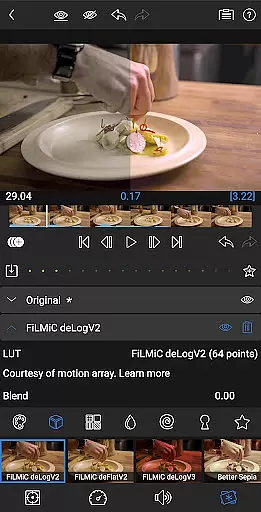
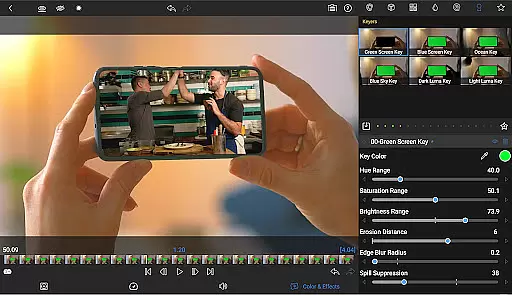
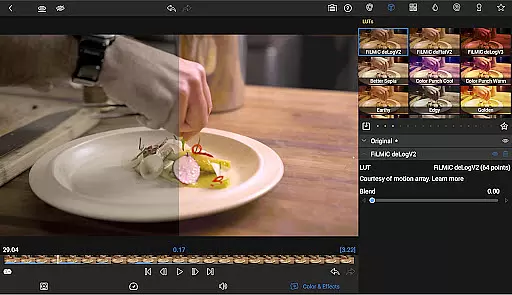
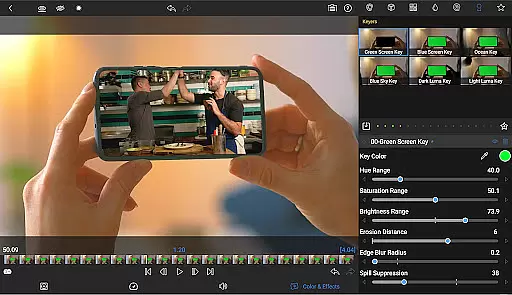
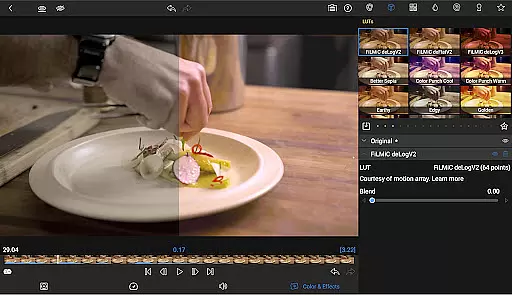
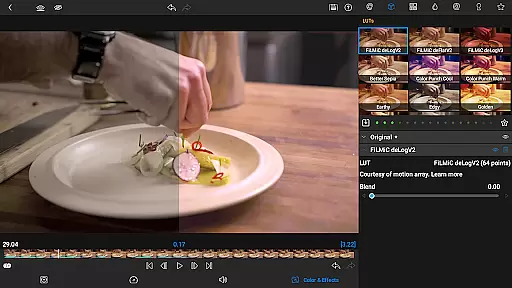
The app excels in layered effects and color correction, empowering creators with green screen, luma, and chroma keys for compositing, alongside robust color correction tools. Video Waveform, vector, and histogram scopes assist in achieving accurate colors, while LUT support allows importing .cube or .3dl files for professional-grade color grading. Unlimited keyframes and customizable presets enable precise animations and consistent looks throughout the project.
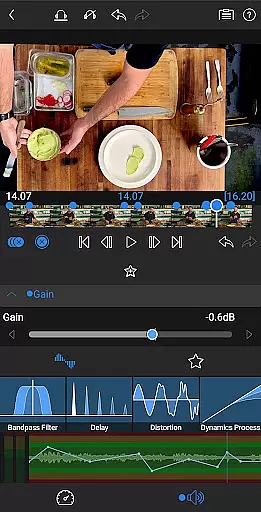
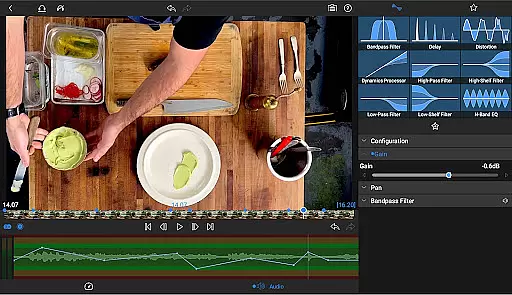
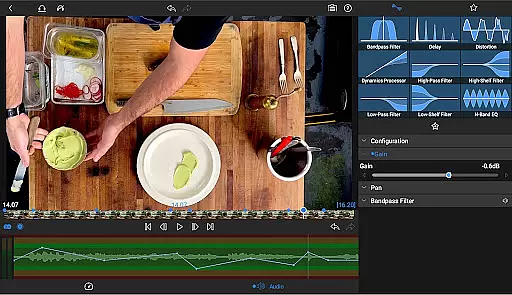
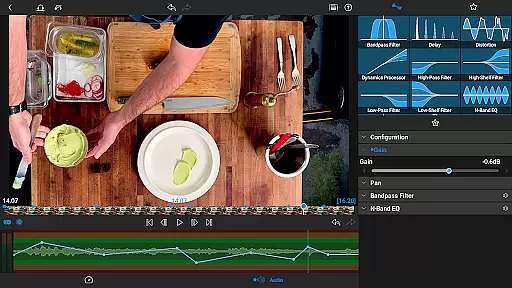
Audio control is exceptional, featuring Graphic EQ, Parametric EQ, and keyframe options for levels, panning, and EQ adjustments. It handles stereo and dual-mono audio efficiently, making it suitable for interviews with multiple microphones. Audio ducking balances music and dialogue seamlessly. Additionally, creative title options, multilayer text, customizable fonts, colors, borders, shadows, and custom font imports enhance branding opportunities. Saved title presets facilitate collaboration, and sharing projects across devices ensures workflow continuity.
Video format compatibility is a crucial feature for any video editing application, ensuring that users can work with a wide range of file types without conversion hassles. LumaFusion excels in this area by supporting multiple video formats up to 4K resolution across its six video-with-audio or graphic tracks.
The app allows creators to import media directly from USB-C drives or cloud storage, accommodating various workflows and sources. This flexibility enables editors to focus on storytelling rather than technical limitations, whether they're working on cinema-grade projects or social media clips.
With the capability to handle high-resolution files and offering extensive format support, LumaFusion empowers users to seamlessly edit and export their projects. The ability to adjust track height further enhances the user experience, providing an optimal view of the timeline on any device.
AI-powered editing features are revolutionizing the way video content is created, making advanced techniques accessible to all skill levels. LumaFusion incorporates intelligent tools like green screen, luma, and chroma keys, enabling creative compositing that would traditionally require extensive manual work.
The app's powerful color correction tools, including waveform, vector, and histogram scopes, allow users to craft their unique look with precision. By importing .cube or .3dl LUTs, editors can achieve professional-grade color grading effortlessly.
Additionally, LumaFusion's AI capabilities extend to audio processing with Graphic EQ and Parametric EQ, alongside keyframe animation for seamless mixes. These smart features, combined with customizable presets for text and effects, streamline the editing process while maintaining creative control.
Intuitive touch-screen interface
Professional editing tools
Advanced color correction
Comprehensive audio controls
Flexible project settings
Subscription required for full access
Some features need in-app purchase
Complex for beginners
High system requirements
Limited free support options

Auto video maker with music & exclusive filters. Video editing made simple.
 4.50
4.50
Your media, on your terms.
4.10
Cast to Chromecast, Xbox, Fire Stick, Roku, DLNA, Smart TV & No Feature Limited!
4.50
High-Quality USB Camera Viewer & HDMI Display
4.70
Browser for Sony TV to stream web videos, online movies and live tv
3.20
Browser for Fire TV to stream webvideos, online movies, livestreams in HD
4.40
Powerful video player with advanced hardware acceleration and subtitle supports
4.20
Download Hub, easy and private way to download and enjoy your videos offline
4.80
Manage your YouTube channel on the go
4.40
Flud is a simple and beautiful BitTorrent client for Android.
4.80
All in one HD video downloader & player for multiple formats with full privacy
4.70
Fast video downloader & private browser. Save HD clips to watch offline.
4.40
AirMirror Receiver - Screen mirroring/cast web videos to Android TV by AirPlay.
4.40
Stream Web Videos to Chromecast, Samsung, LG, Sony, Roku, Fire TV, DLNA + more
4.00
Kodi media center, a free and open source cross-platform entertainment hub
3.60
Save photos and videos from social apps in one tap.
3.60
Watch full episodes of your favorite Cartoon Network and Cartoonito shows!
3.50
Download videos easily & play them all in one smart, powerful video manager.
3.40
Play and download HD videos from all sources — fast, simple, and all-in-one.
4.4


User Reviews