
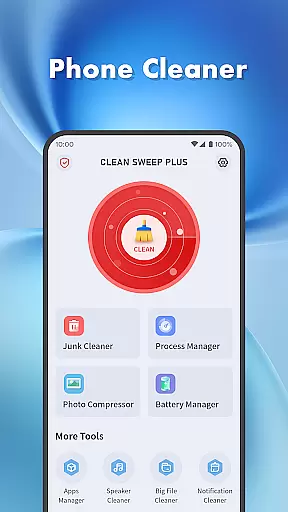
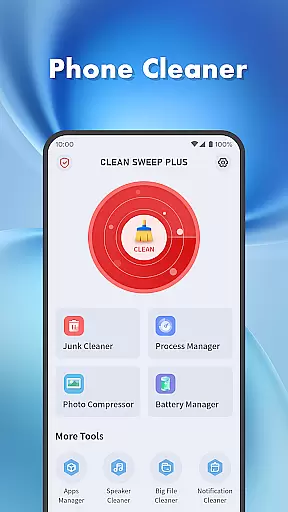
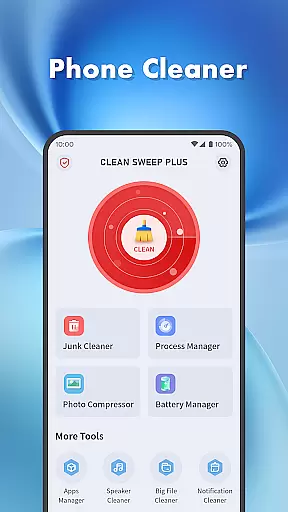
Clean Sweep Plus is a comprehensive mobile device management tool designed to optimize your phone's performance. The app focuses on four key areas: basic device management, app and process control, battery monitoring, and additional utility tools.
For daily maintenance, it offers junk file cleaning, large file management, photo compression, and notification clearing. It also provides robust features like app uninstallation, background process management, and detailed battery status tracking. With its intuitive interface and practical functions, Clean Sweep Plus ensures users can efficiently manage their devices while enjoying a seamless experience.
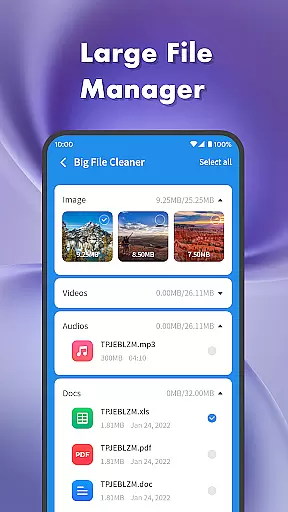
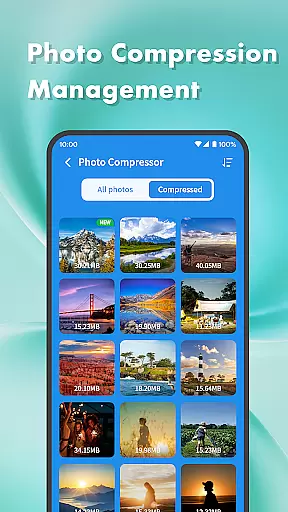
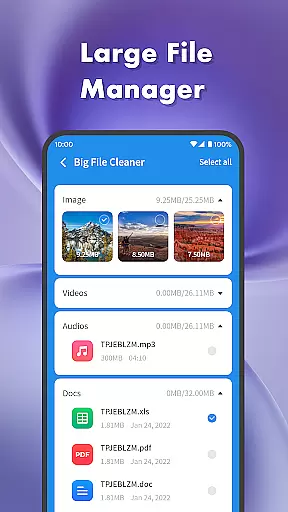
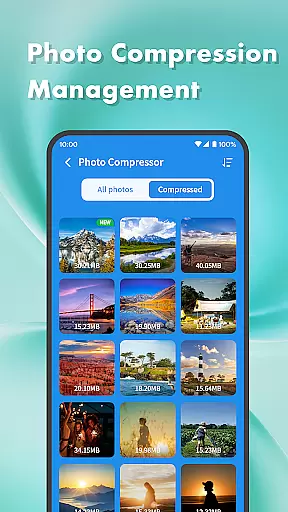
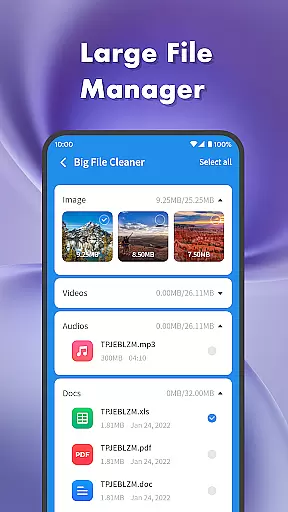
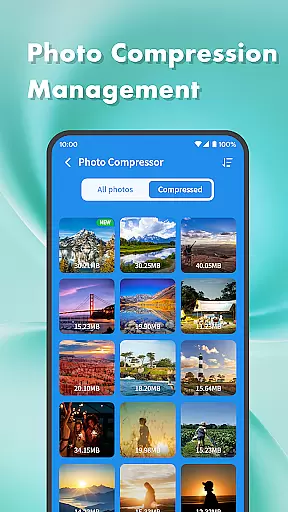
Clean Sweep Plus stands out with its diverse range of practical tools tailored for everyday phone management. The app includes a Junk Cleaner to remove unnecessary files, a Large File Manager to identify space-consuming media, and a Photo Compression feature to reduce image sizes without losing quality.
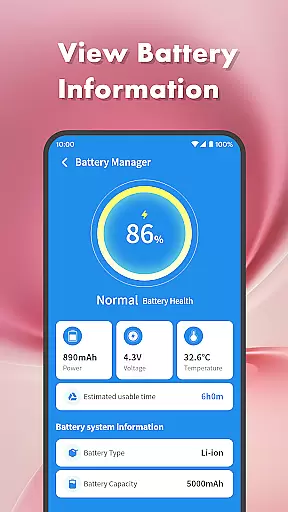
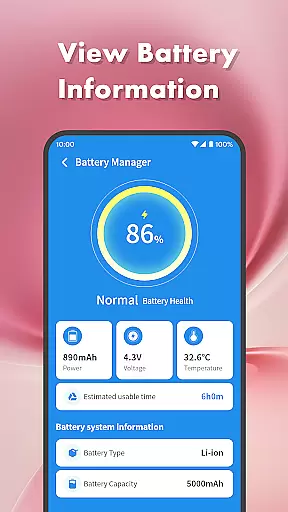
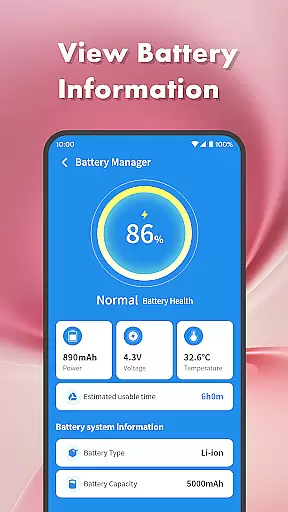
In addition to storage optimization, the app excels in app and process management. The App Manager allows users to view and uninstall apps easily, while the Process Manager monitors background activity to improve device performance. Battery Management provides real-time insights into power usage, helping users extend their device's battery life. These features are complemented by an intuitive design that makes navigation effortless.
When it comes to device management tools, the precision and effectiveness of core functions are paramount. Clean Sweep Plus excels in this area by offering a suite of features that are both powerful and reliable.
The app's Junk Cleaner efficiently locates and removes unnecessary files, while the Large File Manager helps users identify space-consuming media. The Battery Management Center provides accurate readings on battery life and usage estimates, ensuring users can manage their device's power effectively.
Each tool within Clean Sweep Plus is designed with the user's needs in mind, providing quick solutions for everyday phone management tasks. This ensures that whether you're clearing out junk files or monitoring your battery status, the app performs with the utmost accuracy.
By focusing on delivering precise and effective functionality, Clean Sweep Plus empowers users to maintain their devices with confidence, knowing that each feature is crafted to deliver tangible results.
A straightforward and intuitive interface is essential for any utility application, and Clean Sweep Plus delivers an experience that is both easy to navigate and understand. The layout has been carefully designed to ensure that all functions are easily accessible.
Upon opening the app, users are greeted with a clean dashboard that categorizes tools into distinct sections such as 'Basic Device Management' and 'App and Process Management.' This logical arrangement allows for quick access to desired features without overwhelming the user.
Clean Sweep Plus maintains a balance between functionality and simplicity, ensuring that even those who are less tech-savvy can utilize its features without a steep learning curve. Each tool is represented with clear icons and labels, making navigation self-explanatory.
This commitment to an intuitive design means users spend less time figuring out how to use the app and more time enjoying a streamlined device management experience.
User-friendly interface
Comprehensive cleaning tools
Effective battery monitoring
Easy app management
Practical utility features
Limited advanced options
No cloud backup support
Basic photo editing only
Occasional slow performance
Ads in free version

pdf merge, word to pdf, jpg to pdf, edit pdf, convert to pdf and much more!
 4.20
4.20
Extremely fast, secure, and protects your privacy
4.80
Use your phone as a webcam on your computer over WiFi or USB.
4.40
Unlock your Essential Key. Create custom shortcuts to your favorite apps!
4.2
eXtended Permission Manager - a small app to manage permissions and AppOps
4.50
PC precision for mobile gaming: dominate with keyboard and mouse!
4.30
Making emulation easy for everyone!
4.30
The Ultimate Bluetooth Keyboard & Mouse. Securely control your PC, Mac, and more
4.50
Mirror your screen to Fire TV - Super fast and simple
4.40
Best leveling tool for your Android device. Hang paintings like a pro.
4.90
The ultimate tool for network analysis, wifi scanning and problem detection.
4.90
Fast Video Downloader, Movie Downloader, Torrent Downloader & Adblock Browser
4.70
NFC Tools can read and write NFC tags.
4.70
FV File Manager Pro, Fast and powerful file manager for Android
4.60
Game Booster, GFX Tool is now compatible with newer game update
4.50
Quickly check the frequency of the Earth
4.30
Effortlessly run ADB commands directly on your device without a PC.
4.20
MS-DOS in your pocket. Play old DOS games anywhere you are ;)
4.10
A convenient photo, video, and file recovery tool.
4.00


User Reviews