
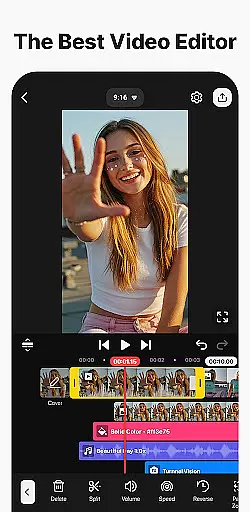
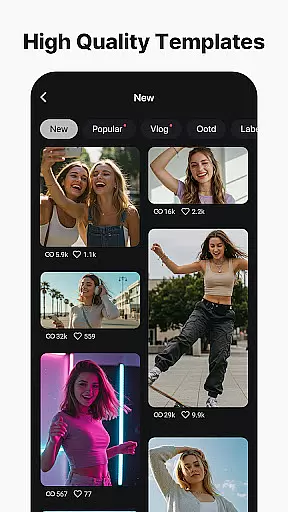
KineMaster is a comprehensive video editing application designed for both amateur and professional content creators. This app allows users to edit various types of videos including movies, vlogs, Reels, and Shorts with ease. It offers a wide range of AI tools that simplify the video creation process, such as AI Auto Captions, AI Text-to-Speech, and AI Noise Removal. These features enable users to produce high-quality content efficiently.
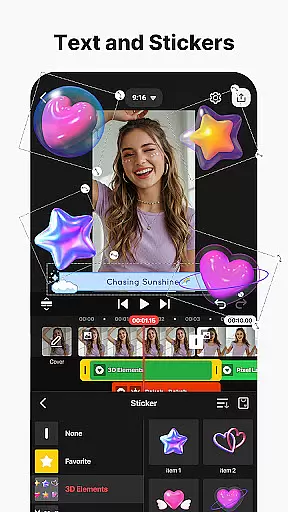
One of KineMaster's standout capabilities is its professional-grade editing tools which are accessible to everyone. Users can take advantage of keyframe animation, chroma key (green screen), and speed control to create sophisticated visual effects. Additionally, the app provides thousands of templates and assets like effects, stickers, music, and fonts, empowering users to unleash their creativity without starting from scratch.
The app is suitable for those who wish to produce content for social media platforms like YouTube, TikTok, and Instagram. With support for high-resolution 4K 60 FPS output and optimized settings for fast loading on social media, KineMaster ensures that your videos look great no matter where they're shared. Its user-friendly interface and powerful features make it an ideal choice for anyone looking to enhance their video editing skills and produce standout content.
KineMaster stands out with its extensive array of features tailored for efficient and creative video editing. The app includes AI-powered tools such as AI Auto Captions and AI Vocal Separator, which streamline the editing process by automating tasks that traditionally require manual effort. These tools not only save time but also ensure accuracy and consistency in video production.
Beyond AI capabilities, KineMaster offers advanced editing features like keyframe animation, chroma key, and speed control. These functionalities allow users to manipulate video elements with precision, creating professional-quality effects. The app also supports multi-layer editing, enabling the stacking of photos, videos, and GIFs for complex compositions. Magnetic guides and full-screen previews further enhance the editing experience by providing precise control and immediate feedback on changes.
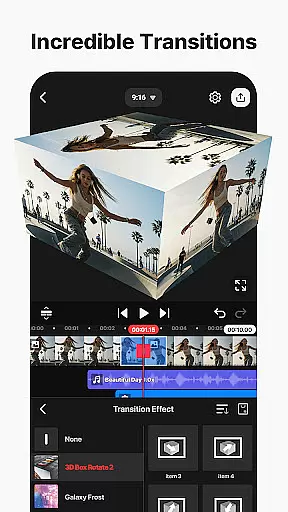
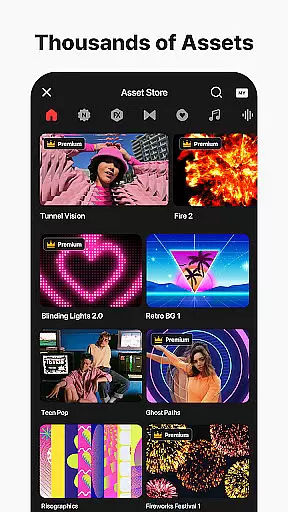
In addition to its robust editing suite, KineMaster boasts an Asset Store filled with tens of thousands of resources. Users can access a variety of effects, transitions, stickers, music, and fonts to enrich their projects. The availability of stock videos and images, along with stylish fonts and color filters, ensures that creators have everything they need to produce visually stunning videos. Whether you're crafting content for personal enjoyment or professional purposes, KineMaster's diverse feature set caters to all your video editing needs.
Video format compatibility is a crucial feature for any video editing application, ensuring that users can work with a wide range of file types. KineMaster excels in this area by supporting an extensive array of video formats, allowing creators to import and export projects without worrying about conversion issues.
The app's advanced codec support enables seamless integration of various media elements, including high-resolution 4K videos at 60 frames per second. This versatility ensures that content creators can maintain optimal quality throughout their editing process while preparing files for different platforms such as YouTube, TikTok, and Instagram.
Moreover, KineMaster offers flexible export options, letting users choose between high-quality output for professional presentations or optimized settings for faster social media sharing. The transparent background support further enhances its compatibility features, making it ideal for compositing work across multiple video projects.
AI-powered editing features have revolutionized the way users approach video production, and KineMaster stands at the forefront of this innovation. The application incorporates multiple artificial intelligence tools that significantly streamline complex editing tasks, making professional-quality video creation accessible to everyone.
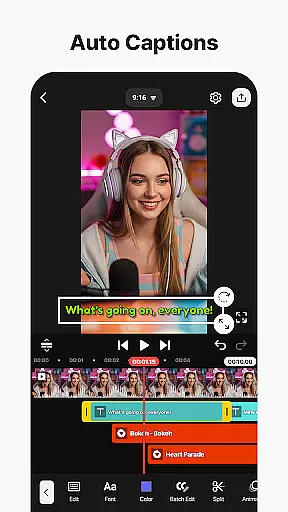
Among these features are AI Auto Captions, which instantly generate subtitles from audio tracks, and AI Noise Removal that eliminates distracting background sounds. The AI Vocal Separator allows users to split songs into vocals and instrumentals with a single tap, while AI Tracking enables dynamic movement of text and graphics within videos.
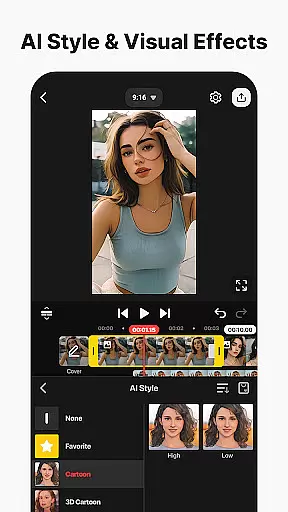
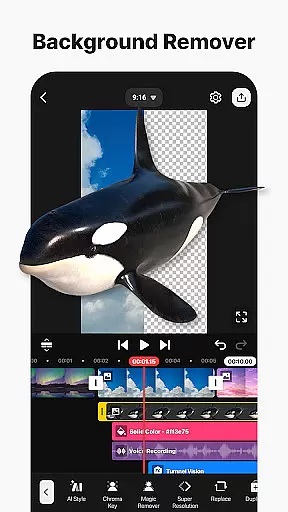
These intelligent functions not only save considerable time during the editing process but also enhance creative possibilities. With AI Magic Removal for background extraction and AI Style for artistic effects, KineMaster empowers content creators to produce sophisticated videos that stand out on platforms like Reels and Shorts, all without requiring extensive technical expertise.
User-friendly interface
Extensive AI tools
Professional editing features
Vast asset library
High-quality output options
Subscription required for premium features
Occasional bugs reported
Watermark on free version
Limited offline functionality
Resource-intensive on older devices

Online Videos Player
 3.90
3.90
Fast, private downloading, video saving, social media
4.50
Video Player - Unlimited features, 30 days money back guarantee.
4.60
Watch full episodes of your favorite Cartoon Network and Cartoonito shows!
3.50
Flud is a simple and beautiful BitTorrent client for Android.
4.80
#1 Torrent App on Android ** No Ads Ever + Battery Saver **
4.80
Web Browser for LG TV to stream webvideos, online movies and livestreams in HD
4.20
Download Hub, easy and private way to download and enjoy your videos offline
4.80
Video&Drama Player All Format is a HD video player, music player
3.00
HD Video player all format, HD Videos, Cast & Subtitle. No annoying ads.
4.60
?100% FREE! Download & save videos? safely in this app. All formats supported.
4.60
Seamlessly connect and control your smart devices, anytime, anywhere with ease.
4.60
Browser + Remote for Roku to stream webvideos, online movies and livestreams
4.60
AirMirror Receiver - Screen mirroring/cast web videos to Android TV by AirPlay.
4.40
KMPlayer Plus (Divx Codec) officially support Divx codec.
4.30
Powerful Video Editor & Photo Editing App —— Quick Edits & Stunning Effects!
4.30
Video Downloader is an utility that can save videos and music from web sites
4.20
Powerful video player with advanced hardware acceleration and subtitle supports
4.20
LumaFusion: The Ultimate Storytelling Experience for Video Editing
4.10


User Reviews