

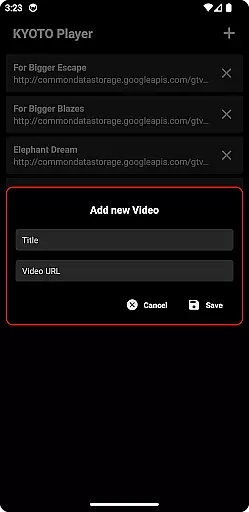


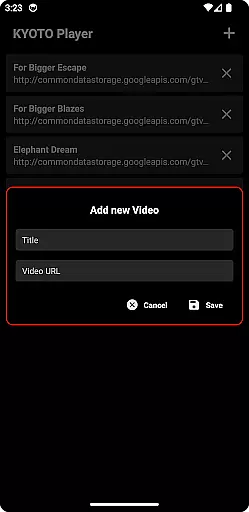


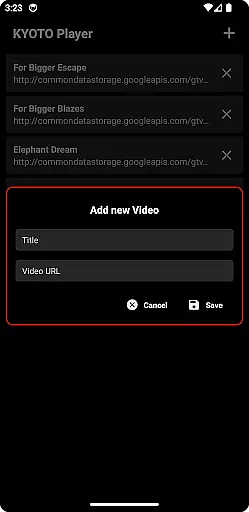

KYOTO Player is a versatile video player app designed for seamless playback of various online video formats. Supporting an extensive range of file types including MP4, HLS, DASH, and more, it ensures smooth streaming without compatibility issues.
The app's intuitive interface allows users to easily navigate through their media library while enjoying high-quality video playback. Whether you're watching movies or streaming content, KYOTO Player provides a reliable viewing experience across multiple devices.
One of the standout features of KYOTO Player is its wide format support, accommodating over ten different video and audio formats. This includes popular choices like MP4, HLS, and WebM as well as less common ones such as MPEG-TS and FLV.
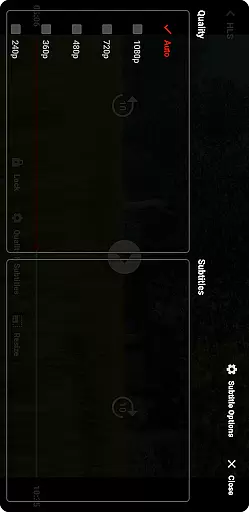
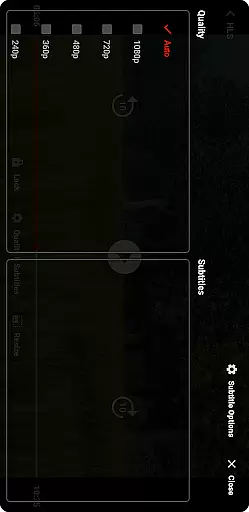
Additionally, the player offers customizable playback settings, allowing users to adjust video quality and playback speed according to their preferences. With its user-friendly design, KYOTO Player makes managing and playing your digital media collection effortless and enjoyable.
Video format compatibility is a crucial feature for any video player application. KYOTO Player excels in this area by supporting an extensive range of video formats including MP4, HLS, DASH, MP3, WebM, MKV, OGG, WAV, MPEG-TS, MPEG-PS, FLV, and more.
The ability to play such a wide variety of formats ensures that users can enjoy their media content without worrying about format restrictions. This flexibility makes KYOTO Player suitable for diverse user needs, whether they are watching movies, streaming online content, or playing audio files.
By incorporating advanced decoding technologies, KYOTO Player delivers smooth playback across all supported formats. The app's developers have optimized the player to handle high-definition content efficiently, ensuring minimal buffering and fast loading times.
Moreover, regular updates to the app ensure that it stays current with emerging video standards and codecs. This commitment to compatibility means that KYOTO Player will continue to meet user expectations as new formats become popular in the future.
While KYOTO Player primarily focuses on video playback, its AI-powered editing features offer additional value to users who want to enhance their viewing experience. These features utilize artificial intelligence to optimize video quality, adjust playback settings, and provide smart recommendations based on user preferences.
The AI algorithms analyze video content in real-time to automatically adjust brightness, contrast, and color settings for optimal viewing. This intelligent enhancement ensures that users enjoy the best possible picture quality regardless of the original file characteristics or device limitations.
Furthermore, KYOTO Player's AI capabilities extend to personalized recommendations and smart playlists. By learning from user behavior and preferences, the app suggests relevant content and creates customized playlists, making media discovery more intuitive and engaging.
Although not a full-fledged video editor, these AI-powered enhancements demonstrate KYOTO Player's commitment to providing a comprehensive video experience that goes beyond basic playback functionality.
User-friendly interface
Wide format compatibility
Customizable playback options
Smooth streaming performance
Cross-device functionality
Limited advanced editing tools
No built-in cloud storage
Occasional buffering issues
Ads in free version
Heavy on battery usage

Auto video maker with music & exclusive filters. Video editing made simple.
 4.50
4.50
Connect 2 UVC devices for recording and broadcast video/audio stream
3.90
Video Player - Unlimited features, 30 days money back guarantee.
4.60
Video Downloader is an utility that can save videos and music from web sites
4.20
Play ALL formats in 4K & HD. Video downloader, MP3 player, Chromecast & more.
4.80
Video player with powerful streaming playback and various convenient features.
2.10
KMPlayer Plus (Divx Codec) officially support Divx codec.
4.30
This app is an emulator of some specific IPTV boxes
3.50
Download Hub, easy and private way to download and enjoy your videos offline
4.80
Tik & Story Saver-Download ALL social media videos, photos & reels no watermark.
4.80
Screen recorder with audio to take live videos & Screenshot in high quality!
4.70
Cast to Chromecast, Xbox, Fire Stick, Roku, DLNA, Smart TV & No Feature Limited!
4.50
Browser for Samsung TV to stream webvideos, online movies and livestreams in HD
4.10
LumaFusion: The Ultimate Storytelling Experience for Video Editing
4.10
Explore the largest library of free GIFs, Stickers & Memes - or create your own!
3.90
Livestream, news, & gaming content. Watch, chat, and upload. Join Rumble today!
3.80
Kodi media center, a free and open source cross-platform entertainment hub
3.60
AirMirror is Receiver for Screen Mirroring and Casting from Apple Devices.
3.60
Connect EasyCap or UVC devices for recording and broadcast video/audio stream
3.60


User Reviews