
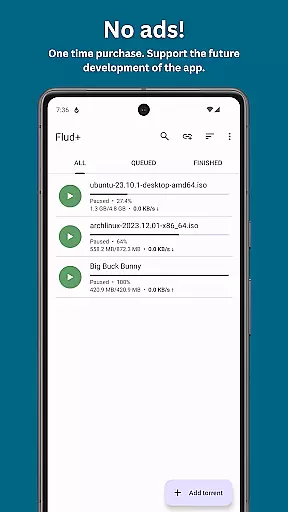
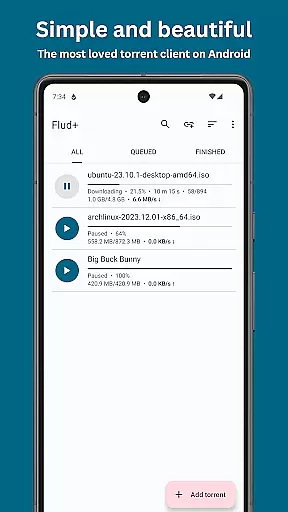
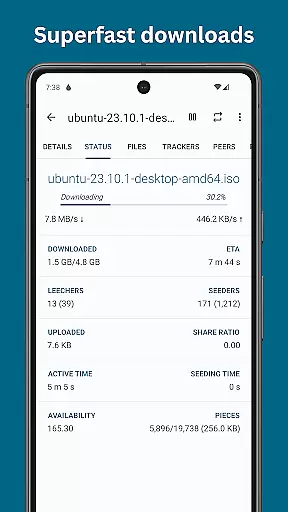
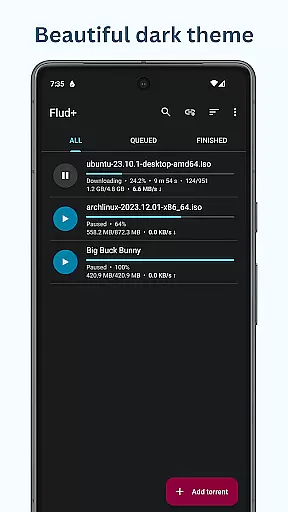
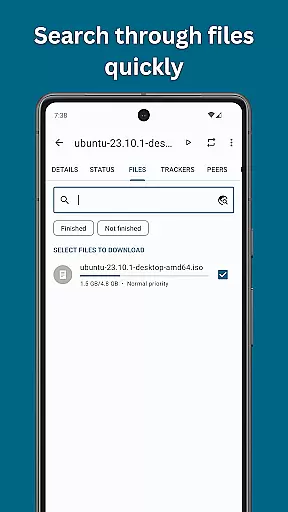
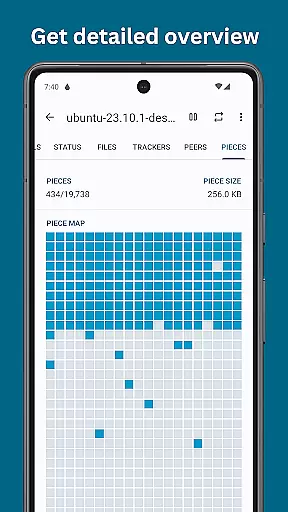
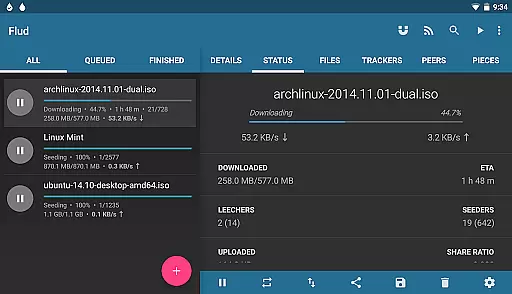
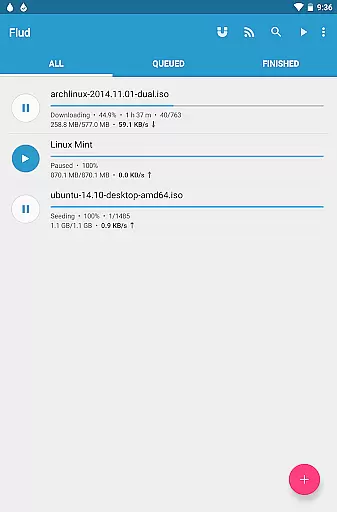
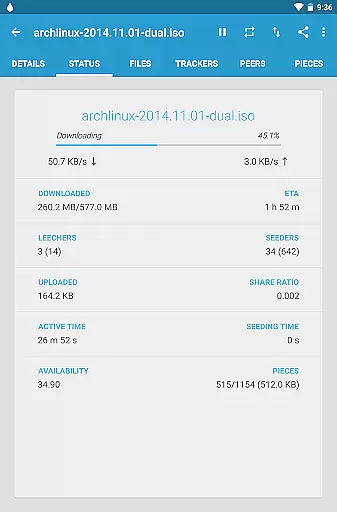
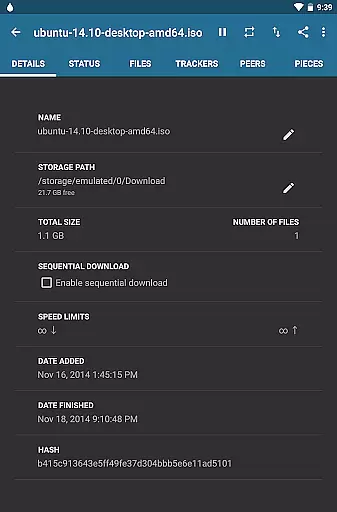
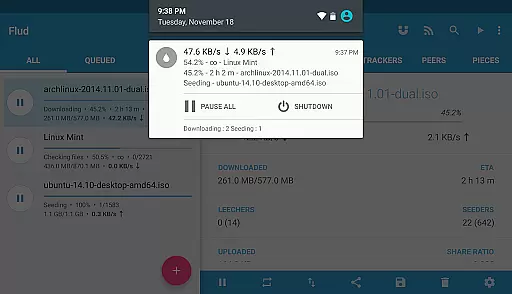
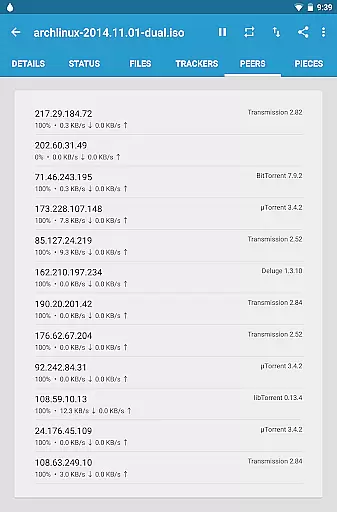
Flud+ is an advanced BitTorrent client designed specifically for Android users who require an ad-free experience with enhanced customization options. This premium version builds upon the original Flud app, offering exclusive features such as Material You support and a sleek black theme. With Flud+, you can download large files directly to your device without speed restrictions, manage torrent priorities, and enjoy seamless integration with magnet links and RSS feeds.
The app supports modern protocols like µTP, PeX, DHT, and NAT-PMP, ensuring efficient peer-to-peer file sharing. Whether you're downloading media files or managing extensive torrent libraries, Flud+ provides tools like sequential downloading and Wi-Fi-only downloads to optimize performance. Its intuitive material design interface is optimized for both phones and tablets, making it one of the most user-friendly torrent clients available on Android.
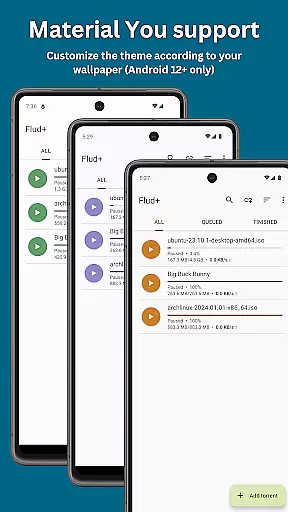
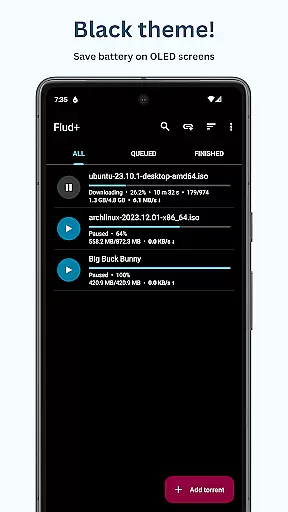
Flud+ stands out with its comprehensive feature set tailored for power users. One of its key highlights is the absence of ads and speed limits, allowing uninterrupted downloads and uploads. The app also introduces unique theming capabilities, including Material You support and a black theme exclusive to the plus version, enabling personalized aesthetics that adapt to your device's settings.
Functionality-wise, Flud+ offers advanced controls such as file prioritization, automatic RSS feed downloads, and support for torrents with thousands of files. It integrates cutting-edge protocols like µTP and PeX while maintaining compatibility with older standards through proxy support and encryption. Additionally, features like moving files during downloads and recognizing browser-based magnet links make this app versatile enough for various use cases, whether you're managing small personal files or handling massive datasets.
Flud+ stands out as a versatile BitTorrent client for Android, offering extensive video format compatibility. This ensures that users can download and play a wide variety of video files without the need for conversion or additional software.
The app supports torrents with a large number of files and very big files, accommodating various storage needs. It is important to note that for FAT32 formatted SD cards, the file size limit is 4GB, which still covers a broad range of video content.
With its ability to recognize magnet links from the browser and encryption support, Flud+ provides a seamless experience for users wanting to download videos directly to their devices. The app's protocol support includes NAT-PMP, DHT, UPnP, u00b5TP, and PeX, ensuring efficient downloads.
Users will appreciate the freedom to select which files to download and specify file/folder priorities, allowing them to manage their video collections effectively. This level of control over video content acquisition makes Flud+ an excellent choice for those interested in Video Players & Editors category apps.
While Flud+ focuses primarily on torrent downloading, it indirectly enhances AI-powered editing features by facilitating access to a vast array of content. Users can download raw footage and utilize AI tools to edit videos efficiently.
The app's RSS feed support with automatic downloading and sequential downloading abilities empower creators to gather source material easily. This feature is particularly useful for editors who rely on up-to-date content for their projects.
Flud+ offers theme customization options like Material You support, Black theme, Light and Dark themes, which, although not directly related to video editing, contribute to a comfortable working environment adaptable to different lighting conditions during editing sessions.
Moreover, the absence of speed limits on downloads/uploads and proxy support for trackers and peers means that editors can quickly obtain resources needed for AI-driven editing processes. These capabilities make Flud+ a valuable tool within the Video Players & Editors category.
Ad-free experience
Exclusive themes
No speed limits
Advanced RSS support
Optimized tablet UI
Paid version only
No iOS support
Complex for beginners
Limited FAT32 support
Requires technical knowledge

Video player, file manager for all formats, 4K/HD media player supports subtitle
 4.30
4.30
Fast, private downloading, video saving, social media
4.50
?100% FREE! Download & save videos? safely in this app. All formats supported.
4.60
VLC Remote lets you control your VLC Media Player on Mac, PC or Linux.
4.60
AirMirror Receiver - Screen mirroring/cast web videos to Android TV by AirPlay.
4.40
Manage your IPTV live channels and VOD playlists (no playlist included)
3.80
Browser + Remote for Roku to stream webvideos, online movies and livestreams
4.60
VLC for Android is the best open source video and music player, fast and easy!
4.10
convenient, safe and fast at Video Downloader & Player
4.60
Support 1000+ Video Format, Subtitle Download, mp3 & Background Play, Cast On TV
4.60
Seamlessly connect and control your smart devices, anytime, anywhere with ease.
4.60
Watch IPTV on your Android device
4.60
Cast movies, tv shows and live streams to Chromecast, Roku, DLNA, Fire TV & more
4.60
KineMaster, Your Ultimate Video Editor!
4.40
This app is an emulator of some specific IPTV boxes
3.50
A full editing room to accompany your Insta360 cameras and handheld gimbals.
3.30
Mix with Virtual DJ directly from your phone or tablet !
3.10
You can play SWF format file!
2.50
The essential companion to your Blue Iris PC software
2.50


User Reviews