
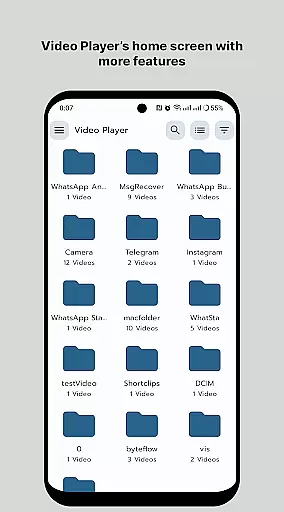
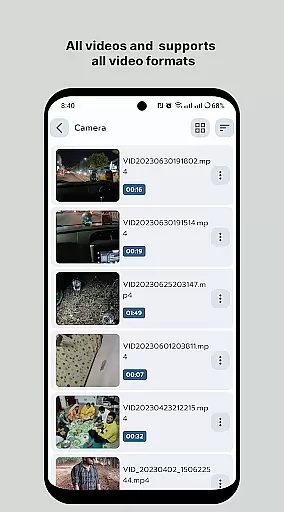
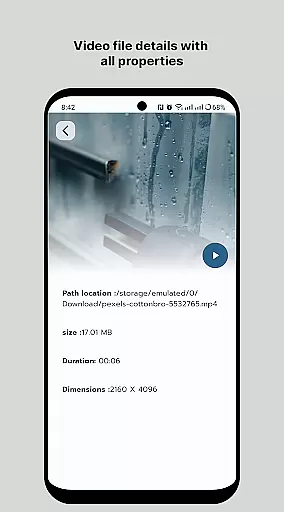
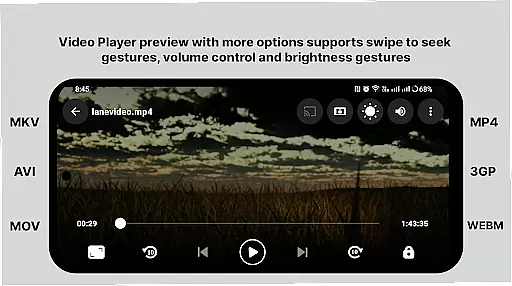
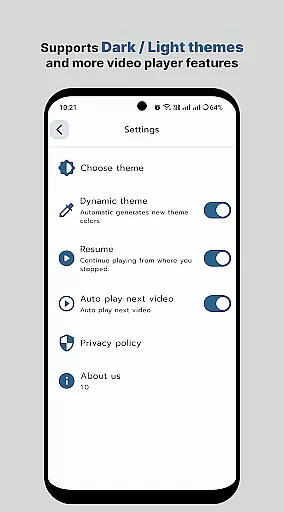
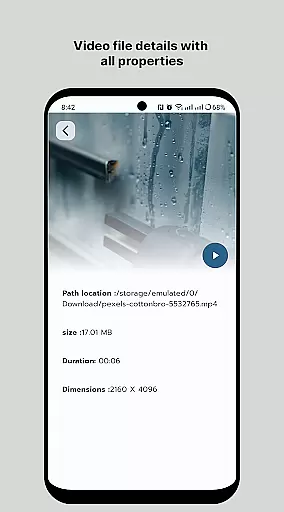
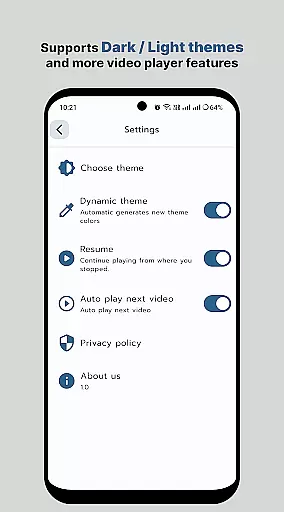
HD Video Player All Format is a versatile video player for Android devices, supporting all popular video formats including 4K and ultra HD resolutions. The app provides an ad-free experience with smooth playback and advanced features like subtitle support, multi-track audio, and aspect-ratio adjustments.
This professional-grade media player offers smart controls through gestures, allowing users to easily adjust volume, brightness, and playback speed. Its intelligent media library makes organizing and accessing video files effortless. Suitable for both casual viewers and multimedia enthusiasts, this app delivers high-quality playback performance in an intuitive interface.
Whether you're watching movies or viewing personal recordings, HD Video Player ensures smooth playback with its optimized decoding engine. The app's lightweight design and efficient memory usage make it an excellent choice for both smartphones and tablets, providing an enhanced viewing experience without compromising device performance.
HD Video Player stands out with its comprehensive feature set designed for optimal media playback. The app supports all major video formats, including high-resolution 4K content, while maintaining smooth performance through its quick-start technology and efficient decoding algorithms.
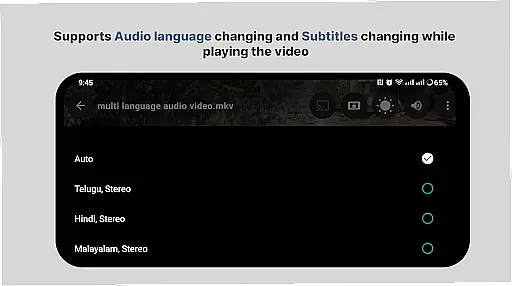
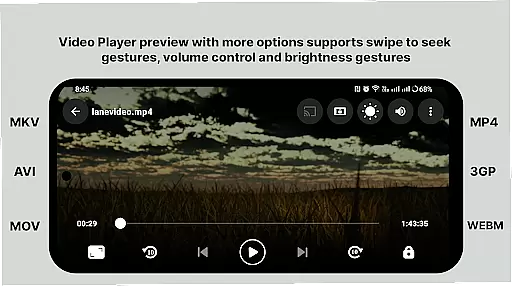
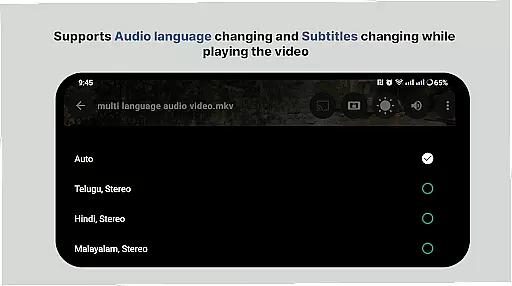
Advanced playback controls include gesture-based volume and brightness adjustment, variable playback speed, and automatic screen rotation. Users can browse their media library through an intelligent folder system or use the smart media organizer for quick access to all video files. The player also supports multiple audio tracks and subtitle files, enhancing the viewing experience for multilingual content.
Additional professional features include screen-lock functionality, mute options, and fast-forward/rewind capabilities. The app's user-friendly interface combines powerful functionality with easy accessibility, making it suitable for both basic and advanced media playback needs while ensuring eye comfort during extended viewing sessions.
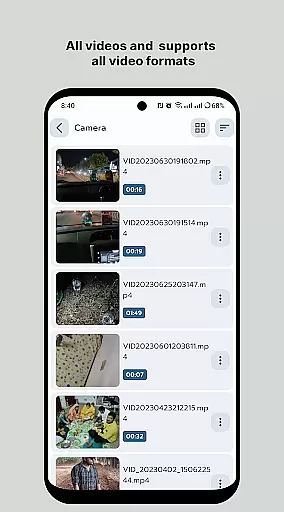
Video format compatibility is a crucial feature for any video player application, ensuring that users can enjoy their media files regardless of the format. HD Video Player - All Format Video Player Pro 2024 supports an extensive range of video formats, including but not limited to MP4, AVI, MKV, and FLV. This versatility allows users to play videos without the need for conversion or additional codecs.
The application's ability to handle 4K and ultra HD video files with high-definition playback is particularly noteworthy. Whether you're watching on a tablet or smartphone, the quality remains uncompromised. The inclusion of subtitle support further enhances the viewing experience, making it accessible for a global audience and catering to various language preferences.
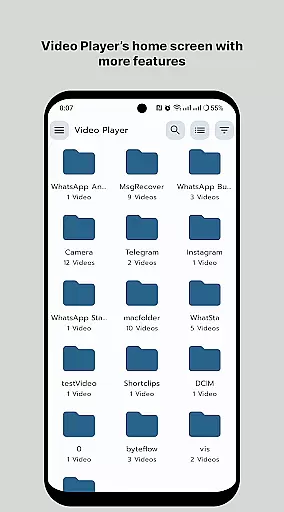
For users who value convenience and efficiency, the smart media library feature organizes video files in a manner that makes them easier and faster to find. With options to browse folders directly and manage or share videos easily, this app streamlines the process of video management. Such comprehensive format support ensures that no matter what type of video file you have, HD Video Player will provide a seamless playback experience.
While HD Video Player - All Format Video Player Pro 2024 primarily focuses on video playback, its AI-powered editing features offer users additional tools to enhance their media. These features include smart controls such as aspect-ratio adjustments, screen-lock options, and touch-to-mute functionality. Users can also fast forward or rewind videos with a simple slide gesture, providing intuitive control over their viewing experience.
One of the standout capabilities is the playback speed control, which allows viewers to adjust the pace of the video to suit their preferences. Whether you're conducting a detailed analysis or just skimming through content, this feature adds flexibility to how videos are consumed. Additionally, the support for multi-track audio ensures that sound remains clear and synchronized with the visuals, enhancing overall enjoyment.
Brightness and volume can be effortlessly adjusted by sliding on the playback screen, offering precise control over your environment. Gestures to control these elements ensure that users can make real-time adjustments without interrupting their viewing. By integrating intelligent editing functions with robust playback capabilities, HD Video Player delivers a comprehensive solution for both casual viewers and those seeking advanced functionalities.
User-friendly interface
Wide format support
Smooth 4K playback
Ad-free experience
Smart media library
Limited iOS support
No cloud integration
Premium features locked
Occasional bugs
Heavy on RAM

A full editing room to accompany your Insta360 cameras and handheld gimbals.
 3.30
3.30
Fast, private downloading, video saving, social media
4.50
Video Player - Unlimited features, 30 days money back guarantee.
4.60
Powerful HD video player with support for all formats & subtitles.
4.5
VLC Remote lets you control your VLC Media Player on Mac, PC or Linux.
4.60
All format media Player, no need video converter any more!
4.00
AirMirror is Receiver for Screen Mirroring and Casting from Apple Devices.
3.60
Screen recorder with audio to take live videos & Screenshot in high quality!
4.70
convenient, safe and fast at Video Downloader & Player
4.60
Play ALL formats in 4K & HD. Video downloader, MP3 player, Chromecast & more.
4.80
Fast & Private Video Downloader App. Save all videos easily from the Internet.
4.40
Viddo: Generate Action Figure, AI Anime, AI kiss, AI hug Video from image & text
4.40
VLC for Android is the best open source video and music player, fast and easy!
4.10
Powerful, professional, versatile teleprompter. Developed by an active film crew
4.00
Stream Web Videos to Chromecast, Samsung, LG, Sony, Roku, Fire TV, DLNA + more
4.00
AI Video Editor:AI Music, Text to Video,Text to Speech,Auto Caption,Video Effect
4.00
Manage your IPTV live channels and VOD playlists (no playlist included)
3.80
This app is an emulator of some specific IPTV boxes
3.50
IPTV Player - Watch live TV from m3m & m3u8 playlist, stream IPTV on mobile
3.30


User Reviews