
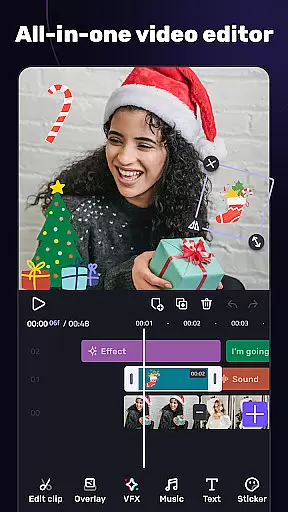
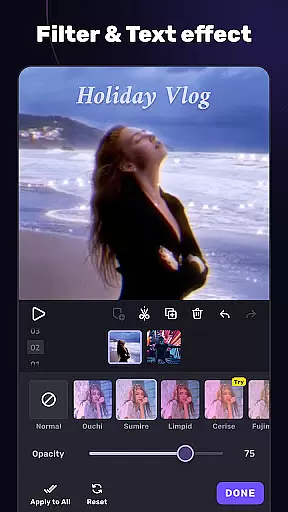
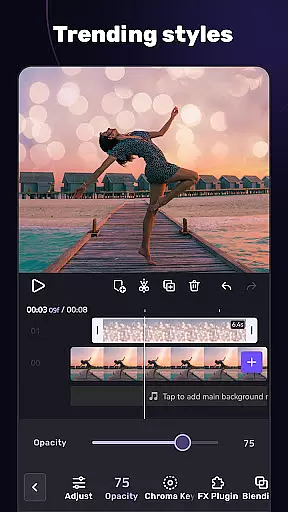
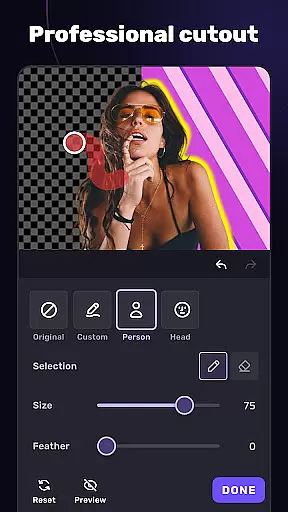
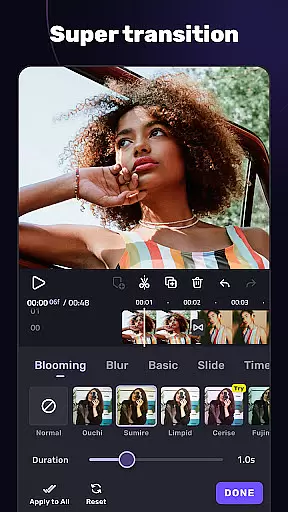
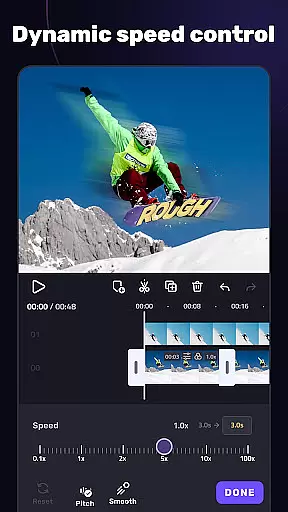
VivaCut is a versatile video editing application designed for both casual users and professional content creators. The app offers an extensive range of features including multi-layer timeline editing, chroma key effects, and advanced animation tools. With its intuitive interface, users can create high-quality videos with precise frame-by-frame control. Whether you're looking to produce engaging social media clips or cinematic masterpieces, VivaCut provides the necessary tools to bring your vision to life.
The application stands out with its professional-grade features like green screen effects, keyframe animations, and blending modes. These capabilities enable users to craft visually stunning videos that rival Hollywood-level productions. Additionally, VivaCut supports various aspect ratios and resolutions up to 4K, making it suitable for platforms like YouTube, Instagram, and TikTok. Its combination of powerful editing tools and user-friendly design makes it an ideal choice for anyone seeking to elevate their video content.
VivaCut distinguishes itself through its comprehensive feature set tailored for detailed video editing. The app includes basic editing tools such as trimming, splitting, and merging clips, alongside more sophisticated options like speed control and picture-in-picture effects. Users can apply text overlays with customizable fonts and styles, ensuring their message is conveyed effectively. The multi-layer timeline allows for complex compositions, giving creators complete control over their projects.
For advanced editing, VivaCut offers professional tools including chroma key effects, mask creation, and keyframe animation. These features enable users to produce visually impressive videos with seamless transitions and dynamic visual effects. The app also provides a variety of filters, glitch effects, and music integration options, allowing for creative expression and customization. With support for exporting in resolutions up to 4K, VivaCut ensures that final outputs maintain exceptional quality across all platforms.
Video format compatibility is a crucial feature for any video editing application, ensuring that users can work with a wide range of video files without conversion hassles. AI Video Editor supports an extensive array of formats, allowing creators to import and export videos in resolutions up to 4K. This versatility guarantees that whether you're editing footage from a professional camera or a smartphone, the app maintains the original quality while offering flexibility in project requirements.
The app's dedication to comprehensive format support extends to its rendering options. Users can customize video resolution settings, choosing between standard HD, Full HD, or Ultra HD outputs. This ensures that final edits are optimized for various platforms, from mobile sharing to large-screen presentations. The ability to adjust these settings empowers content creators to balance between file size and video quality according to their specific needs.
Furthermore, AI Video Editor incorporates advanced encoding technologies that maintain efficient processing speeds while handling complex format conversions. This technical advantage enables smooth editing experiences even when working with high-resolution source materials. The combination of broad format support and intelligent processing makes this video editor suitable for both casual users and professional content creators who demand reliability and quality in their video projects.
AI-powered editing features represent the cutting edge of video production technology, automating complex tasks while enhancing creative possibilities. AI Video Editor integrates sophisticated artificial intelligence algorithms that streamline the editing process through automated scene detection and smart clip organization. These features enable users to quickly identify optimal cutting points and categorize footage based on content characteristics, significantly reducing the time required for basic editing tasks.
The application's AI capabilities extend to its advanced effect generation system, which analyzes video content to suggest appropriate filters, transitions, and color corrections. This intelligent recommendation engine helps users achieve professional-grade results without requiring extensive technical knowledge. Additionally, the AI-driven audio processing tools automatically synchronize soundtracks with visual elements, creating perfectly timed music-video combinations that enhance emotional impact.
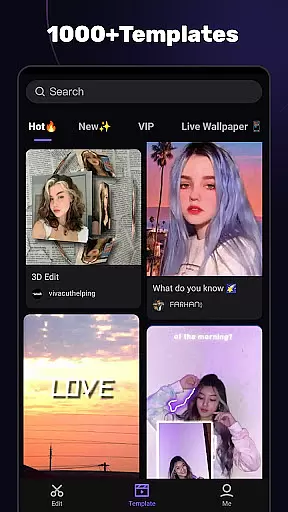
Perhaps most impressively, AI Video Editor offers template-based editing powered by machine learning algorithms. These templates adapt to user preferences over time, learning individual styles and suggesting personalized editing options. This adaptive approach not only improves workflow efficiency but also helps users develop their unique visual language. By combining powerful automation with customizable options, the application delivers a sophisticated editing experience that caters to both beginners and experienced editors seeking to optimize their creative process.
User-friendly interface
Advanced editing tools
High-quality export options
Comprehensive feature set
Creative effect templates
Subscription required for full access
Some features may overwhelm beginners
Occasional performance issues on older devices
Limited free export resolution
Ads in free version

Video player, file manager for all formats, 4K/HD media player supports subtitle
 4.30
4.30
Client application for NextPVR software
3.00
?100% FREE! Download & save videos? safely in this app. All formats supported.
4.60
Search & download videos from net with all video downloader, auto-detect & safe.
4.60
Powerful HD video player with support for all formats & subtitles.
4.1
Turn your phone into a wireless camera!
4.20
AirMirror Receiver - Screen mirroring/cast web videos to Android TV by AirPlay.
4.40
VLC for Android is the best open source video and music player, fast and easy!
4.10
Enjoy your favorite videos and channels with the official YouTube app.
3.90
Download Hub, easy and private way to download and enjoy your videos offline
4.80
Watch IPTV on your Android device
4.60
HD video maker with no watermark, no ads & vlog maker with music, PIP, text
4.50
Fast & Private HD Video Downloader with Built-in Proxy Browser and Video Player.
4.50
Fast video downloader & private browser. Save HD clips to watch offline.
4.40
Download website videos fast&privacy
4.40
Capture images & record videos for USB Camera, Webcam, Microscopes, Endoscopes
3.80
Manage your IPTV live channels and VOD playlists (no playlist included)
3.80
Kodi media center, a free and open source cross-platform entertainment hub
3.60
Save photos and videos from social apps in one tap.
3.60


User Reviews