








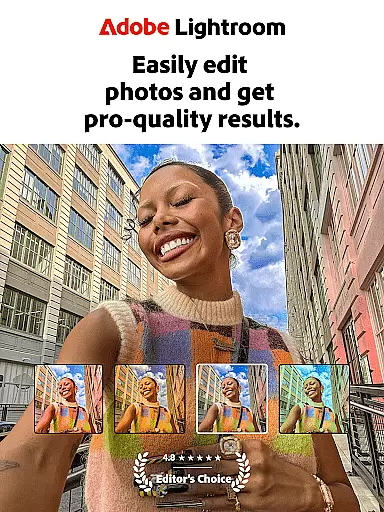
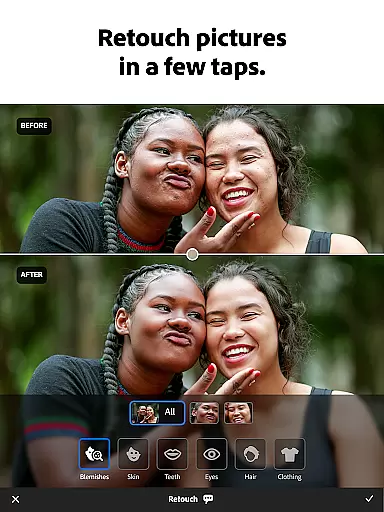
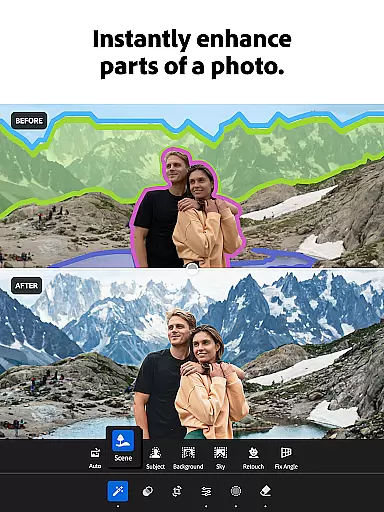

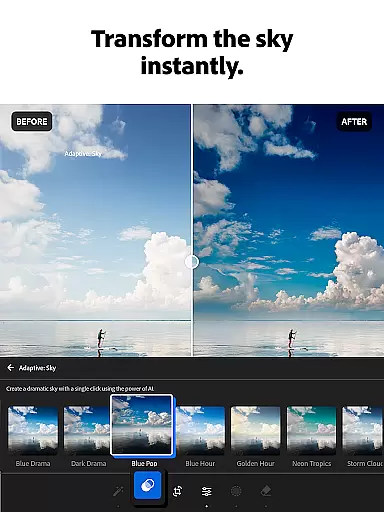
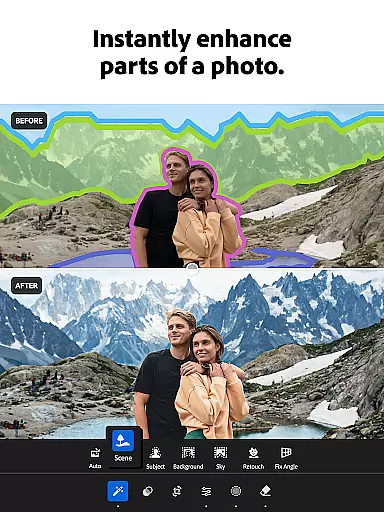

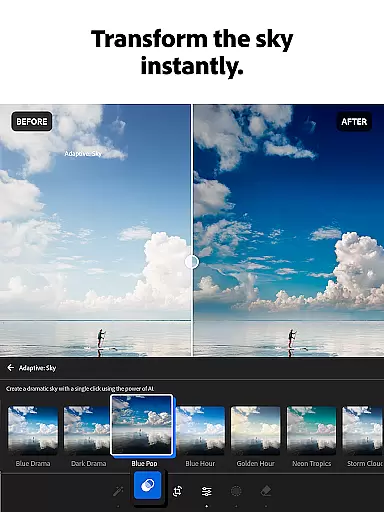
Adobe Lightroom is a comprehensive photo and video editing application designed for both amateur photographers and professionals. This app allows users to enhance their photos with powerful yet easy-to-use tools, making every image share-worthy in seconds. Whether you're capturing sunsets, family moments, or culinary delights, Lightroom provides the necessary features to retouch and enhance your images.
The app includes advanced photo editor tools that fix picture imperfections, improve photo quality, and even edit videos. With functionalities like one-tap enhancements, customizable presets, and professional-grade adjustments, Lightroom ensures your photos stand out. Additionally, its AI-driven suggestions help tailor edits to fit your unique style without requiring prior experience.
Lightroom is not just about individual photo editing; it fosters a community where users can draw inspiration from shared filters and presets. The batch editing feature allows consistent styling across multiple photos, saving time and effort. Available on various platforms, Adobe Lightroom empowers users to create stunning visuals effortlessly, making it an essential tool for anyone passionate about photography.
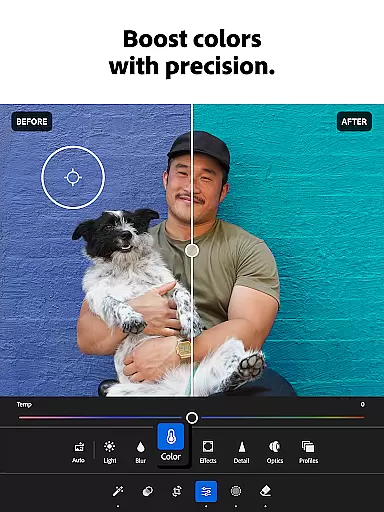
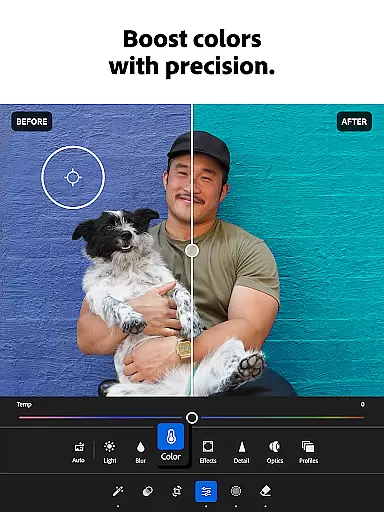
Adobe Lightroom offers a plethora of features that cater to diverse photo editing needs. One standout aspect is its state-of-the-art photo editor tools, which include options to adjust exposure, highlights, shadows, color grading, and more. These tools enable users to have granular control over their images, ensuring professional results every time.
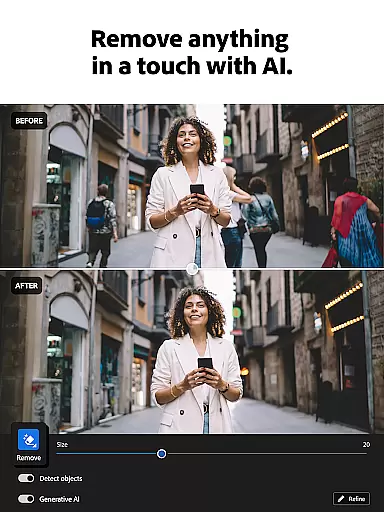
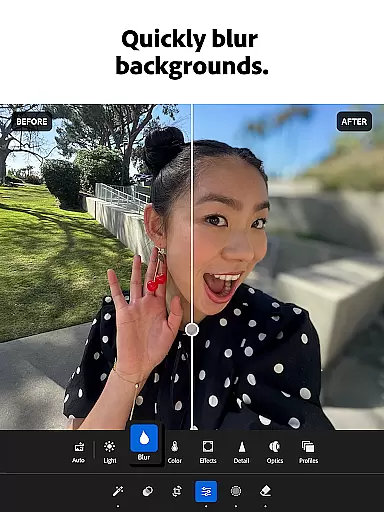
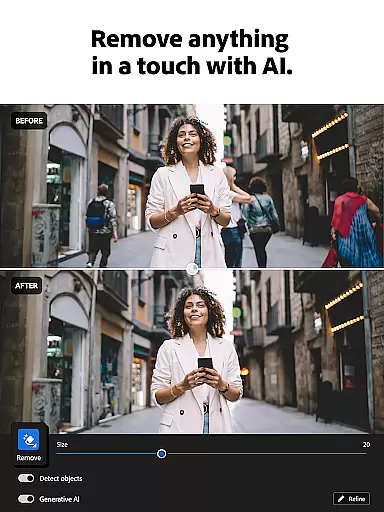
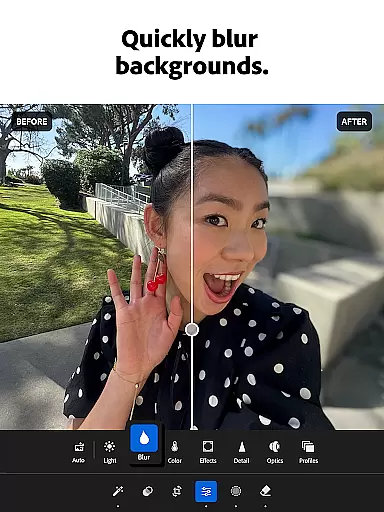
In addition to basic adjustments, Lightroom provides innovative features such as Generative Remove, which allows users to erase unwanted objects or people from photos seamlessly. The background blur function adds a polished look, perfect for portrait photography. Moreover, the app's AI capabilities suggest optimal edits, enhancing user experience by simplifying complex tasks.
Another remarkable feature is the ability to apply edits across multiple photos efficiently. Users can save their favorite settings and replicate them effortlessly, maintaining consistency throughout their work. Furthermore, the vibrant community contributes by sharing unique presets and filters, offering endless creative possibilities. Overall, these robust features make Adobe Lightroom a top choice for anyone looking to elevate their photo editing skills.
Real-time capture and preview functionality is essential for photographers who need to ensure their shots are perfect before they even take them. With Lightroom Photo & Video Editor, users can see exactly how their photo will look with applied adjustments before capturing it. This feature allows for precise control over the final image, ensuring that every shot meets professional standards.
The app provides a live view of exposure, white balance, and other critical settings, enabling photographers to make informed decisions on the go. By offering real-time feedback, Lightroom empowers users to experiment with different settings without wasting time on trial and error. This immediate visualization helps in achieving the desired outcome faster and more efficiently.
Moreover, this capability extends to video editing as well, where creators can apply filters and effects in real-time, seeing the results instantly. This seamless integration of photo and video editing tools ensures a cohesive workflow, enhancing productivity and creativity. Users can trust that what they see on their screen is what they'll get in their final output, making Lightroom an indispensable tool for both amateur and professional photographers alike.
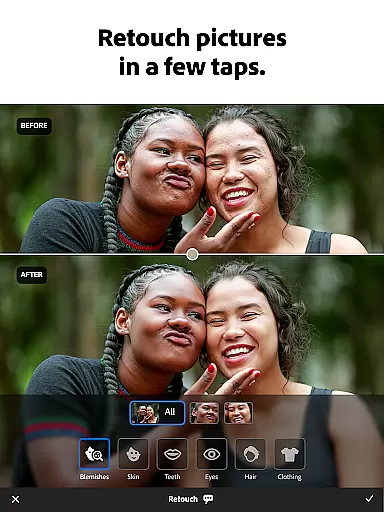
AI beauty and enhancement features have revolutionized the way we edit photos, providing natural-looking improvements without manual intervention. Lightroom leverages advanced AI technology to automatically enhance facial features, skin tones, and overall image quality while maintaining authenticity. This ensures that edited photos retain their original charm and character, avoiding the overly processed look often associated with digital enhancements.
With just one tap, users can apply sophisticated algorithms that intelligently adjust lighting, contrast, and color balance to bring out the best in every portrait. These AI-driven enhancements adapt to individual faces, preserving unique traits and expressions. As a result, each photo appears genuinely enhanced rather than artificially altered, giving users confidence in sharing their work.
Furthermore, Lightroom's AI capabilities extend beyond basic retouching, offering tools like Generative Remove which intelligently erases unwanted objects or people from photos. This level of precision and attention to detail sets Lightroom apart from other photo editors, providing unparalleled flexibility and creative freedom. Whether you're a seasoned photographer or a casual user, these AI-powered enhancements help you achieve stunning results effortlessly.
User-friendly interface
Advanced AI editing tools
Vibrant community support
Batch editing capabilities
Professional-grade adjustments
Premium subscription required
Steep learning curve
Limited free features
Occasional performance issues
High storage requirements

All-in-One Editor & AI Photo Enhancer, Beautify & Retouch, Collage, Cartoonify
 4.20
4.20
[3DSteroid Pro] is a stereoscopic application for Android.
4.30
An interval timer to automate photo taking process for timelapse
2.90
Viewfinder, Light meter, Reciprocity failure time, DOF & Bellows Extension
4.60
Edit like a pro with Hypic. Apply filters, AI effects, & magic touch.
4.40
Be your best in every shot! Fix, edit and retouch your face in selfies & photos.
3.70
Enhance, retouch & create your story - Share the moment with Photoshop Express.
4.60
Pro version: AR sun/moon tracker for any date. Tool for photographers & planners
4.90
live datamoshing
4.00
A must-have app for landscape photographers
4.60
1M influencer's special filter
4.60
Create Business Headshots, Polaroid Filter, Retake Photos,Profile Pics,AI Photos
4.50
Trendy TikTok time warp scan funny filter app brings you unique photos & videos.
4.40
Professional photography on your mobile phone
4.20
Luminar: Photo Editor - easy picture editing with AI
4.20
Catch sunlight, sunrise sunset times and sun phases with the AR sun tracker.
4.10
Photo editor: face & body editor, beauty cam, filters and quality enhancer.
4.00
How would you look like with a differently shaped nose, chin or lips?
3.90
Perfect photos with body shaping, BG changer and object remover.
3.70


User Reviews