

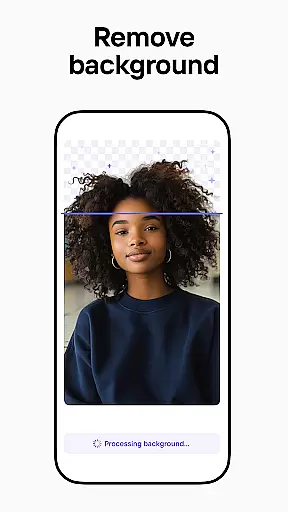


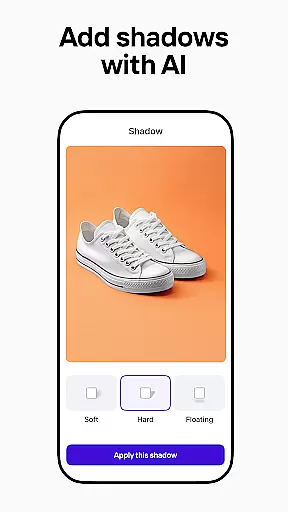
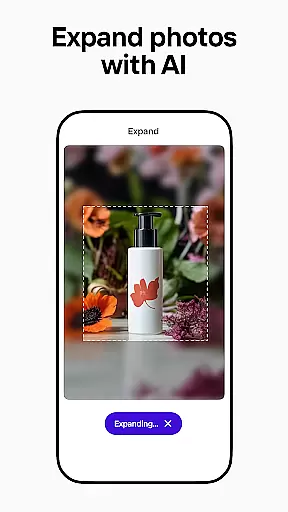
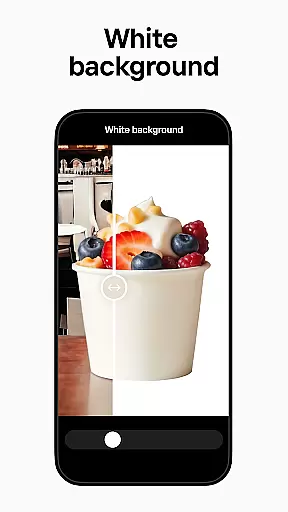


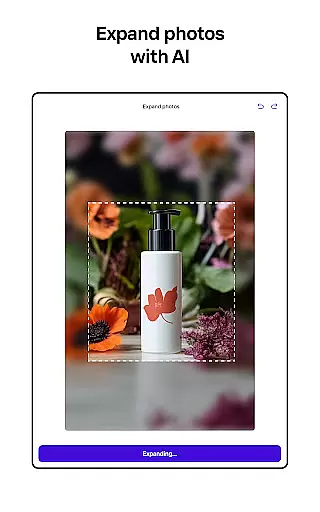
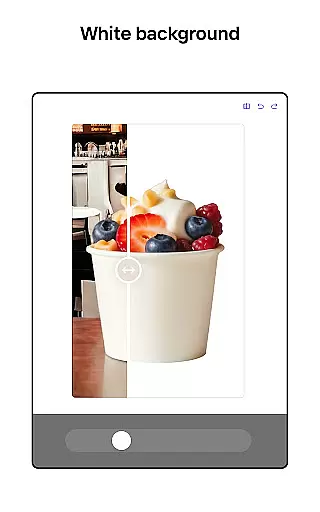
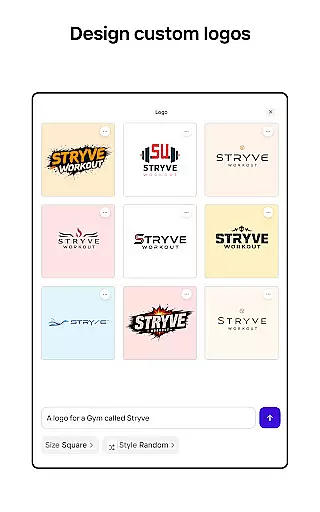
Photoroom AI Photo Editor is a powerful mobile application designed for creating professional-quality images with ease. The app utilizes advanced AI technology to help users design, edit, and enhance photos by removing or replacing backgrounds, erasing unwanted objects, and adjusting lighting and shadows. It is particularly beneficial for e-commerce sellers, content creators, and social media managers who need to produce engaging visuals for various platforms like Instagram, Facebook, and Amazon.
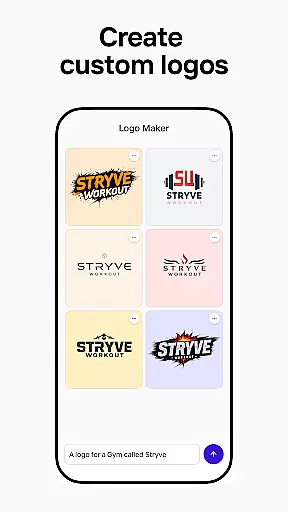
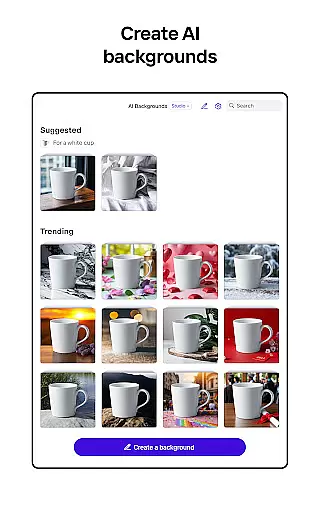
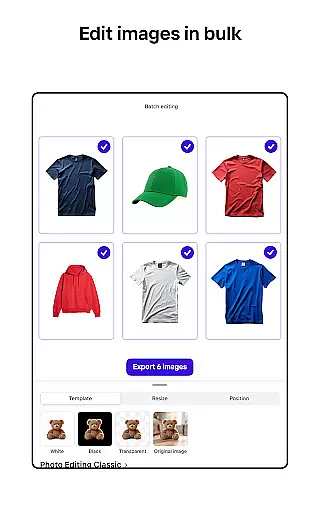
One of the standout features of Photoroom is its AI-powered design capabilities, which allow users to generate backgrounds, logos, and other design elements simply by describing their ideas. This saves significant time and effort, making it accessible even to those without prior design experience. Additionally, the app offers batch editing functionality, enabling users to apply consistent styles across multiple images simultaneously, thus greatly enhancing productivity.
Whether you're looking to create polished product shots, eye-catching social media posts, or ad-ready images, Photoroom provides all the necessary tools in one intuitive platform. Its ability to transform images instantly and maintain brand consistency through customizable templates and collaboration features makes it an invaluable tool for anyone aiming to elevate their visual content.
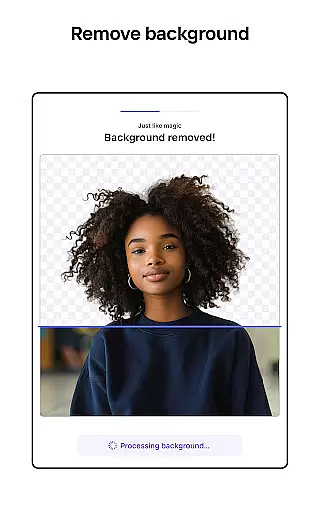
Photoroom AI Photo Editor stands out due to its comprehensive suite of features tailored to meet the needs of various users. One of the core functionalities is the AI-powered background removal and replacement tool. This feature allows users to effortlessly erase and replace backgrounds, making product photos more appealing and professional. The smart eraser tool further enhances this by cleaning up details and removing distractions, ensuring that the focus remains on the main subject of the image.
Another significant feature is the enhanced photo editing capability. Users can easily adjust lighting, shadows, and sharpness, as well as erase unwanted objects from their images. The Product Beautifier tool transforms visuals instantly by showcasing clothing on lifelike virtual models and placing items in beautifully staged scenes. These features collectively ensure that every photo achieves a high level of professionalism and visual appeal.
Photoroom also offers robust customization and collaboration options. Users can build their own brand kits to store logos, colors, and fonts, ensuring consistent design across all projects. The app supports real-time collaboration, allowing team members to work together seamlessly on designs. Furthermore, the availability of AI-powered templates for various occasions enables users to quickly customize and produce standout content. With these features, Photoroom caters to both individual creators and teams looking to streamline their design processes and maintain brand integrity.
Real-time capture and preview functionality is essential for ensuring that every photo taken meets professional standards. With Photoroom AI Photo Editor, users can instantly see the results of their edits, background changes, and enhancements before finalizing their images.
The app's advanced AI technology processes changes immediately, allowing users to visualize how different backgrounds or design elements will look. This real-time feedback loop empowers users to make precise adjustments, ensuring that the final output aligns perfectly with their creative vision.
This feature is particularly beneficial for e-commerce sellers who need to produce high-quality product photos quickly. By seeing edits in real time, users can maintain consistency across multiple images, streamline their workflow, and significantly reduce post-production time.
Ultimately, real-time capture and preview not only enhances productivity but also boosts confidence in the editing process. Users can experiment freely, knowing they can instantly assess and refine their work, resulting in professional-grade images that effectively elevate their brand.
AI-powered beauty and enhancement features are revolutionizing photo editing by offering natural-looking improvements without compromising authenticity. Photoroom AI Photo Editor leverages sophisticated algorithms to enhance facial features, skin texture, and overall image quality while maintaining a realistic appearance.
The app intelligently identifies key areas for enhancement, such as smoothing skin imperfections or brightening eyes, all while preserving the subject's unique characteristics. This ensures that edited photos retain their genuine essence, avoiding the over-processed look that can occur with traditional editing tools.
For content creators and social media managers, this feature is invaluable. It allows them to produce visually appealing images that resonate with audiences, driving higher engagement rates. Additionally, the natural enhancement effect helps build trust with viewers, as the images appear authentic and relatable.
By prioritizing natural beauty enhancement, Photoroom empowers users to create stunning visuals that captivate without sacrificing realism. This approach not only elevates the quality of the images but also supports a more inclusive and diverse representation of beauty in digital content.
User-friendly interface
Advanced AI tools
Batch editing support
Real-time collaboration
Customizable templates
Premium features locked
Subscription required
Limited free exports
Occasional bugs
Learning curve

Add Watermark - Sign your pictures with a text or logo. Effective, quick, easy!
 4.50
4.50
Find time and duration of different sunlight phases at any location
4.90
Photobooth mini FULL app will allow you to add more fun to your parties
4.00
Create collages easily! Nice pic collage maker & background eraser for Instagram
4.50
Professional quality photo edits with the new Snapseed.
4.00
Professional camera app that brings DSLR manual photography controls to Android.
4.20
Effortlessly make high-quality GIFs from images & videos without any watermarks.
4.70
Discover How to Plan any Sun, Moon and Milky Way Photo You Imagine in Seconds
4.70
Your Family Calendar + Photos. Manage your Skylight Calendar and Skylight Frame.
4.40
Amazing Photo Effects - The most fun you can have with your photos!
4.70
See your baby AI baby face generator AI baby maker Face generator babymaker fun!
4.70
AI photo editor with hair editor, retouch tools, hair color changer & filters!
4.50
Photo Exif Editor allows to view, add and modify EXIF data of multiple photos
4.50
HD Camera Pro with HD Video shooting, Panorama, Photo editor , Beauty Camera.
4.50
A reflected light meter with spot metering and incident light metering.
4.40
Pet Camera
3.70
Remote control the phone camera shutter from your smartwatch and take a picture
1.60
Add a dreamy vibe to your selfies and videos with soft style filters
4.2
Snap photos remotely using your Garmin watch as the camera trigger
4.1


User Reviews