
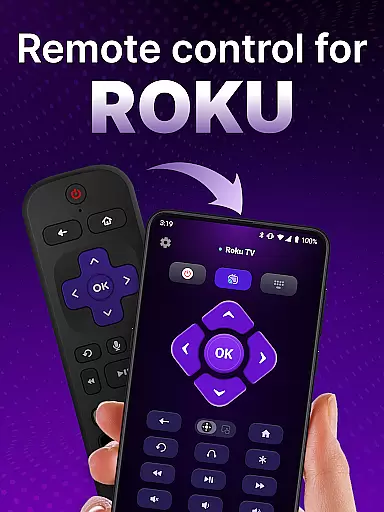
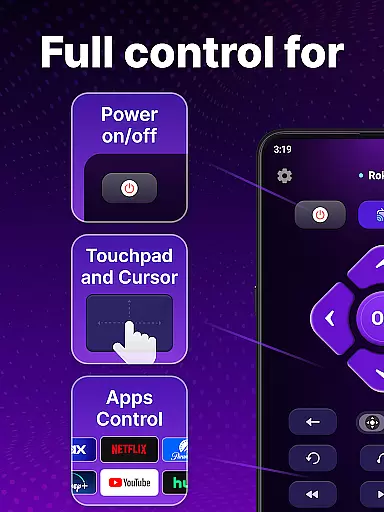
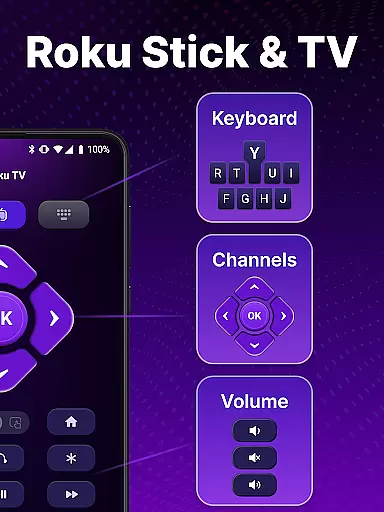
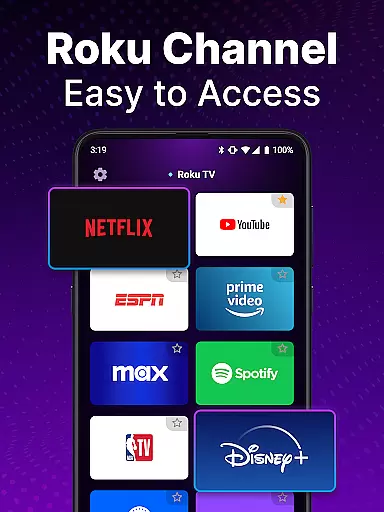
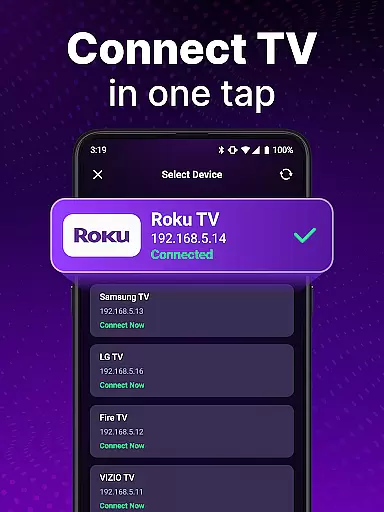
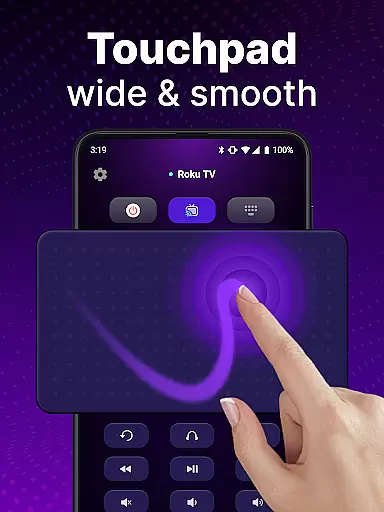
TV Remote control for Roku TV is a universal remote application that allows users to seamlessly manage their Roku TV devices directly from their smartphones. The app connects to the same Wi-Fi network as your Roku TV, enabling you to perform essential functions such as turning the TV on or off, adjusting the volume, browsing content, launching channels, and even using voice commands. With its intuitive interface and advanced features like keyboard input and touchpad navigation, this app transforms your phone into a powerful Roku remote control.
This application is particularly useful for those who frequently misplace their physical Roku remote or desire more convenience in controlling their entertainment system. By providing quick access to all major Roku TV functionalities, it enhances the overall user experience while eliminating the need for multiple remotes. Whether you're at home or within Wi-Fi range, this app ensures you have complete control over your Roku TV experience.
The TV Remote control for Roku TV app offers an impressive array of features designed to simplify and enhance your interaction with Roku TV devices. One of its standout capabilities is automatic device detection, which identifies Roku TVs connected to the same Wi-Fi network, making setup effortless. This feature alone saves time and reduces technical hassles commonly associated with pairing devices.
In addition to basic controls like power on/off and volume adjustment, the app includes advanced functionalities such as voice command support and smooth touchpad navigation. Users can also take advantage of the integrated keyboard for swift text input and searching, allowing them to find their favorite shows faster than ever before. These innovations not only replicate but often surpass the functionality of traditional Roku remotes, offering a more versatile and user-friendly alternative.
By combining portability, ease-of-use, and comprehensive control options, this universal remote app stands out as a reliable solution for managing Roku TVs without the limitations of physical remotes.
When it comes to remote control applications, the precision and reliability of core functions are paramount. The TV Remote control for Roku TV app excels in this area by offering accurate and effective control over your Roku TV device. This universal remote app ensures that every command, from power on/off to channel navigation, is executed with exact precision.
The app's automatic detection feature allows it to seamlessly identify Roku TV devices on the same Wi-Fi network, streamlining the setup process. Once connected, users can expect rapid response times when using the touchpad for smooth scrolling and swiping. This immediacy in function execution enhances the overall user experience, making it a reliable tool for everyday use.
Moreover, the inclusion of voice control capabilities adds another layer of functionality. Users can perform hands-free operations such as searching for shows or adjusting the volume, which not only saves time but also adds convenience. The keyboard input feature further supports swift text entry, ensuring that users can quickly find their favorite content without hassle.
A straightforward and intuitive interface is crucial for any tool-based application, and the TV Remote control for Roku TV app delivers just that. Upon opening the app, users are greeted with a clean layout that mirrors the simplicity of a physical Roku remote, but with added functionalities that make it more versatile. This design choice ensures that even first-time users can navigate the app with ease.
The touchpad within the app provides a familiar interaction method for modern users, allowing for instinctive gestures like swiping and tapping. These actions translate directly into precise movements on the Roku TV interface, eliminating the learning curve typically associated with new technology. Additionally, the prominent placement of frequently used buttons such as power and volume controls makes daily operations effortless.
Voice input functionality further simplifies the user journey by enabling hands-free commands. By speaking directly into their device, users can search for content or launch channels without needing to manually input text. This blend of traditional remote features with innovative voice control creates an intuitive experience that caters to both tech-savvy individuals and those less familiar with digital interfaces.
User-friendly interface
Voice command support
Automatic device detection
Swift text input
Comprehensive Roku TV control
Requires Wi-Fi connection
Not officially affiliated with Roku
Limited to Roku devices
Potential connectivity issues
No physical buttons

pdf merge, word to pdf, jpg to pdf, edit pdf, convert to pdf and much more!
 4.20
4.20
A powerful, easy-to-use flight computer on your phone or tablet!
3.80
PDF Reader - Document Viewer: Read, Manage & Organize Your Documents
3.10
Keep track of your Palia friendships, tasks, and inventory with Palia Notebook
4.60
Forza Tuning Calculator App for Forza Horizon 5, Motorsport and Earlier Titles
4.40
Unleash gamepad precision for ultimate mobile gaming dominance.
3.90
The one-and-only remote control for PC, Mac, and Linux
4.70
Quickly check the frequency of the Earth
4.30
Connect wirelessly to your computer to watch movies, browse the web, play games
5.00
Learn the vast amount of system information about device and monitor it's state
4.70
The Ultimate Flex Drivers Utility App - Convenient Tapping & Block Filters
4.70
Quickly switch to an encrypted DNS server on Android TV
4.50
eXtended Permission Manager - a small app to manage permissions and AppOps
4.50
Detect hidden spy camera with advanced scanning {{ Premium version }}
4.00
Amateur Radio app for APRS: Track friends, exchange messages, get tactical info.
3.90
Safely recover deleted photos, videos, and files with a single easy tap.
3.70
This app unlocks the Pro features of the Central for DayZ app
3.60
A recovery soft,it features photo recovery, video recovery, file recovery.
3.40
A non-root local ADB shell client. READ BELOW!
3.40


User Reviews