
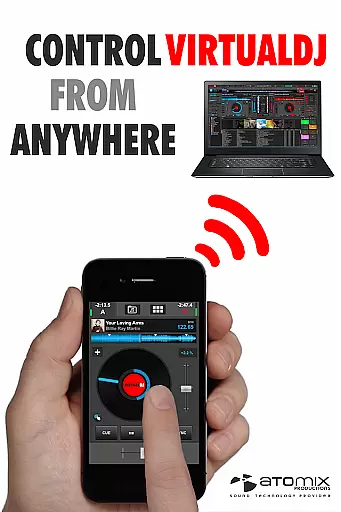
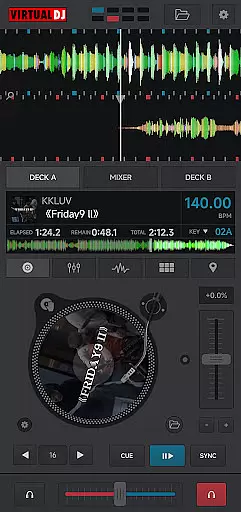
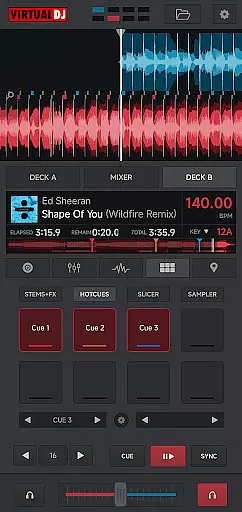
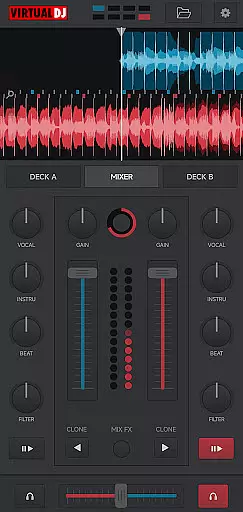
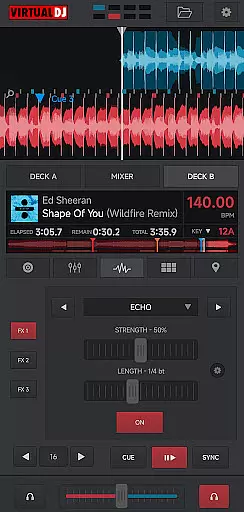
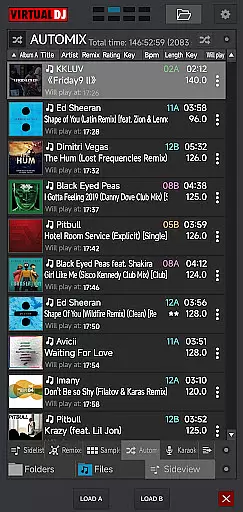
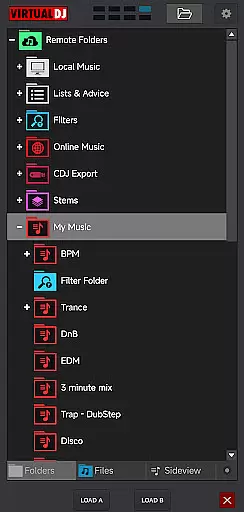
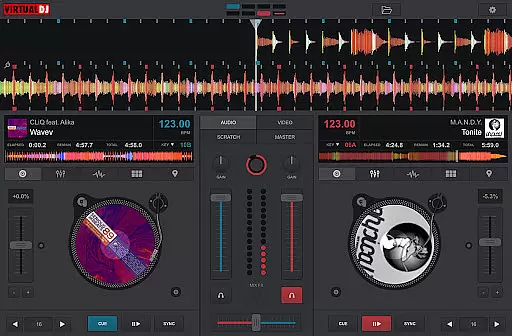
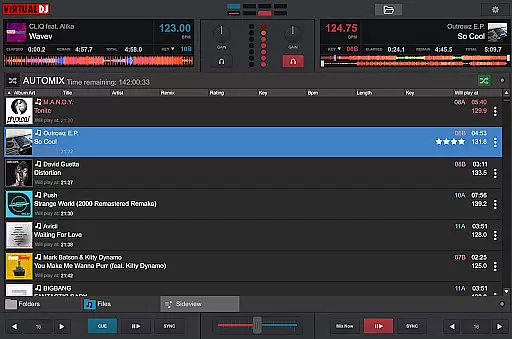
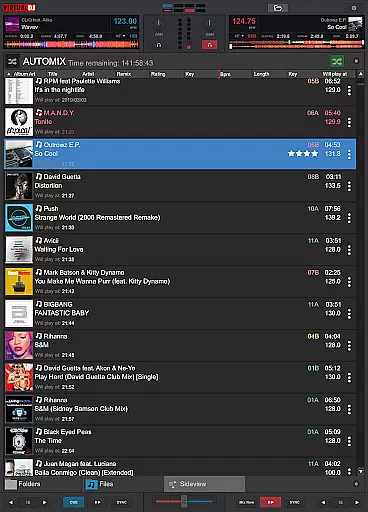
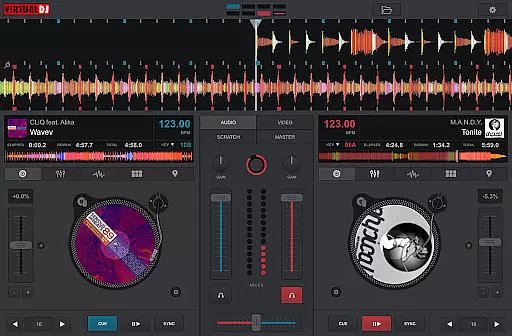
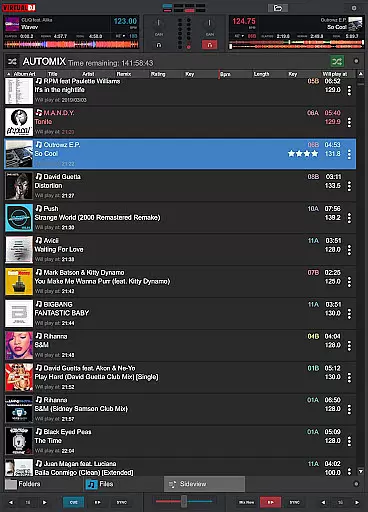
VirtualDJ Remote is a powerful application that allows DJs to control VirtualDJ software directly from their mobile devices. Designed for both professional and amateur DJs, this app enables users to mix tracks, apply effects, and manage playlists wirelessly over a Wi-Fi connection. Whether you're using a phone or tablet, the app transforms your device into a versatile DJ controller.
The application supports complete freedom of movement, allowing DJs to step away from the booth while still maintaining full control of their mixes. It also features customizable skins, enabling users to tailor the interface to their specific needs. From beat mixing to video playback, VirtualDJ Remote delivers a comprehensive DJ experience right at your fingertips.
This app is particularly useful in live performance scenarios where mobility and flexibility are crucial. By connecting seamlessly with VirtualDJ software on a PC or Mac, it ensures reliable performance and real-time control, making it an essential tool for modern DJs.
VirtualDJ Remote offers an impressive array of features designed to enhance the DJing experience. The app provides full wireless control over VirtualDJ software, allowing users to perform various DJ tasks remotely. Key functionalities include virtual scratching, playlist management, and real-time mixing controls, all accessible through an intuitive touch interface.
One of the standout features is its support for customizable skins, which lets users modify the interface to match their preferred workflow. This flexibility extends to different DJing styles, from basic mixing to advanced multi-deck performances. The app also supports video mixing capabilities, enabling users to incorporate visual elements into their sets.
Additional features include LiveFeedback for personalized track suggestions, multi-deck support for complex performances, and seamless integration with audio systems through the connected computer. These capabilities make VirtualDJ Remote a comprehensive solution for DJs seeking wireless control without compromising functionality.
VirtualDJ Remote supports a wide range of video formats, ensuring that DJs can mix and play virtually any file they encounter. This flexibility is crucial in professional environments where time is of the essence and the ability to handle various formats without conversion is a significant advantage.
The application leverages the processing power of the connected PC or Mac to decode and playback video files, providing seamless integration with VirtualDJ's comprehensive suite of tools. Whether it's MP4, AVI, or MKV, users can be confident that their videos will play without a hitch.
This compatibility extends to both music and video files, allowing for synchronized audio-visual performances. DJs can incorporate visual elements into their sets, enhancing the audience's experience by delivering a complete sensory package.
By supporting industry-standard codecs and containers, VirtualDJ Remote ensures that users are not limited by format restrictions, empowering them to focus on creativity and performance rather than technical limitations.
While VirtualDJ Remote is primarily designed for live DJ performances, it also includes AI-powered features that assist with music and video editing. These intelligent tools help DJs craft unique experiences by suggesting edits based on the content being mixed.
The application's AI analyzes tracks in real-time, offering recommendations for beat matching, tempo adjustments, and effect applications. This feature is particularly useful for maintaining seamless transitions between songs, even when working with complex multi-deck setups.
For video content, the AI provides suggestions for visual effects and transitions that complement the audio mix. DJs can create professional-grade audio-visual shows without needing extensive video editing expertise, as the system intelligently proposes suitable enhancements.
These AI-powered capabilities serve as a virtual assistant, helping both novice and experienced DJs elevate their performances while maintaining creative control over the final output.
User-friendly interface
Wireless control capability
Customizable skin options
Multi-deck support
Video mixing functionality
Requires separate software
Dependent on Wi-Fi connection
Limited standalone features
Device compatibility issues
Learning curve for beginners

Fast, private downloading, video saving, social media
 4.50
4.50
A Quick and Pro Video Editor
4.70
KineMaster, Your Ultimate Video Editor!
4.40
Capture images & record videos for USB Camera, Webcam, Microscopes, Endoscopes
3.80
Stream Web Videos to Chromecast, Samsung, LG, Sony, Roku, Fire TV, DLNA + more
4.00
Powerful Video Editor & Photo Editing App —— Quick Edits & Stunning Effects!
4.30
IPTV Loader, loads your own Playlist. DOES NOT CONTAIN ANY LIST OR CHANNELS
4.60
Livestream, news, & gaming content. Watch, chat, and upload. Join Rumble today!
3.80
Fast & Private HD Video Downloader with Built-in Proxy Browser and Video Player.
4.50
Download Hub, easy and private way to download and enjoy your videos offline
4.80
Cast Videos from Web Browser, IPTV to Roku, Chromecast, DLNA, Smart TV +more
4.60
VLC Remote lets you control your VLC Media Player on Mac, PC or Linux.
4.60
Fast & easy HD video downloader for all formats, support 4K playback & download.
4.60
Kodi media center, a free and open source cross-platform entertainment hub
3.60
Save photos and videos from social apps in one tap.
3.60
AirMirror is Receiver for Screen Mirroring and Casting from Apple Devices.
3.60
Connect EasyCap or UVC devices for recording and broadcast video/audio stream
3.60
This app is an emulator of some specific IPTV boxes
3.50
You can play SWF format file!
2.50


User Reviews